Can I Use Normal Hdmi Cable For Hdmi Arc Explained
Yes, you can use a normal HDMI cable for HDMI ARC, but only if it meets the HDMI 1.4 standard or higher. A standard HDMI cable supports basic ARC functionality, but for the best audio quality and modern features, a high-speed HDMI cable is strongly recommended. Let us break down exactly what works, what does not, and how to avoid common setup mistakes.
Key Takeaways
- A standard HDMI cable can support HDMI ARC if it is HDMI 1.4 or newer, but high-speed cables deliver better results.
- HDMI ARC simplifies your audio setup by sending sound from your TV back to your soundbar or receiver through a single cable.
- eARC is the newer, improved version that supports uncompressed audio and Dolby Atmos over HDMI.
- Common ARC problems include no sound, audio delays, and connection drops, often caused by using an outdated or low-quality cable.
- Always check your cable specifications before purchasing to ensure it supports the ARC feature.
- Cable length and certification matter for reliable ARC performance in home theater setups.
📑 Table of Contents
- Can You Use a Normal HDMI Cable for HDMI ARC
- Understanding HDMI Cable Versions and ARC Compatibility
- Common Problems When Using a Normal HDMI Cable with ARC
- How to Choose the Right HDMI Cable for ARC
- HDMI ARC vs eARC: What Is the Difference
- Quick Tips for a Smooth HDMI ARC Setup
- Expert Insights on HDMI ARC Cable Selection
- Final Thoughts on Using Normal HDMI Cables for HDMI ARC
Can You Use a Normal HDMI Cable for HDMI ARC
If you have ever set up a soundbar or home theater system, you probably came across the term HDMI ARC. It stands for Audio Return Channel. And it is one of those features that makes life easier by letting your TV send audio back to your sound system through the same HDMI cable that carries video. But here is the big question most people ask: can I use a normal HDMI cable for HDMI ARC?
The short answer is yes. A standard HDMI cable can work with HDMI ARC, as long as it meets the HDMI 1.4 specification or newer. But the longer answer is a bit more nuanced. Not all standard cables deliver the same performance. And using the wrong one can lead to frustrating audio issues. In this guide, we will walk you through everything you need to know. We will cover what HDMI ARC actually is, which cables work, what goes wrong, and how to pick the right one for your setup.
Whether you are connecting a soundbar, AV receiver, or home theater system, understanding your cable options matters. A lot of people assume any HDMI cable will do the job. And in many cases, they are right. But there are important differences between cable types that can make or break your audio experience. Let us get into it.
What Is HDMI ARC and Why Does It Matter
HDMI ARC stands for Audio Return Channel. It is a special feature built into HDMI technology that allows audio to travel in both directions through a single HDMI cable. Before ARC existed, you needed a separate cable, usually an optical audio cable, to send sound from your TV back to your sound system. This was annoying because it meant extra cables, extra ports, and sometimes poor audio quality.
With HDMI ARC, you only need one cable to carry both video and audio in both directions. This is a game changer for home theater setups. Your TV receives video from a cable box, gaming console, or streaming device. Then it sends the audio back to your soundbar or AV receiver. Everything happens through one connection. It keeps things clean and simple.
The technology was introduced with the HDMI 1.4 standard back in 2009. Since then, it has become a standard feature on most modern TVs and audio devices. But here is the catch. Just because your TV has an ARC port does not mean any cable will work perfectly. The cable you use matters more than most people realize.
HDMI ARC also supports Consumer Electronics Control, commonly known as CEC. This lets you control multiple devices with one remote. So you can turn up the volume on your soundbar using your TV remote. That is a nice convenience that many people take for granted.
Understanding HDMI Cable Versions and ARC Compatibility
Not all HDMI cables are created equal. And when it comes to HDMI ARC, the cable version you use can make a real difference. Let us look at the different cable types and how they relate to ARC functionality.
HDMI 1.4 and ARC Support
The HDMI 1.4 standard was the first to introduce the ARC feature. So any cable rated for HDMI 1.4 or higher should technically support ARC. This includes most standard HDMI cables you will find on the market today. If you have a cable that came with a device purchased after 2009, there is a good chance it supports ARC.
However, just because a cable supports ARC does not mean it will deliver the best audio quality. Standard cables are fine for basic stereo sound. But if you want to use advanced audio formats like Dolby TrueHD or DTS-HD Master Audio, you need a better cable. This is where high-speed HDMI cables come into play.
High-Speed HDMI Cables and Why They Matter
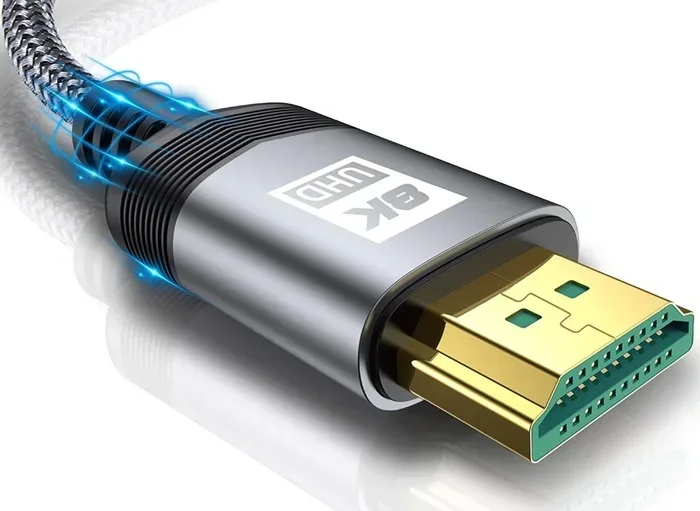
A high-speed HDMI cable is designed to handle more data. It supports higher resolutions like 4K and even 8K video. But it also handles advanced audio formats much better. If you want to get the full experience from your home theater, a high-speed cable is the way to go.
When shopping for a cable, look for labels like “High Speed HDMI” or “Premium High Speed HDMI.” These indicate the cable can handle the bandwidth needed for ARC and beyond. A regular or standard-speed cable might work for basic ARC, but it could struggle with newer audio formats.
Here is a quick comparison to help you understand the differences:
- Standard HDMI Cable: Supports basic ARC, stereo audio, and 1080p video. Good for simple setups.
- High-Speed HDMI Cable: Supports ARC with advanced audio formats, 4K video, and higher bandwidth. Best for home theater.
- Premium High-Speed HDMI Cable: Certified for the latest HDMI features, including eARC and Dolby Atmos. Ideal for modern setups.
Using a normal HDMI cable for HDMI ARC works in most cases. But if you want reliable performance and the best sound quality, investing in a high-speed cable is worth it.
Common Problems When Using a Normal HDMI Cable with ARC
Even though a standard HDMI cable can work with ARC, many users run into issues. These problems are usually easy to fix once you know what is causing them. Let us look at the most common ones.
No Sound Through ARC
This is the number one complaint people have. You connect everything, turn on the TV, and… no sound from the soundbar or receiver. There are a few reasons this happens. First, the cable might not be fully ARC-compatible. Some older or very basic cables do not carry the ARC signal properly.
Second, the ARC setting might be turned off in your TV menu. Most TVs have a setting called “HDMI ARC” or “Audio Return Channel” that needs to be enabled. Check your TV settings and make sure it is turned on. Also, check the settings on your soundbar or receiver to make sure it is set to receive audio via HDMI ARC.
Audio Delay or Lip Sync Issues
Sometimes the audio comes through, but it is out of sync with the video. This is called a lip sync issue. It can be very distracting when the character’s lips move but the sound comes a second later. This problem is more common with standard HDMI cables that have lower bandwidth.
The fix is usually to upgrade to a high-speed HDMI cable. These cables have more bandwidth and can handle the data flow more smoothly. You can also try adjusting the audio delay settings on your TV or soundbar. Most modern devices have a manual sync adjustment option in their settings menu.
Connection Drops or Intermittent Audio
If your ARC connection keeps dropping or the audio cuts in and out, the cable might be to blame. A normal HDMI cable with worn-out connectors or damaged wiring can cause this. Over time, HDMI cables can degrade, especially if they are bent frequently or stored improperly.
Try unplugging the cable and plugging it back in firmly. Sometimes a loose connection is all it takes. If that does not work, replacing the cable with a new high-speed HDMI cable usually solves the problem. It is a simple fix that many people overlook.
How to Choose the Right HDMI Cable for ARC
Choosing the right cable does not have to be complicated. But there are a few things you should keep in mind to make sure you get the best performance for your HDMI ARC setup.
Check the Cable Specifications
Before buying any cable, check its specifications. Look for the HDMI version it supports. HDMI 1.4 is the minimum for ARC. HDMI 2.0 or 2.1 is even better because it supports higher bandwidth and newer features like eARC.
Also look for speed ratings. “High Speed” or “Premium High Speed” cables are designed to handle the data demands of ARC and modern audio formats. Avoid cables that do not list their HDMI version or speed rating. These are often outdated or low-quality.
Consider Cable Length
Cable length can affect signal quality. A shorter cable generally delivers a stronger, more reliable signal. If you need a longer cable, look for one that is rated for the distance. Active HDMI cables, which have built-in signal boosters, are a great option for runs longer than 15 feet.
For most home setups, a 6 to 10 foot cable works perfectly. If your equipment is farther apart, consider an active cable or placing your devices closer together. Signal loss over long distances is a real issue that can cause ARC problems.
Look for Certification
Certified HDMI cables have been tested to meet specific standards. Look for cables that carry the HDMI Certification logo. These cables have been verified to work reliably with ARC and other HDMI features. They might cost a little more, but they give you peace of mind.
Brands like Belkin, Amazon Basics, and Cable Matters offer certified HDMI cables at reasonable prices. You do not need to spend a fortune, but avoid the cheapest no-name cables. They often fail to meet the necessary specifications for reliable ARC performance.
HDMI ARC vs eARC: What Is the Difference
If you have been shopping for audio equipment, you have probably seen the term eARC as well. eARC stands for Enhanced Audio Return Channel. It is the newer and improved version of HDMI ARC. But what exactly is the difference?
HDMI ARC was introduced with the HDMI 1.4 standard. It supports basic audio formats like Dolby Digital and DTS. This is fine for most casual listening. But it has limitations. ARC cannot carry uncompressed audio or advanced formats like Dolby Atmos or DTS:X.
eARC, on the other hand, was introduced with the HDMI 2.1 standard. It supports much higher bandwidth. This means it can carry uncompressed audio, object-based audio formats like Dolby Atmos, and multi-channel surround sound. If you have a premium sound system and want the best possible audio quality, eARC is the way to go.
Here is the important part. eARC is backward compatible with ARC. This means a device with eARC can work with an ARC-only TV and vice versa. But to get the full benefits of eARC, both your TV and your sound system need to support it. And you need a cable that can handle the higher bandwidth, which means a high-speed or premium high-speed HDMI cable.
Using a normal HDMI cable for eARC is not recommended. eARC requires more data throughput than standard ARC. A high-speed HDMI cable is necessary to take full advantage of eARC features.
Quick Tips for a Smooth HDMI ARC Setup
Setting up HDMI ARC is usually straightforward. But a few tips can save you a lot of headaches. Here are some practical tips to make sure your ARC setup works flawlessly.
- Always enable ARC in your TV settings. Go to your TV audio settings and turn on HDMI ARC or Audio Return Channel. This is the most common reason ARC does not work.
- Use a high-speed HDMI cable. Even if your devices claim to work with standard cables, a high-speed cable provides a more reliable connection and better audio quality.
- Power cycle your devices. If ARC is not working, turn off your TV, soundbar, and receiver. Unplug them for 30 seconds. Then plug them back in and turn them on. This refreshes the HDMI handshake.
- Check your cable connections. Make sure the HDMI cable is firmly plugged into the ARC port on your TV. The ARC port is usually labeled. If you plug into the wrong port, ARC will not work.
- Update your TV firmware. Sometimes ARC issues are caused by outdated software. Check for TV firmware updates in your settings menu.
- Disable CEC if it causes problems. Consumer Electronics Control can sometimes interfere with ARC. If you experience issues, try turning off CEC in your TV settings.
These tips apply whether you are using a normal HDMI cable or a premium high-speed one. They help ensure your ARC connection stays stable and delivers great sound every time.
Expert Insights on HDMI ARC Cable Selection
When it comes to choosing a cable for HDMI ARC, many experts agree on a few key points. The HDMI cable you use directly impacts the audio quality and reliability of your ARC connection. A normal HDMI cable can handle basic ARC just fine for everyday use. But if you are building a serious home theater setup, investing in the right cable pays off.
Audio engineers often recommend using high-speed HDMI cables for any setup that involves ARC. The reason is simple. High-speed cables have better shielding and more bandwidth. This means fewer signal drops, better audio quality, and support for advanced formats. For most people, a Premium High Speed HDMI cable strikes the right balance between performance and price.
It is also worth noting that the HDMI ecosystem is constantly evolving. New standards like HDMI 2.1 bring features like Variable Refresh Rate and Auto Low Latency Mode. These are great for gaming and high-end video. But they also require newer cables to work properly. If you are planning to upgrade your TV or sound system soon, consider getting a cable that supports the latest HDMI standards. This way, you future-proof your setup.
The bottom line is that a normal HDMI cable works for HDMI ARC in most situations. But the best results come from using the right cable for your specific needs. Take a moment to check your cable specifications before you buy. Your ears will thank you.
Final Thoughts on Using Normal HDMI Cables for HDMI ARC
So, can I use a normal HDMI cable for HDMI ARC? The answer is yes, with some caveats. A standard HDMI cable that meets the HDMI 1.4 specification will support basic ARC functionality. You can send audio from your TV to your soundbar or receiver without any extra cables. For casual viewing and stereo sound, this works just fine.
But if you want the best audio experience, especially with modern formats like Dolby Atmos or DTS:X, you should invest in a high-speed HDMI cable. These cables offer more bandwidth, better reliability, and support for enhanced features like eARC. They are not expensive, and the difference in audio quality is noticeable.
Remember to check your TV and sound system settings, use the right port, and keep your cables in good condition. A little attention to detail goes a long way in making sure your HDMI ARC setup works perfectly. Whether you are using a normal HDMI cable or a premium one, the key is to match your cable to your setup and your audio needs.
Take the time to get it right. Your home theater experience will be better for it. And that is what it is all about. Great sound, simple setup, and no frustration. That is what HDMI ARC is supposed to deliver. With the right cable, it does exactly that.
Frequently Asked Questions
Can a standard HDMI cable support HDMI ARC?
Yes, a standard HDMI cable that meets the HDMI 1.4 specification or newer can support HDMI ARC. It will handle basic audio return channel functionality for stereo and compressed surround sound. However, for advanced audio formats and better reliability, a high-speed HDMI cable is recommended.
What happens if I use a very old HDMI cable with ARC?
If your HDMI cable is older than the HDMI 1.4 standard, it will not support ARC at all. You may experience no sound or a failed connection. In that case, you will need to replace the cable with one that is HDMI 1.4 or newer to use ARC functionality.
Do I need a special HDMI cable for eARC?
Yes, eARC requires more bandwidth than standard ARC. You need a high-speed HDMI cable or a premium high-speed HDMI cable to use eARC properly. A normal or standard HDMI cable may not carry the advanced audio formats that eARC supports.
Why is my HDMI ARC not working even with the right cable?
The most common reason is that the ARC setting is not enabled in your TV menu. Check your TV audio settings and make sure HDMI ARC or Audio Return Channel is turned on. Also, make sure you are plugged into the correct ARC-labeled port on your TV. Restarting your devices can also help reset the connection.
Can I use an HDMI splitter with ARC?
Most HDMI splitters do not support ARC because they only pass video signals in one direction. If you need to split your HDMI signal, look for a splitter that specifically supports ARC or audio return channel functionality. Otherwise, you may lose the audio return feature.
How long can my HDMI cable be for ARC to work reliably?
For most home setups, a cable up to 15 feet works reliably with HDMI ARC. If you need a longer cable, consider using an active HDMI cable with a built-in signal booster. Longer cables without signal boosters can suffer from signal loss, which may cause ARC connection issues or audio dropouts.
=== CONCLUSION ===
Using a normal HDMI cable for HDMI ARC is possible and works well for most everyday setups. The key is understanding your cable specifications and matching them to your audio needs. A standard HDMI 1.4 cable handles basic ARC just fine. But if you want the best sound quality and support for modern audio formats, a high-speed HDMI cable is the smarter choice. Take a few minutes to check your cable, enable the right settings, and enjoy a cleaner, simpler audio setup. Your home theater will thank you for it.