Can I Use Usb C Port For Audio Instead Of Headphone Jack
Yes, you can use a USB C port for audio, and it is becoming the new standard for wired and wireless sound. Whether you want to connect USB C headphones, use an adapter, or stream digital audio directly, USB C offers flexibility that the old 3.5mm jack cannot match. This guide walks you through everything you need to know about USB C audio, from compatibility and quality to the best setups for your devices.
USB C has changed the way we connect our devices. It charges our phones, transfers files, and yes, it can even carry audio. If you have been wondering can I use USB C port for audio, the short answer is absolutely yes. But the full story is more interesting than a simple yes or no.
Many people still rely on the traditional 3.5mm headphone jack. It has been around for decades and works with almost every pair of wired headphones. However, smartphone makers and laptop manufacturers are moving away from it. They are replacing it with a USB C port for audio instead. This shift leaves many users confused. What happens to their favorite wired headphones? Do they need to buy new ones? Is the audio quality the same?
The good news is that USB C audio is not as complicated as it seems. With the right adapter or a pair of USB C headphones, you can enjoy great sound from any device with a USB C port. In this guide, we will cover everything you need to know. We will explain how USB C audio works, what gear you need, and how to get the best sound quality. By the end, you will feel confident making the switch.
Key Takeaways
- USB C can replace your headphone jack: Many modern devices now use USB C as their primary audio output.
- You need the right adapter or dongle: A USB C to 3.5mm adapter lets you use older headphones with new devices.
- Audio quality can be better with USB C: Digital audio through USB C can offer superior sound compared to analog headphone jacks.
- Not all USB C ports support audio: Some ports are charging-only, so check your device specs before buying gear.
- USB C audio adapters are affordable: Most adapters cost under $15 and are easy to carry on the go.
- Bluetooth is an alternative but not the only one: USB C gives you a wired option that many audiophiles prefer for consistent quality.
📑 Table of Contents
What Is USB C and Why Does It Matter for Audio?
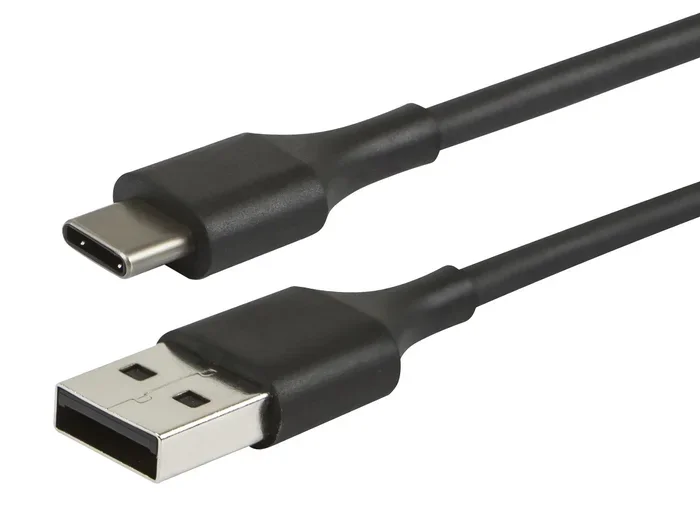
USB C is a small, reversible connector that has become the standard for modern devices. You will find it on smartphones, tablets, laptops, and even some desktop computers. Unlike the old USB Type-A or Mini-USB ports, USB C is compact and works in any orientation. You never have to flip the plug to get it right.
But USB C is not just about charging. It is a versatile port that handles data transfer, video output, and audio. This versatility is why so many device makers have dropped the traditional headphone jack. They want one port that does it all.
The Shift From Headphone Jacks to USB C
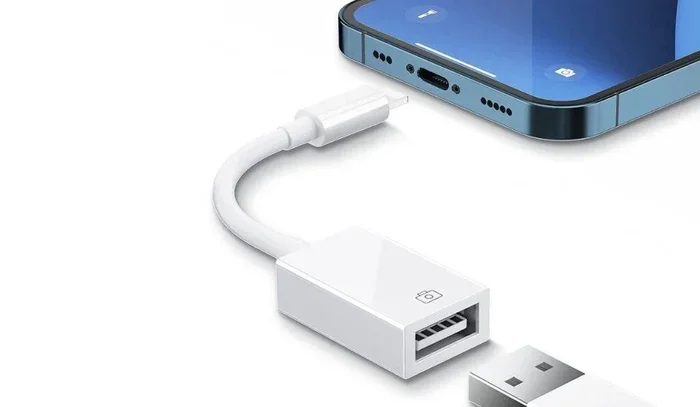
Apple was one of the first major brands to remove the headphone jack from the iPhone. Since then, many Android phone makers followed suit. Laptops from Dell, HP, Lenovo, and others have also moved to USB C as their primary audio output. This trend is not slowing down. In fact, USB C audio connectivity is now the expected standard for new devices.
Some people resisted this change at first. They did not want to give up their trusty wired headphones. But over time, most users have come to appreciate the convenience. One cable for charging and audio. Fewer ports to clean. And better water resistance on devices since there are fewer openings.
How USB C Audio Works
Understanding how USB C audio works helps you make better buying decisions. There are two main ways USB C delivers sound. The first is digital audio, and the second is analog audio through a built-in digital-to-analog converter, or DAC.
Digital Audio Over USB C
When a device sends digital audio through USB C, it sends raw audio data. The headphones or speakers then convert this data into sound. Many modern USB C headphones have a built-in DAC inside the headphone itself. This means the conversion happens right at the end of the cable, which can result in cleaner sound.
Digital audio also supports higher sample rates and bit depths. This means you can get studio-quality sound from a USB C connection. Music lovers and audiophiles often prefer this method because it preserves the original quality of the audio file.
Analog Audio Through USB C
Some devices use the USB C port to send analog audio signals. This is less common but still happens. In this case, the device has a built-in DAC that converts digital audio to analog before sending it out through the USB C port. The advantage is that you can use any pair of wired headphones with a simple USB C to 3.5mm adapter.
However, analog audio over USB C may not always support high-resolution audio formats. The quality depends on the DAC inside your device. This is why some people prefer using an external DAC or a USB C headphone amplifier for better sound.
USB C vs Headphone Jack: The Big Comparison
Let us compare USB C audio with the traditional headphone jack. This table breaks down the key differences so you can see which option works best for you.
| Feature | USB C Audio | 3.5mm Headphone Jack |
|---|---|---|
| Audio Quality | Can support high-resolution digital audio | Standard analog audio, good but limited |
| Compatibility | Works with USB C devices and adapters | Works with almost all wired headphones |
| Convenience | One port for charging and audio | Dedicated port, no charging while listening |
| Adapter Needed | Sometimes, for older headphones | None needed |
| Water Resistance | Fewer ports means better sealing | Extra port can weaken device sealing |
| Cost of Adapters | Adapters are affordable, usually under $15 | No adapter needed |
As you can see, USB C has some clear advantages. It supports better audio quality, lets you charge while listening, and improves device durability. The headphone jack still has the advantage of universal compatibility, but adapters have mostly closed that gap.
If you are curious about how USB C audio compares to other connectivity standards for electronic communication, you can read more about the pros and cons of different connectivity networks on our site.
Quick Tips: Choosing Between USB C and Headphone Jack
- Use USB C audio if you want the best sound quality and charge your device while listening.
- Stick with a headphone jack if you have a large collection of wired headphones and do not want to buy adapters.
- Consider a USB C to 3.5mm adapter if you want the best of both worlds.
- Check your device manual to confirm whether your USB C port supports audio output.
What You Need to Use USB C for Audio
Getting started with USB C audio is simple. You need a device with a USB C port and the right cable or adapter. Here is a breakdown of what you might need.
USB C Headphones
The easiest way to use USB C audio is to buy a pair of USB C headphones. These headphones plug directly into your device’s USB C port. No adapter is needed. Many popular brands now offer USB C headphones at various price points, from budget options under $20 to premium models over $200.
USB C headphones often have a built-in DAC and amplifier. This means they handle audio conversion on their own. The result is consistent, high-quality sound regardless of what device you plug them into.
USB C to 3.5mm Adapter
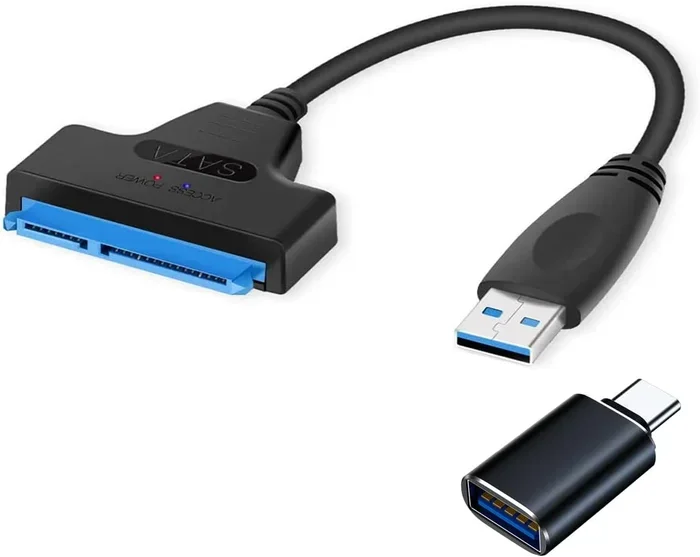
If you already own a great pair of wired headphones with a 3.5mm plug, you do not need to replace them. A USB C to 3.5mm audio adapter solves this problem. These small adapters plug into your device’s USB C port and provide a standard headphone jack.
Most adapters cost between $5 and $15. They are small enough to fit in your pocket or bag. Some adapters also include a microphone, so you can use them for calls and gaming. Look for adapters that support analog audio output for the best compatibility.
USB C DAC and Headphone Amplifier
For the best possible audio quality, consider a USB C DAC or headphone amplifier. A DAC converts digital audio to analog sound with higher precision than most built-in device DACs. A headphone amplifier boosts the signal so you can drive higher-impedance headphones.
These devices are popular among audiophiles and music producers. They connect directly to your device’s USB C port and deliver studio-grade sound. Popular brands like FiiO, AudioQuest, and Apple make excellent USB C DACs.
Common Mistakes When Buying USB C Audio Gear
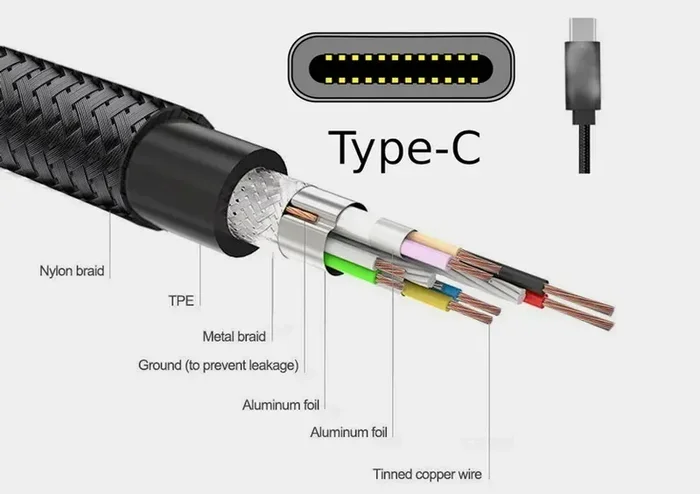
- Buying a charging-only cable: Not all USB C cables carry audio. Make sure the cable or adapter supports audio output.
- Ignoring compatibility: Some USB C ports are power-only and do not support audio. Always check your device specifications.
- Choosing cheap adapters without a DAC: Very cheap adapters may produce poor sound quality or no sound at all.
- Assuming all USB C headphones sound the same: Different models have different DACs and amplifiers. Read reviews before buying.
Does USB C Audio Quality Match or Beat Traditional Jacks?
This is one of the most common questions people ask. The answer depends on your setup and expectations. For most everyday listeners, USB C audio sounds just as good as a headphone jack. You will not notice a difference when listening to podcasts, streaming music, or watching videos.
However, for serious audiophiles, USB C can offer better sound. This is especially true when you use an external DAC. A good USB C DAC can output high-resolution audio at 24-bit or 32-bit depth. Traditional headphone jacks are limited to lower resolutions in most devices.
Here are some factors that affect USB C audio quality:
- The DAC inside your device: Higher-end devices have better built-in DACs.
- The quality of your adapter or cable: Cheap adapters can introduce noise or distortion.
- The headphones or speakers you use: Even the best USB C source sounds bad with low-quality headphones.
- The audio file quality: High-resolution audio files sound better than compressed MP3s regardless of the output method.
Expert Insight: Why Audiophiles Prefer USB C
Many audio engineers and sound designers now prefer USB C for their work. The digital connection eliminates interference from electromagnetic noise. This means cleaner, more accurate sound reproduction. If you care about audio fidelity, USB C is the way to go.
External USB C DACs also allow you to upgrade your audio setup without replacing your device. You can invest in a high-quality DAC once and use it with your phone, laptop, and tablet. This kind of flexibility was not possible with the old headphone jack.
Common USB C Audio Problems and How to Fix Them
USB C audio is generally reliable, but you may run into issues from time to time. Here are the most common problems and their solutions.
No Sound From USB C Headphones
If you plug in USB C headphones and hear nothing, try these steps. First, check that the headphones are fully seated in the port. A loose connection is the most common cause. Next, go to your device settings and make sure the audio output is set to USB C. Some devices default to Bluetooth even when a wired connection is active.
If the problem persists, try a different USB C cable. Some cables are designed only for charging and data transfer, not audio. Also, restart your device. A simple reboot often fixes audio output issues.
Poor Sound Quality or Static Noise
Static or crackling sound usually points to a problem with the adapter or cable. Try a different adapter. If the noise stops, your original adapter may be faulty. Also, check for debris in the USB C port. Dust and lint can interfere with the connection and cause audio problems.
Using a USB C audio adapter with a built-in DAC can also improve sound quality. These adapters handle the digital-to-analog conversion themselves, reducing strain on your device.
Device Does Not Recognize USB C Audio Devices
Some devices have compatibility issues with certain USB C audio gear. This is more common with older devices or budget models. Make sure your device supports USB C audio output. Check the manufacturer’s website or user manual for details.
Updating your device software can also help. Manufacturers often release firmware updates that improve USB C audio compatibility. Keep your device updated to the latest version.
The Future of USB C Audio
The trend toward USB C audio is only going to grow. More devices are shipping without headphone jacks every year. Even some gaming headsets and professional audio equipment now offer USB C connections. This shift makes the ecosystem simpler and more unified.
In the near future, we can expect even better USB C audio standards. New protocols will support even higher sample rates and lower latency. This will make USB C audio ideal for gaming, virtual reality, and professional music production.
For now, USB C audio is a mature and reliable technology. Whether you are a casual listener or an audio enthusiast, there is a USB C audio solution that fits your needs and budget.
Quick Tips for the Best USB C Audio Experience
- Invest in a quality adapter: A good USB C to 3.5mm adapter costs little and makes a big difference.
- Keep your cables clean: Wipe USB C ports regularly to prevent dust buildup.
- Use high-resolution audio files: FLAC or lossless formats take full advantage of USB C audio capabilities.
- Consider a USB C DAC for home listening: It is the best way to get the most out of your music collection.
- Check for driver updates: Some USB C audio devices need specific drivers for your operating system.
Final Thoughts
So, can you use a USB C port for audio? The answer is a resounding yes. USB C audio is here to stay, and it offers advantages that the old headphone jack simply cannot match. Better sound quality, universal compatibility, and the convenience of one port for everything.
Whether you choose USB C headphones, an adapter, or a dedicated DAC, you have options. The key is to understand your needs and pick the right gear. Most users will be perfectly happy with a simple USB C to 3.5mm adapter and their existing headphones. Audiophiles will enjoy the superior quality of a USB C DAC setup.
The transition from the headphone jack to USB C audio is not just a trend. It is the future of audio connectivity. Embracing it now means you are ready for whatever new devices come next. USB C port for audio gives you flexibility, quality, and convenience all in one small connector.
Start exploring your options today. Try a USB C adapter with your current headphones, or pick up a pair of USB C headphones. You will be surprised at how easy and rewarding the switch can be.
Frequently Asked Questions
Can I Use a USB C Port for Audio on Any Device?
Not all USB C ports support audio output. Some ports are designed only for charging and data transfer. Check your device manual or specifications to confirm that your USB C port can handle audio. Most modern smartphones, tablets, and laptops do support USB C audio.
Do I Need a Special Cable for USB C Audio?
You need a USB C cable that supports audio, not just charging. Many standard USB C cables work for audio, but some are power-only. If you are using an adapter, make sure it is designed for audio output. A good USB C to 3.5mm adapter solves this problem easily.
Is USB C Audio Better Than a 3.5mm Headphone Jack?
USB C audio can be better because it supports digital audio with higher resolutions. However, the actual sound quality depends on your device, adapter, and headphones. For most listeners, the difference is subtle. Audiophiles will notice a bigger improvement with an external USB C DAC.
Can I Charge My Device While Listening to USB C Audio?
Yes, in most cases. USB C ports can handle both power delivery and audio simultaneously. However, some cheap adapters or cables may not support this. Look for adapters that specifically mention charging and audio support if you need to use both features at the same time.
Are USB C Headphones Worth the Investment?
USB C headphones are worth it if you use devices without a headphone jack. They offer plug-and-play convenience and often include a built-in DAC for better sound. You do not need to carry a separate adapter, which makes them great for travel and everyday use.
What Is the Best USB C Audio Adapter for Everyday Use?
Look for an adapter that supports analog audio output and includes a microphone if you need one for calls. Brands like Apple, Anker, and Cable Matters make reliable USB C adapters. Choose one that is compact and durable for daily use.