Can I Watch Jetblue Movies On My Phone While Traveling
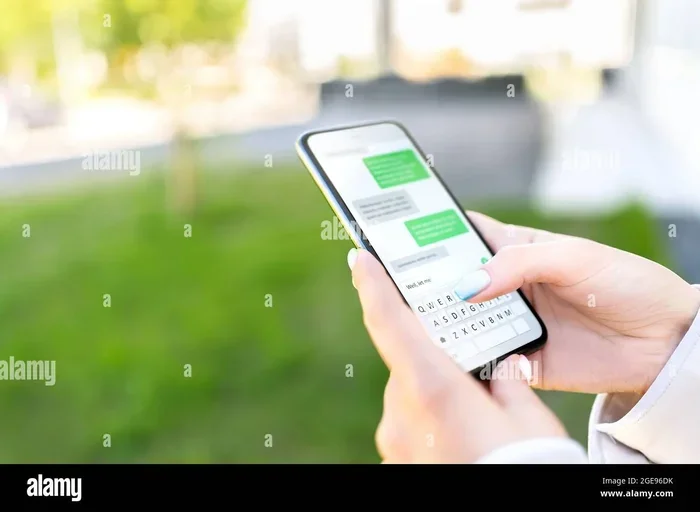
Yes, you can watch Jetblue movies on your phone if you have access to JetBlue’s inflight WiFi or use the seatback screen with your device. JetBlue offers a range of entertainment options including live TV, movies, and shows that you can stream to your mobile device. JetBlue’s Fly-Fi WiFi makes it possible to enjoy your favorite content during your flight without needing a laptop or tablet.
Traveling can be exciting, but long flights can also feel boring. One of the best ways to pass the time is by watching movies. If you are a JetBlue passenger, you might wonder whether you can watch Jetblue movies on your phone during a flight. The good news is that JetBlue has built a strong inflight entertainment system that works with mobile devices. You do not need a laptop or a tablet to enjoy your favorite films at 35,000 feet.
In this guide, we will walk you through everything you need to know about watching JetBlue movies on your phone. We will cover how the system works, what content is available, and how to set it up before your flight. Whether you are on a short domestic hop or a long international trip, you will find practical tips to make your inflight movie experience great. Let us dive in and help you make the most of your next JetBlue flight.
Key Takeaways
- JetBlue supports phone streaming: You can watch movies and TV on your phone through JetBlue’s inflight entertainment system.
- Fly-Fi WiFi is free: JetBlue offers free basic WiFi that includes access to inflight entertainment on your mobile device.
- Multiple ways to watch: You can stream via the JetBlue app, use the seatback screen with your phone, or download content beforehand.
- Content library is solid: JetBlue offers hundreds of movies, TV shows, and live channels for phone users.
- Preparation helps: Downloading content before your flight ensures you have something to watch even without WiFi.
- Headphones are a must: Bring your own headphones or earbuds since JetBlue may not provide them on all flights.
- Works on all major phones: Both iPhone and Android devices work with JetBlue’s inflight entertainment system.
📑 Table of Contents
- How JetBlue Inflight Entertainment Works
- Can You Stream JetBlue Movies on Your Phone?
- What Content Is Available for Phone Users?
- How to Set Up and Watch Movies on Your Phone
- Tips for the Best Movie-Watching Experience on JetBlue
- What Happens If You Lose WiFi During the Flight?
- JetBlue Entertainment on Different Devices
- Frequently Asked Questions
- Final Thoughts
How JetBlue Inflight Entertainment Works
JetBlue is known for offering free inflight entertainment. Unlike some airlines that charge for WiFi or seatback screens, JetBlue gives passengers access to a wide range of content at no extra cost. The system has evolved over the years, and now you have multiple ways to enjoy movies and TV shows during your flight.
The JetBlue Fly-Fi WiFi System
JetBlue’s Fly-Fi WiFi is available on virtually all of its aircraft. The basic WiFi package is free for all passengers. This free tier gives you access to JetBlue’s inflight entertainment portal, which includes movies, TV shows, and live channels. You can connect your phone to this WiFi network and start streaming right away.
The free WiFi tier does have some limitations. It may not be fast enough for heavy browsing or video calls. However, for watching movies and TV shows, it works very well. JetBlue also offers paid WiFi tiers with faster speeds, but for inflight entertainment, the free option is usually enough.
Seatback Screens vs. Mobile Streaming
JetBlue aircraft come equipped with seatback screens on most flights. These screens offer a large catalog of content that you can browse and watch. But here is the key point for phone users. You can also stream that same content directly to your phone through the JetBlue app or your mobile browser. This means you do not need to fight for a seat with a working screen. Your phone becomes your personal entertainment center.
The experience of watching Jetblue movies on your phone through the inflight WiFi is smooth for most passengers. The stream quality adjusts based on the WiFi signal strength. On a strong connection, you can watch in decent quality. On a weaker signal, the quality may drop slightly, but it is still watchable.
Can You Stream JetBlue Movies on Your Phone?
The short answer is yes. You can watch Jetblue movies on your phone while flying JetBlue. But there are a few things you need to know to make it work smoothly. Let us break down the different methods you can use.
Method 1: Streaming Through the JetBlue App
The JetBlue app is your best friend for inflight entertainment. Once you connect to the JetBlue WiFi network, open the app and look for the entertainment section. You will find a library of movies, TV shows, and live channels. You can browse by category, genre, or popularity. When you find something you want to watch, simply tap play and start streaming to your phone.
The app works on both iPhone and Android devices. You do not need to download anything special before your flight. Just make sure the app is updated to the latest version for the best experience. The app also lets you control the volume, pause, and resume playback easily.
Method 2: Using Your Mobile Browser
If you prefer not to use the app, you can also access JetBlue’s inflight entertainment through your mobile browser. Connect to the JetBlue WiFi network, open your browser, and navigate to the JetBlue entertainment portal. The interface is designed to work well on smaller screens, so you should have no trouble browsing and streaming.
This method works well if you do not want to install another app on your phone. It also means you can access the entertainment portal from any device with a browser, not just the JetBlue app.
Method 3: Downloading Content Before Your Flight
One smart strategy is to download movies or shows before your flight. JetBlue does not currently offer a built-in download feature through its app for offline viewing. However, you can use streaming services like Netflix, Amazon Prime Video, or Disney+ to download content to your phone before you leave for the airport. This way, you have entertainment even if the WiFi is spotty or unavailable.
Downloading content is especially useful on flights where the WiFi signal is weak or during takeoff and landing when WiFi may be temporarily disabled. Having downloaded movies saved on your phone gives you a reliable backup plan.
What Content Is Available for Phone Users?
JetBlue offers a surprisingly large library of entertainment content. The selection includes movies, TV shows, live channels, and even kids’ programming. Here is a closer look at what you can expect when you watch Jetblue movies on your phone.
Movie Selection
JetBlue’s movie library includes a mix of new releases, popular titles, and classic films. The selection rotates regularly, so you will always find something fresh. Genres include action, comedy, drama, romance, horror, and family-friendly options. Some popular titles that have been featured on JetBlue include recent box office hits and beloved classics.
The movie catalog is not as large as what you would find on Netflix or Amazon Prime. But for a flight, the selection is more than enough to keep you entertained. You can browse the full list on the JetBlue app or portal before your flight to decide what you want to watch.
TV Shows and Live Channels
Beyond movies, JetBlue offers a variety of TV shows and live channels. You can catch up on popular series, watch news updates, or tune into live sports. The live channels include options like CNBC, Bloomberg, and weather channels. This is great if you want to stay informed during your flight.
Kids will also find plenty to enjoy. JetBlue offers children’s programming including animated shows and family-friendly movies. If you are traveling with children, the entertainment options can be a lifesaver during long flights.
How the Content Library Compares
Here is a quick comparison of JetBlue’s inflight entertainment content compared to other streaming options you might use on your phone during a flight.
| Feature | JetBlue Inflight | Netflix Offline | Amazon Prime Offline |
|---|---|---|---|
| Free with flight | Yes | Requires subscription | Requires subscription |
| Movies available | Hundreds | Thousands | Thousands |
| TV shows | Yes | Yes | Yes |
| Live channels | Yes | No | No |
| WiFi required | Yes for streaming | No (downloaded) | No (downloaded) |
| Works on phone | Yes | Yes | Yes |
| Cost | Free | Monthly fee | Monthly fee |
As you can see, JetBlue’s free inflight entertainment gives you a great value. You do not need any extra subscriptions or fees to access the content. This is one of the reasons JetBlue stands out among airlines for its entertainment offerings.
How to Set Up and Watch Movies on Your Phone
Setting up your phone to watch JetBlue movies is straightforward. Follow these steps to get started before and during your flight.
Step-by-Step Setup Guide
- Charge your phone fully. Make sure your phone has enough battery to last your entire flight. Bring a portable charger if needed.
- Download the JetBlue app. Go to the App Store or Google Play Store and install the latest version of the JetBlue app.
- Enable WiFi on your phone. Once you are airborne and the crew announces that WiFi is available, turn on your WiFi.
- Connect to the JetBlue WiFi network. Look for the JetBlue WiFi network in your WiFi settings and connect.
- Open the JetBlue app or browser. Navigate to the entertainment section and start browsing for movies.
- Put on your headphones. Use your own earbuds or headphones for a private and clear audio experience.
- Enjoy your movie. Sit back, relax, and enjoy your inflight entertainment.
Quick Tips for a Smooth Setup
- Download the app before you arrive at the airport. This saves time and ensures you are ready as soon as you board.
- Bring a pair of wired headphones. Some phones no longer have headphone jacks, so a USB-C or Lightning adapter can be very helpful.
- Adjust your screen brightness. Lowering the brightness saves battery life during long flights.
- Close unnecessary apps. This frees up memory and helps the streaming run more smoothly.
- Check your seat location. Seats closer to the front of the plane may have a stronger WiFi signal.
Common Mistakes to Avoid
- Forgetting to download the JetBlue app. Without the app, you may miss out on the easiest way to access entertainment.
- Not charging your phone before the flight. A dead phone means no entertainment. Always start with a full charge.
- Relying only on WiFi. WiFi can be inconsistent. Having downloaded content as a backup is always smart.
- Ignoring the takeoff and landing rules. During takeoff and landing, you may need to switch to airplane mode and pause streaming.
- Using Bluetooth headphones during takeoff. Some flights require you to use wired headphones during certain phases of the flight. Check with the crew.
Tips for the Best Movie-Watching Experience on JetBlue
Watching movies on your phone during a flight is convenient, but there are ways to make the experience even better. Here are some expert tips to help you get the most out of JetBlue’s inflight entertainment.
Choose the Right Seat
Your seat location can affect your WiFi signal strength. Seats near the front of the aircraft or over the wing tend to have better connectivity. If you are a frequent JetBlue flyer, consider selecting your seat in advance through the app to get the best spot for streaming.
Manage Your Battery Life
Streaming video uses a lot of battery. To avoid running out of power mid-movie, lower your screen brightness, close background apps, and enable battery saver mode. Bringing a portable power bank is also a great idea for longer flights.
Use Headphones for Better Sound
Phone speakers are small and may not provide the best audio experience on a noisy plane. A good pair of noise-canceling headphones can make a huge difference. You will hear dialogue more clearly and enjoy the movie without disturbing the passenger next to you.
Plan Your Movie List in Advance
Do not wait until you are in the air to decide what to watch. Browse the JetBlue entertainment catalog before your flight and make a short list of movies you want to see. This way, you can jump straight into watching as soon as WiFi is available.
Expert Insight: Making the Most of JetBlue’s Free WiFi
Many travelers do not realize that JetBlue’s free WiFi includes access to the full entertainment library. You do not need to pay for a premium WiFi package to watch movies on your phone. The free tier is designed specifically for inflight entertainment, and it works well for streaming movies and TV shows. If you need faster speeds for work or video calls, the paid tier is an option. But for entertainment purposes, the free WiFi is more than sufficient.
What Happens If You Lose WiFi During the Flight?
WiFi can be unreliable at times, especially during turbulence or when flying over certain areas. If you lose your WiFi connection mid-movie, do not panic. Here is what you can do.
First, wait a moment. The connection may restore on its own within a few minutes. If you have downloaded any content beforehand, switch to that while the WiFi reconnects. You can also try moving to a different seat to get a stronger signal. In rare cases, the WiFi may be unavailable for the entire flight. This is why having a backup plan, like downloaded movies or a book, is always a smart move.
JetBlue’s Fly-Fi WiFi has improved significantly over the years. The airline has invested heavily in its connectivity infrastructure, and most flights now enjoy reliable WiFi. However, it is always good to be prepared for the occasional disruption.
JetBlue Entertainment on Different Devices
While this guide focuses on phones, JetBlue’s inflight entertainment works with other devices too. You can connect a tablet, laptop, or even a portable gaming console to the JetBlue WiFi and stream content. The experience is similar across devices. Your phone remains one of the most convenient options because it is something you already carry with you everywhere.
If you travel frequently, you might also consider bringing a tablet for a larger screen. But for most travelers, a phone is all you need to enjoy JetBlue’s full entertainment library. The JetBlue app is optimized for mobile screens, and the streaming quality is good enough for a comfortable viewing experience.
Frequently Asked Questions
Do I need to pay for WiFi to watch JetBlue movies on my phone?
No. JetBlue offers free basic WiFi that includes access to the inflight entertainment library. You can watch movies and TV shows on your phone at no extra cost. Paid WiFi tiers are available for faster speeds, but they are not required for streaming entertainment.
Can I watch Netflix on my phone during a JetBlue flight?
You can access Netflix on your phone during a JetBlue flight if you have downloaded content beforehand. The JetBlue WiFi is not designed for streaming from third-party apps like Netflix. However, you can watch JetBlue’s own entertainment library through the JetBlue app or mobile browser using the free WiFi.
What phones work with JetBlue’s inflight entertainment system?
JetBlue’s inflight entertainment works with any smartphone that can connect to WiFi. This includes iPhones, Android phones, and even some tablets and e-readers. As long as your phone has a WiFi connection and a browser or the JetBlue app, you should be able to stream content.
Can I download JetBlue movies to watch offline on my phone?
JetBlue does not currently offer an offline download feature through its app for inflight content. However, you can use other streaming services like Netflix or Amazon Prime to download movies to your phone before your flight. This ensures you have something to watch even if the WiFi is unavailable.
Is the streaming quality good enough on a phone screen?
Yes, the streaming quality on JetBlue’s free WiFi is good enough for phone screens. You may notice some buffering if the WiFi signal is weak, but for most flights, the quality is perfectly acceptable. The video adjusts to your connection speed automatically.
Can I cast JetBlue movies to a portable screen or monitor?
Some passengers use portable monitors or casting devices to view JetBlue content on a larger screen. However, this depends on your device’s capabilities and the WiFi connection. Casting may use more bandwidth and could be affected by signal strength. For most travelers, watching directly on the phone screen works great.
Final Thoughts
Watching Jetblue movies on your phone while traveling is not only possible, it is easy and free. JetBlue has built one of the best inflight entertainment systems in the airline industry, and it works seamlessly with your mobile device. From the moment you connect to JetBlue WiFi to the moment you land, you have access to hundreds of movies, TV shows, and live channels right on your phone.
The key is preparation. Download the JetBlue app, charge your phone, bring your headphones, and plan your movie list ahead of time. With these simple steps, you can turn even the longest flight into an enjoyable experience. JetBlue makes it clear that staying entertained during your journey does not require expensive gadgets or extra fees. Your phone is all you need.
Next time you book a JetBlue flight, remember that your entertainment is already taken care of. Sit back, open your phone, and enjoy the show. Happy travels.