Can People On My Wifi See What Im Actually Watching
Can people on my WiFi see what I’m watching? The short answer is yes, under certain conditions. Your network owner can view your browsing activity, DNS requests, and connection timestamps. However, encrypted sites and a good VPN can significantly limit what others see on your network.
Key Takeaways
- Your WiFi owner can see your browsing activity: They can view DNS requests, connection times, and the domains you visit.
- Incognito mode does not protect you: It only hides your history on your device, not from the network owner.
- A VPN is your best defense: It encrypts all your traffic and hides your activity from the WiFi owner.
- HTTPS sites are safer: The WiFi owner can see the domain but not the specific pages or content you view.
- Your ISP can also track you: Without a VPN, your internet provider sees everything, even on encrypted connections.
- Public WiFi is riskier than home WiFi: Shared networks in cafes and airports are easier to monitor.
- Simple steps make a big difference: Enabling DNS over HTTPS and using mobile data are quick ways to boost privacy.
📑 Table of Contents
- How WiFi Networks Actually Work
- What Can Your WiFi Owner Actually See?
- Does Incognito Mode Protect You?
- How to Protect Your Privacy on Shared WiFi
- What About Public WiFi Networks?
- Can Your Internet Service Provider See What You Watch?
- Quick Tips and Common Mistakes
- Expert Insights on WiFi Privacy
- Conclusion
How WiFi Networks Actually Work
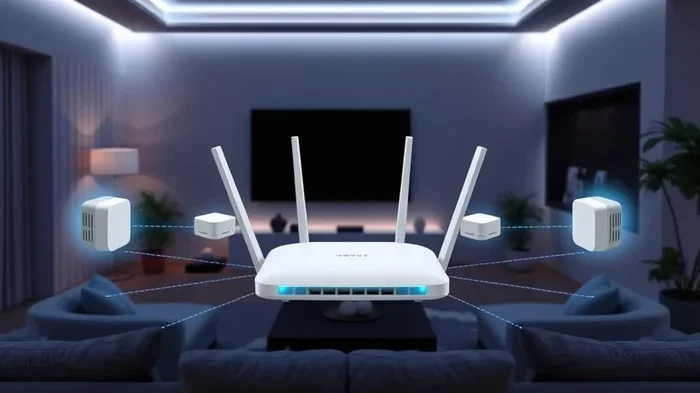
Before you can understand what others can see, you need to know how a WiFi network functions. Think of your home WiFi like a shared highway. Every device connected to it sends and receives data through the same access point. Your router acts as the traffic controller. It directs all the information flowing between your devices and the internet.
When you open a streaming app or visit a website, your device sends a request. That request travels through the air to your router. The router then forwards it to your internet service provider. From there, it reaches the destination server. The response follows the same path back.
Now here is the important part. Every single request passes through your router. This means your router has the potential to log or monitor that traffic. But does it actually record everything? That depends on several factors. Let us break it down.
What Happens When You Connect to WiFi?
When you join a WiFi network, your device and the router establish a connection. The router assigns your device an IP address. This is like a temporary mailing address for your device on that network. Every website you visit or app you open sends data to that IP address first.
The router then decides where to send that data. It also keeps a record of the connection in many cases. This record is called a log. Logs can include timestamps, connected devices, and the domains you visited. Some routers store this data for days or even weeks.
So when you ask, can people on my WiFi see what I am watching, the answer starts here. The network owner has access to these logs. They can see which websites you connected to. They may even see how long you spent on each site.
What Can Your WiFi Owner Actually See?
This is the question most people really want answered. The truth is, what a WiFi owner can see depends on the type of traffic you are generating. Not everything is visible. But more than you might think is.
Browsing History and DNS Requests
Every time you type a URL or click a link, your device sends a DNS request. DNS stands for Domain Name System. It is like the phonebook of the internet. It translates human-friendly names like netflix.com into computer-friendly IP addresses.
Your router can see these DNS requests. This means the network owner knows which domains you are visiting. They may not see the exact page or video you watched. But they know you visited Netflix. They know you were on YouTube. They know you were on a specific website.
This is one of the biggest privacy concerns with shared networks. Even if you delete your browser history, the DNS request still happened at the router level. The router kept a record of it.
Bandwidth Usage and Connection Times
Beyond DNS requests, WiFi owners can also see your bandwidth usage. They can tell how much data your device consumed. They can see when you connected and for how long. If you were streaming a movie for three hours, the owner would notice a large spike in data usage during that time.
They might not know exactly what you were watching. But a three-hour Netflix session at 10 PM is pretty obvious. The pattern of your usage often tells the story. This is why many people want to know can people on my WiFi see what I am actually watching and take steps to protect themselves.
What Different Parties Can See on Your Network
| Party | Can See Domains | Can See Content | Can See Search Terms |
|---|---|---|---|
| WiFi Network Owner | Yes | Only on HTTP sites | Yes (on HTTP) |
| Internet Service Provider | Yes | Only on HTTP sites | Yes (on HTTP) |
| Other Users on Same Network | Yes (with tools) | Only on HTTP sites | Yes (on HTTP) |
| With VPN Active | No (only VPN server) | No | No |
This table shows why a VPN is so powerful. When you use one, the WiFi owner can only see that you connected to a VPN server. They cannot see anything else. Your browsing activity, streaming habits, and search terms are all hidden.
Unencrypted vs Encrypted Traffic
This is where things get interesting. If you visit an unencrypted website, the owner can see almost everything. Unencrypted sites use plain HTTP instead of HTTPS. The data traveling between you and the site is not scrambled. Anyone with access to the network can read it.
But most modern websites use HTTPS. This stands for HyperText Transfer Protocol Secure. The data is encrypted. Even the WiFi owner cannot read the specific pages you visited or the content you viewed. They only see that you connected to a particular domain.
So the short answer to can people on my WiFi see what I am watching is: it depends on encryption. With HTTPS, they see the domain. Without it, they see everything.
Does Incognito Mode Protect You?
Many people believe incognito mode makes them invisible. This is one of the most common misconceptions about private browsing. Let us clear this up right away.
Incognito mode, also called private browsing, only hides your activity on your own device. It does not encrypt your traffic. It does not hide your DNS requests. It does not prevent your router from seeing where you go.
When you use incognito mode on a shared WiFi network, the network owner can still see your browsing activity. The only thing incognito does is prevent your browser from saving cookies, history, and cache on your device. It keeps your local footprint clean. But it does nothing to protect you from network-level monitoring.
If you want real privacy on a shared WiFi connection, you need tools that work at the network level. Incognito mode is not one of them. Many people make this mistake and assume they are safe when they are not.
How to Protect Your Privacy on Shared WiFi
The good news is that you have options. You can take several steps to protect what you watch and browse on shared networks. Some methods are free. Others require a small investment. All of them are worth considering.
Use a VPN
A VPN, or virtual private network, is the most effective tool for privacy on shared WiFi. When you use a VPN, all your internet traffic gets encrypted. It travels through a secure tunnel to a VPN server. The router only sees that you connected to the VPN. It cannot see which websites you visited or what you watched.
This is the single best defense against WiFi snooping. A good VPN hides your DNS requests, your browsing activity, and your streaming habits. Popular options include NordVPN, ExpressVPN, and Surfshark. Most cost between five and twelve dollars per month.
If you frequently use shared WiFi at home, work, or public places, a VPN is essential. It gives you control over your own network footprint. It is the answer to can people on my WiFi see what I am watching with confidence.
Check for HTTPS
Always make sure the websites you visit use HTTPS. Look for the padlock icon in your browser address bar. If a site uses HTTPS, your traffic to that site is encrypted. The WiFi owner cannot see the specific pages or content.
You can also install browser extensions like HTTPS Everywhere. These tools force your browser to use encrypted connections whenever possible. They add an extra layer of protection without any effort on your part.
Use Your Mobile Data Instead
If you are worried about privacy, switch to your mobile data. When you use cellular data, your traffic goes through your mobile carrier’s network. The WiFi owner has no access to it at all. This is the simplest way to keep your viewing habits private.
This works great for streaming videos or browsing on your phone. Just make sure you have a solid data plan. Streaming video can eat through data quickly.
Enable DNS Over HTTPS
DNS over HTTPS, or DoH, is a newer privacy feature. It encrypts your DNS requests. Even your router cannot see which domains you are looking up. Most modern browsers support DoH. You can enable it in your browser settings.
This is a simple but effective step. It closes one of the biggest gaps in WiFi privacy. Your DNS queries are no longer visible to anyone on the network.
What About Public WiFi Networks?
Public WiFi networks at cafes, airports, and hotels pose even bigger risks than home networks. These networks are often managed by businesses or third parties. The people running them may have access to detailed logs of all connected devices.
On a public WiFi network, the network owner can see your DNS requests. They can see which domains you visit. They can see how much data you use. In some cases, they may even use packet sniffing tools to monitor your traffic more closely.
This is why using a VPN on public WiFi is not optional. It is essential. Public networks are much more vulnerable than your home network. Anyone with basic technical knowledge can intercept unencrypted traffic. A VPN protects you from this threat.
Man-in-the-Middle Attacks on Public WiFi
One of the scariest risks on public WiFi is the man-in-the-middle attack. In this scenario, a hacker sets up a fake WiFi network that looks legitimate. When you connect to it, all your traffic passes through their device first.
They can see everything you do. They can capture login credentials. They can monitor your streaming activity. This is a real threat that many people overlook. Using a VPN completely neutralizes this risk by encrypting all your traffic before it leaves your device.
Can Your Internet Service Provider See What You Watch?
This is a related but separate question. Your ISP, or internet service provider, has access to even more data than your WiFi owner. The ISP handles all the traffic leaving your home network. They see everything that goes in and out.
Even with HTTPS encryption, your ISP can see which domains you visit. They can see the timing and volume of your traffic. In some countries, ISPs are legally required to log this data. They may share it with advertisers or government agencies.
A VPN also protects you from ISP tracking. When you use a VPN, your ISP only sees encrypted traffic going to the VPN server. They cannot see which websites you visit or what you watch. This is one of the hidden benefits of using a VPN that many people do not know about.
ISP Tracking and Data Collection
ISP tracking has become a major privacy concern in recent years. Without strong privacy protections, ISPs can collect and sell your browsing data. They know what you watch, when you watch it, and how often. This information is valuable to advertisers and data brokers.
Using a VPN is the most reliable way to prevent ISP tracking. It creates a wall between your activity and your internet provider. No matter what your ISP claims, a VPN keeps your data private. This applies whether you are on your home WiFi or a public network.
Quick Tips and Common Mistakes
Quick Tips for WiFi Privacy
- Always use a VPN on shared or public networks. This is your strongest privacy tool.
- Check for HTTPS before entering any sensitive information on a website.
- Enable DNS over HTTPS in your browser settings for an extra layer of protection.
- Use mobile data for sensitive activities when you are away from your home network.
- Regularly check your router logs if you own the network. Know what is being recorded.
- Keep your router firmware updated to patch security vulnerabilities.
Common Mistakes People Make
- Relying on incognito mode for privacy on shared networks. It does not protect you from the network owner.
- Assuming HTTPS means complete privacy. HTTPS encrypts content but not the domain you visited.
- Connecting to unknown WiFi networks without a VPN. This opens you up to serious risks.
- Ignoring router settings. Many routers have built-in monitoring features that are enabled by default.
- Thinking your ISP cannot see your data. Without a VPN, your ISP can see your browsing activity.
Expert Insights on WiFi Privacy
Cybersecurity experts agree on one thing: no network is truly private unless you take active steps to protect yourself. The assumption that your home WiFi is a safe space is outdated. With the right tools, anyone on your network can monitor your activity.
“Most people do not realize how much information their router exposes,” says network security analyst Mark Chen. “DNS requests alone reveal a shocking amount about your online habits. A simple VPN changes that completely.”
The key takeaway is that privacy on shared WiFi requires effort. It does not happen by default. Whether you are at home with roommates or connected to a cafe network, you should treat every shared WiFi connection as potentially monitored. Taking a few simple precautions can make a huge difference in your online privacy.
Conclusion
So, can people on my WiFi see what I am watching? The answer is yes, they can see quite a bit. Your network owner can see which domains you visit, how long you spend on each site, and how much data you use. They cannot see the exact content on encrypted sites, but they can still build a detailed picture of your habits.
The good news is that you are not helpless. A VPN is your best friend when it comes to WiFi privacy. It encrypts everything and hides your viewing habits from prying eyes. Pair it with HTTPS browsing and DNS over HTTPS for maximum protection.
Take your privacy seriously. The steps are simple. The tools are affordable. And the peace of mind is worth every penny. Start protecting your network activity today and enjoy your streaming without worry.
Frequently Asked Questions
Can my parents see what I am watching on our home WiFi?
Yes, they can see which websites you visit and how long you spend on each one. They can see your DNS requests and bandwidth usage. However, they cannot see the exact content on HTTPS-encrypted sites like Netflix or YouTube unless you use an unencrypted connection.
Can the WiFi owner see what I search on Google?
If you are on an HTTP site, yes, they can see your search terms. On HTTPS sites like Google, they can only see that you visited Google.com. They cannot see your specific search queries. Using a VPN hides even the domain you visited.
Does a VPN hide my browsing from WiFi owners?
Yes, a VPN is the most effective way to hide your browsing from WiFi owners. It encrypts all your traffic and routes it through a secure server. The WiFi owner can only see that you connected to the VPN, not what you did afterward.
Can I see who is using my WiFi network?
Yes, you can check your router admin panel to see connected devices. Most routers have a list of all devices currently connected. You can also set up alerts for new connections. Changing your WiFi password regularly helps keep unauthorized users out.
Is it illegal to monitor WiFi traffic on your own network?
In most countries, monitoring traffic on your own network is legal. However, monitoring someone else’s network without permission is illegal. If you own the network, you generally have the right to see what is happening on it. Always check your local laws to be sure.
Can people see what I watch on Netflix over WiFi?
No, they cannot see the specific shows or movies you watch on Netflix. Netflix uses HTTPS encryption, which scrambles the content of your traffic. The WiFi owner can only see that you visited Netflix.com. They cannot see what you watched or your search history on the platform.