Can The Steam Deck Be Your True Daily Driver For Gaming
The Steam Deck has changed how we think about portable gaming. Many players wonder if this handheld device can truly replace their gaming setup for daily use. The answer depends on your gaming habits, expectations, and workflow. This guide breaks down everything you need to know about using the Steam Deck as your true daily driver for gaming.
You have probably seen them everywhere. The Steam Deck is sitting on coffee tables, packed into backpacks, and even clipped to belts at conventions. Valve released this handheld gaming device back in 2022, and it has taken the gaming world by storm. But here is the real question that keeps coming up in forums and Reddit threads. Can the Steam Deck actually work as your true daily driver for gaming?
The short answer is yes, with some caveats. A lot depends on what kind of games you play and how you like to game. Some people use the Steam Deck every single day and never touch their gaming PC. Others use it as a supplement for commutes and travel. Let us dig deep into what it really means to use the Steam Deck as a daily driver. We will look at setup, performance, battery life, and everything else you need to know.
Key Takeaways
- Daily Driver Potential: The Steam Deck can handle most gaming needs, but it works best as a supplement to a desktop setup.
- Compatibility Matters: Proton and SteamOS make thousands of Windows games playable on a Linux-based handheld device.
- Battery Life Is Realistic: Expect 2 to 8 hours depending on the game and settings.
- Portability Is The Big Win: Gaming on the go is where the Steam Deck truly shines over a traditional PC.
- Docked Mode Bridges The Gap: Connecting to a monitor turns it into a full desktop replacement for light work.
- Not For Everyone: Heavy video editors or users who need specific Windows-only software may find it limiting.
- Indie And Older Games Run Great: These titles perform best and make the daily driver experience smooth.
📑 Table of Contents
- What Does It Mean To Use The Steam Deck As A Daily Driver
- Setting Up Your Steam Deck For Everyday Use
- Gaming Performance And Compatibility
- Battery Life And Portability
- Docked Mode And The Living Room Setup
- Is The Steam Deck Worth It As A Daily Driver
- Real-World Daily Driver Experiences
- Final Thoughts On The Steam Deck As A Daily Driver
What Does It Mean To Use The Steam Deck As A Daily Driver
Defining The Daily Driver Concept
A daily driver is something you use every day without thinking twice about it. Your phone is a daily driver. Your car is a daily driver. When we talk about a handheld gaming device being a daily driver, we mean it replaces your usual gaming setup. You pick it up and play without needing a separate computer or console. It becomes your main way to game.
For the Steam Deck to earn that title, it needs to handle several things well. It needs to run the games you want. It needs to last long enough on a single charge. It needs to be comfortable to use daily. And it needs to feel reliable enough that you do not keep reaching for your old setup.
Who Should Consider Using A Steam Deck Daily
Not everyone needs a daily driver gaming device. The Steam Deck makes the most sense for certain types of gamers. If you travel a lot for work or school, a portable gaming PC is a game changer. If you live in a small apartment and want to save space, ditching the bulky desktop feels great. If you love indie games and older titles, the Steam Deck handles them beautifully.
However, if you mainly play brand new AAA releases and want the highest settings possible, a desktop PC still wins. The Steam Deck is a compromise between power and portability. Understanding where you fit on that spectrum helps a lot.
Setting Up Your Steam Deck For Everyday Use
Installing SteamOS And Getting Started
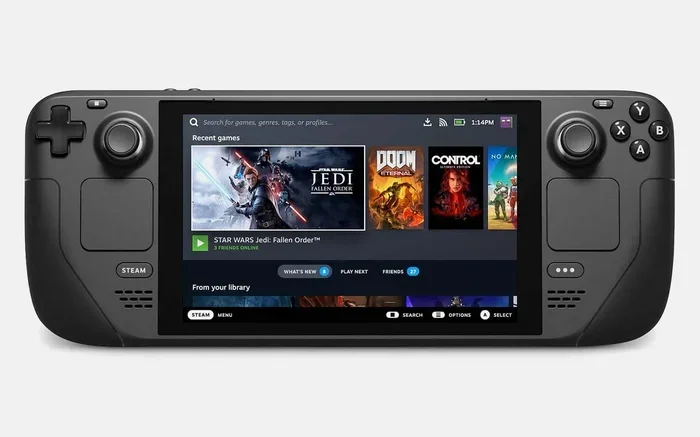
When you first turn on the Steam Deck, it runs SteamOS. This is a Linux-based operating system made by Valve specifically for this device. The setup process is surprisingly simple. You connect to Wi-Fi, log into your Steam account, and you are ready to go. The home screen looks clean and easy to navigate.
One thing that surprises many new users is the Big Picture mode. This is the main interface for gaming on the Steam Deck. It is designed to work with controllers, so everything feels natural. You can browse your library, manage downloads, and launch games without needing a keyboard or mouse. It is a big step up from trying to use a tiny trackpad for navigation.
Customizing Your Desktop And Gaming Mode
The Steam Deck actually has two main modes. There is the gaming mode with Big Picture, and then there is the desktop mode. Desktop mode gives you a full Linux desktop experience. You can browse the web, use office apps, and even install additional software.
Many daily driver users keep both modes ready. They use desktop mode for browsing, checking Steam forums, or managing downloads. Then they switch to gaming mode when it is time to play. Switching between them is fast and easy. You can even set the device to boot directly into gaming mode if you prefer a simpler experience.
Gaming Performance And Compatibility
How Well Does It Handle AAA Titles
This is where things get interesting. The Steam Deck uses AMD APU technology that is similar to what you find in mid-range laptops. It can run many AAA titles at decent frame rates. Games like Cyberpunk 2077, Elden Ring, and Halo: The Master Chief Collection all run on the device.
However, you will need to adjust settings. Running everything on ultra is not realistic on a handheld device. Most players find that medium to high settings give the best balance of visuals and performance. Frame rates usually land in the 30 to 60 frames per second range, which is perfectly playable for most games.
Indie Games And Older Titles
This is where the Steam Deck truly shines. Indie games and older titles run incredibly well. Games like Hollow Knight, Stardew Valley, and Celeste run smoothly without any tweaking at all. Older PC games from the 2010s work almost perfectly out of the box. If your library is full of these kinds of games, the daily driver experience is fantastic.
The Steam Deck has a large game library already available through Steam. Thousands of titles carry the Steam Deck compatibility badge. These games are tested and verified to work well on the device. You can browse this library directly on the handheld and find plenty of options.
Understanding Proton And Linux Compatibility
One of the biggest concerns people have is whether Windows-only games will work. The answer is mostly yes, thanks to Proton. Proton is a compatibility layer built into Steam that lets you run Windows games on Linux. It has come a long way since the Steam Deck launched.
Most popular games work great with Proton. Valve has worked closely with developers like Epic Games, id Software, and many indie studios to ensure smooth compatibility. You can check the Steam Deck compatibility list before buying any game. If a game has a green checkmark, you are good to go. If it has a gold icon, it works well with minor tweaks. Games with a cross or pipe icon may have issues.
Battery Life And Portability
Real-World Battery Performance
Battery life is one of the most important factors for any handheld device. The Steam Deck has a 50 watt-hour battery, which is decent for a portable gaming PC. In real-world use, you can expect somewhere between 2 and 8 hours of gameplay. The wide range depends on what game you are playing and what settings you use.
Light games like indie titles or older games can last 6 to 8 hours. Heavy games with demanding graphics might only last 2 to 3 hours. Playing in handheld mode uses more battery than docked mode because the screen and internals work harder. Understanding this helps you plan your gaming sessions better.
For daily use, many players keep a charger at home and work. They play docked or plugged in during the day and use battery power during commutes. This hybrid approach works really well for most people.
Tips For Extending Battery Life
There are simple ways to squeeze more battery out of your Steam Deck. Lowering the screen brightness is the easiest fix. Reducing the frame rate cap to 30 frames per second also helps a lot. Closing background apps and disabling Wi-Fi when you are playing offline games saves power too. These small changes add up and can extend your play sessions significantly.
Docked Mode And The Living Room Setup
Connecting To A TV Or Monitor
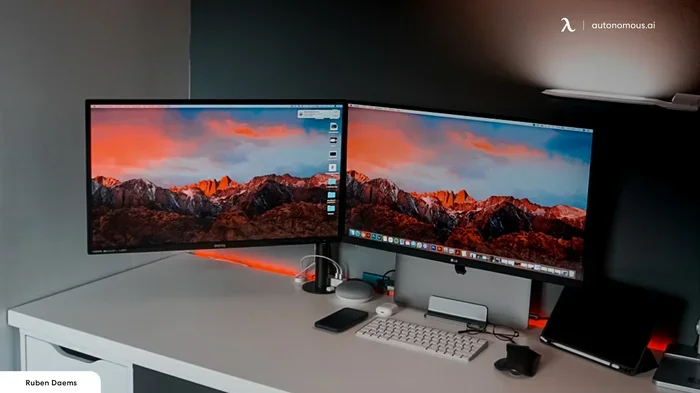
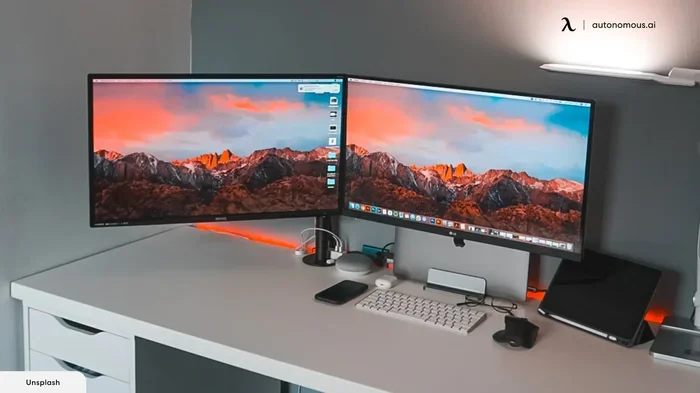
The Steam Deck supports docked mode through its USB-C port. You can connect it to a monitor or TV and use it like a desktop PC. This is a huge advantage over other handheld devices. When you get home, you just plug it in and continue your game on a big screen.
You do not need a fancy dock either. A simple USB-C to HDMI adapter works in most cases. Valve sells its own docking station, but third-party options work just as well and cost less. The flexibility to switch between handheld and docked mode is a key reason many people consider the Steam Deck a daily driver.
Comparing Docked Performance To A Desktop PC
When docked, the Steam Deck uses the same AMD APU as it does in handheld mode. It does not get a performance boost from being connected to a monitor. The frame rates and visual quality stay the same. However, the bigger screen and better audio make a noticeable difference in the experience.
For everyday gaming, this is perfectly fine. You are not getting the raw power of a dedicated gaming desktop. But for the vast majority of games, the Steam Deck delivers a great experience in docked mode. It is especially nice for games you want to play on a couch with friends.
Is The Steam Deck Worth It As A Daily Driver
Pros And Cons Summary
Let us look at the big picture. Here is a quick breakdown of what makes the Steam Deck a great daily driver and where it falls short.
Pros:
- Truly portable gaming PC that fits in your hands
- Access to thousands of Steam games on the go
- Great compatibility with indie and older titles
- Docked mode gives you a big screen experience
- Customizable controls and settings
- Linux-based SteamOS is lightweight and fast
- Strong community support and regular updates from Valve
Cons:
- Battery life is limited during demanding games
- Some Windows-only games do not work well
- Build quality feels a bit plasticky compared to premium devices
- Not ideal for productivity tasks like video editing
- Storage can fill up fast with modern game sizes
- Performance is limited compared to a full desktop PC
Who Should Buy It And Who Should Skip It
The Steam Deck is perfect for gamers who value portability. If you commute, travel, or just want to game from the couch without booting up a desktop, it is a fantastic choice. Indie game lovers will find it especially rewarding.
On the other hand, if you need a device for work tasks like video editing or programming, a regular laptop or desktop makes more sense. If you only play the newest AAA releases and want max settings at 4K resolution, a gaming PC is still the way to go. The Steam Deck is a compromise, and knowing whether that compromise fits your life is the key decision.
Real-World Daily Driver Experiences
Many Steam Deck owners share their daily routines online. Some use it during their morning commute on the train. Others play it during lunch breaks at work or school. A popular use case is having the Steam Deck in the bedroom for late-night gaming sessions without disturbing anyone with a loud desktop setup.
One common pattern is using the Steam Deck for handheld gaming during the day and connecting it to a monitor at night. This gives users the best of both worlds. They get portability when they need it and a big screen experience when they are home.
Cloud gaming services like GeForce Now also work on the Steam Deck. This means even games that do not run well locally can be streamed and played. This opens up even more possibilities for daily use. As long as you have a solid internet connection, you can access a huge library of games without worrying about local hardware limits.
The community around the Steam Deck is also a big plus. Valve regularly releases updates that improve performance and fix bugs. The Steam Deck community shares tips, troubleshooting guides, and custom setups that make the daily driver experience even better. This level of support is rare for a handheld device and adds real long-term value.
Final Thoughts On The Steam Deck As A Daily Driver
So, can the Steam Deck be your true daily driver for gaming? The answer is a qualified yes. It works best as a primary device for gamers who value portability and flexibility. If you mostly play indie games, older titles, or modern games at medium settings, the Steam Deck delivers a great daily experience.
It is not a perfect replacement for a high-end gaming desktop. But for most casual and intermediate gamers, it is more than enough. The ability to game anywhere, dock it for a big screen, and access a massive library of games makes it a compelling daily driver.
If you are on the fence, consider your gaming habits. How often do you game on the go? What kinds of games do you prefer? How important is max performance? Answering these questions honestly will help you decide. For many people, the Steam Deck is not just a gadget. It is their main way to game every single day. And that is exactly what a true daily driver should be.
The handheld gaming market has changed forever. Valve proved that a portable gaming PC can be practical, fun, and powerful all at once. Whether you use it as a full daily driver or a supplement to your existing setup, the Steam Deck delivers a gaming experience that is hard to beat. Give it a try and see if it fits your daily routine.
Frequently Asked Questions
Can I use the Steam Deck as my only gaming device?
Yes, many people use the Steam Deck as their only gaming device. It works best if you mostly play indie games, older titles, or modern games at medium settings. If you need the highest settings for every new AAA release, you may still want a backup desktop PC.
How long does the Steam Deck battery last during gaming?
Battery life ranges from 2 to 8 hours depending on the game and settings. Light games like indie titles can last 6 to 8 hours. Demanding AAA games at higher settings may only last 2 to 3 hours. Lowering brightness and frame rate caps helps extend battery life significantly.
Can I play all Steam games on the Steam Deck?
Most Steam games work well thanks to Proton, which is a compatibility layer for Linux. However, some Windows-only games may have issues. You can check the Steam Deck compatibility list before purchasing any game to see if it works.
Is the Steam Deck worth it compared to a gaming laptop?
The Steam Deck offers better portability than most gaming laptops. It is smaller, lighter, and designed specifically for gaming. Gaming laptops tend to be heavier and have better raw performance. The Steam Deck wins on convenience and handheld gaming experience.
Can I use the Steam Deck for work or school tasks?
Yes, in desktop mode the Steam Deck works like a basic Linux PC. You can browse the web, write documents, and use web apps. However, it is not ideal for heavy productivity tasks like video editing or programming that require specific Windows software.
Does the Steam Deck support cloud gaming services?
Yes, cloud gaming services like GeForce Now work on the Steam Deck. This lets you stream games that may not run well on the device’s hardware. A strong Wi-Fi or mobile data connection is all you need to get started.
=== CONCLUSION ===
The Steam Deck has earned its place as a legitimate daily driver for gaming. It offers a unique blend of portability, compatibility, and performance that no other handheld device matches. Whether you use it for quick sessions during your commute or longer gaming sessions at home, it adapts to your lifestyle. The key is understanding its strengths and limitations. For most gamers, the Steam Deck is more than enough to satisfy their daily gaming needs. It is not just a gadget. It is a real tool for gaming on your terms. Give it a try and see how it fits into your daily routine.