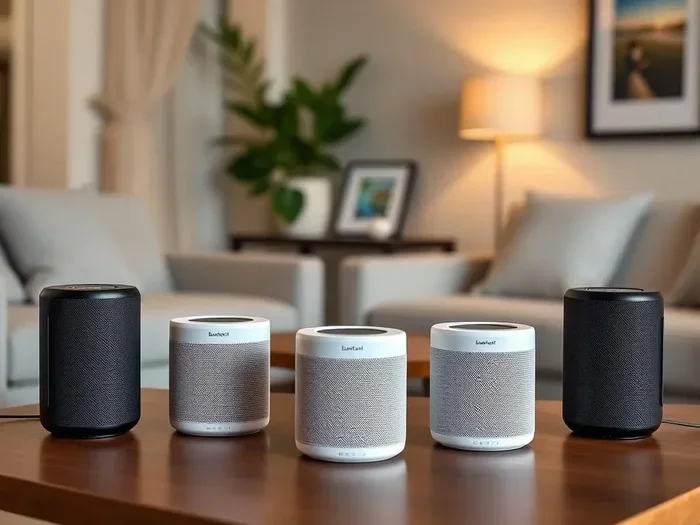
Can You Output Audio to Multiple Bluetooth Devices Today
Yes, you can output audio to multiple Bluetooth devices, but the method depends on your device and setup. Whether you want to stream music to a pair of wireless headphones and a speaker simultaneously, or share audio across a room, the technology is available today. This guide covers every practical way to achieve multi-device Bluetooth audio output with simple steps and expert tips.
Have you ever wanted to play the same song in two rooms at the same time? Or maybe you wanted to watch a movie while your partner listens through wireless headphones? The idea of outputting audio to multiple Bluetooth devices sounds simple, but the reality involves a few different approaches. Not every device supports it out of the box, and the method you choose can make a big difference in sound quality and ease of use.
In this guide, we break down everything you need to know about outputting audio to multiple Bluetooth devices. We cover the technology behind it, the best methods, common problems, and practical workarounds. By the end, you will know exactly how to set up multi-device audio streaming in your home or office.
Key Takeaways
- Bluetooth Multipoint Technology: Some modern headphones and speakers support multipoint connections, allowing them to pair with two sources at once.
- Bluetooth Adapters and Transmitters: A Bluetooth adapter or transmitter can split audio to multiple receivers, making it one of the most reliable methods.
- Smart Speakers and Voice Assistants: Devices like Alexa can act as a bridge to output audio to multiple Bluetooth speakers in different rooms.
- Built-in OS Features: Both Android and Windows offer native audio-sharing options that let you send sound to multiple paired devices.
- Limitations Exist: Latency, audio delay, and device compatibility can affect the quality of multi-device Bluetooth audio output.
- Wired Alternatives Work Too: If Bluetooth falls short, wired splitters and adapters provide a stable fallback for multi-room audio.
📑 Table of Contents
- What Does It Mean to Output Audio to Multiple Bluetooth Devices?
- Methods to Output Audio to Multiple Bluetooth Devices
- Best Devices for Multi-Device Bluetooth Audio
- Common Problems and How to Fix Them
- Quick Tips for Better Multi-Device Bluetooth Audio
- Can You Use Bluetooth Headphones with Multiple Devices at Once?
- Expert Insights on Multi-Device Bluetooth Audio
- Final Thoughts
What Does It Mean to Output Audio to Multiple Bluetooth Devices?
When we talk about Bluetooth audio output, we mean sending a sound signal from one source to one or more receiving devices. A source could be your phone, laptop, TV, or tablet. The receiving devices could be speakers, headphones, earbuds, or even a car stereo. Outputting to multiple devices means splitting that audio signal so two or more receivers play the same sound at the same time.
Here is the tricky part. Bluetooth was not originally designed for this. The standard Bluetooth protocol connects one source to one device at a time. So when you pair your phone with a speaker, that is a single point-to-point connection. To send audio to two speakers or a speaker and headphones simultaneously, you need a workaround or a device that supports Bluetooth multipoint or audio sharing.
How Bluetooth Audio Sharing Works
Audio sharing works by either duplicating the signal at the source or using a middleman device that receives the audio and retransmits it to multiple endpoints. Some newer devices have this built into their chipsets. Others require an external Bluetooth transmitter or adapter to handle the splitting. The method you choose depends on what devices you own and what you want to achieve.
Methods to Output Audio to Multiple Bluetooth Devices
There are several proven ways to send audio to more than one Bluetooth device. Each method has its own strengths and weaknesses. Let us walk through them one by one so you can pick the best option for your situation.
Method 1: Use Bluetooth Multipoint Devices
Some wireless headphones and speakers come with a feature called Bluetooth multipoint. This lets the device connect to two source devices at the same time. For example, your headphones might stay connected to both your laptop and your phone. When a call comes in on your phone, the audio switches automatically without you needing to disconnect from your laptop.
However, multipoint is not the same as outputting to multiple receiving devices. Multipoint connects one device to two sources. To actually send audio to two headphones or two speakers, you need a different approach. That said, some high-end speakers from brands like Bose and JBL now support stereo pairing, which links two speakers together to play the same audio as one unified sound system.
Method 2: Use a Bluetooth Transmitter with Multiple Outputs
A Bluetooth transmitter is one of the most reliable ways to output audio to multiple devices. You plug the transmitter into your audio source, like a TV or computer. The transmitter then sends the Bluetooth signal to one or more receivers. Some transmitters support dual output, meaning they can connect to two Bluetooth speakers or headphones at the same time.
Here is how to set it up:
- Plug the Bluetooth transmitter into your audio source using a 3.5mm cable, USB, or optical connection.
- Power on the transmitter and put it in pairing mode.
- Pair the first Bluetooth speaker or headphone to the transmitter.
- Pair the second device to the transmitter.
- Play audio from your source. Both devices should receive the sound.
Keep in mind that audio delay, also known as latency, can be an issue. If the two devices are different brands or models, they may not receive the signal at the exact same time. This can cause a slight echo or lag. Using a quality Bluetooth adapter with low-latency codec support helps reduce this problem.
Method 3: Use a Smart Speaker as a Hub
Smart speakers like Amazon Echo devices can act as a central hub for wireless audio streaming. You can pair your phone with the Echo using Bluetooth, and then tell Alexa to send the audio to other Echo speakers around your home. This is a great way to create a whole-home audio system without buying extra hardware.
For example, you can say, “Alexa, play music in the kitchen and the living room.” Alexa will output the audio to both Echo devices simultaneously. You can also use an Echo device to output audio to multiple Bluetooth speakers by pairing them through the Alexa app. This method works well for casual listening, but it may not be ideal for watching videos because of potential sync issues.
If you already own a smart speaker, this is one of the easiest paths to multi-device audio. You can even use Alexa as a Bluetooth speaker for your phone and then relay that audio to other rooms. It is a simple workaround that does not require any extra equipment.
Method 4: Use Built-in OS Features
Both Android and Windows offer built-in options for sharing audio to multiple devices. On Android 13 and later, you can use the Audio Sharing feature found in the Quick Settings panel. This lets you split your phone’s audio between your wireless headphones and a nearby speaker at the same time.
On Windows 11, you can go to Settings > System > Sound and use the Bluetooth Share feature. This allows you to pair multiple Bluetooth audio devices and output sound to all of them simultaneously. It is a straightforward method that does not require any third-party apps or extra hardware.
Apple devices also have a version of this. AirPlay lets you stream audio to multiple Apple TVs or HomePod speakers at once. While AirPlay is not Bluetooth, it achieves the same goal of multi-device audio output using a wireless protocol. If you are in the Apple ecosystem, this is a seamless and reliable option.
Method 5: Use a Bluetooth Adapter on Your TV
If your goal is to output TV audio to multiple Bluetooth headphones or speakers, a Bluetooth adapter for TV is a practical solution. You plug the adapter into your TV’s audio output, and it broadcasts the sound via Bluetooth to your devices. Some adapters support connecting to two pairs of wireless headphones at the same time, which is perfect for late-night viewing when you do not want to disturb anyone else.
Many people also use a Bluetooth adapter on their TV to connect to older stereo systems or speakers that do not have Bluetooth built in. This is an affordable way to add wireless capability to any TV setup. You can find adapters for under $30 that work well for basic use.
Best Devices for Multi-Device Bluetooth Audio
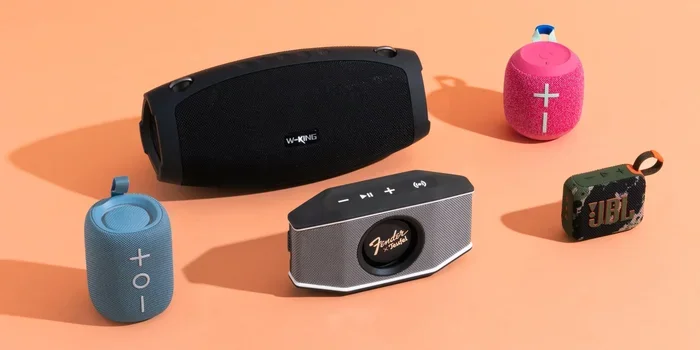
Not all Bluetooth devices are created equal when it comes to multi-device support. Here are some categories of devices that work well for outputting audio to multiple endpoints.
Bluetooth Transmitters with Dual Output
Devices like the Avantree Oasis and the 1Mii B06 transmitter are popular choices for splitting audio to two Bluetooth receivers. They support codecs like aptX Low Latency, which reduces the delay between the source and the receiving devices. These transmitters are ideal for TV watching, gaming, and home audio setups.
Smart Speakers with Grouping Features
Amazon Echo and Google Nest speakers support audio grouping, which lets you play the same music on multiple speakers in different rooms. You can create a speaker group through the respective app and control the volume independently for each speaker. This is one of the most user-friendly ways to achieve whole-home audio without technical setup.
Bluetooth Headphones with Multipoint
Headphones like the Sony WH-1000XM5 and the Jabra Elite 85h support multipoint connections. While they do not output to multiple receiving devices, they allow you to stay connected to two sources. This is useful if you want to switch between your phone and laptop without re-pairing every time.
Common Problems and How to Fix Them
Setting up multi-device Bluetooth audio is not always smooth. Here are the most common issues and how to solve them.
Audio Delay or Latency
When you send audio to two different Bluetooth devices, they may not receive the signal at the exact same time. This creates an echo or out-of-sync effect. To fix this, use devices that support the same Bluetooth codec. If both devices support aptX or LDAC, they are more likely to stay in sync. You can also reduce the distance between the source and the receiving devices to minimize delay.
Connection Drops
Bluetooth has a limited range, usually around 30 feet. If one of your receiving devices moves too far from the source, the connection may drop. To prevent this, keep all devices within range and avoid placing them near walls or other obstacles that block the signal. A Bluetooth signal booster can also help extend the range and stabilize the connection.
Device Compatibility Issues
Not every Bluetooth device plays well with others. Some older devices use older Bluetooth versions that do not support audio sharing or multipoint. Before buying any equipment, check the specifications to confirm it supports the features you need. If you are unsure, look for devices that support Bluetooth 5.0 or later, as they offer better connectivity and broader compatibility.
Sound Quality Degradation
When you split audio to multiple devices, the sound quality may drop slightly. This happens because the source has to encode and send the signal to two receivers at once. To maintain the best possible quality, use devices that support high-quality codecs like aptX HD or LDAC. Avoid cheap transmitters or adapters, as they often compress the audio signal and reduce clarity.
Quick Tips for Better Multi-Device Bluetooth Audio
- Always update your device firmware. Bluetooth improvements come through software updates.
- Use the same Bluetooth codec on all devices for better sync.
- Keep your source device close to all receiving devices.
- Avoid placing Bluetooth devices near microwaves or other wireless interference sources.
- If you experience lag, try lowering the audio bitrate or switching to a less demanding codec.
- For TV watching, look for a transmitter with a built-in audio delay adjustment feature.
- Test your setup before a movie night or party to make sure everything works smoothly.
Can You Use Bluetooth Headphones with Multiple Devices at Once?
Most standard Bluetooth headphones connect to one device at a time. However, a growing number of models now support multipoint Bluetooth, which allows them to stay connected to two devices simultaneously. This means you can listen to music on your laptop while keeping your phone connected for incoming calls. When a call arrives, the headphones automatically switch to the phone. After the call ends, they switch back to the laptop.
Some users also wonder if they can connect Bluetooth headphones to a TV and a phone at the same time. The answer is yes, but only if the TV or a connected transmitter supports dual output. Many modern smart TVs now include a feature that allows you to connect two pairs of wireless headphones simultaneously. This is great for couples who want to watch TV together without sharing the same earbuds.
If your TV does not support this, you can use a Bluetooth adapter to add the capability. Simply plug the adapter into your TV, pair both headphones to it, and enjoy the show together. This is a simple and affordable solution that works with most TVs and headphones.
Expert Insights on Multi-Device Bluetooth Audio
According to audio engineers, the key to successful multi-device Bluetooth output is understanding the limitations of the Bluetooth protocol. Bluetooth uses a point-to-point connection model, which means sending audio to multiple devices requires extra processing. This processing introduces latency, which is why you sometimes hear a slight delay when audio is split between two speakers.
Experts recommend using devices that support the latest Bluetooth versions, as they handle multi-device connections more efficiently. Bluetooth 5.0 and later offer improved bandwidth and better handling of multiple simultaneous connections. They also suggest using a dedicated Bluetooth transmitter rather than relying on your phone or TV to split the audio, as dedicated transmitters are optimized for this task.
Another tip from audio professionals is to use wired connections whenever possible for critical listening. If you are setting up a home theater system, use an HDMI or optical cable for the main audio path and reserve Bluetooth for wireless headphones or secondary speakers. This hybrid approach gives you the best of both worlds: high-quality wired audio for the main system and the convenience of wireless audio for additional devices.
Final Thoughts
Outputting audio to multiple Bluetooth devices is absolutely possible today. Whether you use a Bluetooth transmitter, a smart speaker hub, built-in OS features, or a combination of these methods, you can share sound across multiple rooms or devices with relative ease. The key is choosing the right method for your specific setup and understanding the trade-offs involved.
For the best experience, invest in quality Bluetooth hardware that supports modern codecs and multi-device features. Keep your devices updated and within range of each other. And remember that while Bluetooth is convenient, it is not perfect. There will always be some level of latency and potential for connection issues. But with the right setup, you can enjoy seamless multi-device audio that enhances your listening experience at home or on the go.
Start with the method that fits your budget and needs. Try it out, and adjust as needed. Soon you will be streaming music to every room, sharing movies with headphones, and enjoying the flexibility of wireless audio the way it was meant to be.
Frequently Asked Questions
Can I connect two Bluetooth speakers to my phone at the same time?
Yes, many Android phones support audio sharing that lets you connect to two Bluetooth speakers simultaneously. On iPhone, you can use AirPlay to stream audio to multiple speakers, though this is not Bluetooth. Check your phone’s settings under Sound or Bluetooth to find the audio sharing option.
Why does my audio lag when outputting to multiple Bluetooth devices?
Audio lag happens because Bluetooth has inherent latency, and splitting the signal to two devices doubles the processing time. Using devices that support the same low-latency codec like aptX can reduce this issue significantly.
Can I use a Bluetooth transmitter to connect two pairs of headphones to my TV?
Yes, a dual-output Bluetooth transmitter can connect two pairs of wireless headphones to your TV. This is perfect for late-night viewing. Simply pair both headphones to the transmitter and adjust the volume on each pair individually.
Do smart speakers support grouping for multi-room audio?
Yes, both Amazon Echo and Google Nest speakers support audio grouping. You can create a speaker group in the Alexa or Google Home app and play the same audio on all speakers in the group at the same time.
Is Bluetooth multipoint the same as outputting to multiple devices?
No, Bluetooth multipoint connects one device to two sources, not one source to multiple receiving devices. Multipoint is useful for staying connected to your phone and laptop at the same time, but it does not let you send audio to two speakers or headphones from one source.
What is the best Bluetooth codec for multi-device audio output?
aptX Low Latency and LDAC are the best codecs for multi-device audio because they offer high quality with reduced delay. Make sure both your source and receiving devices support the same codec for the best results.