Definition Of Processor Speed And What It Means For You
The definition of processor speed refers to how fast your computer’s brain executes tasks. It is measured in gigahertz (GHz) and determines how smoothly your system runs. Understanding this helps you choose the right hardware for your needs.
Key Takeaways
- Clock Speed Matters: Higher GHz means faster task execution and smoother computing.
- More Cores Help: Multi-core processors handle multitasking and heavy workloads better.
- Benchmarks Tell the Truth: GHz alone doesn’t show real-world speed; CPU benchmarks do.
- Architecture is Key: Newer chip designs often outperform older fast chips.
- Cooling Affects Performance: Overheating causes thermal throttling and slows your processor.
- Match Speed to Needs: Gamers and editors need more speed than basic web surfers.
📑 Table of Contents
What Is The Definition Of Processor Speed?
The definition of processor speed is simple. It tells you how fast your computer thinks. Your central processing unit is the brain of your machine. It takes in data. It processes that data. Then it gives you results. Speed measures how quickly this happens.
We measure this speed using a unit called hertz. Modern processors use gigahertz. One gigahertz equals one billion cycles per second. So, a 4 GHz processor does four billion cycles each second. More cycles mean faster computing speed.
Think of it like a car engine. A bigger engine moves a car faster. A faster processor moves data faster. This is called clock speed. Clock speed is the most common way to measure processor power. But it is not the only way.
When you buy a new computer, you look at the numbers. The definition of processor speed helps you understand those numbers. It tells you if the machine will be fast enough for you. Faster speed means less waiting. You get things done quicker. This is why CPU performance matters so much to everyday users.
Breaking Down The Basics
Every processor has a base speed. This is the normal running speed. It also has a boost speed. This is the fastest speed the chip can reach. Boost speed happens when you need extra power. For example, when you open a big video game. The chip speeds up to handle the load.
The microprocessor handles all your commands. It reads instructions. It follows those instructions. Your mouse click is an instruction. Opening a web page is an instruction. Even moving your cursor is an instruction. The chip processes all of them. Speed determines how fast it does this.
Latency also plays a role. Latency is the delay before a transfer starts. Lower latency means faster response. High latency makes your computer feel slow. You click a button. You wait. Good speed reduces this wait time. It makes your system feel instant.
Processors have come a long way. Early chips ran at just a few megahertz. Today, they run in the gigahertz range. This is a huge leap in computing speed. Your modern device is millions of times faster than old machines.
Why Clock Speed Is Measured In GHz
You might wonder why we use gigahertz. Hertz is a very small unit. It measures one cycle per second. That is too slow for modern chips. So we use gigahertz instead. It makes the numbers easier to read.
A cycle is one complete task. The processor finishes a task. Then it starts the next one. More cycles per second means more tasks per second. This equals higher hardware speed. Your system feels snappier. You notice less lag.
In the past, we measured speed in megahertz. Megahertz is millions of cycles per second. Today, gigahertz is the standard. A 3 GHz chip is much faster than a 3 MHz chip. The definition of processor speed has grown with technology over the years. We now expect chips to run in the billions.
Frequency is the heartbeat of your chip. It beats steady and fast. Each beat moves data forward. More beats mean more work done. This is the core of how your machine operates.
How Processor Speed Affects Your Daily Computing
Speed changes how you use your PC. If you have slow speed, things take time. If you have fast speed, things happen fast. You notice this every day. Opening apps takes seconds instead of minutes. Your computing speed affects everything you do on the machine.
Watching videos relies on speed. Browsing the web relies on speed. Even typing a document uses the chip. Faster processing power makes these tasks smooth. You do not see the work happening. It just flows. This is what good hardware speed feels like.
The Role Of Clock Cycles
A clock cycle is the smallest task. The chip completes one task per cycle. It is like a heartbeat. It beats steady and fast. Each beat moves data forward. More beats mean more work done. This is the core of frequency.
Instructions per second tell you the real story. A chip might do many small tasks. Or it might do a few big tasks. The definition of processor speed looks at these cycles. It helps you compare different chips on a level playing field.
Every action you take sends a signal to the chip. The chip processes that signal. It sends back a result. This all happens in milliseconds. Your system performance relies on this quick back and forth.
Instructions Per Second
Instructions per second is a key metric. It shows how many tasks the chip finishes. A fast chip finishes more tasks. A slow chip finishes fewer tasks. This number helps you understand true performance.
But instructions are not all the same. Some tasks take more work. A video edit takes many instructions. Opening a text file takes few instructions. Speed helps with both. But heavy tasks need more speed. This is why CPU performance varies by task type.
Think of it like a factory. The chip is the worker. Instructions are the products. A fast worker makes more products. A slow worker makes fewer products. You want a fast worker for big jobs.
Why Speed Matters For Gaming
Gamers know that speed is everything. A fast chip gives you smooth frame rates. It reduces input lag. You click a button. The game reacts fast. This is called low latency. High latency makes games feel sluggish. You want your system performance to be top notch.
In competitive games, every millisecond counts. A faster processor gives you an edge. You can react quicker than your opponents. This is why many gamers chase high clock speeds. The definition of processor speed directly impacts your gaming experience.
Gamers also look at the GPU. But the CPU is still vital. It handles game logic and AI. A fast chip ensures smooth gameplay. You avoid stuttering and frame drops. This is true processing power in action.
The Evolution Of Speed
Computer speed has changed a lot over the years. Old computers took seconds to boot up. Today, machines boot in milliseconds. This is all thanks to faster chips. The definition of processor speed has increased dramatically. What was once amazing is now standard.
Early microprocessors could barely run basic programs. Today, chips can handle 4K video editing. They can run complex simulations. They can power advanced artificial intelligence. The growth in computing speed is incredible. It shows how far hardware has come.
GHz Versus Core Count: The Multi-Core Era
Speed is not just about gigahertz anymore. Modern chips have multiple cores. Each core is a separate brain. A dual-core chip has two brains. A quad-core chip has four brains. More brains mean better multitasking.
You can run many apps at once. Your system performance stays high. The chip divides the work. Each core handles a part. This makes your computer feel faster. It handles heavy workloads with ease. Multi-core design is a game changer.
Single-Core Vs Multi-Core Performance
Single-core chips do one thing at a time. They finish tasks very fast. But they struggle with many tasks at once. Multi-core chips are different. They handle many things at the same time.
For gaming, single-core speed still matters. Some games rely on one core. But for work, multi-core is king. You can run your browser. You can run a game. You can run a download. All at the same time. This is the power of modern processor cores.
Video editing is a great example. It needs multi-core power. The chip renders different parts of the video. Each core handles a piece. This makes the render time much shorter. Faster processing power saves hours of work.
How Many Cores Do You Need?
Most users need four to six cores. This is plenty for everyday tasks. It handles web browsing and office work. It even handles light gaming. If you do heavy video work, you need more. Eight or more cores are ideal for pros.
Do not just buy the most cores. Match the core count to your needs. The definition of processor speed includes both GHz and core count. You need a balance. A chip with many slow cores is not always the best choice.
How Chip Architecture Changes The Game
Chip architecture is the design of the processor. New designs make chips faster. They do not always need higher clock speed. A newer 3 GHz chip can beat an older 4 GHz chip. This is why architecture matters so much.
Manufacturers use smaller sizes for chips. We call this nanometer size. Smaller sizes mean more transistors. More transistors mean better performance. The definition of processor speed includes these design changes. A newer chip is often faster even with lower GHz.
Architecture also improves efficiency. Newer chips use less power. They run cooler too. This means better battery life on laptops. It also means a quieter desktop PC. Good architecture is just as important as raw speed.
Why Raw Frequency Doesn’t Tell The Whole Story
Gigahertz is not everything. A chip with high frequency might not be the best. You need to look at the whole picture. Many factors decide how fast a PC feels. Real-world speed is what matters most to you.
A chip might have high numbers. But it might fail in real use. This is where other things come in. Memory speed matters. Storage speed matters. They all work together. A balanced system gives you the best results. You cannot just look at one number.
The Importance Of CPU Benchmarks
Benchmarks test real-world performance. They run standard tests on the chip. A CPU benchmark gives you a score. Higher scores mean better performance. You can compare different chips easily this way.
Do not just look at GHz. Look at benchmark results. They show you how the chip performs. They show you the true processing power. This is the best way to compare chips. A good benchmark beats a high number every time.
There are many benchmark tools available. Some test single-core speed. Some test multi-core speed. Some test graphics performance. You should look at a mix. This gives you a full picture of the definition of processor speed.
The Role Of RAM And Storage
Your whole system matters. A fast chip is useless with slow memory. The parts must work together. Fast storage helps the chip. It gets data to the chip quickly. This reduces latency and improves overall speed.
Think of it like a kitchen. The chip is the chef. Memory is the counter space. Storage is the pantry. If the pantry is far away, the chef waits. Fast parts make a fast computer. This is how you get true system performance.
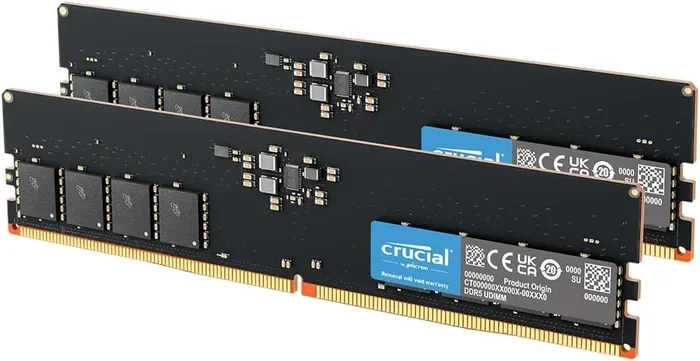
Slow RAM creates a bottleneck. The chip waits for data. Even if the chip is fast, it cannot work. You need fast memory to match. This ensures your hardware speed is fully utilized.
Can You Make Your Processor Faster?
Yes, you can make your chip faster. But there are risks involved. You can push the chip beyond its limits. This is called overclocking. It increases the clock speed. It makes the chip run faster than it was designed to. Many enthusiasts love this feature.
Overclocking can give you a big boost. You get more processing power for free. But it also creates more heat. Heat is the enemy of electronics. Too much heat can damage your chip. You must be careful when you overclock.
The Truth About Overclocking
Overclocking is popular with gamers. They want the best frame rates. They push their chips to the limit. It takes some skill to do it right. You must adjust settings in your BIOS. You must monitor temperatures closely.
Not all chips can be overclocked. Only certain models support this feature. Check your processor before you try. The definition of processor speed changes when you overclock. You are increasing the frequency manually. This gives you a custom speed setting.
Overclocking also voids your warranty. You take on the risk yourself. If something goes wrong, the manufacturer will not help. You need a good cooling solution. You need to know what you are doing. It is not for everyone.
Thermal Throttling And Cooling
When a chip gets too hot, it slows down. This is called thermal throttling. The chip protects itself from damage. It reduces its speed automatically. This keeps the system safe from overheating.
Good cooling prevents throttling. You need a proper heatsink. A fan helps move the heat away. Liquid cooling is even better. It keeps the chip cold. Cold chips run at their peak speed. They do not slow down. This is how you maintain maximum hardware speed.
Laptops are especially prone to heat. They have small spaces for cooling. They often thermal throttle under heavy loads. Desktop PCs have more room. They can run cooler. This is why desktops often have better sustained speed.
How To Choose The Right Processor Speed For You
Choosing the right speed depends on you. Different users need different levels. A gamer needs more speed than a student. A video editor needs more than a web surfer. Know what you do first. This helps you find the right CPU performance.
Matching Processing Power To Your Tasks
For basic tasks, you do not need much speed. Web browsing and email need a basic chip. A 2 GHz processor is fine for this. You will not notice any lag. Your computing speed is just fine for these jobs.
For gaming, you need more. A 4 GHz chip is a good start. You want smooth frame rates. For video editing, you need both speed and cores. Fast frequency helps with rendering. Multiple cores help with exporting. The definition of processor speed guides your choice here.
Think about your daily routine. What apps do you open most? What tasks take the longest? Focus on speeding up those tasks. This is the best way to invest in your hardware.
Budget Vs Premium Options
Fast chips cost more money. You must balance speed with your budget. A premium chip gives you the best experience. But a mid-range chip might be enough. Look at your actual needs. Do not pay for speed you do not need.
Check the CPU benchmark scores. They help you find the best value. You can save money and still get great speed. The definition of processor speed is not about the most expensive chip. It is about the right chip for you.
A mid-range chip today is faster than a high-end chip from five years ago. Technology moves fast. You do not always need the absolute latest. A smart choice saves you money.
Remember that the definition of processor speed is a tool, not a rule. It helps you understand your options. But it does not tell the whole story. Use benchmarks, read reviews, and trust your own needs. The right chip is the one that fits your life perfectly.
Conclusion
The definition of processor speed is your guide to better computing. It tells you how fast your machine works. You learned about clock speed and GHz. You learned about cores and architecture. You learned that benchmarks matter too.
Do not just chase the highest numbers. Look at the whole package. Match the speed to your tasks. Keep your chip cool. Use benchmarks to compare options. Now you know exactly what to look for. Your next PC will be a perfect match.
Understanding this topic puts you ahead. You can make smarter buying decisions. You can build a PC that fits your needs. The definition of processor speed is no longer a mystery. You are now ready to choose the best machine. Happy computing!
Frequently Asked Questions
What exactly is processor speed?
Processor speed, often called clock speed, measures how many cycles a chip can complete per second. It is typically measured in gigahertz (GHz). A higher number means the processor can execute more instructions every second, leading to faster computing speed.
Is a higher GHz always better?
Not necessarily. While a higher GHz means a faster clock speed, it is not the only factor. Chip architecture, core count, and instructions per second also play huge roles. A newer chip with lower GHz can often outperform an older chip with higher GHz.
How does the number of cores affect speed?
More cores allow for better multi-core performance. Each core can handle a separate task at the same time. This means your system performance stays high when you run multiple apps. It does not increase the speed of a single task, but it improves overall multitasking.
What is the difference between clock speed and processing power?
Clock speed refers to the frequency of the processor’s cycles. Processing power is a broader term that includes clock speed, core count, and architecture. Think of clock speed as one ingredient, while processing power is the final dish.
Can I increase my processor speed?
Yes, you can increase it through overclocking. This pushes the chip beyond its factory settings to achieve a higher frequency. However, it generates more heat and can void your warranty. Proper cooling is essential to avoid thermal throttling or damage.
Why does my computer slow down even with a fast processor?
Your system performance depends on all components working together. If your RAM is slow or your storage is an old hard drive, it creates a bottleneck. The chip waits for data, making the computer feel slow. Fast hardware speed requires balanced parts.