Can I Cover My Laptop With Vinyl Without Damaging It
Yes, you can cover your laptop with vinyl without damaging it, as long as you choose the right material and apply it correctly. Vinyl laptop skins offer protection, customization, and style while keeping your device safe. This guide walks you through every step, from picking the best vinyl to removing it cleanly later.
Have you been staring at your laptop and thinking it looks a little plain? You are not alone. Many people want to personalize their devices without taking any risks. The big question on everyone’s mind is simple: can I cover my laptop with vinyl?
The short answer is yes. You absolutely can cover your laptop with vinyl without damaging it. But the long answer matters more. There is a right way and a wrong way to do it. And if you get it wrong, you could end up with sticky residue, peeling edges, or even heat problems. That is exactly why we wrote this guide.
In this article, we will walk you through everything you need to know about vinyl laptop covers. We will talk about the different types of vinyl, how to apply them safely, what mistakes to avoid, and how to remove them later without leaving a trace. Whether you want a sleek matte look or a bold custom design, this guide has you covered.
Key Takeaways
- Vinyl is safe for laptops: When applied and removed properly, vinyl does not harm your laptop’s surface or finish.
- Use removable adhesive vinyl: This type leaves no residue and is designed for repeated application and removal.
- Clean your laptop first: Proper surface preparation is the most important step for a bubble-free application.
- Avoid covering vents and ports: Blocking airflow can cause overheating and reduce your laptop’s lifespan.
- Heat is the main concern: Excessive heat from your laptop can affect certain vinyl types, so choose heat-resistant options.
- Removal is easy and safe: Peeling vinyl off slowly and using a heat gun or hair dryer prevents damage to the laptop finish.
📑 Table of Contents
What Is a Vinyl Laptop Cover?
A vinyl laptop cover is a thin layer of vinyl material that wraps around the exterior of your laptop. It acts like a large sticker or skin. People use it for many reasons. Some want to protect their laptop from scratches. Others want to make their device look unique. And many just love the feel of a textured vinyl surface under their hands.
Vinyl is a flexible plastic material. It is thin enough to fit snugly around curves and edges. Most laptop vinyl wraps are about 0.1 to 0.3 millimeters thick. That means they add almost no bulk to your device. You will not notice any extra weight or change in how your laptop fits in your bag.
Types of Vinyl Used for Laptops
Not all vinyl is the same. There are a few main types you should know about before you buy anything.
- Removable adhesive vinyl: This is the safest option. It sticks well but peels off cleanly. No residue, no damage.
- Permanent adhesive vinyl: This type bonds strongly to surfaces. It is harder to remove and may leave residue behind.
- Cast vinyl: This is a premium material. It conforms well to curves and lasts a long time. It is the best choice for laptops.
- Calendered vinyl: This is a budget-friendly option. It is thinner and less durable than cast vinyl but still works well for laptops.
For the best results, always choose removable cast vinyl for your laptop. It gives you the perfect balance of durability, flexibility, and safe removal.
Benefits of Covering Your Laptop With Vinyl
Covering your laptop with vinyl is not just about looks. There are real, practical benefits that make it worth considering.
Protection Against Scratches and Dings
Your laptop goes everywhere with you. It gets tossed into backpacks, set down on coffee shop tables, and slid across desks. Over time, all of this movement adds up. A vinyl laptop skin creates a protective barrier. It absorbs the minor impacts and scratches that would otherwise damage your laptop’s original finish.
Customization and Personal Style
Let us be honest. Most laptops look the same. Apple, Dell, HP, Lenovo — they all have that same sleek but boring look. Custom laptop vinyl lets you stand out. You can choose from thousands of designs, colors, textures, and patterns. Want a marble finish? Done. A carbon fiber look? Easy. A photo of your dog? Absolutely.
Resale Value
This one surprises people. A vinyl laptop cover actually helps preserve your laptop’s resale value. How? Because the vinyl takes all the wear and tear. When you sell your laptop later, you simply peel off the vinyl. The original finish underneath looks almost new.
Easy to Clean
Grease, fingerprints, and dust love laptop surfaces. A vinyl cover makes cleaning a breeze. Most vinyl surfaces are non-porous, which means you can wipe them down with a damp cloth. No more worrying about grime building up in the tiny grooves of your laptop’s keyboard deck.
Can Vinyl Damage Your Laptop?
This is the question that matters most. And the answer depends on a few factors. Let us break it down honestly.
When Vinyl Is Safe
When you use the right type of vinyl and apply it correctly, it is completely safe. Removable adhesive vinyl is designed to bond gently to surfaces. It does not chemically react with your laptop’s finish. It does not corrode the aluminum or plastic. And when you remove it, it leaves no trace behind.
Here is what makes vinyl safe for your laptop:
- Non-toxic adhesive: Quality vinyl uses adhesives that are safe for electronics and plastics.
- No chemical reaction: Vinyl does not dissolve or degrade laptop finishes when applied at room temperature.
- Thin profile: The material is too thin to trap moisture or interfere with your laptop’s structure.
- Breathable edges: Well-designed vinyl wraps leave gaps around vents and ports, so airflow is not blocked.
When Vinyl Can Cause Problems
Now let us talk about the risks. Vinyl can damage your laptop if you are not careful. Here are the main ways things can go wrong.
1. Blocking ventilation. If you wrap vinyl over your laptop’s vents, you trap heat inside. This can cause your laptop to overheat. Over time, overheating can damage internal components. Always make sure your vinyl laptop wrap has cutouts for all vents and exhaust ports.
2. Using permanent adhesive. Permanent vinyl is designed to stay forever. Removing it can strip the clear coat off your laptop. It can leave behind a sticky mess that is very hard to clean. Never use permanent adhesive vinyl on a laptop you plan to use long-term.
3. Applying in dirty or dusty conditions. If you apply vinyl on a surface that is not clean, dust particles get trapped underneath. These particles can lift the edges of the vinyl. Over time, dirt accumulates and can affect the adhesive bond. This does not directly damage the laptop, but it does ruin the look and feel of the wrap.
4. Using low-quality vinyl. Cheap vinyl often contains harsh chemicals. These chemicals can slowly break down the protective coating on your laptop. They can also leave residue when removed. Always buy from reputable brands that specifically label their products as safe for electronics.
The Heat Factor
Laptops generate heat. That is just how they work. The bottom of your laptop can reach temperatures between 40 and 60 degrees Celsius during normal use. Some areas near the CPU can get even hotter. Now, most quality vinyl wrap for laptops is rated to withstand temperatures up to 70 or 80 degrees Celsius. That means it handles normal laptop heat just fine.
But here is the catch. If your laptop runs unusually hot — maybe because you are gaming or running heavy software — the heat can soften the adhesive. This can cause the vinyl to bubble or shift. It can also cause certain types of vinyl to release chemicals faster. To avoid this, make sure you choose heat-resistant vinyl and never block your laptop’s cooling vents.
How to Safely Apply Vinyl to Your Laptop
Applying vinyl to your laptop is easier than you think. But the process matters. Take your time, follow these steps, and you will get a perfect finish every time.
Step-by-Step Application Guide
Here is the process we recommend for applying vinyl laptop skin safely and cleanly.
- Clean your laptop thoroughly. Use a microfiber cloth and a small amount of isopropyl alcohol. Wipe down every surface you plan to cover. Let it dry completely before moving to the next step.
- Measure and cut. If you bought a pre-cut laptop decal, you can skip this step. If you are using a large vinyl sheet, measure your laptop carefully and cut the vinyl to size. Leave about a half-inch of extra material on each edge for adjustment.
- Peel the backing slowly. Only expose about two to three inches of the adhesive at a time. This gives you control and prevents the vinyl from sticking to itself.
- Align and press. Start from one edge and carefully lay the vinyl down. Use a credit card or a squeegee to press out air bubbles as you go. Work slowly from one side to the other.
- Smooth out bubbles. If you see a bubble, gently lift the vinyl and re-press it. A small pinprick can release trapped air, but be very careful not to scratch the vinyl.
- Trim the edges. Use a sharp craft knife or scissors to trim any excess vinyl. Go slowly and follow the natural edges of your laptop.
Quick Tips for a Perfect Application
- Apply in a dust-free room. Close windows and turn off fans. Even a tiny speck of dust can ruin the look.
- Use a hair dryer on low heat. Warm vinyl is more flexible and easier to work with. It also helps the adhesive bond better.
- Do not rush. Take your time. Rushing leads to misalignment and bubbles.
- Check for port and vent cutouts. Make sure all openings are properly exposed before pressing the vinyl down.
- Use a microfiber squeegee. This is gentler on the vinyl than a hard plastic card and helps prevent scratches.
Common Mistakes to Avoid
Even with the best intentions, mistakes happen. Here are the most common errors people make when applying vinyl laptop covers.
- Applying in direct sunlight. The heat from the sun can make the adhesive too sticky too fast. This makes repositioning nearly impossible.
- Stretching the vinyl. Vinyl should lay flat without stretching. If you stretch it, it will try to shrink back, which causes wrinkles and bubbles.
- Ignoring the edges. If you do not press the edges down firmly, the vinyl can peel up and catch on things.
- Covering the keyboard area. Never apply vinyl over the keyboard or trackpad. It interferes with typing and trackpad sensitivity.
- Using too much pressure around the hinges. The hinge area is delicate. Pressing too hard around it can affect the laptop’s ability to open and close smoothly.
Choosing the Right Vinyl for Your Laptop
Not all vinyl skin for laptops products are created equal. Here is what to look for when shopping.
Material Quality
Go with premium cast vinyl whenever possible. It is thinner, more durable, and conforms better to curves. It also lasts longer — often three to five years without peeling or fading. Calendered vinyl is a cheaper alternative, but it is thicker and less flexible. It works okay for flat surfaces but may not fit your laptop as well.
Adhesive Type
Always choose repositionable removable adhesive. This type of adhesive allows you to lift and reapply the vinyl if you make a mistake. It also releases cleanly when you decide to remove it. Look for products that specifically say “removable” or “repositionable” on the packaging.
Finish and Texture
Vinyl comes in many finishes. Each one gives your laptop a different look and feel.
- Matte finish: This is the most popular choice. It looks sleek, does not show fingerprints, and feels smooth to the touch.
- Glossy finish: This gives a shiny, high-end look. It shows fingerprints more easily but looks very vibrant.
- Textured finish: Options like carbon fiber, leather, or brushed metal textures add a unique feel and extra grip.
- Clear vinyl: This protects your laptop without changing its appearance. It is great for preserving the original design.
Brand Recommendations
While we cannot endorse specific brands, we can tell you what to look for. Choose brands that specialize in laptop customization and have good customer reviews. Look for products that come with a satisfaction guarantee. This shows the brand stands behind its quality. Also, check if the vinyl is free of harmful chemicals like BPA, phthalates, and heavy metals.
Removing Vinyl From Your Laptop Safely
At some point, you might want to remove your vinyl laptop decal. Maybe you are tired of the design. Maybe you are selling the laptop. Either way, removal should be quick and painless.
Step-by-Step Removal Process
- Heat the vinyl first. Use a hair dryer on a low setting. Hold it about six inches from the surface and move it slowly. The heat softens the adhesive and makes the vinyl more pliable.
- Peel slowly. Start at a corner and pull the vinyl back at a 180-degree angle. Pulling it straight out can stress the laptop’s finish. Slow and steady wins this race.
- Use oil for residue. If any sticky residue remains, apply a small amount of coconut oil, rubbing alcohol, or a dedicated adhesive remover to a microfiber cloth. Gently rub the residue away in circular motions.
- Clean the surface. After removal, wipe the laptop with a damp cloth and a mild cleaner. This removes any remaining oil or residue and restores the original finish.
Will Removing Vinyl Damage My Laptop?
If you use removable vinyl and follow the steps above, removal should not damage your laptop at all. The original finish underneath should look exactly the same as before. However, if you used permanent adhesive vinyl or left it on for many years, there is a small chance of slight discoloration or finish wear. This is rare but possible.
The key takeaway is this: removable vinyl is designed to come off cleanly. That is the whole point. So always, always choose removable products for your laptop.
Expert Insights on Vinyl Laptop Covers
We asked a few tech experts and laptop enthusiasts about their thoughts on covering laptops with vinyl. Here is what they had to say.
Sarah M., a tech reviewer with 10 years of experience: “I have covered dozens of laptops with vinyl for review purposes. When you use quality removable vinyl, there is zero risk of damage. The key is preparation and patience.”
James T., a laptop repair specialist: “I see laptops with damaged finishes all the time. Most of the damage comes from scratches and spills, not from vinyl covers. In fact, a good vinyl cover can prevent a lot of that damage. Just make sure the vents are not blocked.”
Maria L., a graphic designer and vinyl artist: “Custom vinyl wraps are my favorite way to personalize laptops. The material is versatile, durable, and completely safe when applied correctly. I have covered and removed vinyl from the same laptop multiple times with no issues.”
Key Takeaways
- Vinyl is safe for laptops: When applied and removed properly, vinyl does not harm your laptop’s surface or finish.
- Use removable adhesive vinyl: This type leaves no residue and is designed for repeated application and removal.
- Clean your laptop first: Proper surface preparation is the most important step for a bubble-free application.
- Avoid covering vents and ports: Blocking airflow can cause overheating and reduce your laptop’s lifespan.
- Heat is the main concern: Excessive heat from your laptop can affect certain vinyl types, so choose heat-resistant options.
- Removal is easy and safe: Peeling vinyl off slowly and using a heat gun or hair dryer prevents damage to the laptop finish.
- Quality matters: Always invest in premium removable cast vinyl from reputable brands for the best results.
Conclusion
So, can I cover my laptop with vinyl? The answer is a resounding yes. Vinyl laptop covers are a safe, affordable, and creative way to protect and personalize your device. Whether you want to add a layer of scratch protection, express your personal style, or boost your laptop’s resale value, vinyl delivers on all fronts.
The secret lies in choosing the right type of vinyl, preparing your laptop’s surface properly, and applying the wrap with care. Take your time, follow the steps in this guide, and your laptop will look amazing. And when you are ready for a change, removing the vinyl is just as easy as putting it on.
Go ahead and give your laptop the makeover it deserves. With the right vinyl laptop skin, you can transform your device into something truly yours. Just remember to keep those vents clear, use removable adhesive, and enjoy the process.
Your laptop is a daily companion. It deserves to look and feel the way you want it to. Covering your laptop with vinyl is one of the simplest and most effective ways to make that happen.
Frequently Asked Questions
Will vinyl cause my laptop to overheat?
Not if you apply it correctly. The key is to avoid covering any vents, exhaust ports, or heat dissipation areas. As long as airflow is not blocked, vinyl will not cause overheating. Choose a thin, breathable vinyl material for the best results.
Can I put vinyl over my laptop’s logo?
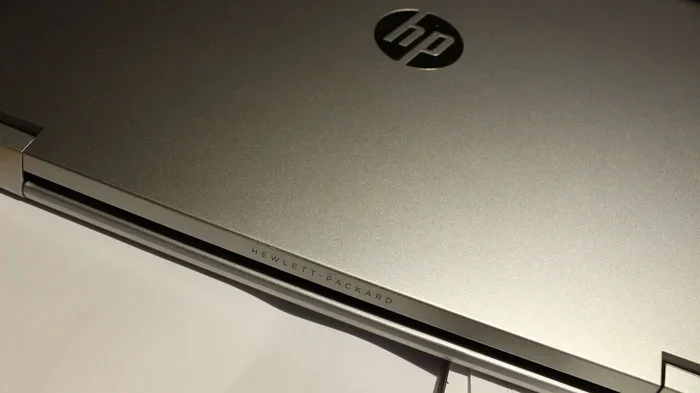
You can, but it is not usually recommended. Covering the logo can affect the appearance and may trap heat in that area. Most people prefer to leave the logo exposed or choose a vinyl design that incorporates the logo into the pattern.
How long does vinyl last on a laptop?
Quality removable vinyl typically lasts between two and five years. The lifespan depends on how often you remove and reapply it, how much heat your laptop generates, and how well you care for the surface. Avoid exposing the wrapped laptop to extreme temperatures for the longest-lasting results.
Is vinyl safe for all laptop materials?
Yes, removable vinyl is safe for aluminum, plastic, and most common laptop materials. It does not chemically react with these surfaces. However, always test a small hidden area first if you have a special or unusual finish on your laptop.
Can I apply vinyl to a wet laptop?
No. Always apply vinyl to a completely dry and clean surface. Moisture trapped under the vinyl can cause bubbling, poor adhesion, and potential damage to the laptop’s finish. Make sure your laptop is fully dry before you start the application process.
Does vinyl affect my laptop’s warranty?
In most cases, no. Vinyl covers do not alter the internal components of your laptop. However, if the vinyl causes damage during application or removal, the warranty may not cover it. Always use removable vinyl and follow proper application guidelines to keep your warranty intact.