Does Roku 3 Have Bluetooth Everything You Need to Know
The Roku 3 does not have built-in Bluetooth, which surprises many users who want to go wireless with their audio. However, you can still enjoy wireless sound by using a Bluetooth transmitter or adapter. This guide covers every option, workaround, and tip to get Bluetooth working with your Roku 3.
Does the Roku 3 have Bluetooth? This is a question many people ask when they want to cut the cord and go wireless with their audio setup. The short answer is no, the Roku 3 does not come with built-in Bluetooth. But that does not mean you are stuck with wired connections forever. There are simple and affordable ways to add wireless audio to your Roku 3 experience.
In this guide, we will walk you through everything you need to know about Roku 3 Bluetooth capabilities. We will cover why Roku removed Bluetooth, how to add it yourself, and which audio options work best. Whether you want to use wireless headphones, connect a speaker, or just understand your options, this article has you covered.
The Roku 3 has been a popular streaming device for years. It offers a smooth interface, access to all major channels, and reliable performance. But when it comes to wireless audio, it falls a bit short compared to newer models. Understanding what the Roku 3 can and cannot do will help you make the best choice for your home setup.
Key Takeaways
- The Roku 3 lacks built-in Bluetooth: It relies on wired connections and Wi-Fi for streaming.
- A Bluetooth transmitter solves the problem: You can add wireless audio capability easily.
- Multiple audio output options exist: HDMI, optical, and headphone jack all work with the Roku 3.
- Firmware updates matter: Keeping your Roku 3 updated ensures the best performance.
- Newer Roku models include Bluetooth: If Bluetooth is essential, consider upgrading to a newer model.
- Wireless headphones work with workarounds: You can pair Bluetooth headphones using an adapter or transmitter.
- Troubleshooting is straightforward: Most Bluetooth issues are easy to fix with simple steps.
📑 Table of Contents
- Does the Roku 3 Have Built-in Bluetooth?
- How to Add Bluetooth to Your Roku 3
- Bluetooth Audio Options for Roku 3 Users
- Roku 3 Bluetooth Compared to Newer Roku Models
- Troubleshooting Bluetooth Issues with Roku 3
- Quick Tips for the Best Roku 3 Audio Experience
- Expert Insights on Roku 3 Wireless Audio
- Final Thoughts on Roku 3 Bluetooth
Does the Roku 3 Have Built-in Bluetooth?
The Roku 3 was released in 2015, and at that time, many streaming devices did not include Bluetooth. Roku chose to focus on Wi-Fi connectivity and wired audio outputs instead. This decision kept the cost down and made the device more reliable for most users.
Here is a quick look at what the Roku 3 offers for audio connectivity:
- HDMI output: The primary way to connect your Roku 3 to a TV or sound system.
- Optical audio output: A digital connection for external soundbars or receivers.
- 3.5mm headphone jack: Found on the remote, not the device itself, for private listening.
- Wi-Fi streaming: Used for streaming content, not for audio output to speakers.
So if you are looking for a direct Bluetooth connection from your Roku 3 to wireless headphones or speakers, it simply is not there. But do not worry. There are workarounds that work really well.
Why Did Roku Leave Out Bluetooth?
Roku made a deliberate choice to skip Bluetooth on the Roku 3. Adding Bluetooth would have increased the cost of the device. For many users, Wi-Fi was enough to handle their streaming needs. Roku also wanted to keep the device simple and focused on its core job: streaming content smoothly.
Some users also experience Bluetooth interference with Wi-Fi signals. Both use the 2.4 GHz band, which can cause problems. By skipping Bluetooth, Roku avoided potential audio dropouts and connectivity issues. This made the Roku 3 a more stable device overall.
How to Add Bluetooth to Your Roku 3
Even though the Roku 3 does not have built-in Bluetooth, you can still add wireless audio. The most popular method is using a Bluetooth transmitter. This small device plugs into your TV or audio output and sends sound to your Bluetooth headphones or speakers.
Here is how a Bluetooth transmitter works with your Roku 3:
- Connect the transmitter to your TV or audio output.
- Pair your Bluetooth headphones or speakers with the transmitter.
- Select the transmitter as your audio source.
- Enjoy wireless sound from your Roku 3.
You can also use a Bluetooth adapter to make your TV Bluetooth capable. This works in a similar way and gives you more flexibility. Some users prefer adapters that plug directly into the TV’s USB port or audio jack.
Best Bluetooth Transmitters for Roku 3
Not all Bluetooth transmitters are the same. Here are some things to look for when choosing one:
- Low latency: You want audio that stays in sync with the video. Look for transmitters that advertise low-latency or aptX support.
- Multipoint pairing: This lets you connect multiple headphones at once. Great for couples watching TV together.
- Long range: A range of 30 feet or more gives you freedom to move around.
- Battery life: Choose a transmitter with a rechargeable battery that lasts several hours.
- Easy setup: Look for plug-and-play options that do not require complicated configuration.
Using a Bluetooth Adapter on Your TV
If you have a smart TV connected to your Roku 3, you might be able to use a Bluetooth adapter directly on your TV. Many modern TVs have a Bluetooth setting built in. You can pair your headphones to the TV, and the audio will come through the Roku 3 content.
This method works best when your TV supports Bluetooth audio output. Check your TV settings for a Bluetooth option. If your TV does not have Bluetooth, a transmitter is your best bet.
Bluetooth Audio Options for Roku 3 Users
There are several ways to enjoy wireless audio with your Roku 3. Each option has its own pros and cons. Let us break them down so you can pick what works best for you.
Option 1: Bluetooth Headphones
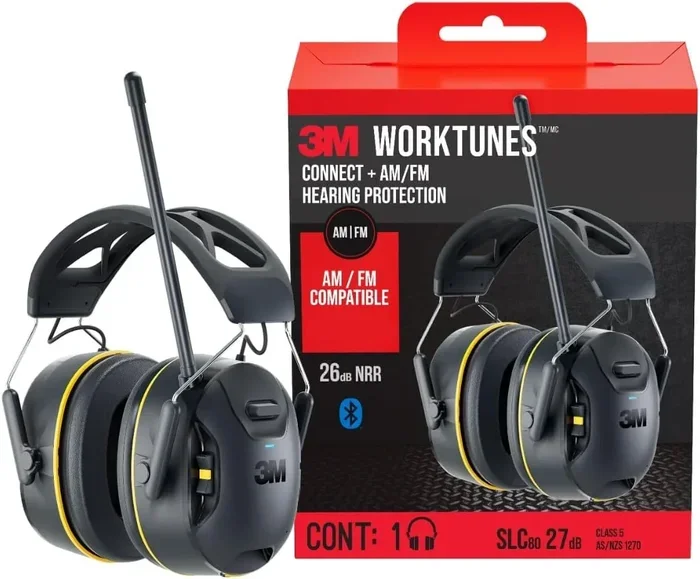
Wireless headphones are the most popular choice for Roku 3 users. They let you watch TV late at night without disturbing anyone. You can also move around the house while watching your favorite shows.
To use Bluetooth headphones with your Roku 3, you will need a transmitter. Plug the transmitter into your TV’s audio output. Then pair your headphones with the transmitter. It is a simple process that takes about five minutes.
If you are wondering whether you can use any Bluetooth headphones with your TV, the answer is generally yes. Most Bluetooth headphones work with transmitters. Just make sure your headphones support the same Bluetooth version as the transmitter for the best experience.
Option 2: Bluetooth Speakers
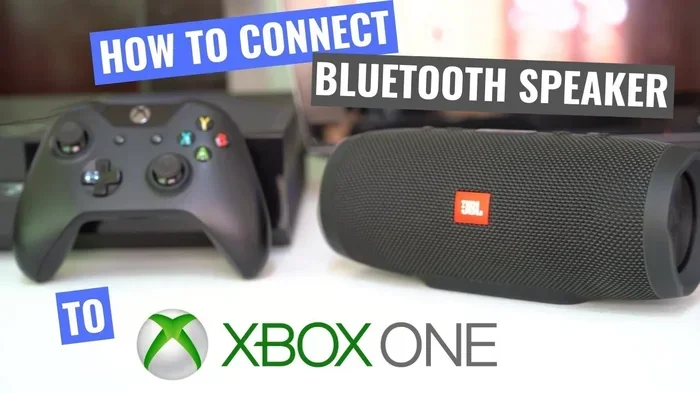
Want to take your Roku 3 audio outside or to another room? Bluetooth speakers are a great option. You can pair a portable speaker with a transmitter and enjoy your streaming content anywhere in your home.
Keep in mind that Bluetooth speakers are not always the best choice for home theater setups. They may not deliver the same depth and richness as a wired soundbar or home theater system. But for casual watching and music, they work perfectly.
Option 3: Wireless Soundbars with Bluetooth
A wireless soundbar can enhance your Roku 3 experience significantly. Many modern soundbars have Bluetooth built in. You can connect them directly to your phone or use a transmitter to link them to your Roku 3 setup.
Soundbars also improve the overall audio quality of your TV. They are a great investment if you want better sound without running wires across the room.
Roku 3 Bluetooth Compared to Newer Roku Models
If you are considering upgrading, newer Roku models do include Bluetooth. Here is a quick comparison of the Roku 3 and some newer models:
| Feature | Roku 3 | Roku Streaming Stick+ | Roku Ultra |
|---|---|---|---|
| Built-in Bluetooth | No | Yes | Yes |
| Bluetooth Headphones Support | With transmitter | Direct support | Direct support |
| Wi-Fi Connectivity | Dual-band | Dual-band | Dual-band |
| HDMI Output | Yes | Yes | Yes |
| Release Year | 2015 | 2016+ | 2016+ |
Newer Roku models have made wireless audio much easier. If Bluetooth is important to you, upgrading to a newer Roku device might be worth it. The Roku Streaming Stick+ and Roku Ultra both support Bluetooth headphones directly, without any extra hardware.
Can I Use Bluetooth Headphones With My TV Through Roku 3?
Yes, you can use Bluetooth headphones with your TV through the Roku 3. The key is using a Bluetooth transmitter or your TV’s built-in Bluetooth. The Roku 3 itself does not connect directly to Bluetooth headphones, but your TV or a transmitter can bridge the gap.
Troubleshooting Bluetooth Issues with Roku 3
Even with a transmitter or adapter, you might run into some issues. Here are common problems and how to fix them.
Audio Lag or Delay
Audio lag is the most common Bluetooth issue. You see the lips move, but the sound comes a second later. This happens because Bluetooth adds a small delay to the audio signal.
To fix this, look for a transmitter with low-latency technology. Transmitters that support aptX Low Latency work best. You can also try reducing the distance between the transmitter and your headphones.
Connection Drops
If your Bluetooth connection keeps dropping, try these steps:
- Move closer to the transmitter.
- Remove other Bluetooth devices from the area.
- Check for Wi-Fi interference.
- Restart the transmitter and your headphones.
- Update the firmware on your transmitter.
Poor Audio Quality
Bluetooth audio quality can vary. If the sound does not sound right, make sure both your transmitter and headphones support the same audio codec. Matching codecs like aptX or AAC will give you much better sound than basic SBC.
Quick Tips for the Best Roku 3 Audio Experience
Here are some quick tips to get the most out of your Roku 3 audio setup:
- Use an optical cable for the best wired sound: If you have a soundbar or receiver, an optical connection gives you the clearest digital audio.
- Keep your Roku 3 firmware updated: Updates improve performance and fix bugs. Go to Settings > System > Software Update on your Roku 3.
- Invest in a good transmitter: A quality Bluetooth transmitter makes a huge difference in sound quality and reliability.
- Place your transmitter close to your Roku 3: Shorter distances mean fewer connection problems.
- Use wired headphones for the remote jack: The Roku 3 remote has a 3.5mm jack for wired headphones. This is great for late-night watching without any setup.
Common Mistakes to Avoid
Here are some mistakes that Roku 3 users often make when trying to set up wireless audio:
- Assuming all TVs have Bluetooth: Not every TV supports Bluetooth audio output. Always check your TV settings first.
- Buying a cheap transmitter: Budget transmitters often have high latency and poor range. Spend a little more for better quality.
- Forgetting to update firmware: Both your transmitter and headphones need firmware updates for the best performance.
- Pairing too many devices: Too many Bluetooth devices in one area can cause interference. Keep it simple.
Expert Insights on Roku 3 Wireless Audio
Many tech experts recommend using a Bluetooth transmitter as the best way to add wireless audio to the Roku 3. The technology has improved a lot over the years. Modern transmitters are small, affordable, and deliver excellent sound quality.
Some users also prefer using their TV as a Bluetooth hub. If your TV supports Bluetooth, you can connect headphones directly to the TV and still control everything through the Roku 3. This setup keeps things simple and avoids extra hardware.
For users who want the simplest solution, wired headphones connected to the Roku 3 remote remain a solid option. The remote has a built-in headphone jack, and it works without any extra equipment. It is not wireless, but it gets the job done for private listening.
If you are serious about wireless audio and streaming, consider exploring other Roku models. The Roku Ultra and Roku Streaming Stick+ both offer Bluetooth support out of the box. They also come with faster processors and better Wi-Fi, making them great upgrades from the Roku 3.
Final Thoughts on Roku 3 Bluetooth
The Roku 3 does not have built-in Bluetooth, but that should not stop you from enjoying wireless audio. With a Bluetooth transmitter or adapter, you can connect headphones, speakers, and soundbars to your Roku 3 setup easily. The options are plentiful and affordable.
If Bluetooth is a must-have feature for you, consider upgrading to a newer Roku model. The Roku Streaming Stick+ and Roku Ultra both offer direct Bluetooth support. They also bring many other improvements that make streaming even better.
No matter which path you choose, the Roku 3 remains a reliable streaming device. It delivers great content, a user-friendly interface, and solid performance. Adding wireless audio is just one small step to enhance your overall experience.
Take some time to explore your options. Whether you go with a transmitter, an adapter, or a new Roku model, you will find a solution that fits your needs and budget. Wireless audio on your Roku 3 is closer than you think.
Frequently Asked Questions
Can I connect Bluetooth headphones directly to the Roku 3?
No, the Roku 3 does not have built-in Bluetooth. You need a Bluetooth transmitter or use your TV’s Bluetooth capability to connect wireless headphones. The Roku 3 remote does have a 3.5mm jack for wired headphones, though.
What is the best Bluetooth transmitter for Roku 3?
Look for a transmitter with low latency, aptX support, and multipoint pairing. Popular brands include Avantree, 1Mii, and TaoTronics. These transmitters plug into your TV’s audio output and pair easily with headphones and speakers.
Can I use a Bluetooth speaker with my Roku 3?
Yes, you can use a Bluetooth speaker with the Roku 3 through a transmitter or adapter. Connect the transmitter to your TV’s audio output, pair the speaker, and enjoy wireless sound. Keep in mind that Bluetooth speakers work best for casual listening rather than full home theater setups.
Does the Roku 3 remote have Bluetooth?
The Roku 3 remote does not use Bluetooth. It uses infrared (IR) signals to communicate with the device. However, the remote does have a 3.5mm headphone jack for private listening with wired headphones.
Is there a way to get Bluetooth on Roku 3 without buying extra hardware?
Not directly. The Roku 3 has no built-in Bluetooth. However, if your TV supports Bluetooth, you can pair headphones to the TV and use the Roku 3 for content. Otherwise, a Bluetooth transmitter or adapter is the most practical solution.
Should I upgrade from the Roku 3 for better Bluetooth support?
If Bluetooth is important to you, upgrading to a newer Roku model like the Roku Streaming Stick+ or Roku Ultra is a good idea. These models include built-in Bluetooth and offer better overall performance, faster Wi-Fi, and more features than the Roku 3.
=== CONCLUSION ===
The Roku 3 does not have Bluetooth, but you still have plenty of options for wireless audio. A Bluetooth transmitter or adapter can bring wireless headphones, speakers, and soundbars into your Roku 3 setup. These solutions are affordable, easy to set up, and work really well.
For users who want a more seamless experience, newer Roku models offer built-in Bluetooth and many other upgrades. The Roku Streaming Stick+ and Roku Ultra are excellent choices if you want to leave the Roku 3 behind.
No matter what path you choose, you can enjoy the freedom of wireless audio with your Roku 3. Take your time, pick the right solution for your needs, and start enjoying your favorite shows without wires.