Disadvantages Of Wireless Networks Everyone Should Know
Disadvantages Of Wireless Networks include security vulnerabilities, speed limitations, and signal interference that can frustrate even tech-savvy users. While wireless technology offers convenience, it comes with trade-offs like connection drops, bandwidth sharing, and higher latency. Understanding these drawbacks helps you make smarter decisions about your home or office network setup.
Wireless networks have changed the way we live and work. From smart homes to bustling offices, Disadvantages Of Wireless Networks are something every user should understand. We love the freedom of untethered internet, but that convenience comes with real costs. Security gaps, slower speeds, and unreliable signals are just the beginning.
Many people assume Wi-Fi is just as good as a wired connection. That assumption can lead to big problems. Whether you stream movies, work from home, or run a business, knowing the Disadvantages Of Wireless Networks helps you plan better. This guide breaks down every major drawback in plain language so you can make smarter choices.
Key Takeaways
- Security Risks: Wireless networks are more exposed to hacking and unauthorized access than wired alternatives.
- Speed Limitations: Wireless connections typically can’t match the raw speeds of a wired Ethernet setup.
- Signal Interference: Walls, appliances, and other devices can weaken or disrupt your wireless signal significantly.
- Latency Issues: Wireless networks often suffer from higher ping and lag compared to wired connections.
- Coverage Dead Zones: Large spaces or multi-story buildings can create areas with weak or no signal at all.
- Bandwidth Sharing: Every connected device splits the available wireless bandwidth, slowing everyone down.
- Dependency on Power: Wireless routers and access points go offline if the power goes out.
📑 Table of Contents
- Understanding Wireless Network Vulnerabilities
- Speed and Performance Limitations
- Signal Interference and Coverage Issues
- Bandwidth Sharing and Network Congestion
- Dependency on Power and Hardware
- Comparison: Wireless vs Wired Networks
- Health and Environmental Concerns
- How to Minimize the Disadvantages
- Conclusion
Understanding Wireless Network Vulnerabilities
One of the biggest concerns with Disadvantages Of Wireless Networks is security. When data travels through the air, it becomes easier for bad actors to intercept. Unlike wired connections that require physical access, wireless signals broadcast outward in all directions. Anyone within range can potentially tap into your network.
Open Networks and Data Exposure
Public Wi-Fi networks are a goldmine for hackers. Coffee shops, airports, and hotels often use open networks with no password protection. When you connect to these networks, your personal data travels unprotected. Cybercriminals can use simple tools to capture your browsing history, login credentials, and even financial information.
Even home networks face risks. Many people never change their default router passwords. This mistake leaves the door wide open for unauthorized users. Once someone gains access to your network, they can monitor your activity, steal files, or use your connection for illegal activities.
Encryption Isn’t Perfect
Most modern routers use WPA3 encryption, which is much better than older standards. But Disadvantages Of Wireless Networks still include encryption limitations. Weak passwords undermine even the strongest encryption. If your password is “password123,” no encryption protocol can save you.
WPA2, which many older routers still use, has known vulnerabilities. The KRACK attack, discovered in 2017, exploited flaws in the WPA2 protocol. While patches exist, not everyone updates their firmware regularly. This creates a window of opportunity for attackers.
Speed and Performance Limitations
Speed is where many users first notice the Disadvantages Of Wireless Networks. Wireless technology has come a long way, but it still can’t keep up with wired connections. The theoretical maximum speeds of Wi-Fi 6 are impressive on paper. Real-world performance tells a different story.
Why Wireless Speeds Fall Short
Several factors drag down wireless speeds. Distance from the router is the most common culprit. The further you move away, the weaker the signal becomes. Walls, furniture, and even water pipes absorb wireless signals. By the time your signal reaches the other side of your house, it may be a fraction of its original strength.
Another factor is the number of devices sharing the network. Every phone, laptop, smart TV, and smart speaker competes for the same wireless bandwidth. In a busy household with 15 or more connected devices, speeds drop noticeably. This is one of the most frustrating Disadvantages Of Wireless Networks for families and small businesses.
The Latency Problem
Latency, or ping, measures how long it takes data to travel from your device to the server and back. Wireless connections inherently add latency compared to wired ones. For casual browsing, this difference is barely noticeable. But for online gaming or video conferencing, even a small increase in latency can ruin the experience.
Wireless signals also suffer from jitter, which is the variation in latency over time. One moment your connection feels smooth, and the next it stutters. This inconsistency makes wireless networks unreliable for real-time applications like VoIP calls or live streaming.
Signal Interference and Coverage Issues
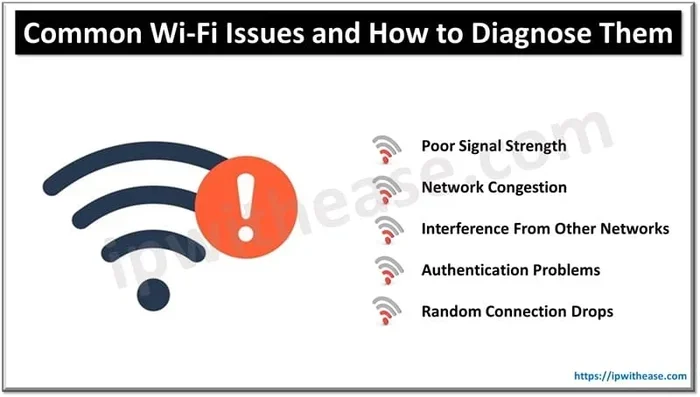
Wireless signals don’t travel in neat little lines. They spread out, bounce off surfaces, and get absorbed by objects. This behavior creates Disadvantages Of Wireless Networks that many users underestimate. Signal interference is a daily reality for anyone relying on Wi-Fi.
Common Sources of Interference
Many everyday items interfere with wireless signals. Microwaves operate on the same 2.4 GHz frequency as most Wi-Fi networks. When you heat up dinner, your internet might slow down or drop entirely. Baby monitors, cordless phones, and Bluetooth devices all compete for the same airspace.
Neighboring networks also cause interference. In apartment buildings, dozens of routers pack into a small space. They all broadcast on similar channels, creating a crowded wireless environment. This congestion leads to slower speeds and more frequent disconnections.
Dead Zones in Your Home
Dead zones are areas where the wireless signal is too weak to provide a usable connection. These spots often appear in bathrooms, basements, and rooms far from the router. Thick concrete walls and metal objects make dead zones worse.
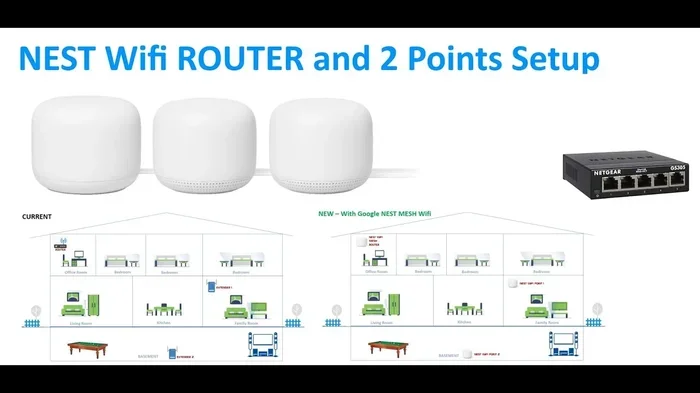
Mesh network systems can help reduce dead zones. These systems use multiple nodes placed around your home to extend coverage. However, each hop between nodes reduces speed. So while you gain coverage, you sacrifice performance. This trade-off is one of the hidden Disadvantages Of Wireless Networks that many people don’t consider.
Bandwidth Sharing and Network Congestion
Wireless networks share bandwidth among all connected devices. This shared nature creates one of the most significant Disadvantages Of Wireless Networks. When one device uses a lot of bandwidth, everyone else feels the impact.
Imagine your family is streaming a movie on Netflix while someone else is downloading a large file. Both activities compete for the same wireless pipe. The result is buffering, slow load times, and frustration. In a wired network, each device gets its own dedicated connection. This isolation doesn’t exist in wireless setups.
Quality of Service Limitations
Most routers offer Quality of Service (QoS) settings. QoS lets you prioritize certain types of traffic. You can tell your router to prefer video calls over file downloads, for example. But QoS has limits. It can’t create more bandwidth than your internet plan provides.
Also, QoS works best when all devices support it. Older devices might ignore QoS settings entirely. This inconsistency means you can’t always guarantee smooth performance, even with the best router. For users who depend on reliable internet, this is a serious drawback.
Dependency on Power and Hardware
Wireless networks rely entirely on electricity. When the power goes out, your internet goes with it. This dependency is one of the most overlooked Disadvantages Of Wireless Networks. A power outage doesn’t just affect your internet. It affects your router, modem, and any wireless access points too.
Battery Backup Isn’t Always Enough
Some users invest in UPS (Uninterruptible Power Supply) units to keep their routers running during outages. While this helps, UPS units have limited battery life. Most consumer-grade UPS units provide 30 to 60 minutes of backup power. That’s enough to save your work, but not enough to keep streaming through a blackout.
Hardware failures also plague wireless networks. Routers degrade over time. Firmware bugs cause unexpected crashes. Antenna connectors loosen. These issues happen more often with wireless equipment than with wired alternatives. When your router fails, your entire wireless network goes down until you fix or replace it.
Comparison: Wireless vs Wired Networks
To truly understand the Disadvantages Of Wireless Networks, it helps to compare them directly with wired alternatives. The table below highlights the key differences.
| Feature | Wireless Network | Wired Network |
|---|---|---|
| Security | More vulnerable to interception | Requires physical access |
| Speed | Shared bandwidth, variable | Dedicated, consistent speeds |
| Latency | Higher and variable | Low and stable |
| Mobility | Full freedom of movement | Limited by cable length |
| Setup Cost | Lower initial cost | Higher due to cabling |
| Interference | Susceptible to many sources | Virtually none |
| Scalability | Easy to add devices | Requires new cables |
| Reliability | Affected by environment | Very stable |
As you can see, both types of networks have strengths and weaknesses. The Disadvantages Of Wireless Networks are most noticeable in security, speed consistency, and reliability. However, the convenience and mobility of wireless make it the preferred choice for most users. The key is knowing when each type works best.
Health and Environmental Concerns
While research is ongoing, some people worry about the health effects of prolonged wireless exposure. Wireless routers emit radiofrequency (RF) radiation. This radiation is non-ionizing, meaning it doesn’t damage DNA like X-rays do. Still, concerns about long-term exposure persist in some communities.
Electromagnetic Pollution
The term “electromagnetic pollution” describes the cumulative RF exposure from all wireless devices in an environment. A typical home might have a router, smartphone, tablet, smart TV, and smart home devices all emitting RF signals simultaneously. While current safety guidelines consider this exposure safe, some researchers argue that long-term effects are not yet fully understood.
From an environmental perspective, wireless networks also contribute to electronic waste. Routers and access points have shorter lifespans than wired equipment. They become obsolete faster due to evolving wireless standards like Wi-Fi 5, Wi-Fi 6, and Wi-Fi 7. This cycle of upgrades generates more electronic waste over time.
How to Minimize the Disadvantages
Knowing the Disadvantages Of Wireless Networks is only half the battle. The other half is taking action to reduce these drawbacks. Here are practical steps you can take today.
- Use WPA3 encryption and change default passwords immediately.
- Place your router centrally to maximize coverage and reduce dead zones.
- Switch to the 5 GHz band for less interference and faster speeds.
- Update your router firmware regularly to patch security vulnerabilities.
- Use a wired connection for devices that need maximum speed and reliability.
- Limit connected devices where possible to reduce bandwidth congestion.
- Invest in a mesh system for larger homes with multiple dead zones.
These steps won’t eliminate all drawbacks, but they will significantly improve your wireless experience. Think of them as ways to work around the inherent limitations of wireless technology.
Conclusion
The Disadvantages Of Wireless Networks are real, but they don’t have to ruin your internet experience. Security risks, speed limitations, signal interference, and coverage gaps are all manageable with the right approach. Understanding these drawbacks empowers you to make better decisions about your network setup.
Wireless networks will continue to improve with each new generation of technology. Wi-Fi 7 and beyond promise faster speeds, lower latency, and better security. But for now, awareness is your best defense. Know what can go wrong, take steps to prevent it, and enjoy the convenience that wireless technology offers.
Whether you’re a casual user or a business owner, acknowledging the limitations of wireless networks puts you ahead. You’ll troubleshoot problems faster, plan your network more effectively, and get better performance from your existing setup. The disadvantages are real, but so are the solutions.
Frequently Asked Questions
Are wireless networks really less secure than wired networks?
Yes, wireless networks are inherently more vulnerable. Your data travels through the air, making it easier for attackers to intercept. Wired connections require physical access to the cable, which adds a layer of protection. However, strong encryption and good passwords can significantly reduce wireless security risks.
Can I eliminate all disadvantages of wireless networks?
You can’t completely eliminate them, but you can minimize their impact. Using WPA3 encryption, placing your router well, and combining wireless with wired connections for critical devices all help. The goal is to manage the drawbacks, not to remove them entirely.
Why does my wireless speed drop at night?
Network congestion is the most common cause. More devices connect to the internet during evening hours, both on your network and your ISP’s network. Additionally, neighboring networks create more interference at night when more people are using Wi-Fi. Switching to the 5 GHz band can help reduce this issue.
Is it worth using a wired connection at home?
For stationary devices like desktop computers, gaming consoles, and smart TVs, absolutely. Wired connections offer faster speeds, lower latency, and better reliability. You don’t need wires for every device, but using them for your most important connections makes a big difference.
Do mesh Wi-Fi systems solve all coverage problems?
Mesh systems greatly improve coverage, but they don’t solve every problem. Each node in a mesh network shares bandwidth with the others, which can reduce speeds. Mesh systems also add cost and complexity. They work best for larger homes where a single router can’t reach every room.
What’s the biggest disadvantage of wireless networks?
Security is widely considered the biggest disadvantage. Wireless signals are broadcast openly, making them targets for eavesdropping and unauthorized access. Combined with speed limitations and interference issues, the security vulnerability makes wireless networks inherently less reliable than their wired counterparts for sensitive tasks.
=== SEO TITLE ===
Disadvantages Of Wireless Networks Everyone Should Know
=== META TITLE ===
Disadvantages Of Wireless Networks Everyone Should Know
=== URL SLUG ===
/disadvantages-of-wireless-networks-everyone-should-know
=== META DESCRIPTION ===
Discover the real disadvantages of wireless networks that most people overlook. From security risks to speed limits, learn why wired connections still matter.