Do 4k Splitters Work Everything You Need To Know Today
Do 4k splitters work? Yes, they do — but only if you pick the right one for your setup. A 4K splitter takes a single video source and sends it to multiple displays without losing quality. However, not all splitters are created equal, and cheap models can cause signal degradation, resolution drops, and audio issues. This guide covers everything you need to know about 4K HDMI splitters, including how they work, what to look for, and common mistakes to avoid.
You just bought a shiny new 4K TV. Maybe you have two screens in your living room, or you want to mirror your gaming setup on a projector. The natural next step is to find a way to split your signal. That is where a 4K splitter comes in. But here is the big question — do 4K splitters actually work?
The short answer is yes. They work. But the real answer is a bit more complicated. Some splitters handle 4K beautifully. Others downgrade your signal to 1080p or worse. And some completely fail to pass audio. In this guide, we will walk through everything you need to know about 4K splitters in 2024. We will cover how they work, what to look for, and the mistakes most people make when buying one.
Whether you are a home theater enthusiast, a gamer, or someone who just wants to show the same video on two screens, this article has you covered. Let us dive in.
Key Takeaways
- 4K splitters work well when you choose a model with HDMI 2.0 and HDCP 2.2 support.
- Signal quality matters — a powered splitter preserves 4K resolution better than a passive one.
- Cable length and quality directly impact performance with 4K splitters.
- Not all splitters support audio extraction, so check specs before buying.
- A 4K splitter is different from a 4K switch — know the difference to avoid buyer’s remorse.
- Wireless 4K options exist, but they depend heavily on your Wi-Fi connection strength.
- Compatibility with your devices is key — some accessories only work with specific platforms.
📑 Table of Contents
- What Is a 4K Splitter and How Does It Work
- Do 4K Splitters Actually Work
- Key Features to Look For in a 4K Splitter
- Common Uses for 4K Splitters
- 4K Splitter vs. 4K Switch: What Is the Difference
- Tips for Getting the Best Performance from Your 4K Splitter
- Common Mistakes People Make with 4K Splitters
- Do You Need a 4K Splitter for Your Setup
What Is a 4K Splitter and How Does It Work
A 4K splitter is a small device that takes one HDMI input and copies the signal to multiple outputs. Think of it like a fork in the road. One video source goes in, and the same signal comes out of two, three, or even four ports. Each connected display shows the same content at the same time.
The technology behind a signal splitter is straightforward. The splitter receives the digital signal from your source — a Blu-ray player, a streaming stick, a gaming console — and duplicates it. Each output carries an identical copy of the original signal. This means every display gets the full 4K resolution and audio feed.
But here is where things get tricky. Not all splitters handle the heavy data load of 4K content equally. A 4K Ultra HD signal carries a lot more information than standard HD. The splitter must be able to process and replicate that data without dropping frames or reducing quality.
Passive vs. Active Splitters
There are two main types of HDMI splitters on the market. Passive splitters are simple. They split the signal without any power source. They are cheap. They are also limited. A passive splitter often struggles with 4K because it cannot boost the signal after splitting it.
Active splitters, on the other hand, use external power. They amplify the signal after splitting. This means each output gets a strong, clean 4K signal. Active splitters are more expensive, but they deliver far better results for video distribution across multiple screens.
How HDCP 2.2 Affects Your Splitter
Here is a term you will see everywhere when shopping for 4K splitters: HDCP 2.2. HDCP stands for High-bandwidth Digital Content Protection. It is a copy protection system built into most 4K content. If your splitter does not support HDCP 2.2, it will not pass through 4K protected content. Period.
Netflix, Disney+, and Blu-ray discs all use HDCP 2.2 for 4K content. If your splitter is missing this chip, you will see a black screen or a downgrade to 1080p. Always check for HDCP 2.2 compatibility before you buy.
Do 4K Splitters Actually Work
Yes, 4K splitters work — but their performance depends on several factors. A high-quality splitter with the right specs will deliver stunning picture quality to every connected display. A cheap, low-quality splitter will give you headaches.
Let us break down what makes a 4K splitter work well. First, it needs HDMI 2.0 support. HDMI 2.0 is the standard that handles 4K at 60 frames per second. Older HDMI 1.4 splitters can manage 4K, but only at 30 frames per second. That is a noticeable difference, especially for gaming and fast-moving video.
Second, the splitter must support the resolution your source outputs. If you are streaming 4K content and your splitter only supports 1080p, you will not get the full picture. Always match your splitter specs to your source capabilities.
Real-World Performance
In real-world testing, a good 4K HDMI splitter performs flawlessly. You plug in your source, connect two or more displays, and every screen shows the same crisp 4K image. Audio comes through clearly on every output. There is no lag, no flickering, and no quality loss.
However, cheap splitters often introduce problems. You might notice color banding, audio sync issues, or intermittent signal drops. These issues are frustrating, but they are entirely avoidable if you invest in a quality unit.
One thing to keep in mind is that if you are exploring wireless alternatives, you might wonder can wireless Wi Fi work anywhere for streaming your 4K content. While wireless solutions exist, a wired splitter remains the most reliable option for consistent 4K video quality.
Key Features to Look For in a 4K Splitter
Not all splitters are built the same. When shopping for a 4K splitter, there are specific features you need to check. Here is a quick breakdown of what matters most.
Resolution and Bandwidth Support
The most important spec is whether the splitter supports 4K Ultra HD at 60Hz. Look for HDMI 2.0 or HDMI 2.1 support. The bandwidth rating matters too — higher bandwidth means the splitter can handle more data without bottlenecks.
Some splitters claim 4K support but only work at 30Hz. Always read the fine print. If you are gaming or watching fast-paced content, 60Hz is essential for smooth motion.
Number of Outputs
Splitters come in different configurations. The most common are:
- 1-to-2 splitters — two displays from one source
- 1-to-4 splitters — four displays from one source
- 1-to-8 splitters — eight displays, usually for commercial setups
More outputs means more potential for signal degradation. If you are splitting to four or more screens, consider a powered splitter with a strong amplifier built in.
Audio Support
Many people overlook audio when choosing a video splitter. But 4K content often comes with high-quality audio formats like Dolby Atmos or DTS:X. Make sure your splitter supports the audio formats you need. Some splitters also offer an audio extractor feature, which lets you send audio to a separate sound system while sending video to your displays.
Build Quality and Ports
A solid splitter box should feel sturdy. Cheap plastic housing can indicate poor internal components. Look for splitters with gold-plated HDMI ports. These resist corrosion and provide a more reliable connection over time.
Common Uses for 4K Splitters
4K splitters are incredibly versatile. Here are some of the most popular ways people use them in everyday life.
Home Theater Setups
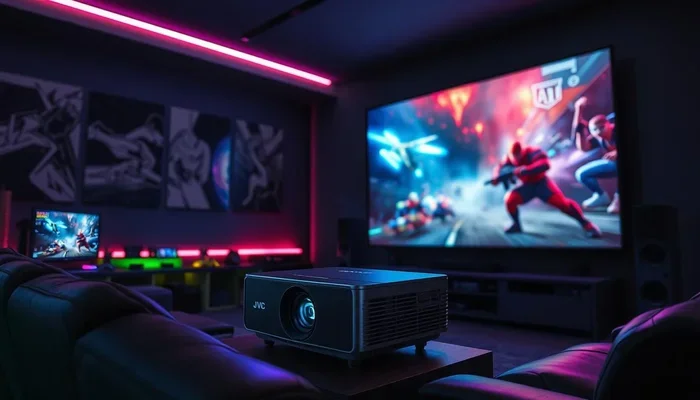
If you have a projector and a TV in the same room, a 4K splitter lets you switch between them easily. Both screens display the same content in full Ultra HD resolution. This is perfect for movie nights where some people prefer the big screen and others want the comfort of a TV.
Digital Signage and Business Displays
Restaurants, retail stores, and offices use 4K splitters for digital signage. One media player feeds the same content to multiple screens around a building. This creates a cohesive, professional look without needing multiple source devices.
Gaming Setups
Gamers love 4K splitters because they can play on one screen while streaming or recording on another. The splitter passes the same 4K signal to both displays, so the capture device gets the same quality as your main monitor.
Watching 4K Content on the Go
If you are traveling and want to enjoy your favorite shows, you might be curious about 4K content availability. For instance, many people ask do Virgin flights have Netflix for streaming entertainment during travel. While in-flight options vary, a portable 4K setup with a splitter can enhance your home viewing experience when you return.
4K Splitter vs. 4K Switch: What Is the Difference
This is one of the most common points of confusion. People often buy a splitter when they actually need a switch, and vice versa.
A 4K splitter takes one input and sends it to multiple outputs. Every display shows the same content. It is a one-to-many setup.
A 4K switch takes multiple inputs and sends them to one output. You can choose which source to display on your single screen. It is a many-to-one setup.
Here is a quick comparison:
| Feature | 4K Splitter | 4K Switch |
|---|---|---|
| Input Ports | 1 | 2 to 5 |
| Output Ports | 2 to 8 | 1 |
| Signal Direction | One to many | Many to one |
| Use Case | Same content on multiple screens | Switch between sources on one screen |
| Price Range | $15 to $150 | $10 to $100 |
Make sure you know which device you need before you spend your money. Buying the wrong one is a common and costly mistake.
Tips for Getting the Best Performance from Your 4K Splitter
Getting the most out of your 4K splitter is not hard. A few simple tips can make a huge difference in performance and reliability.
Use High-Quality HDMI Cables
The cable matters just as much as the splitter. Cheap HDMI cables cannot handle the bandwidth required for 4K at 60Hz. Invest in certified Premium High-Speed HDMI cables. They cost a little more, but they prevent a world of frustration.
Keep Cable Lengths Reasonable
Signal strength drops over distance. If you run a long HDMI cable from your splitter to a distant display, you may experience quality loss. For runs over 15 feet, consider an active cable or a signal booster. This keeps your 4K resolution sharp all the way to the screen.
Always Use a Powered Splitter for 4K
If you are splitting a 4K signal, do not use a passive splitter. The signal is too strong and too complex for a passive device to handle reliably. A powered splitter provides the amplification needed to maintain quality across all outputs.
Check Firmware and Compatibility
Some modern splitters receive firmware updates. Check the manufacturer’s website for the latest version. Also, verify that your splitter works with all of your devices — compatibility issues can pop up with certain brands and platforms, so always test before committing to a permanent setup.
Common Mistakes People Make with 4K Splitters
Avoid these pitfalls to get the best experience with your 4K splitter.
- Buying a passive splitter for 4K content. Passive splitters are fine for 1080p, but they often fail with 4K signals.
- Ignoring HDCP 2.2 support. Without this, you will not be able to watch protected 4K content from streaming services or Blu-ray players.
- Using low-quality cables. A great splitter with cheap cables will underperform. The whole chain matters.
- Confusing a splitter with a switch. They do opposite things. Make sure you know which one you need.
- Overlooking audio specs. If you care about sound quality, check that your splitter supports your preferred audio formats.
These mistakes are easy to avoid. A little research before you buy saves you time, money, and disappointment.
Do You Need a 4K Splitter for Your Setup
The answer depends on what you want to do. If you need the same 4K content on multiple screens at the same time, a splitter is the right choice. If you just want to connect a few devices to one TV, you need a switch instead.
For most home users, a simple 1-to-2 4K HDMI splitter covers the basics. It is affordable, easy to set up, and works reliably with the right model. For larger setups with four or more screens, invest in a powered splitter with strong signal amplification.
The bottom line is that 4K splitters work — they just need to be the right one for your needs. Take the time to match the splitter to your source devices, your displays, and your budget. You will be rewarded with a seamless, high-quality video distribution setup.
Technology keeps evolving, and so do splitters. Newer models with HDMI 2.1 support are hitting the market, offering even greater bandwidth for future-proof 4K and 8K content. Whatever you choose today, make sure it meets the resolution and feature requirements of your current setup while leaving room to grow.
Happy splitting, and enjoy that stunning 4K picture on every screen in your home.
Frequently Asked Questions
Do all 4K splitters support 60Hz?
No, not all of them. Many budget splitters only support 4K at 30Hz. If you want smooth motion for gaming or fast video, look for a splitter that explicitly supports HDMI 2.0 or higher and advertises 4K at 60Hz.
Can a 4K splitter degrade video quality?
Yes, a low-quality splitter can cause signal degradation. This may show up as blurry images, color banding, or audio sync issues. Using a powered splitter with good cables minimizes this risk significantly.
Is a powered 4K splitter better than a passive one?
For 4K content, absolutely. A powered splitter amplifies the signal after splitting it, which preserves 4K resolution and audio quality across all outputs. Passive splitters are fine for lower resolutions but struggle with the demands of 4K.
Can I use a 4K splitter with a streaming stick like Roku or Fire TV?
Yes, most 4K splitters work with any HDMI source, including streaming sticks, gaming consoles, and Blu-ray players. Just make sure the splitter supports HDCP 2.2 so it can pass through protected 4K content from those devices.
How far can I run an HDMI cable from a 4K splitter?
Standard HDMI cables work well up to about 15 feet. Beyond that, signal strength drops. For longer runs, use an active HDMI cable or add a signal booster to maintain crisp 4K video quality.
Do I need a special splitter for HDR content?
Yes. If you watch HDR (High Dynamic Range) content, your splitter must support HDR pass-through. Look for splitters that specifically list HDR10 or Dolby Vision support alongside 4K Ultra HD compatibility to get the full color and contrast range.