Do You Really Need A Wifi Router To Stay Connected Today
A wifi router is the backbone of most home internet setups, but do you really need one? The answer depends on your internet plan, the number of devices you use, and how you want to stay connected. This guide breaks down when a router is essential, when you can skip it, and how to choose the right one for your needs.
Do you really need a wifi router to stay connected today? The short answer is yes, for most people. A wifi router is the device that takes your internet signal and shares it with all your phones, laptops, smart TVs, and smart home gadgets. Without one, you would need a cable plugged into every single device, and nobody wants that kind of clutter.
But here is the thing. Not everyone needs a fancy, expensive router. Some internet providers give you a combo box that works just fine for basic browsing and streaming. And if you live alone in a small apartment, you might get by with just your phone’s hotspot. The real question is what kind of internet experience you want. Do you want reliable connections for a family of five? Or just enough to check emails on your laptop?
In this article, we will walk through everything you need to know about wifi routers. We will cover when you need one, when you do not, what to look for when buying one, and how to get the best performance from your setup. By the end, you will know exactly whether a wifi router belongs in your home.
Key Takeaways
- A wifi router is essential for most households: It connects multiple devices to the internet wirelessly and keeps your home network running smoothly.
- You may not need a separate router: Some ISPs provide combo devices that handle both modem and router functions in one unit.
- Mesh systems and wifi boosters expand coverage: If your home is large, these options help eliminate dead zones and keep your signal strong everywhere.
- Router placement matters a lot: Where you put your router directly affects your internet speed and wireless signal strength throughout your home.
- Security is a key reason to have a dedicated router: A proper router gives you control over network passwords, guest access, and firewall settings.
- Upgrading your router can improve speed: Older routers may not support the latest wifi standards, which means slower speeds and weaker connections.
📑 Table of Contents
Why A Wifi Router Matters In Today’s Connected World
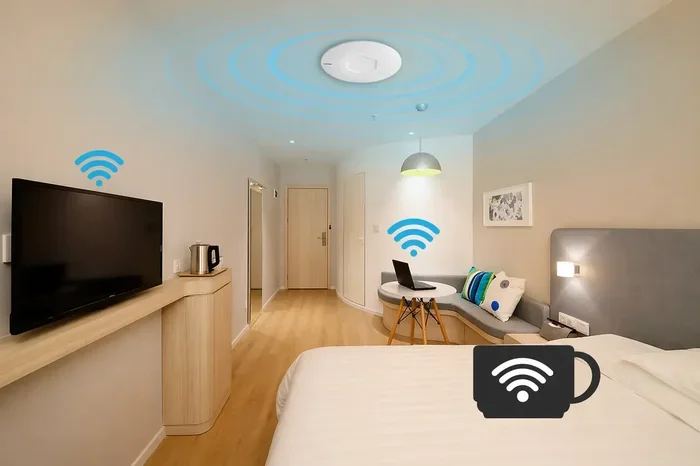
We live in a world where almost everything is online. Your thermostat, doorbell, lights, and even your fridge might need an internet connection. A wifi router is the central hub that makes all of this possible. It takes the signal from your modem and turns it into a wireless network that your devices can connect to from anywhere in your home.
How Many Devices Rely On Your Router
Think about all the devices in your home that use the internet right now. You probably have a phone, a tablet, a laptop, a smart TV, and maybe a few smart speakers. Add in a gaming console, a security camera, and a couple of smart bulbs, and you are looking at a lot of devices. Each one of them needs a piece of your internet connection at the same time.
This is where a good router earns its keep. Without a dedicated router, your devices would fight for bandwidth. Your video call would freeze while someone else starts streaming a movie. A quality router manages all of these connections at once, keeping everything running smoothly.
According to recent data, the average American household has over 20 connected devices. That number keeps growing every year as more people add smart home gadgets. A wireless network that cannot handle this load will slow down, drop signals, and cause frustration for everyone in the home.
What A Wifi Router Actually Does
A wifi router does two main jobs. First, it connects your home to the internet through a modem. Second, it takes that internet connection and broadcasts it wirelessly so all your devices can access it. Think of it as the traffic controller for your home network.
Router Vs Modem: What Is The Difference
People often confuse routers and modems, but they are different devices. A modem connects your home to your internet service provider. It is the bridge between your house and the wider internet. A router, on the other hand, takes the signal from the modem and shares it with your devices.
Many ISPs now offer combo devices that do both jobs in one box. These are called gateway devices. They work fine for basic internet use, but they often lack the power and features of a dedicated wireless router. If you want better speed, range, and control, a separate router is the way to go.
How Your Router Affects Internet Speed
Your router plays a big role in how fast your internet feels. Even if you pay for a super-fast broadband plan, an old or weak router can bottleneck your speed. The router is the middleman, and if it cannot keep up, your devices will never get the full speed you are paying for.
Newer routers support the latest wifi standards, like Wi-Fi 6 and Wi-Fi 6E. These standards offer faster speeds, better handling of multiple devices, and improved range. If your router is more than five years old, it might be time to consider an upgrade.
When You Might Not Need A Traditional Router
Here is where things get interesting. A wifi router is not always a must-have. There are situations where you can skip a dedicated router and still stay connected.
Built-in Router Options From Your ISP
Most internet providers give you a device when you sign up for service. These combo units include both a modem and a router built into one box. For many people, this is all they need. If you live alone or with one other person, and you mostly browse the web and watch a little Netflix, the ISP-provided device will do the job.
The downside is that these combo units are often basic. They may not offer the best wifi coverage, the fastest speeds, or the most advanced security features. But for casual internet users, they get the job done without any extra cost.
Mobile Hotspots As An Alternative
Another option is using your phone as a mobile hotspot. This works well for travel or temporary setups. You just turn on the hotspot feature, and your other devices connect through your phone’s cellular data. It is simple and requires no extra equipment.
However, mobile hotspots are not ideal for long-term use. They drain your phone battery fast, use up your data plan quickly, and the connection is not as stable as a dedicated router. For a permanent home setup, a proper router is still the better choice.
The Benefits Of Having A Dedicated Wifi Router
If you are on the fence about getting a separate router, here are some strong reasons to make the investment.
Better Coverage And Signal Strength
A dedicated wifi router gives you much better coverage than a combo unit. You can place it in the best spot in your home to get the strongest wireless signal everywhere. Good router placement is one of the easiest ways to improve your internet experience.
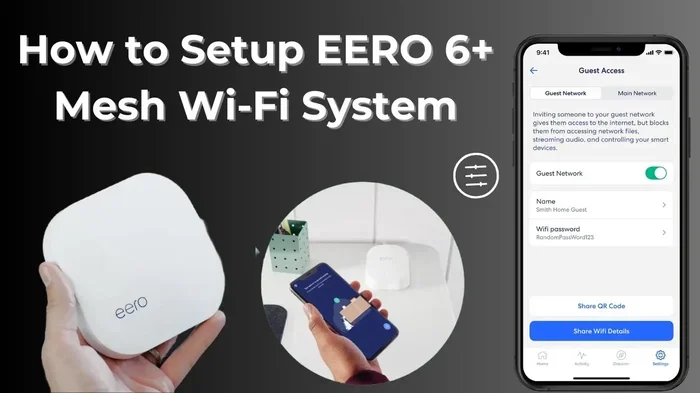
If your home is large, you might also want to look into wifi extenders or mesh systems. You can connect a mesh router to an existing router to blanket your entire home with strong wifi. This is especially helpful if you have dead zones in rooms far from your main router.
You can also boost your signal by adding an external antenna to your router. This simple upgrade can make a huge difference in how far your wireless signal reaches.
Enhanced Security Features
Security is a big reason to have a dedicated router. A good router lets you set strong network passwords, create guest networks for visitors, and enable firewall protection. You can also change your router SSID to keep your network name private and reduce the chance of unauthorized access.
With a combo unit from your ISP, you often have limited control over these settings. A standalone router gives you full access to the security features you need to keep your home network safe from threats.
More Control Over Your Network
A dedicated router gives you the power to customize your network settings. You can set up parental controls to limit screen time for kids, prioritize bandwidth for specific devices, and even schedule when your network is active. This level of control is hard to beat.
Many modern routers also come with companion apps that let you manage your network from your phone. You can see who is connected, run speed tests, and restart your router without even being near the device. It is a level of convenience that combo units rarely offer.
Signs You Need To Upgrade Your Router
Not sure if your current router is holding you back? Here are some clear signs that it is time for a new one.
- Your internet feels slow even with a fast plan: If your speed tests show lower speeds than what you pay for, your router might be the bottleneck.
- You have dead zones in your home: Rooms where the wifi signal drops or disappears entirely are a sign your router cannot reach far enough.
- Your devices disconnect frequently: If your phone or laptop keeps dropping the wifi connection, the router may not be handling the load well.
- You have more than 15 connected devices: Older routers struggle with large numbers of devices. A newer model will handle the demand much better.
- Your router is more than five years old: Wifi technology moves fast. A router from even a few years ago may not support the latest standards and speeds.
If any of these sound familiar, consider investing in a better wifi router. The improvement in your daily internet experience can be dramatic. You might also want to look into a wifi booster to extend the range of your new router if your home is on the larger side.
How To Choose The Right Router For Your Needs
Shopping for a router can feel overwhelming with so many options on the market. Here is a simple guide to help you pick the right one.
Consider Your Home Size
The size of your home is the first thing to think about. A small apartment might only need a basic single-band router. A medium-sized house works well with a dual-band router. But if you have a large home with multiple floors, a mesh router system is your best bet.
Mesh systems use multiple units placed around your home to create one seamless network. You can even connect a mesh router to an existing router if you want to keep your current setup but extend the coverage. This is a great option for homes with tricky layouts or thick walls that block wireless signals.
Check The Wifi Standard
Look for routers that support at least Wi-Fi 6. This is the current standard that offers the best speed, range, and device handling. Wi-Fi 6E routers go a step further by using a less crowded frequency band, which means less interference and smoother performance.
Think About Your Budget
Routers range from budget-friendly options under $50 to premium models over $300. For most households, a mid-range router in the $100 to $200 range offers the best value. You get solid speed, good range, and useful features without breaking the bank.
If you are unsure where to start, look for routers from trusted brands like Asus, Netgear, and TP-Link. These companies offer reliable options at every price point. You can also find Asus router models that double as a mesh system, giving you flexibility as your needs grow.
Final Thoughts
So, do you really need a wifi router to stay connected today? For the vast majority of households, the answer is yes. A wifi router is what keeps all your devices online, your streaming smooth, and your network secure. It is the unsung hero of your internet connection, working behind the scenes every single day.
That said, not everyone needs a high-end, expensive model. If you live alone and use the internet lightly, the combo device from your ISP might be enough. But if you have a family, multiple smart home devices, or just want a reliable and fast connection, a dedicated router is worth every penny.
The good news is that routers have never been more affordable or easier to set up. With so many options on the market, you can find one that fits your budget and your needs. Take the time to evaluate your home, count your devices, and choose a router that will keep you connected for years to come.
Your wifi router might not be the most glamorous piece of tech in your home, but it is one of the most important. Treat it well, keep it updated, and it will keep you connected no matter what life throws at you.
Frequently Asked Questions
Can I use my internet without a router at all?
You can use a modem directly with a single device via an ethernet cable. However, this means only one device can access the internet at a time, and you will not have wireless connectivity. For most households, a router is essential for connecting multiple devices wirelessly.
What is the difference between a wifi router and a modem?
A modem connects your home to your internet service provider, while a router takes that connection and shares it with your devices wirelessly. Many ISPs offer combo devices that do both jobs, but a separate router usually provides better speed, range, and features.
How often should I replace my wifi router?
Most experts recommend replacing your router every 4 to 5 years. After this time, older models may not support the latest wifi standards, and their performance can decline. If you notice slow speeds or frequent disconnections, it might be time for a new one sooner.
Do I need a mesh router system for a small apartment?
Probably not. Mesh systems are designed for larger homes with multiple floors or thick walls that block signals. For a small apartment, a single standard router should provide plenty of coverage. Save your money and go with a basic dual-band router instead.
Can a router affect my internet speed?
Yes, absolutely. Even if you have a fast internet plan, an old or weak router can limit your speeds. The router acts as the bridge between your modem and your devices, and if it cannot keep up, your internet will feel slower than it actually is.
Is it safe to buy a used router?
It can be safe if you reset the router to factory settings before using it. This clears any previous settings and passwords. However, older used routers may not support the latest wifi standards, so you might not get the best performance compared to a new model.
=== CONCLUSION ===
A wifi router is more than just a box on a shelf. It is the gateway to your connected life. From streaming your favorite shows to video calling family across the country, your router makes it all possible. Understanding whether you need one, and what kind to get, is one of the best decisions you can make for your home internet setup.
Take a look at your current setup. Count your devices. Check your wifi coverage. If something feels off, a new router might be exactly what you need. The right router can transform your internet experience, giving you faster speeds, better coverage, and peace of mind knowing your home network is secure and reliable.