Can You Hook Up A Router In A Hotel Room Right Now
Yes, you can hook up a router in a hotel room in most cases, and it is easier than you might think. A portable travel router lets you create a private, secure network using the hotel’s internet connection. Whether you need better speeds, stronger signals, or a safe connection for work, setting up a travel router in your hotel room is a smart move for any frequent traveler.
You just checked into your hotel room after a long flight. You drop your bags on the bed, open your laptop, and try to connect to the hotel WiFi. Nothing happens. Or worse, the connection is so slow you cannot even load a webpage. Sound familiar? This is the frustrating reality of hotel internet for millions of travelers every year.
So can you hook up a router in a hotel room? The short answer is yes. The longer answer is that it depends on a few factors, but with the right gear and a little know-how, you can turn any hotel room into your own private workspace with reliable internet. In this guide, we will walk you through everything you need to know about setting up a personal router in a hotel room, from choosing the right equipment to avoiding common mistakes.
Key Takeaways
- You can hook up a router in a hotel room: Most hotels allow personal routers as long as you do not damage the existing network setup.
- A portable travel router is the best option: Compact devices like the GL.iNet travel routers are designed specifically for hotel and travel use.
- You need an Ethernet connection: Most hotel rooms have a wired internet jack that you can use to power your personal router.
- Security is a major benefit: A travel router encrypts your data and protects you from hotel network snooping.
- Check hotel policies first: Some hotels restrict personal networking equipment, so always ask the front desk before setting up.
- Setup takes only a few minutes: The process is simple and does not require technical expertise.
📑 Table of Contents
- Why Would You Want a Router in a Hotel Room?
- Can You Actually Hook Up a Router in a Hotel Room?
- Step-by-Step: How to Set Up a Router in Your Hotel Room
- Best Routers for Hotel Rooms
- Common Mistakes to Avoid
- Benefits of Using a VPN With Your Hotel Router
- Expert Tips for the Best Hotel Router Setup
- Frequently Asked Questions
- Final Thoughts
Why Would You Want a Router in a Hotel Room?
Before we dive into the how, let us talk about the why. You might be wondering if it is even worth the hassle. Trust us, once you experience the difference, you will never travel without one.
Better Speed and Reliability
Hotel WiFi is shared among every guest in the building. When the lobby is full of people streaming movies and video calling, your connection takes a hit. By hooking up your own travel router, you create a dedicated connection that bypasses the congestion of the public hotel network.
Security and Privacy
Hotel networks are notoriously insecure. Other guests on the same network can potentially see your online activity. A personal router adds a layer of encryption that keeps your data safe. This is especially important if you handle sensitive work documents or do online banking while traveling.
Multiple Device Support
Most hotel WiFi connections struggle when you connect more than one or two devices. With your own portable router, you can connect your laptop, phone, tablet, and smartwatch all at once without any drop in performance.
Can You Actually Hook Up a Router in a Hotel Room?
The answer is almost always yes, but there are some things you need to know first. Let us break down the feasibility and what to expect.
How Hotel Internet Usually Works
Most hotel rooms come with two types of internet access. The first is a wireless WiFi network that you connect to using a password provided at check-in. The second is an Ethernet port on the wall, usually located near the desk or nightstand. This wired connection is what you will use to set up your personal router.
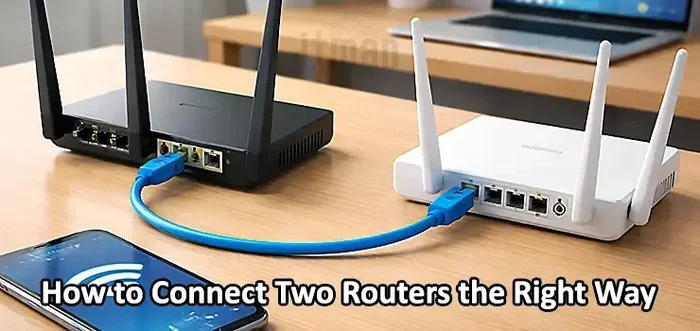
The Ethernet jack in your hotel room connects to the hotel’s main network. When you plug in your own router to that jack, your router acts as a middleman between the hotel’s internet and your devices. It takes the hotel’s signal and rebroadcasts it as your own private, secure network.
Hotel Policies on Personal Routers
Here is where it gets tricky. Some hotels have strict policies about personal networking equipment. Others do not care at all. The best approach is to call the front desk before you try to set anything up. Ask a simple question like, “Is it okay to use a portable router in the room?” Most hotels will say yes without hesitation.
If a hotel does restrict personal routers, they will usually have a sign in the room or mention it in the welcome packet. Do not try to sneak it past them. You do not want to deal with a security visit or a penalty charge on your bill.
What Equipment Do You Need?
Setting up a router in a hotel room requires very little gear. Here is a quick list of what you need:
- A portable travel router – This is the main device. Look for models that support Ethernet WAN input and are designed for travel.
- An Ethernet cable – Usually included with your travel router. This connects the hotel wall jack to your router.
- A power adapter – Most travel routers use USB charging, so you can plug them into a portable battery pack or a wall outlet.
- A VPN app (optional but recommended) – Adds an extra layer of security on top of your router’s encryption.
Step-by-Step: How to Set Up a Router in Your Hotel Room
Now for the part you have been waiting for. Here is exactly how to hook up a router in a hotel room, step by step.
Step 1: Find the Ethernet Port
Walk around your room and look for a small wall jack that resembles a phone jack but wider. It is usually labeled “Internet” or “Ethernet.” Plug your Ethernet cable into this port.
Step 2: Connect the Cable to Your Router
Take the other end of the Ethernet cable and plug it into the WAN or Internet port on your travel router. This port is usually a different color than the other ports, often blue or yellow.
Step 3: Power On the Router
Plug your router into a power source. Many modern travel routers can run on a USB cable connected to a power bank, which makes them perfect for hotel rooms with limited outlets.
Step 4: Connect to the Router’s WiFi
On your phone or laptop, search for available WiFi networks. You should see the name of your travel router broadcast as a new network. Connect to it using the default password printed on the router or in the manual.
Step 5: Configure Your Settings
Open a web browser and type in the router’s admin address (usually something like 192.168.8.1 or mywifiext). From there, you can set up your own network name and password. This is also where you can enable encryption and adjust the signal strength.
Step 6: Test Your Connection
Run a speed test on your phone to make sure everything is working properly. You should see speeds comparable to or better than the hotel WiFi. If not, try moving the router closer to the wall Ethernet jack.
Best Routers for Hotel Rooms
Not all routers are created equal for travel use. You need something compact, powerful, and easy to set up. Here are some of the best options on the market right now.
| Router | Size | Key Feature | Price Range |
|---|---|---|---|
| GL.iNet Beryl AX | Ultra compact | Built-in VPN support | $70-$90 |
| GL.iNet Slate AX | Pocket-sized | Dual-band WiFi 6 | $60-$80 |
| TP-Link N300 | Very small | Budget-friendly and simple | $25-$35 |
| Asus RT-AX56U | Compact | High performance and range | $100-$120 |
| Netgear Nighthawk M1 | Moderate size | Works as mobile hotspot too | $150-$180 |
The GL.iNet brand is the clear favorite among frequent travelers. These routers are specifically designed for people who need a quick, reliable hotel room network setup without any technical headaches. They come with intuitive apps that make configuration a breeze from your phone.
Common Mistakes to Avoid
Setting up a router in a hotel room is straightforward, but people do make avoidable mistakes. Here are some pitfalls to watch out for.
Forgetting to Ask the Hotel
This is the number one mistake travelers make. Even if the hotel has no official policy against personal routers, the front desk needs to know. Some hotels monitor their network ports for unauthorized devices. If they detect your router and it causes issues, you could face a fine or get kicked out.
Using the Wrong Type of Router
Do not bring your bulky home router to a hotel room. You need a portable travel router that is small enough to fit in your carry-on. A full-size router will not only take up valuable space but also require a power outlet that may not be available.
Ignoring the Hotel’s Login Page
Many hotel networks require you to log in through a captive portal before you can access the internet. When you hook up your own router, the router needs to handle this login process. Some travel routers have a built-in portal detection feature that handles this automatically. Others require you to log in through the router’s admin page first.
Not Bringing a Power Bank
Hotel rooms sometimes have limited outlets, and the ones available may be far from where you want to place your router. A small USB power bank can keep your router running without fighting over an outlet with your phone or laptop.
Benefits of Using a VPN With Your Hotel Router
If you are serious about online security while traveling, pairing your travel router with a VPN is a game changer. A VPN for hotel WiFi encrypts all the traffic that passes through your router, making it virtually impossible for anyone on the same network to intercept your data.
Some travel routers, like the GL.iNet models, have built-in VPN support. This means you can install the VPN directly on the router, and every device connected to it will be protected automatically. You do not need to install VPN apps on each individual device, which saves time and ensures nothing slips through the cracks.
Expert Tips for the Best Hotel Router Setup
Here are some insider tips from experienced travelers who have been hooking up routers in hotel rooms for years.
- Place your router near the window. This can sometimes improve signal strength if the router needs to communicate with any external network equipment.
- Change the default admin password. This is a basic security step that many people skip. A simple password change protects your router from unauthorized access.
- Use a travel adapter if you are abroad. Different countries have different outlet types. A universal travel adapter ensures you can power your router anywhere in the world.
- Bring an extra Ethernet cable. Hotel wall jacks can be finicky. Having a backup cable saves you from a frustrating setup failure.
- Test your setup at home first. Before you travel, set up your router at home and make sure you know how to configure it. This way, you will not be figuring it out for the first time at 11 PM in a unfamiliar city.
Frequently Asked Questions
Is it legal to use a personal router in a hotel room?
Yes, it is generally legal to use a personal router in a hotel room. However, you should always check with the hotel first. Most hotels allow personal routers as long as you do not tamper with their existing network infrastructure. Simply connecting your router to the provided Ethernet port is perfectly fine in the vast majority of cases.
Do I need to bring my own Ethernet cable?
It is a good idea to bring your own Ethernet cable, but most travel routers come with one included in the box. If you want a backup or a longer cable, pick up a short Ethernet cable before your trip. They are inexpensive and easy to find at any electronics store.
Will the hotel charge me for using my own router?
No, hotels do not typically charge extra for using a personal router. You are still paying for the hotel’s internet service through your room rate or a separate WiFi fee. Your router simply helps you access that connection in a better way. However, always confirm this with the front desk to be safe.
Can I use any router, or do I need a specific travel router?
You can technically use any router that supports Ethernet WAN input, but a travel router is much better suited for this purpose. Travel routers are compact, power-efficient, and designed to work with the limited connectivity options found in hotel rooms. A standard home router is too large and power-hungry for travel use.
What if the hotel room does not have an Ethernet port?
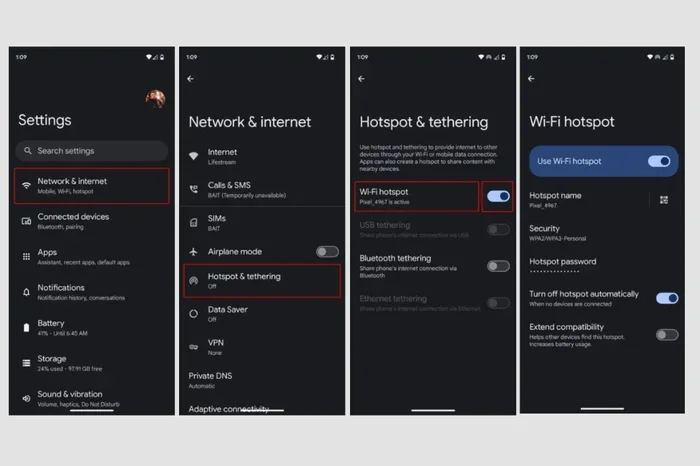
If your hotel room does not have a wired Ethernet connection, you cannot use a travel router in the traditional way. In this case, your best alternative is to use your phone as a personal hotspot or look into a portable WiFi hotspot device that uses a local SIM card. Some hotels also offer wired internet through a USB connection, though this is rare.
How long does it take to set up a router in a hotel room?
The entire setup process takes about 5 to 10 minutes once you have your equipment. If you have practiced at home beforehand, it can take even less time. The most time-consuming part is usually waiting for the router to boot up and establish a connection to the hotel network.
Final Thoughts
So can you hook up a router in a hotel room? Absolutely. With a portable travel router, an Ethernet cable, and about five minutes of your time, you can transform any hotel room into a secure, reliable workspace. The benefits are clear: faster speeds, better security, and the ability to connect all your devices without worrying about hotel network limitations.
Investing in a good travel router is one of the best decisions you can make as a frequent traveler. It pays for itself the first time you need to hop on a video call for work or want to browse the web without worrying about who else might be on the same hotel network. The peace of mind alone is worth it.
Next time you book a hotel, pack your travel router alongside your toothbrush and toiletries. Your future self, sitting in a quiet hotel room with a fast, secure internet connection, will thank you. Safe travels and happy browsing.