Can Two Wifi Routers Have The Same Ssid On One Network
Yes, two WiFi routers can share the same SSID on one network. This setup can extend your wireless coverage and reduce dead zones. However, it requires careful configuration to avoid network conflicts, interference, and connectivity issues.
Have you ever walked through your house and noticed your WiFi signal drops in certain rooms? It is a frustrating experience. You start wondering if there is a way to fix this without buying a whole new system. One idea that often comes up is using two WiFi routers with the same SSID.
Can two WiFi routers have the same SSID on one network? The short answer is yes. But the full answer is a bit more nuanced. Setting up two routers with the same network name can help you get better WiFi coverage. It can also make your home network feel seamless. However, if you do it wrong, you can run into real problems.
In this guide, we will walk you through everything you need to know. We will cover the benefits, the risks, and the exact steps to set it up. We will also share tips to avoid common mistakes. By the end, you will know exactly whether this setup is right for your home.
Key Takeaways
- Same SSID is possible: You can set two routers to broadcast the same network name on one network.
- Better coverage: Sharing an SSID helps eliminate dead zones in larger homes.
- Seamless roaming: Devices can switch between routers without manual reconnection.
- Potential downsides: Network conflicts and interference can occur if not set up correctly.
- Key settings matter: Different channels, matching security, and unique IP addresses are essential.
- Mesh is an alternative: Consider a mesh WiFi system for a simpler, more reliable experience.
📑 Table of Contents
- What Is an SSID and Why Does It Matter?
- Can Two WiFi Routers Have The Same Ssid? The Short Answer
- Benefits of Using the Same SSID on Two Routers
- Potential Risks and Downsides
- How to Set Up Two Routers with the Same SSID
- Same SSID vs. Mesh WiFi: Which Is Better?
- Common Mistakes to Avoid
- Expert Insights: When Should You Use This Setup?
- Key Takeaways
- Conclusion
What Is an SSID and Why Does It Matter?
Before we dive into the main topic, let us clear up the basics. SSID stands for Service Set Identifier. It is simply the name of your wireless network. When you look at your phone or laptop and see a list of available networks, each name you see is an SSID.
For example, if your network shows up as “SmithFamilyWiFi,” that is your SSID. Every wireless router broadcasts its own SSID. This is how your devices find and connect to the right network.
How SSID Broadcasting Works
By default, most routers broadcast their SSID. This means the network name is visible to any device nearby. You can also choose to hide your SSID. A hidden SSID does not show up in the list of available networks. Users must type the exact name to connect. But for most homes, broadcasting the SSID is the easiest option.
When you have one router, the SSID is simple. You have one name, one password, and one network. But what happens when you add a second router? That is where things get interesting.
Can Two WiFi Routers Have The Same Ssid? The Short Answer
Yes, two WiFi routers can absolutely have the same SSID on one network. This is a common setup in many homes and offices. It is also known as having a single wireless network with multiple access points.
When two routers share the same SSID, they act as part of one larger network. Your phone or laptop sees only one network name. It does not know there are two routers behind it. This can make your wireless experience much smoother.
But here is the catch. Just because you can do it does not mean it is always the best idea. There are things you need to get right. And there are risks if you do not plan carefully.
How Devices Connect to a Shared SSID
When your devices see a shared SSID, they pick the router with the strongest signal. This is called automatic roaming. Your phone might connect to Router A in the living room. Then you walk into the kitchen. Now it switches to Router B because that signal is stronger.
This sounds great in theory. In practice, it depends on how well you configure both routers. If the settings are not aligned, your device might hold onto a weak signal instead of switching. Or it might connect to the wrong router altogether.
Benefits of Using the Same SSID on Two Routers
Setting up two routers with the same SSID has some real advantages. Let us look at why many people choose to do this.
1. Expanded WiFi Coverage
The biggest benefit is better coverage. If your home is large, one router might not reach every room. Adding a second router with the same SSID fills in the gaps. You get a stronger signal in bedrooms, basements, and backyards.
For example, if your main router is in the living room, you can place a second router in the basement. Both routers share the same name. Your devices connect to whichever one has the best signal at any given moment.
2. Seamless Device Roaming
When both routers use the same SSID and password, your devices roam automatically. You do not need to manually switch networks as you move around the house. This is especially helpful for streaming video or on calls.
Imagine you are watching a movie in the bedroom. You walk to the kitchen to grab a snack. Your device switches from one router to the other without dropping the connection. That is the power of a shared SSID.
3. Single Network Name and Password
With one SSID, you only need to remember one network name and one password. This is much simpler than managing two different networks. Guests can also connect easily without confusion.
It also means fewer “which network should I pick?” moments. Everyone in the house connects to the same name, and it just works.
4. Cost Savings
Using two existing routers is cheaper than buying a new mesh WiFi system. If you already have a second router sitting around, this is a great way to put it to use. You get better coverage without spending extra money.
Potential Risks and Downsides
Now let us look at the other side. Sharing an SSID between two routers is not without its challenges. Understanding these risks helps you avoid problems.
1. Network Conflicts and IP Address Issues
The most common problem is an IP address conflict. Every device on a network needs a unique IP address. If both routers are set to the same default IP, they will clash. This can cause one or both routers to stop working properly.
You must assign a different IP address to the second router. For example, if your main router is at 192.168.1.1, set the second router to 192.168.1.2. This small change prevents conflicts and keeps your network stable.
2. Wireless Interference
Two routers broadcasting on the same frequency can cause interference. If both routers are on channel 6, they will compete with each other. This can slow down your wireless speeds and cause dropped connections.
The fix is to set the routers on different channels. For example, put one router on channel 1 and the other on channel 11. This reduces overlap and keeps your wireless performance strong.
3. Uneven Load Distribution
When two routers share the same SSID, your devices do not always pick the best one. Some devices are stubborn. They stick to a weak router even when a stronger one is nearby. This can lead to slow speeds and frustrating buffering.
Unlike mesh systems, which use smart steering to guide devices to the best router, a basic dual-router setup does not have this intelligence. You are relying on your device’s own decision-making.
4. Double NAT Problems
If both routers are set to route traffic, you can get a double NAT issue. NAT stands for Network Address Translation. It is how your router shares your internet connection with your devices. When two routers both do NAT, it can block certain apps and services from working.
To avoid this, set the second router to access point mode. This turns off its routing function and lets the main router handle all the traffic.
How to Set Up Two Routers with the Same SSID
Ready to try it? Here is a step-by-step guide to setting up two routers with the same SSID on one network.
Step 1: Plan Your Network Layout
Before touching any settings, think about where to place each router. Put your main router in a central location. Place the second router in an area with weak coverage. Make sure both routers are within wireless range of each other.
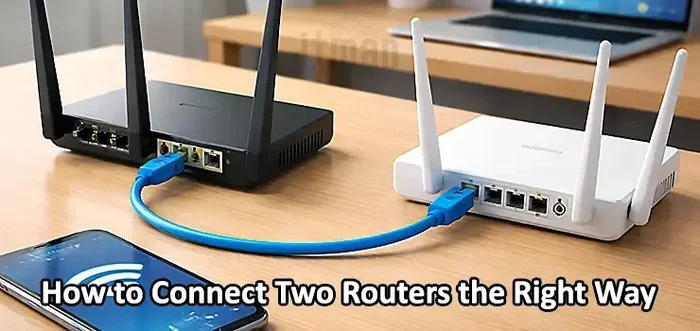
Keep in mind that the second router needs a wired connection to the first one for the best results. Use an Ethernet cable to connect them. This gives you a much more stable setup than a wireless bridge.
Step 2: Change the Second Router’s IP Address
Log into the second router’s admin panel. Look for the LAN settings. Change its IP address so it does not clash with the main router. If the main router is 192.168.1.1, set the second one to 192.168.1.2.
Save the settings and reconnect to the router with the new IP.
Step 3: Set the Same SSID and Password
Go to the wireless settings on both routers. Set the SSID to the exact same name. Use the same password and security type on both. WPA3 or WPA2 is recommended for the best network security.
Make sure the SSID broadcast is turned on for both routers. This ensures your devices can see and connect to the network easily.
Step 4: Set Different Wireless Channels
This is a crucial step many people skip. Go to the wireless channel settings on each router. Set the main router to channel 1 and the second router to channel 6 or 11. This reduces interference and keeps both routers running smoothly.
For dual-band routers, you may also want to set different channels for the 5GHz band. The 2.4GHz band has fewer channels, so spacing them out is especially important.
Step 5: Set the Second Router to Access Point Mode
Most modern routers have an access point mode. This turns off the DHCP server and routing functions on the second router. The main router handles all the network management.
Look for this option in the router settings, usually under “Operating Mode” or “Network Mode.” Switch it on and save your changes.
Step 6: Connect the Routers with an Ethernet Cable
Plug one end of an Ethernet cable into the main router’s LAN port. Plug the other end into the second router’s LAN port. Do not use the WAN port on the second router when it is in access point mode.
This wired connection creates a strong backbone for your network. Your devices will get the best performance from both routers.
Quick Tips for a Smooth Setup
- Restart both routers after making all the changes.
- Test the connection in different rooms after setup.
- Use a WiFi analyzer app to check for channel overlap.
- Keep both router firmware updated for the best performance.
- Write down your settings before making changes, so you can revert if needed.
Same SSID vs. Mesh WiFi: Which Is Better?
Now you might be wondering, is a dual-router setup the best way to extend WiFi? Or should you consider a mesh WiFi system instead? Let us compare the two.
What Is a Mesh WiFi System?
A mesh WiFi system uses multiple nodes or units to cover your home. All nodes share the same SSID and work together intelligently. They communicate with each other to route traffic efficiently.
Popular mesh systems include Google Nest WiFi, Amazon Eero, and TP-Link Deco. These systems are designed specifically for whole-home coverage.
Comparison Table: Dual Router Setup vs. Mesh WiFi
| Feature | Two Routers with Same SSID | Mesh WiFi System |
|---|---|---|
| Cost | Lower (uses existing routers) | Higher (requires new equipment) |
| Setup Complexity | Moderate to high | Low (guided app setup) |
| Seamless Roaming | Basic (device-dependent) | Advanced (smart steering) |
| Interference Management | Manual channel selection | Automatic optimization |
| Scalability | Limited to two routers | Easy to add more nodes |
| Performance | Good with proper setup | Excellent out of the box |
| Best For | Budget-conscious users | Those wanting a hassle-free experience |
Mesh systems handle most of the hard work for you. They manage roaming, channel selection, and load balancing automatically. If you want a set-it-and-forget-it solution, mesh is the way to go.
But if you already have two routers and want to save money, the same SSID setup works well. It just takes a bit more effort to configure correctly.
Common Mistakes to Avoid
Setting up two routers with the same SSID is not difficult, but there are mistakes that trip up many people. Here are the ones to watch out for.
1. Forgetting to Change the Second Router’s IP
This is the number one mistake. If both routers use the same default IP address, they will conflict. Your network will become unstable or stop working entirely. Always change the second router’s IP before connecting it.
2. Using the Same Wireless Channel
Putting both routers on the same channel causes interference. Your WiFi speeds will drop, and connections may become unreliable. Always space your channels apart.
3. Connecting to the Wrong Port
When linking the two routers with an Ethernet cable, make sure you connect to the LAN port on the second router. Connecting to the WAN port can create a double NAT situation. This blocks certain internet features and causes connectivity issues.
4. Skipping Access Point Mode
If you do not set the second router to access point mode, it will try to manage its own network segment. This leads to confusion and conflicts. Always disable routing on the second router when using the same SSID setup.
5. Ignoring Firmware Updates
Old router firmware can have bugs and security vulnerabilities. Check for updates on both routers before you start. Keeping firmware current ensures a smoother and safer network.
Expert Insights: When Should You Use This Setup?
Networking experts generally agree that the same SSID setup works well in specific situations. It is ideal when you have a large home with WiFi dead zones. It is also great for people who want to extend coverage without buying new equipment.
However, experts often recommend mesh systems for most households. Mesh offers better performance, easier management, and smarter roaming. If you are building a new network or replacing an old one, mesh is usually the better long-term investment.
That said, the dual-router approach has its place. It is a smart, budget-friendly solution for those who already have compatible routers on hand.
Key Takeaways
- Yes, two WiFi routers can share the same SSID: This is a valid and common setup for extending wireless coverage.
- Proper configuration is critical: You must change IP addresses, set different channels, and use access point mode.
- Benefits include better coverage and seamless roaming: Your devices can move between routers without dropping the connection.
- Risks include interference and network conflicts: These are manageable with the right settings and planning.
- Mesh WiFi is a simpler alternative: If you are starting fresh, a mesh system handles most of the setup automatically.
- Avoid common mistakes: IP conflicts, same channels, wrong ports, and skipped access point mode are the top pitfalls.
Conclusion
So, can two WiFi routers have the same SSID on one network? Absolutely yes. It is a practical and effective way to boost your wireless coverage at home. Whether you want to eliminate dead zones or make your network feel seamless, this setup can deliver real results.
But success depends on getting the details right. Change the IP address, set different wireless channels, use access point mode, and connect the routers with an Ethernet cable. These steps might seem small, but they make all the difference.
If you are not comfortable with manual configuration, consider a mesh WiFi system instead. It offers the same benefits with far less effort. Either way, you do not have to live with weak WiFi signals anymore.
Take the time to plan your setup, follow the steps in this guide, and enjoy a stronger, more reliable wireless network throughout your home.
Frequently Asked Questions
Can two routers have the same SSID and password?
Yes, you can set two routers to broadcast the same SSID with the same password. This allows your devices to connect to either router seamlessly. Just make sure you configure each router correctly to avoid IP conflicts and interference.
Will my devices automatically switch between routers with the same SSID?
Most devices will switch automatically based on signal strength. However, some devices are slower to roam than others. This means your phone might hold onto a weak router instead of switching to a stronger one. Using a wired backhaul connection between routers helps improve this behavior.
Do I need a special router to use the same SSID on two devices?
No, you do not need a special router. Any standard wireless router can be set up to share an SSID with another router. The key is in the settings. You need to adjust the IP address, wireless channel, and operating mode on the second router.
Is it better to use the same SSID or a different SSID for a second router?
Using the same SSID creates a seamless experience for users. Your devices connect and roam without you needing to switch networks manually. Using different SSIDs gives you more control but requires you to pick the right network as you move around the house.
Can I set up two routers with the same SSID wirelessly?
You can, but a wired connection is much better. Wireless bridging or repeating can reduce your bandwidth significantly. A direct Ethernet cable connection between the two routers provides the most stable and fastest performance for your extended network.
What is the difference between extending a WiFi network and repeating it?
Extending with the same SSID means both routers work together as one network. Repeating usually means the second router creates its own separate network name. Extending provides a smoother experience, while repeating can cause confusion and slower speeds due to the double-hop data path.