Does Bluetooth Work Without Internet Heres The Full Guide
Yes, Bluetooth works without internet. Bluetooth is a wireless technology that connects devices directly using radio waves, not Wi-Fi or data. You can pair headphones, speakers, car radios, and more without any internet connection at all.
Key Takeaways
- Bluetooth does not need internet: Bluetooth uses radio frequency to connect devices directly, so it works completely offline.
- Many everyday devices rely on Bluetooth offline: Wireless headphones, car stereos, speakers, and keyboards all work without Wi-Fi or data.
- Bluetooth range is limited: Most Bluetooth devices work within 30 feet, though some versions reach farther.
- Pairing is simple without internet: You just need both devices powered on and within range to connect.
- Bluetooth and Wi-Fi are different: People often confuse the two, but they serve different purposes and work independently.
- Older Bluetooth versions may have fewer features: Newer versions offer better speed, range, and energy efficiency.
📑 Table of Contents
- What Is Bluetooth and How Does It Work?
- Does Bluetooth Need Internet to Function?
- Bluetooth Without Internet: What Works and What Does Not
- How to Set Up Bluetooth Without an Internet Connection
- Troubleshooting Common Bluetooth Connection Issues
- Bluetooth vs Wi-Fi: Understanding the Difference
- Expert Insights on Bluetooth Technology
- Frequently Asked Questions
- Final Thoughts
What Is Bluetooth and How Does It Work?
Bluetooth is a wireless technology that lets devices talk to each other over short distances. It uses radio waves instead of cables or internet signals. You have probably used it hundreds of times without even thinking about it.
The technology was invented in the 1990s. Since then, it has become a standard feature in phones, laptops, cars, and speakers. Bluetooth connectivity is built into billions of devices worldwide.
Here is how it works in simple terms. One device sends out a radio signal. Another device picks up that signal. They pair together and share data. All of this happens without any wires or internet connection.
The Bluetooth protocol uses something called frequency hopping. This means it switches between different radio channels quickly. This keeps the connection stable and reduces interference from other devices.
Bluetooth Versions You Should Know
Bluetooth has evolved a lot over the years. Each version brought better speed, range, and battery life. Here is a quick look at the main versions:
- Bluetooth 4.0: Introduced Bluetooth Low Energy. Great for fitness trackers and smartwatches.
- Bluetooth 5.0: Doubled the range and speed. Better for speakers and headphones.
- Bluetooth 5.3: The latest version. Offers improved stability and lower power use.
Most Bluetooth enabled devices you buy today use version 5.0 or newer. Older devices still work fine. They just may not have the same range or speed.
Does Bluetooth Need Internet to Function?
This is the big question. The short answer is no. Bluetooth does not need internet to connect two devices. It creates its own small network called a piconet. This network works entirely on its own.
Think of it this way. Wi-Fi connects your phone to the internet. Bluetooth connects your phone to another device. They are two completely different things. One does not need the other to work.
Many people get confused because they see the Bluetooth symbol and the Wi-Fi symbol near each other on their phones. But they are separate technologies. Bluetooth without Wi-Fi works perfectly fine for most tasks.
When Bluetooth Does Not Need Internet
There are many situations where Bluetooth works fully offline. Here are some common examples:
- Connecting wireless headphones to your phone to listen to music stored on your device.
- Pairing a Bluetooth speaker at a backyard party with no Wi-Fi available.
- Using a wireless keyboard with your laptop while working offline.
- Connecting your phone to your car stereo for hands-free calling.
- Transferring files between two phones using Bluetooth sharing.
In all of these cases, internet is not required. The devices communicate directly with each other. The connection is fast and private since it does not go through a router or network.
When Bluetooth Might Seem to Need Internet
There are some situations where Bluetooth and internet overlap. This can cause confusion. For example, some smart home devices use Bluetooth to connect but need internet for certain features. A smart lock might pair via Bluetooth but require internet to send alerts to your phone.
Similarly, some Bluetooth devices stream content from online services. If you have no internet, you cannot stream music from Spotify. But the Bluetooth connection itself still works. You just play music stored locally on your device instead.
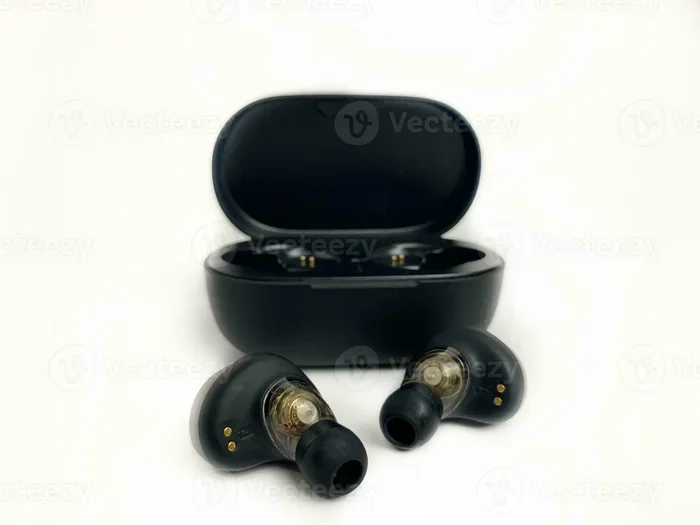
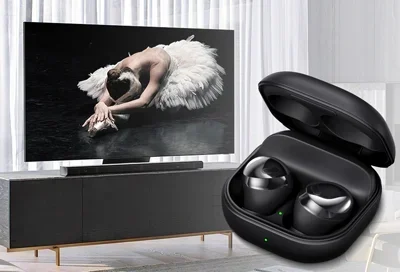
Can I use Bluetooth headphones with my TV without internet? Yes, absolutely. As long as your TV and headphones support Bluetooth, they will pair and play audio. No internet needed. The same goes for using a Bluetooth transmitter for your car or turning your stereo into Bluetooth.
Bluetooth Without Internet: What Works and What Does Not
Understanding what Bluetooth can and cannot do offline helps set the right expectations. Let us break it down clearly.
What Works Without Internet
A lot of Bluetooth functionality works perfectly without any internet connection. Here is what you can count on:
- Audio streaming: Play music, podcasts, or audiobooks from your device to headphones or speakers.
- Hands-free calling: Make and receive phone calls through a car stereo or headset.
- File transfers: Send photos, documents, or videos between two Bluetooth devices.
- Peripheral connections: Use wireless keyboards, mice, and game controllers.
- Device syncing: Sync fitness trackers, smartwatches, and health devices.
All of these tasks rely on the Bluetooth radio signal. They do not touch the internet at all. This is why Bluetooth is so useful during flights, in remote areas, or when your data is out.
What Does Not Work Without Internet
Some features that use Bluetooth do need internet for certain parts. Here is what will not work fully offline:
- Streaming online content: Spotify, YouTube, and Netflix require internet even if Bluetooth is connected.
- Smart home controls: Some smart devices need internet to process commands sent via Bluetooth.
- Firmware updates: Downloading updates for Bluetooth devices usually requires a connection to the internet.
- Location-based features: Some Bluetooth beacons use internet to share location data with apps.
The key distinction is simple. Bluetooth handles the local connection. Internet handles the online content. You can have one without the other.
How to Set Up Bluetooth Without an Internet Connection
Setting up Bluetooth offline is easy. You do not need Wi-Fi or a data plan. Here is a step-by-step guide that works for most devices.
Step-by-Step Pairing Process
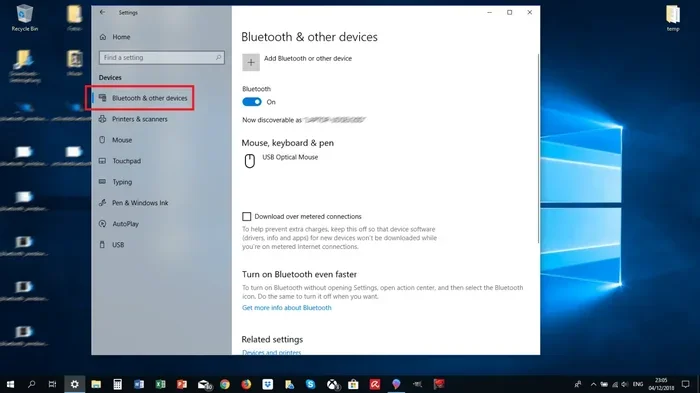
- Turn on Bluetooth on both devices. Go to your settings and toggle Bluetooth on.
- Make both devices discoverable. Most devices stay discoverable for a few minutes after you turn on Bluetooth.
- Search for devices. On your phone or computer, tap the scan or search button. A list of nearby devices will appear.
- Select the device you want to pair. Tap on its name from the list.
- Enter a pairing code if prompted. Some devices require a code. It is usually 0000 or 1234.
- Confirm the connection. You should see a confirmation message on both devices.
That is it. No internet required. The two devices now communicate directly through radio waves. You can start using them right away.
Quick Tips for Offline Bluetooth Setup
- Keep both devices close together. Within 10 feet is best for a first-time pairing.
- Make sure neither device is connected to another Bluetooth device already.
- Turn Bluetooth off and on again if you do not see the device in the list.
- Restart both devices if pairing fails. This clears any temporary glitches.
- Check your batteries. Low battery on either device can cause pairing problems.
If you want to add Bluetooth to a device that does not have it built in, you can use a Bluetooth adapter. Just plug it in and follow the same steps. No internet needed for the adapter to work either.
Troubleshooting Common Bluetooth Connection Issues
Even though Bluetooth works without internet, you may run into connection problems. Here are the most common issues and how to fix them.
Device Not Showing Up in the List
This is the most common problem. If your device does not appear, try these fixes:
- Make sure Bluetooth is turned on and the device is in pairing mode.
- Move closer to the device. Walls and distance can block the signal.
- Turn Bluetooth off and back on again on both devices.
- Restart both devices. This resets the Bluetooth radio.
Connection Keeps Dropping
If your Bluetooth connection is unstable, a few things could be causing it:
- Interference from Wi-Fi routers. Both use similar radio frequencies.
- Distance between devices. Stay within 30 feet for best results.
- Too many Bluetooth devices nearby. They can crowd the signal.
- Low battery on one or both devices.
Paired But No Sound or Data Transfer
Sometimes devices connect but do not work properly. Try this:
- Check the volume on both devices. Make sure neither is muted.
- Disconnect and reconnect the Bluetooth device.
- Check if the device is connected to a different source. Some speakers remember previous pairings.
- Update the Bluetooth drivers if you are on a computer.
Most Bluetooth issues have simple fixes. You do not need internet to troubleshoot. Just patience and a few basic steps.
Bluetooth vs Wi-Fi: Understanding the Difference
People often mix up Bluetooth and Wi-Fi. They are both wireless technologies, but they do very different things.
| Feature | Bluetooth | Wi-Fi |
|---|---|---|
| Needs Internet | No | Yes (for most uses) |
| Range | Up to 30 feet | Up to 150 feet |
| Power Use | Low | Higher |
| Best For | Device-to-device connections | Internet access |
| Setup | Quick pairing | Network configuration |
Bluetooth is perfect for connecting two devices directly. Wi-Fi is perfect for getting online. You can use both at the same time, or just one without the other.
For example, you can use Bluetooth headphones to listen to music stored on your phone while your phone is not connected to Wi-Fi at all. The Bluetooth handles the audio. The internet is not involved.
On the other hand, you can use Wi-Fi to browse the web on your laptop while keeping Bluetooth turned off. Both technologies work independently and serve different purposes.
Expert Insights on Bluetooth Technology
Bluetooth technology continues to grow and improve. Industry experts share some interesting perspectives on where it is heading.
The Rise of Bluetooth Low Energy
Bluetooth Low Energy, or BLE, has changed the game. It uses a fraction of the power that classic Bluetooth does. This makes it perfect for small devices like fitness bands and smart locks. BLE can run on a coin cell battery for months or even years.
The beauty of BLE is that it works offline just like regular Bluetooth. It does not need internet to send small bursts of data between devices. This is why it is so popular in health monitors and home automation.
Bluetooth in the Car
Car manufacturers have embraced Bluetooth deeply. Most modern cars let you connect your phone wirelessly. You can make calls, stream music, and use navigation apps. All of this works without an internet connection for the Bluetooth part.
If your car stereo does not have Bluetooth built in, you can add it. A Bluetooth car adapter or a Bluetooth transmitter works great. Just plug it into your car’s audio system. Pair it with your phone and you are good to go.
Can I make my car radio Bluetooth capable? Yes, you absolutely can. There are affordable adapters that work with almost any car stereo. And none of them need an internet connection to function.
Future of Bluetooth
Bluetooth is getting smarter. The newest versions focus on better range, faster speeds, and lower power. Bluetooth mesh networking allows devices to talk to each other in larger networks. This opens up possibilities for smart buildings and industrial use.
Through all of these advances, the core principle stays the same. Bluetooth connects devices directly. It does not need the internet. This makes it one of the most reliable wireless technologies we have.
Frequently Asked Questions
Can I use Bluetooth headphones without internet?
Yes, you can. Bluetooth headphones connect directly to your device using radio waves. You do not need Wi-Fi or mobile data to pair them or listen to music stored on your device.
Does Bluetooth work on airplanes?
Yes, Bluetooth works on airplanes in most cases. Airlines allow Bluetooth devices during flights. Just make sure to put your phone in airplane mode first and then turn Bluetooth on separately.
Can someone use my Bluetooth without my permission?
It is very unlikely. Bluetooth devices must be paired first. Someone would need to be within range and know your device is discoverable. Keeping Bluetooth off when you are not using it is a good safety habit.
What is the range of Bluetooth without internet?
Standard Bluetooth range is about 30 feet. Newer versions like Bluetooth 5.0 can reach up to 800 feet in open spaces. Walls and obstacles reduce the range significantly.
Do I need internet to transfer files using Bluetooth?
No, you do not. Bluetooth file transfers happen directly between two devices. No internet connection is needed. This makes Bluetooth great for sharing files in areas without Wi-Fi.
Can Bluetooth work without Wi-Fi and cellular data?
Yes, Bluetooth works completely independently of Wi-Fi and cellular data. It uses its own radio frequency to create a direct connection between devices. You can use Bluetooth anywhere, anytime, with no network at all.
Final Thoughts
Bluetooth works without internet and has done so since the beginning. It is a self-contained wireless technology that connects devices directly using radio waves. You do not need Wi-Fi, cellular data, or any online service to use it.
From wireless headphones to car stereos, from file transfers to hands-free calling, Bluetooth handles it all offline. It is one of the most useful and reliable technologies in your pocket right now.
Next time you are in a place with no Wi-Fi, do not worry. Your Bluetooth devices will still work just fine. Pair them up, enjoy your music, and stay connected the wireless way.