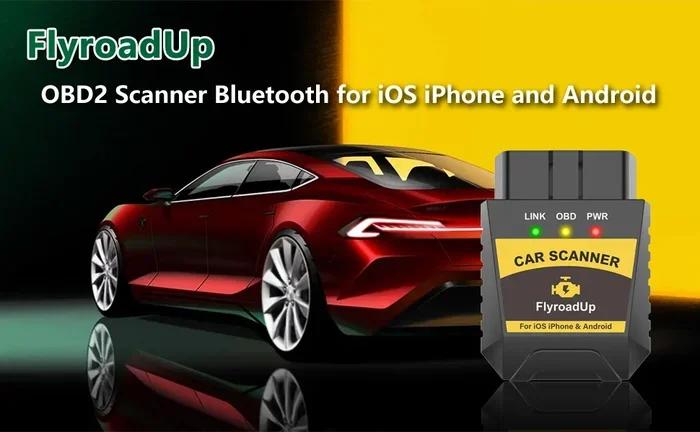
Does Obd2 Bluetooth Work With Iphone Full Guide Here
Yes, OBD2 Bluetooth does work with iPhone, but you need the right adapter and app. This guide covers everything from compatibility to setup, so you can start diagnosing your car with your iPhone today.
Key Takeaways
- OBD2 Bluetooth works with iPhone: You can connect an OBD2 Bluetooth adapter to your iPhone for car diagnostics.
- You need a compatible adapter: Not all OBD2 Bluetooth adapters work with iPhone, so choose wisely.
- Apps are essential: You need a compatible app to read the data from your OBD2 adapter.
- Setup is straightforward: The process involves pairing the adapter and connecting through an app.
- ELM327 is the standard protocol: Most OBD2 adapters use this chip for communication.
- Common issues have simple fixes: Most connection problems can be solved with basic troubleshooting.
📑 Table of Contents
- Does OBD2 Bluetooth Work With iPhone? The Complete Guide
- What Is OBD2 Bluetooth and How Does It Work?
- Does OBD2 Bluetooth Work With iPhone?
- How to Set Up OBD2 Bluetooth with iPhone
- Best OBD2 Bluetooth Adapters for iPhone
- Common OBD2 Bluetooth Issues with iPhone and How to Fix Them
- What Can You Do With OBD2 Bluetooth and iPhone?
- Is It Worth Using OBD2 Bluetooth with iPhone?
Does OBD2 Bluetooth Work With iPhone? The Complete Guide
Have you ever wondered if you can use an OBD2 Bluetooth adapter with your iPhone? The short answer is yes. But like most tech questions, the full answer is a bit more nuanced. You need the right adapter, the right app, and a basic understanding of how these devices communicate.
Car diagnostics used to require expensive shop tools. Now, you can turn your iPhone into a powerful diagnostic device with an OBD2 Bluetooth adapter. These small dongles plug into your car’s OBD2 port and send data wirelessly to your phone. It’s like having a mechanic in your pocket.
In this guide, I’ll walk you through everything you need to know about using OBD2 Bluetooth with your iPhone. We’ll cover compatibility, setup, the best adapters, and how to troubleshoot common issues. By the end, you’ll know exactly if this setup works for you and how to get it running.
The OBD2 Bluetooth adapter for iPhone market has grown significantly in recent years. More car owners want to understand their vehicles without paying hefty diagnostic fees. Whether you’re a DIY mechanic or just curious about your car’s health, this technology opens up a world of possibilities.
What Is OBD2 Bluetooth and How Does It Work?
OBD2 stands for On-Board Diagnostics version 2. It’s a standard system in cars built after 1996 that monitors your vehicle’s performance. The system uses sensors throughout your car to detect issues and store error codes.
An OBD2 Bluetooth adapter bridges the gap between your car’s diagnostic port and your iPhone. Here’s how it works in simple terms:
- The adapter plugs into your car’s OBD2 port (usually under the dashboard)
- The adapter reads data from your car’s computer
- The adapter sends this data wirelessly via Bluetooth
- Your iPhone receives the data through a compatible app
- The app displays the information in an easy-to-read format
The communication between the adapter and your car uses a specific protocol. Most adapters use the ELM327 chip, which has become the standard for OBD2 communication. This chip translates your car’s proprietary data into a language that apps can understand.
Understanding OBD2 Protocols
Different cars use different communication protocols. The OBD2 system supports several protocols, but the most common ones you’ll encounter are:
- CAN (Controller Area Network): Used in most modern cars
- ISO 9141-2: Common in older vehicles
- KWP2000: Another older protocol
- SAE J1850 PWM/VPW: Found in some Ford and GM vehicles
Most Bluetooth OBD2 adapters support all these protocols automatically. You don’t need to worry about which protocol your car uses. The adapter detects it and adjusts accordingly.
Does OBD2 Bluetooth Work With iPhone?
The big question: does OBD2 Bluetooth work with iPhone? Yes, it does. But there are some important caveats to understand before you buy an adapter.
iPhone uses iOS, which has specific Bluetooth requirements. Not all OBD2 Bluetooth adapters are created equal when it comes to iPhone compatibility. Some work flawlessly, while others have connection issues or don’t work at all.
iPhone Compatibility Requirements
For an OBD2 Bluetooth adapter to work with your iPhone, it needs to meet certain requirements:
- Bluetooth Low Energy (BLE) support: Many modern adapters use BLE, which is compatible with iPhone
- iOS app compatibility: The adapter must have a compatible iOS app
- Proper Bluetooth version: Bluetooth 4.0 or higher is recommended for best results
- Correct protocol support: The adapter must support your car’s communication protocol
When shopping for an OBD2 Bluetooth adapter for iPhone, look for products that specifically mention iOS compatibility. Many adapters are designed primarily for Android devices and may not work properly with iPhones.
How iPhone Connectivity Differs from Android
iPhone handles Bluetooth connections differently than Android phones. iOS has stricter background process management, which can affect how OBD2 apps work. On Android, apps can maintain a constant connection in the background more easily. On iPhone, the app needs to stay active in the foreground for a continuous connection.
This difference means that some features might work differently on iPhone compared to Android. For example, real-time data streaming works best when the app is open on your iPhone. If you switch to another app, the connection might pause or disconnect.
Also, some adapters use Bluetooth Classic while others use Bluetooth Low Energy. iPhone supports both, but BLE adapters tend to have better battery life and more stable connections.
How to Set Up OBD2 Bluetooth with iPhone
Setting up an OBD2 Bluetooth adapter with your iPhone is straightforward. Follow these steps to get started:
Step 1: Find Your Car’s OBD2 Port
First, locate your car’s OBD2 port. In most vehicles, it’s under the dashboard on the driver’s side. You might need to look near the steering column or under the glove box. The port has a trapezoidal shape with 16 pins.
If you’re having trouble finding it, check your car’s manual. You can also search online for your specific vehicle model and year.
Step 2: Plug in the OBD2 Bluetooth Adapter
Once you find the port, plug in your OBD2 Bluetooth adapter. It should fit snugly into the port. The adapter will likely have a USB port or a micro-USB port for charging. Some adapters draw power from the OBD2 port itself, while others need their own power source.
Make sure the adapter is securely connected. A loose connection can cause intermittent problems.
Step 3: Download a Compatible App
Now you need to download an app that can read data from your OBD2 adapter. Popular options include:
- Car Scanner: Works with many adapters and offers detailed diagnostics
- Torque Pro: A favorite among car enthusiasts (check iOS compatibility)
- OBD Fusion: Supports various adapters and provides comprehensive data
- DashCommand: Simple interface with good functionality
When choosing an app, make sure it supports your specific OBD2 adapter. Most apps list compatible adapters on their app store page.
Step 4: Pair the Adapter with Your iPhone
Go to your iPhone’s Settings and turn on Bluetooth. Your OBD2 adapter should appear in the list of available devices. Tap on it to pair.
Some adapters require you to enter a PIN. The default PIN is often “1234” or “0000,” but check your adapter’s manual.
Step 5: Connect Through the App
Open your OBD2 app and select the Bluetooth connection option. The app should detect your paired adapter. Select it to establish the connection.
Once connected, the app will start reading data from your car. You should see information like engine RPM, speed, coolant temperature, and any error codes.
Quick Tips for First-Time Setup
- Make sure your iPhone has the latest iOS version installed
- Keep the adapter plugged in and powered on during setup
- If the app doesn’t detect the adapter, try turning Bluetooth off and on again
- Some adapters need a few seconds to initialize after being plugged in
- Place your iPhone close to the adapter for the best connection
Best OBD2 Bluetooth Adapters for iPhone
Not all OBD2 Bluetooth adapters work well with iPhone. Here are some of the best options that are known for iPhone compatibility:
ELM327 Bluetooth Adapter
The ELM327 adapter is the most popular and widely supported OBD2 Bluetooth adapter. It uses the ELM327 chip, which is recognized by virtually all OBD2 apps. When buying an ELM327 adapter, make sure to get the Bluetooth version for iPhone use.
These adapters are affordable and work with most cars. However, quality can vary between manufacturers. Some cheap ELM327 adapters have connectivity issues or don’t support all protocols.
Veepeak OBDCheck BLE
The Veepeak OBDCheck BLE is a Bluetooth Low Energy adapter designed specifically for iOS devices. It offers a stable connection and good compatibility with iPhone. The BLE technology means it uses less battery power than traditional Bluetooth adapters.
This adapter is slightly more expensive than basic ELM327 options, but the reliability and iPhone-specific design make it worth the investment.
ScanTool OBDLink MX+
The ScanTool OBDLink MX+ is a premium option that offers excellent iPhone compatibility. It features both Bluetooth and Wi-Fi connectivity, giving you more flexibility. The build quality is excellent, and it supports all OBD2 protocols.
This adapter is ideal for serious DIY mechanics who want reliable, consistent performance. It also comes with its own app that works great on iPhone.
Comparison Table
| Adapter | Bluetooth Type | iPhone Compatible | Price Range |
|---|---|---|---|
| ELM327 Generic | Classic Bluetooth | Yes (with limitations) | $10-$25 |
| Veepeak OBDCheck BLE | BLE | Yes (optimized) | $25-$40 |
| ScanTool OBDLink MX+ | BLE + Wi-Fi | Yes (excellent) | $60-$100 |
Common OBD2 Bluetooth Issues with iPhone and How to Fix Them
Even with the right adapter, you might encounter some issues when connecting OBD2 Bluetooth to your iPhone. Here are the most common problems and their solutions:
Adapter Not Showing Up in Bluetooth Settings
If your iPhone doesn’t detect the OBD2 adapter, try these steps:
- Make sure the adapter is properly plugged into the OBD2 port
- Check if the adapter needs to be charged
- Turn Bluetooth off and on again on your iPhone
- Restart your iPhone
- Reset the network settings on your iPhone
Some adapters need to be in pairing mode before they’ll appear. Check your adapter’s manual for specific instructions on how to activate pairing mode.
Connection Drops Frequently
If your connection keeps dropping, the issue is usually one of these:
- Distance: Keep your iPhone close to the adapter (within 10 feet)
- Interference: Other Bluetooth devices can interfere with the connection
- Power issues: Make sure the adapter is getting consistent power
- App background refresh: On iPhone, the app needs to stay active for a stable connection
Some users report that turning off other Bluetooth devices helps maintain a stable connection. Also, make sure your iPhone isn’t in Low Power Mode, as this can affect Bluetooth performance.
App Crashes or Freezes When Reading Data
If the app crashes when trying to read data from your OBD2 adapter, try these solutions:
- Update the app to the latest version
- Delete and reinstall the app
- Check if your iPhone model is supported by the app
- Try a different OBD2 app
- Make sure your iOS is up to date
Some older OBD2 apps don’t work well with newer iPhone models or iOS versions. Check the app’s compatibility before purchasing.
Inaccurate or Missing Data
If you’re getting inaccurate readings or missing data, consider these possibilities:
- The adapter might not support your car’s specific protocol
- The OBD2 port might be loose or damaged
- The adapter might need a firmware update
- Your car might not have all sensors active
For the most accurate readings, make sure your car’s engine is running when you take measurements. Some data is only available when the engine is on and the car is in motion.
What Can You Do With OBD2 Bluetooth and iPhone?
Once you have your OBD2 Bluetooth adapter connected to your iPhone, what can you actually do with it? The possibilities are quite extensive:
Read and Clear Error Codes
The most basic function of any OBD2 tool is reading and clearing error codes. When your check engine light comes on, the OBD2 system stores a code that explains what’s wrong. With an OBD2 Bluetooth adapter and iPhone, you can read these codes yourself and understand what’s causing the light.
Many people get expensive repairs done just because they didn’t want to pay a mechanic $100 to read a code that turned out to be a loose gas cap. With an OBD2 adapter, you can check for free.
Monitor Real-Time Car Data
OBD2 adapters can stream real-time data from your car’s sensors. You can monitor:
- Engine RPM
- Vehicle speed
- Coolant temperature
- Fuel trim values
- Oxygen sensor readings
- Battery voltage
- And many more parameters
This data can help you understand how your car is performing and identify potential issues before they become serious problems.
Track Fuel Efficiency
Many OBD2 apps can calculate your real-time and average fuel economy. By monitoring your driving habits and seeing how they affect fuel consumption, you can save money at the pump.
Some apps even provide tips on how to improve your fuel efficiency based on your driving patterns.
Log Data for Maintenance
You can use your OBD2 adapter and iPhone to log data over time. This creates a maintenance history for your car that can be valuable when selling or diagnosing intermittent issues.
Some apps allow you to export this data or share it with your mechanic, making it easier to communicate about your car’s condition.
Is It Worth Using OBD2 Bluetooth with iPhone?
After reading through all this information, you might be wondering if it’s worth getting an OBD2 Bluetooth adapter for your iPhone. The answer depends on your needs and how much you care about understanding your vehicle.
If you’re a DIY mechanic or just want to understand your car better, an OBD2 Bluetooth adapter is absolutely worth it. The cost of a basic adapter is minimal compared to what you’d pay a mechanic for diagnostic services.
Even if you’re not a car enthusiast, having the ability to read error codes yourself can save you time and money. You’ll know exactly what’s wrong before you take your car to the shop, which can prevent unnecessary repairs and give you leverage when negotiating repair costs.
The Bluetooth OBD2 iPhone setup is also convenient because you likely already carry your iPhone everywhere. You don’t need to buy a separate diagnostic tool or laptop. Your phone becomes the display and data analyzer.
For those who frequently travel or have older vehicles, an OBD2 Bluetooth adapter with iPhone capability is especially valuable. You can diagnose issues on the road without needing to find a mechanic or auto parts store that offers free code reading.
Just remember that while OBD2 adapters are powerful tools, they have limitations. They can read standard error codes, but they can’t fix mechanical problems. They can tell you what’s wrong, but not how to fix it. For complex issues, you’ll still need professional help.
Also, keep in mind that the OBD2 Bluetooth adapter iPhone connection works best when the app is active on your screen. If you’re looking for a device that runs in the background while you use other apps, you might need to look at alternative solutions or adjust your expectations.
In conclusion, OBD2 Bluetooth does work with iPhone, and it’s a valuable tool for any car owner. With the right adapter and app, you can turn your iPhone into a powerful diagnostic device that helps you understand and maintain your vehicle better.