How Can I Listen To FM Radio On My Phone Without Internet
You can absolutely listen to FM radio on your phone without using any internet data. Many smartphones have a built-in FM chip that lets you tune into local stations for free. All you need is a pair of wired headphones to act as an antenna, and a free offline radio app. This guide walks you through every method, app, and phone model that supports FM radio without internet, so you can stay entertained and informed even when you have no signal or data plan.
Have you ever found yourself in a spot with no Wi-Fi and no cell signal, but still wanted to tune into your favorite station? Maybe you are traveling, hiking, or just trying to save your data plan. The good news is that you can listen to FM radio on your phone without internet. It is simpler than most people think, and it does not require any extra data or Wi-Fi connection.
FM radio on a phone works differently from streaming apps like Spotify or Pandora. Instead of pulling audio from the cloud, your phone receives over-the-air radio waves just like a traditional car radio. This means you get local stations for free, with no data usage at all. Whether you want news, music, sports, or emergency broadcasts, FM radio has you covered.
In this guide, we will walk you through every method to get FM radio working on your phone offline. We will cover which phones support it, the best apps to use, and practical tips to improve your signal. By the end, you will know exactly how to tune in without spending a single byte of data.
Key Takeaways
- Built-in FM chips exist on many phones: You do not always need internet to access FM radio.
- Wired headphones double as antennas: They are essential for receiving FM signals on most devices.
- Free offline radio apps work without data: Apps like NextRadio and FM Radio let you tune in locally.
- Not all phones support FM radio: Some manufacturers disable the FM chip, so check your device first.
- FM radio saves battery and data: It is a great alternative when you want to conserve both.
- Emergency broadcasts work through FM: You can receive critical alerts even during network outages.
📑 Table of Contents
Why FM Radio on Your Phone Still Matters
You might wonder why FM radio even matters in 2024 when streaming services are everywhere. The truth is, offline radio still offers benefits that internet-based apps simply cannot match. Let us look at why FM radio without internet is worth your attention.
It Uses Zero Data
Streaming music or radio online eats through your data plan fast. FM radio uses no data at all. This makes it perfect for people with limited data plans or those who want to avoid roaming charges while traveling abroad. You can listen for hours without worrying about your data counter.
It Works During Emergencies
When natural disasters strike, cell towers often go down. Internet connections fail. But FM radio signals keep broadcasting. Many phones can still receive emergency alerts through FM even when you have no data or Wi-Fi. This makes it a vital emergency broadcast tool that could keep you informed when you need it most.
It Saves Battery Life
Streaming apps use a lot of battery. They constantly pull data, keep a connection alive, and process audio in real time. FM radio on a phone uses far less power because it simply receives a local signal. If you are trying to make your battery last longer, switching to data-free radio is one of the smartest moves you can make.
You Get Local Content
Internet radio often pushes national or global content. FM radio gives you local stations that cover your community. You get local news, weather, traffic updates, and sports commentary that actually matters to where you live. No algorithm can replace that.
How FM Radio Works on Your Phone
Understanding how FM radio works on a phone helps you get the most out of it. The technology is older than you might think, and it relies on some simple principles.
The Built-In FM Chip
Many smartphones have a tiny FM tuner chip built right into the motherboard. This chip is designed to pick up FM frequency signals from nearby broadcast towers. The chip has been in phones for years, but many manufacturers do not advertise this feature. Some even disable it in software, even though the hardware is there.
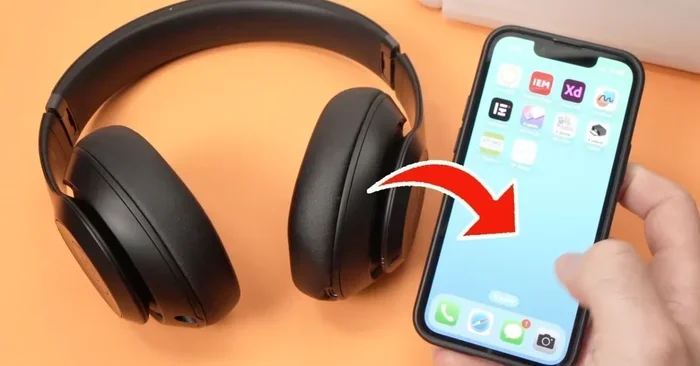
To work, the FM chip needs a physical antenna. This is where your wired headphones come in. The wire in your headphones acts as a radio antenna, catching the FM signal and sending it to the chip. Without headphones plugged in, most phones cannot receive FM radio at all.
How the Signal Travels
FM stations broadcast radio waves through the air at specific frequencies, usually between 88 and 108 MHz. Your phone’s FM tuner picks up these waves and converts them into audio. The process is completely local, meaning no internet, no server, and no data transfer is involved. The signal travels directly from the broadcast tower to your phone.
Why Wired Headphones Are Essential
This might surprise you, but you need wired headphones to use FM radio on most phones. Bluetooth headphones do not work because they do not act as an antenna. The copper wire inside wired headphones carries the radio signal to the phone’s FM chip. So before you try listening to FM radio without internet, make sure you have a pair of wired earbuds or headphones handy.
Best Apps for Offline FM Radio
Not all phones make it easy to access FM radio. Some require you to download an app that unlocks the built-in FM chip. Here are the best radio apps for listening without internet.
NextRadio
NextRadio is one of the most popular offline radio apps available. It works on many Android devices and uses your phone’s built-in FM tuner. The app shows you song information, artist details, and even interactive tags while you listen. It is free, lightweight, and does not require any data connection to tune into local FM stations.
To use NextRadio, simply download it from the Google Play Store, plug in your wired headphones, and open the app. It will automatically search for available FM frequencies in your area. You can save your favorite radio channels and switch between them easily.
FM Radio by Futureplay
This is another solid FM receiver app for Android users. It provides a simple interface and does not require internet access to function. The app scans for available stations and lets you browse them by frequency. It also includes a sleep timer, which is great if you like falling asleep to the radio.
TuneIn Radio (Limited Offline Use)
TuneIn is a well-known radio streaming app, but it is mostly designed for internet-based listening. However, on some devices with FM chips, it can access local FM stations. The free version includes ads, and offline functionality depends on your phone’s hardware. It is worth trying if you already use TuneIn for internet radio.
Samsung FM Radio App
If you have a Samsung phone, you might already have an FM radio app pre-installed. Samsung has included FM tuner support on many of its devices. The app is straightforward and does not need internet to work. Just plug in your headphones and start browsing stations.
Sony Walkman App
Sony phones often come with the Walkman app, which includes FM radio functionality. This app leverages the built-in FM chip and provides a clean, user-friendly interface. It works offline and is a great option for Sony Xperia users.
Phones With Built-In FM Chips
Not every phone supports FM radio. Some manufacturers remove the FM chip entirely, while others keep it but block access. Here is what you need to know about FM radio compatibility on different phones.
Android Phones That Support FM Radio
Many Android phones from brands like Samsung, LG, Motorola, and Sony include FM tuner chips. Some popular models that support FM radio without internet include:
- Samsung Galaxy series (most models from S5 onward)
- LG V series and select G series phones
- Motorola Moto G and Moto E series
- Sony Xperia series
- Certain Google Pixel models (varies by region)
To check if your Android phone has an FM chip, download an app like NextRadio. If the app detects an FM tuner, you are good to go. If not, your phone may not support FM radio, or the feature is disabled by the manufacturer.
iPhone and FM Radio
Apple iPhones do not currently support FM radio. While older iPhones may have had FM chips in their hardware, Apple does not enable FM radio functionality on any iPhone model. If you have an iPhone and want to listen to FM radio without internet, your best option is to use an external FM transmitter or a portable radio.
How to Check Your Phone’s FM Capability
Wondering if your phone can do this? Here is a quick way to find out:
- Check your phone’s specifications online for “FM tuner” or “FM radio.”
- Download a free FM radio app from your app store.
- Plug in wired headphones and open the app.
- If the app finds stations, your phone supports FM radio.
- If the app shows no stations or gives an error, your phone may lack an FM chip.
Tips for Getting the Best FM Radio Signal
Getting a strong FM signal on your phone can sometimes be tricky. Here are practical tips to improve your FM radio experience without internet.
Use Good Quality Wired Headphones
The better the headphone cable, the stronger the antenna effect. Cheap, thin cables may not pick up signals well. Invest in a pair of decent wired headphones with a longer cable for better FM signal reception. Coiled cables tend to work especially well as radio antennas.
Stand Near a Window
FM radio waves travel best when there are fewer obstacles between you and the broadcast tower. Standing near a window or going outside can significantly improve your signal. Walls, metal buildings, and underground spaces can weaken the FM frequency reception.
Hold Your Phone in Different Positions
Sometimes simply moving your phone around changes the signal strength dramatically. Try holding it up high, rotating it, or extending the headphone cable away from your body. These small adjustments can make a big difference in picking up local stations.
Avoid Interference from Electronics
Other electronic devices can interfere with FM signals. Keep your phone away from laptops, chargers, and other electronics when tuning in. This reduces static and helps you get a cleaner analog radio listening experience.
Scan for Channels Regularly
FM stations can change their broadcast power or move slightly in frequency. Use the scan feature in your radio app to find the strongest available radio channels in your area. Doing this periodically ensures you always have the best list of stations.
Use an External FM Antenna
If you are really serious about picking up faint stations, you can connect an external FM antenna to your phone. Some FM radio apps support external antenna input. This is a great option for people who live in rural areas with weaker broadcast coverage.
Common Mistakes to Avoid
Even when you know how to use FM radio on your phone, certain mistakes can ruin the experience. Here are pitfalls to watch out for.
Using Bluetooth Headphones
This is the number one mistake people make. Bluetooth headphones cannot act as FM antennas. If you plug in Bluetooth headphones and expect FM radio to work, you will be disappointed. Always use wired headphones with a physical cable for FM radio without internet.
Forgetting to Enable FM in Settings
Some phones hide the FM tuner feature deep in the settings menu. Check your phone’s settings for anything related to FM radio or the FM tuner. On some devices, you need to enable the feature before any app can access it.
Ignoring App Permissions
FM radio apps need certain permissions to access your phone’s FM hardware. Make sure you grant the necessary permissions when prompted. Without them, the app cannot tune into FM frequencies.
Expecting Perfect Reception Everywhere
FM radio depends on proximity to broadcast towers. If you are in a basement, a remote area, or inside a concrete building, the signal may be weak or nonexistent. This is normal and not a problem with your phone. Move to a different location for better FM signal strength.
Not Updating Your Radio App
FM radio apps receive updates that improve station detection and performance. Keep your radio app updated to ensure the best experience. Outdated apps may struggle to find stations or crash unexpectedly.
Quick Tips for FM Radio on the Go
Here are some fast, practical tips to keep in mind whenever you want to use FM radio without internet:
- Always carry a pair of wired headphones in your bag or pocket.
- Download your favorite FM radio app before you need it.
- Save your most-listened radio channels for quick access.
- Keep your phone’s volume up for better signal pickup.
- Use FM radio as a battery saver when your phone is low on charge.
- Check for emergency broadcasts during severe weather events.
- Share your favorite stations with friends who also want to listen offline.
Expert Insights on Smartphone FM Radio
“Many people do not realize their phone already has FM radio capability built in,” says tech analyst Mark Dawson. “It is one of the most underrated features in modern smartphones. During emergencies or when data is unavailable, FM radio can be a lifesaver. We encourage users to check if their device supports it and to keep a pair of wired headphones handy at all times.”
Broadcast engineers also point out that FM radio remains one of the most reliable forms of media delivery. Unlike streaming, which depends on internet infrastructure, FM broadcasts reach vast areas with minimal infrastructure. This makes it an essential communication tool, especially in rural and underserved communities.
Key Takeaways
- Most Android phones have a built-in FM chip: You can access local stations without any internet connection.
- Wired headphones are a must: They serve as the antenna that picks up FM signals for your phone.
- Free apps like NextRadio unlock offline FM: These apps work without using any data or Wi-Fi.
- FM radio saves battery and data: It is the most efficient way to listen to local stations on the go.
- Emergency alerts come through FM: You can stay informed during crises even when cellular networks are down.
- iPhones do not support FM radio: iPhone users need external solutions for offline radio listening.
- Signal quality depends on location: Being near a window or outside improves reception significantly.
Conclusion
Listening to FM radio on your phone without internet is not just possible, it is easy and completely free. Whether you want to save data, stay informed during emergencies, or simply enjoy local content without buffering, FM radio delivers. All you need is a phone with an FM chip, a pair of wired headphones, and a reliable radio app.
We have covered how FM radio works, which phones support it, the best apps to use, and practical tips to improve your signal. With this knowledge, you can tune into your favorite local stations anytime, anywhere, without using a single megabyte of data. So plug in those headphones, find your FM frequency, and enjoy the timeless experience of radio right from your pocket.
Start exploring FM radio without internet today. You might be surprised at how much you have been missing. It is a simple, reliable, and data-free way to stay connected to the world around you.
Frequently Asked Questions
Can I listen to FM radio on any phone without internet?
Not every phone supports FM radio. Many Android phones have a built-in FM chip, but some manufacturers disable it. iPhones do not support FM radio at all. Check your phone’s specifications or try a free FM app to see if your device is compatible.
Do I need internet to use FM radio apps?
No. Most FM radio apps that use your phone’s built-in FM tuner work completely offline. They do not need Wi-Fi or mobile data. Just make sure you download the app while you still have internet so it is ready for offline use.
Why do I need wired headphones for FM radio on my phone?
The wire inside wired headphones acts as an antenna that catches FM radio signals. Bluetooth headphones do not have a physical wire, so they cannot receive FM signals. Plugging in wired headphones is essential for FM radio without internet on most phones.
Is FM radio on phones free?
Yes. FM radio itself is completely free. You do not pay for stations, and you do not use any data to listen. Some radio apps may show ads in their free versions, but the core FM listening feature costs nothing.
Can FM radio work during a natural disaster?
Absolutely. FM radio signals continue broadcasting even when cell towers and internet services go down. This makes FM radio without internet one of the best ways to receive emergency alerts and stay informed during disasters and severe weather events.
What is the difference between FM radio and internet radio on a phone?
FM radio receives local broadcast signals over the air and uses no data. Internet radio streams audio through Wi-Fi or mobile data and requires an active connection. FM radio gives you local stations for free, while internet radio offers a wider range of global content but uses your data plan.