How Can I Use A Projector Instead Of A Tv For Big Screen
Using a projector instead of a TV can transform your home entertainment setup with a massive, cinema-style display. This guide covers everything from choosing the right projector and setting up your screen to connecting devices and optimizing image quality. You will learn practical tips to make the switch seamless and enjoy a bigger, better viewing experience.
Have you ever watched a movie on your small TV and wished the screen filled the entire wall? How can I use a projector instead of a TV is a question more people are asking every day. A projector lets you create a big screen experience right in your living room, bedroom, or even your backyard. It is simpler than you might think, and the results are genuinely impressive.
Switching from a TV to a projector opens up a whole new world of entertainment. You get a screen that can be 100 inches or larger without paying the price of a massive TV. Plus, projectors have come a long way in image quality, brightness, and ease of use. Whether you love movies, sports, gaming, or streaming shows, a projector can deliver a big screen experience that a TV simply cannot match.
In this guide, we will walk you through everything you need to know. From picking the right projector to setting it up and connecting all your devices, we have you covered. Let us dive in and help you make the switch with confidence.
Key Takeaways
- Projectors deliver a much larger screen size than most TVs, making them ideal for movie nights and gaming.
- You can connect many devices to a projector, including laptops, phones, streaming sticks, and game consoles.
- Proper placement and screen choice matter a lot for getting the best image quality from your projector.
- LED projectors last longer and need less maintenance than traditional lamp-based models.
- Projectors can be more cost-effective for large screen sizes compared to buying a very large TV.
📑 Table of Contents
- Why Choose a Projector Over a TV?
- Choosing the Right Projector for Your Needs
- Setting Up Your Projector for the Best Experience
- Connecting Devices to Your Projector
- Getting the Best Image Quality
- Maintaining Your Projector
- Projector Use Cases: Movies, Gaming, and More
- Frequently Asked Questions
- Final Thoughts
Why Choose a Projector Over a TV?
Before we get into the details, let us talk about why so many people are making the switch. A big screen projector offers something that even the largest TVs cannot easily replicate. The experience of watching content on a 100-inch or larger screen is genuinely immersive.
Screen Size Matters
The most obvious advantage is the screen size. A 65-inch TV is considered large these days. But a projector can easily throw an image that is 100, 120, or even 150 inches wide. That is a huge difference in your viewing experience. When you sit back and watch a movie on that size screen, it feels like you are in a real theater.
Here are some key benefits of choosing a projector over a TV:
- Larger screen size at a lower cost per inch
- Portability — many projectors are lightweight and easy to move
- Less eye strain because the light reflects off the screen rather than shining directly at you
- More immersive experience for movies and gaming
- Lower cost for big screen sizes compared to large TVs
Projector vs TV: The Big Picture
When you compare a projector to a TV, the differences go beyond just size. A TV offers bright, vivid images that are easy to see even in a sunny room. A projector works best in darker environments, though modern projector brightness levels have improved a lot. You need to think about where and when you watch most often.
If you mostly watch movies at night or in a room where you can control the light, a projector shines. If you watch TV during the day with lots of natural light, a TV might still be the better choice. But there are ways to make a projector work well even in brighter rooms, which we will cover later.
Choosing the Right Projector for Your Needs
Not all projectors are the same, and picking the right one is the first step to a great setup. There are several types of projectors to consider, and each has its own strengths.
Types of Projectors
Let us break down the main types you will encounter when shopping:
- Home theater projectors: These are built for movie watching. They offer high resolution, great color accuracy, and strong contrast ratios. They work best in dark rooms.
- Portable projectors: Small and lightweight, these are perfect for people who want flexibility. You can move them from room to room or even take them outdoors.
- LED projectors: These use LED light sources instead of traditional bulbs. They last much longer and require less maintenance. If you are wondering about replacing a projector lamp with LED, many newer models already use LED technology built in.
- Short-throw projectors: These can project a large image from a short distance. They are great if you do not have a lot of space between the projector and the wall or screen.
What to Look For
When shopping for a projector, keep these factors in mind:
- Resolution: At least 1080p (Full HD) is recommended. 4K projectors are available but cost more.
- Brightness: Measured in lumens. For a dark room, 1,500 to 2,000 lumens is fine. For a brighter room, look for 3,000 lumens or more.
- Contrast ratio: Higher contrast gives you deeper blacks and brighter whites, which improves picture quality significantly.
- Connectivity: Make sure it has HDMI ports, USB inputs, and wireless options if you need them.
- Lamp life or LED life: Traditional lamps last around 2,000 to 5,000 hours. LED light sources can last 20,000 hours or more.
Setting Up Your Projector for the Best Experience
Setting up a projector is easier than most people expect. With a few simple steps, you can have your big screen ready in no time.
Projector Placement and Throw Distance
One of the first things to figure out is where to place your projector. The projector throw distance is the distance between the projector and the screen. This distance determines how large your image will be.
Most projectors come with a throw ratio that tells you the relationship between distance and image size. For example, a throw ratio of 1.5:1 means you need 1.5 feet of distance for every 1 foot of screen width. Check your projector manual or specs to find the right distance for your desired screen size.
Can I mount my projector off center? Yes, you can! Many projectors have lens shift or keystone correction features that let you adjust the image even if the projector is not perfectly centered. However, for the best image quality, try to place the projector directly in front of the screen at the recommended distance.
Choosing and Setting Up Your Screen
You can project onto a plain white wall, but a dedicated projector screen makes a big difference. A proper screen enhances brightness, color, and overall image sharpness. You can buy a retractable screen, a pull-down screen, or even a projector screen panel.
If you are on a budget, a white wall works fine. But for the best results, invest in a screen designed for projectors. These screens have special coatings that help reflect light evenly and improve contrast.
Quick Tips for Setup
- Set up your projector in a room where you can control the light. Use blackout curtains if needed.
- Place the projector on a stable surface or mount it on the ceiling for a clean look.
- Use a remote control or a smartphone app to adjust settings without getting up.
- Make sure the projector is level to avoid a tilted image.
- Let the projector warm up for a minute or two before watching for the best image quality.
Connecting Devices to Your Projector
One of the most common questions is about connectivity. The good news is that most modern projectors offer multiple ways to connect your devices.
Wired Connections
The most common connection is HDMI. Almost every streaming device, laptop, and game console uses HDMI. Simply plug in an HDMI cable from your device to the projector, and you are ready to go.
Some projectors also have USB ports, VGA inputs, or audio outputs. These give you flexibility depending on what devices you want to connect. If your laptop or phone does not have HDMI output, you might need an adapter. For example, you can use a USB-C to HDMI adapter to connect a modern laptop.
Wireless and Streaming Options
Many projectors now support wireless connectivity. Some have built-in smart features that let you stream content directly. Others support screen mirroring from your phone or tablet.
You can also use a streaming stick like a Roku. Can I use a Roku with a projector? Absolutely! Many projectors work perfectly with Roku streaming sticks. You just plug the Roku into an HDMI port, connect to Wi-Fi, and start streaming. It is one of the easiest ways to turn any projector into a smart display.
If you want to mirror your phone screen, you can do so with most modern projectors. Can I mirror my iPhone to a projector? Yes, you can using AirPlay if your projector supports it, or through a wireless HDMI adapter. This is great for sharing photos, presentations, or streaming apps directly from your phone.
Using a USB Cable to Connect Your Phone
Some projectors allow you to connect your phone directly using a USB cable. This works well for displaying photos or playing media files stored on your device. If you are wondering how to connect your phone to a projector with a USB cable, check if your projector supports MHL or USB Display capabilities. Not all projectors support this, so check the specs before you buy.
Getting the Best Image Quality
Once your projector is set up and connected, you will want to make sure the picture looks its best. A few simple adjustments can make a huge difference.
Brightness and Contrast Settings
Start by adjusting the brightness and contrast in the projector menu. If the image looks washed out, increase the brightness slightly. If the dark areas look gray or muddy, adjust the contrast to bring out more detail. Most projectors have preset modes like “Movie,” “Presentation,” or “Dynamic” that are a good starting point.
Keystone Correction and Focus
If your image looks slightly tilted or not perfectly rectangular, use the keystone correction feature. This adjusts the image digitally to make it look straight. However, try to use keystone correction sparingly, as it can reduce image quality. The best approach is to position the projector correctly from the start.
Also, use the focus ring on the projector lens to sharpen the image. A sharp, clear image makes a massive difference in your viewing experience.
Room Lighting Tips
The room you watch in has a big impact on image quality. Here are some tips:
- Use blackout curtains to block outside light during daytime viewing.
- Turn off or dim nearby lights while watching.
- Use a screen with a high gain rating to boost brightness in brighter rooms.
- Avoid placing the projector in direct light paths from windows or lamps.
Maintaining Your Projector
Taking care of your projector helps it last longer and perform better. Maintenance is not complicated, but it does require some regular attention.
Lamp Life and Replacement
If your projector uses a traditional lamp, it will need to be replaced eventually. Lamp life varies, but most last between 2,000 and 5,000 hours. You can usually find replacement lamps online or at electronics stores. Some projectors have a lamp life indicator that tells you when it is time to replace the bulb.
If you want to avoid lamp replacements altogether, consider an LED projector. These use LED light sources that last much longer. You might even wonder can I replace a projector lamp with LED — in some cases, you can find LED conversion kits, but buying a projector with built-in LED is often the simpler and more reliable option.
Cleaning and Care
Keep the projector clean by dusting the exterior regularly. Use a soft, dry cloth to wipe down the body and lens. Never use harsh chemicals or liquid cleaners on the lens. If dust gets inside the projector, use a can of compressed air to gently blow it out.
Also, make sure the projector has good ventilation. Do not place it in an enclosed space where heat can build up. Overheating can shorten the lifespan of the projector and reduce image quality.
Common Mistakes to Avoid
- Placing the projector too close or too far from the screen, resulting in an image that is too small or blurry.
- Ignoring the room lighting, which washes out the picture and reduces contrast.
- Using the wrong keystone settings, which can degrade image quality.
- Forgetting to turn off the projector properly, which can damage the lamp or internal components.
- Not checking compatibility before buying cables or adapters.
Projector Use Cases: Movies, Gaming, and More
A projector is not just for watching movies. It is a versatile device that can enhance many different activities.
Movie Nights at Home
This is the most popular use for a projector. Set up your projector in the living room, dim the lights, and enjoy a movie night with family and friends. A 100-inch screen makes even a simple movie feel like an event. Pair your projector with a good sound system, and you have a home theater that rivals a commercial cinema.
Gaming on a Big Screen
Gamers will love the immersive experience of playing on a large projector screen. Most modern projectors have low input lag, which is important for fast-paced games. Connect your gaming console via HDMI, and you are ready to play. The big screen adds a whole new dimension to your gaming sessions.
Outdoor Movie Nights
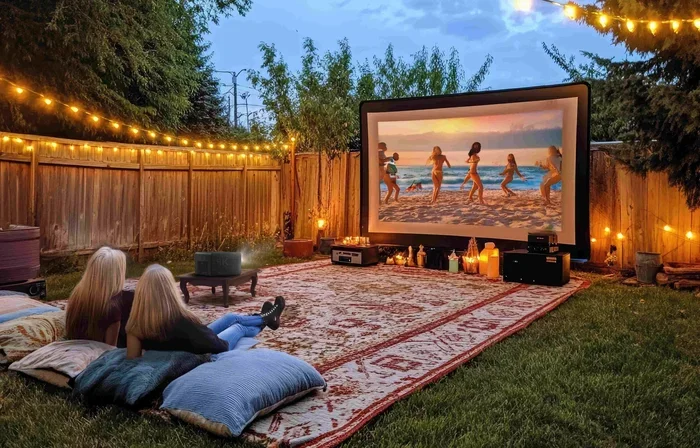
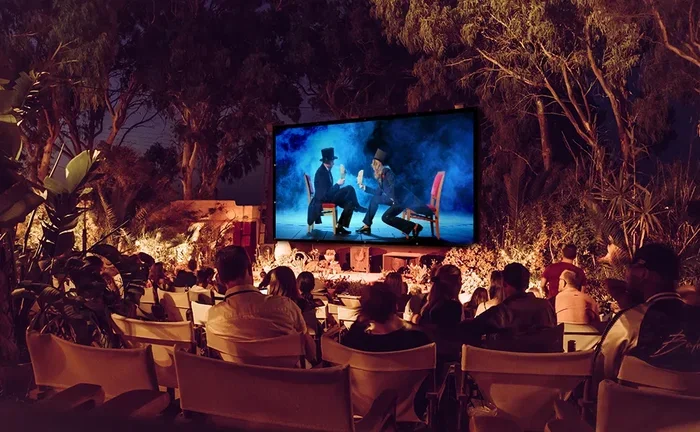
Want to host a movie night in your backyard? A portable projector makes this easy. You just need a white wall or a portable screen, a power source, and a clear night. Many people love setting up a projector in the yard for summer movie nights with friends and family.
Presentations and Work
Projectors are not just for entertainment. They are excellent tools for work and school presentations. A projector lets you display slides, documents, and videos to a group of people easily. Many business professionals and teachers rely on projectors for their daily work.
Frequently Asked Questions
Can I use a projector instead of a TV for everyday watching?
Yes, you can absolutely use a projector for everyday TV watching. Many people use a projector with a streaming device like a Roku or Apple TV to watch their favorite shows and channels. The key difference is that projectors work best in dimmer lighting, so you may want to adjust your viewing habits or invest in room lighting control for the best experience.
Is a projector cheaper than a big TV?
In most cases, yes. A good home theater projector that delivers a 100-inch screen can cost less than a 75-inch or 85-inch TV. The price difference becomes even more significant as TV sizes go up. However, you may also need to budget for a screen, cables, and possibly a sound system, which adds to the total cost.
How do I connect my phone to a projector with a USB cable?
To connect your phone to a projector using a USB cable, check if your projector supports USB display or MHL functionality. If it does, simply plug one end of the USB cable into your phone and the other into the projector. If your projector does not support direct phone connection, you can use a USB-C to HDMI adapter or a wireless mirroring solution instead.
Can I use a Roku with a projector?
Yes, you can use a Roku with a projector as long as your projector has an HDMI port. Just plug the Roku into the HDMI port, connect to your Wi-Fi network, and start streaming. This is one of the easiest ways to add smart streaming capabilities to any projector setup.
How long does a projector lamp last?
A traditional projector lamp typically lasts between 2,000 and 5,000 hours of use. LED light sources, which are found in many modern projectors, can last 20,000 hours or more. The actual lifespan depends on how often you use the projector and the settings you use. Running the projector at lower brightness levels can extend the lamp or LED life.
Can I mirror my iPhone to a projector?
Yes, you can mirror your iPhone to a projector using AirPlay if your projector supports it. Alternatively, you can use a wireless HDMI adapter or a cable connection. Some projectors also have built-in apps that allow direct screen mirroring from iOS devices. Check your projector’s manual for specific compatibility details.
Final Thoughts
How can I use a projector instead of a TV is a question with a very encouraging answer. A projector gives you a big screen experience that transforms the way you watch movies, play games, and share content with others. The setup is straightforward, the devices are versatile, and the results are genuinely impressive.
Whether you choose a home theater projector for your dedicated media room or a portable projector for flexible use, the benefits are clear. You get a larger image, a more immersive experience, and often a better value compared to buying a very large TV. With the right setup, proper placement, and a few simple adjustments, your projector will deliver years of enjoyable entertainment.
Take the time to pick the right projector for your needs, set it up carefully, and enjoy the big screen experience you have been missing. Once you make the switch, you will wonder how you ever watched content on a smaller screen again. Happy viewing!