How Can I Use Wi Fi Only Internationally Without Roaming
Using Wi-Fi only internationally is totally doable without paying roaming charges. You can rely on free public WiFi, portable travel routers, eSIM plans, and offline apps to stay connected worldwide. This guide walks you through every practical method so you can travel light and save big on data costs.
Traveling the world without a data plan can feel scary. You worry about getting lost, missing messages, or not being able to share photos. But here is the good news. You can absolutely use Wi-Fi only internationally and still have a great trip. You do not need expensive roaming plans or a cellular connection to stay connected. All you need is access to wireless networks and a few smart strategies.
More and more travelers are ditching traditional data plans. They rely entirely on Wi-Fi abroad for navigation, communication, and entertainment. Whether you are backpacking through Europe or staying at a resort in Asia, WiFi-only travel works. The key is knowing where to find connections and how to prepare before you leave. This guide gives you everything you need to know about using Wi-Fi internationally without roaming charges.
Let us be real for a second. International roaming fees can wreck your budget fast. A single day of data roaming can cost as much as a nice dinner. And nobody wants to come home to a shocking phone bill. That is why so many people are choosing the WiFi-only approach. It is free, simple, and surprisingly effective when you know what you are doing.
Key Takeaways
- Use Free Public WiFi: Cafes, airports, and hotels offer WiFi abroad without roaming fees.
- Get an eSIM or Local SIM: These let you access data networks without a traditional roaming plan.
- Carry a Portable Travel Router: A small device can create your own secure WiFi network from local SIM data.
- Download Offline Content: Maps, guides, and entertainment work without any internet connection.
- Avoid Data Roaming Costs: WiFi-only international use keeps your phone bill shock-free.
- Check WiFi Coverage Before You Go: Research the destination to know where you can connect.
- Use WiFi Calling Apps: Apps like WhatsApp and Skype replace expensive international calls.
📑 Table of Contents
- Why Use Wi-Fi Only When Traveling Internationally
- How to Prepare Before You Travel
- Finding Free Wi-Fi While Traveling
- Tools and Devices for WiFi-Only International Travel
- Common Mistakes to Avoid When Using Wi-Fi Abroad
- Staying Connected Without Sacrificing Privacy
- Expert Tips for a Smooth WiFi-Only Trip
- Can I Use My Wi-Fi Only Device Internationally?
- Final Thoughts
Why Use Wi-Fi Only When Traveling Internationally
There are many reasons to go WiFi-only on your next trip. The biggest one is saving money. Roaming charges add up fast, especially if you stream videos or use GPS all day. But cost is not the only reason. Let us look at the full picture of why WiFi-only international travel makes sense.
Save Money on Data Charges
When you turn on data roaming, your phone connects to foreign cell towers. Your home carrier charges you for this. These fees can range from a few cents per megabyte to several dollars per day. Over a two-week trip, you could easily spend $100 or more on roaming data. By sticking to Wi-Fi, you completely avoid these charges.
Think about it this way. A cup of coffee at a cafe with free Wi-Fi costs you nothing extra. But using cellular data abroad might cost you the same amount in just a few minutes. The math is simple. Free WiFi wins every time.
Stay Secure on Public Networks
Another benefit of using Wi-Fi abroad is control. When you connect to a public Wi-Fi network, you can use a VPN to protect your data. Cellular roaming connections are harder to secure. With WiFi, you choose which network to trust. You can avoid sketchy connections and stick to well-known spots like hotels and cafes.
Keep Your Phone Simple
When you do not need a roaming plan, your phone works the same way at home and abroad. You do not have to toggle settings on and off. You do not have to worry about accidentally connecting to a roaming network. Everything stays simple and predictable. This peace of mind is worth a lot when you are traveling.
How to Prepare Before You Travel
Preparation is the secret to a smooth WiFi-only trip. A little planning goes a long way. Here is what you should do before you board your flight.
Research WiFi Availability at Your Destination
Not every country has the same level of WiFi access. Some places have amazing coverage in cities but weak signals in rural areas. Before you go, search for WiFi coverage at your destination. Look at travel forums, blog posts, and even Google Maps. You want to know where you can connect and where you might be stuck without a signal.
For example, cities like Tokyo, London, and Barcelona have excellent free WiFi in public spaces. But smaller towns or remote areas might not. Knowing this ahead of time helps you plan. You can download offline maps for areas with poor coverage.
Download Essential Offline Apps
This is a game-changer. Before you leave, download apps that work without internet. Google Maps lets you download offline maps for any city. You can still navigate streets, find restaurants, and get directions without a single Wi-Fi connection. Download these maps while you are still on your home network.
Other great offline apps include:
- Translation apps like Google Translate with offline language packs
- Offline guides from TripAdvisor or Lonely Planet
- Entertainment like downloaded playlists and podcasts
- Reading apps with saved articles or ebooks
- Note-taking apps with local copies of your documents
Set Up WiFi Calling and Messaging Apps
You still want to communicate with family and friends back home. WiFi calling apps let you make calls and send messages over Wi-Fi. Apps like WhatsApp, Skype, and FaceTime work perfectly on wireless networks. Set these up before your trip so you are ready to go the moment you land.
Pro tip. Let your loved ones know which app you will use. That way, they can reach you without needing your phone number or a cellular connection. Everyone wins.
Finding Free Wi-Fi While Traveling
Once you arrive, the real challenge begins. Where do you find reliable free Wi-Fi when you are on the go? The good news is that free wireless connections are everywhere in most tourist-friendly areas.
Hotels and Hostels
Almost every hotel and hostel offers free WiFi to guests. This is often your most reliable source of internet abroad. Before booking, check the property’s WiFi speed and coverage. Some places offer fast connections in the lobby but slow ones in the rooms. Read recent reviews to get the real picture.
Cafes and Restaurants
Coffee shops and restaurants are WiFi goldmines for travelers. In most countries, you can sit down with a coffee and get a strong connection. Some cafes require you to make a purchase, which is fair. Others offer free access to anyone who walks in. Just ask the staff for the password.
Public Libraries and Community Centers
Many cities have public libraries with free internet access. These spots are quiet, comfortable, and often have faster speeds than cafes. Community centers and co-working spaces also welcome visitors. A quick search on Google for “free WiFi near me” works wonders in any city.
Transportation Hubs
Airports, train stations, and bus terminals often provide free WiFi. The quality varies, but these are great for quick check-ins and messages. Some train systems in Europe and Asia offer WiFi on board. This can turn a long ride into a productive work session.
Tools and Devices for WiFi-Only International Travel
Sometimes you need more than just finding free hotspots. Certain tools and devices make WiFi-only travel much easier and more reliable.
Portable Travel Routers
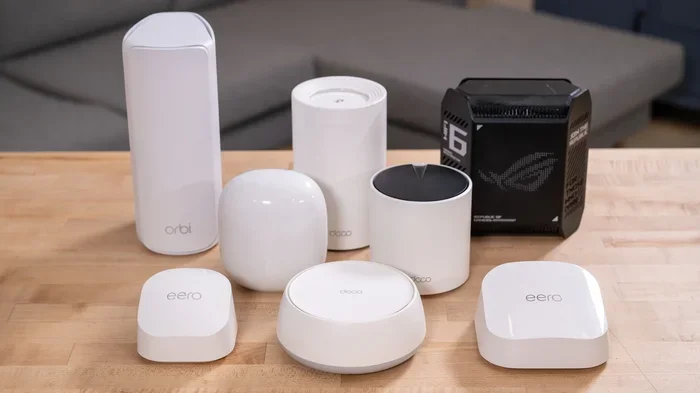
A portable travel router is a small device that creates your own secure WiFi network. You plug in a local SIM card or connect to a public network, and the router broadcasts a private WiFi signal. This means all your devices stay connected and secure.
These routers are small enough to fit in your pocket. They cost between $30 and $80. For frequent travelers, they pay for themselves quickly. You also avoid the hassle of connecting each device separately to public networks.
Can I Get Wi-Fi Without a Router?
Yes, you absolutely can. Many travelers wonder about this. You can use your phone as a mobile hotspot if you have a local SIM card with data. Or you can connect to existing public networks. Getting Wi-Fi without a traditional router is very doable internationally. Just keep in mind that public networks are less secure, so always use a VPN when possible.
Some travelers also look into getting an extension for their Wi-Fi signal, especially in hotel rooms where the signal is weak. A simple Wi-Fi extender can make a huge difference. You can even get a Wi-Fi extender to boost signal in your accommodation if the connection is poor.
eSIM Technology
eSIM is a relatively new technology that is changing international travel. An eSIM is a digital SIM card built into your phone. You can activate a local data plan without swapping physical SIM cards. Some eSIM providers offer data-only plans that work alongside your home carrier’s Wi-Fi settings.
Now, if you are using a WiFi-only approach, you might not need eSIM at all. But it is a great backup option. If you find yourself in an area with no WiFi, an eSIM data plan can save the day. Companies like Airalo and Holafly offer affordable international eSIM plans for travelers.
Can I Get Unlimited Hotspot While Traveling?
If you do decide to use a hotspot as a backup, you might wonder about unlimited options. The answer depends on your carrier and plan. Some providers offer international hotspot add-ons. But for a WiFi-only approach, you really do not need this. Free public networks and offline tools cover most of your needs. However, if you want peace of mind, you can explore unlimited hotspot options as a safety net before your trip.
Common Mistakes to Avoid When Using Wi-Fi Abroad
Even experienced travelers make mistakes with WiFi-only international use. Here are the pitfalls to watch out for.
Forgetting to Turn Off Data Roaming
This is the number one mistake. You turn off cellular data but forget to disable data roaming. Your phone quietly connects to foreign networks and racks up charges. Before you leave, go into your phone settings and turn off both cellular data and data roaming. This one simple step saves you from unexpected bills.
Relying on Unsecured Networks
Free WiFi is great, but not all networks are safe. Open networks without passwords can expose your personal data. Avoid logging into banking apps or entering passwords on unsecured connections. Use a VPN whenever possible, and stick to well-known networks when handling sensitive information.
Not Checking Time Zones for App Updates
This sounds odd but it matters. Some apps require internet to sync or update. If you are in a different time zone and your home WiFi is off, you might miss important updates. Download everything you need before you leave. Set your apps to update only on Wi-Fi at home before departure.
Assuming All Hotels Offer Good WiFi
Do not assume that your hotel has fast, reliable internet. Budget accommodations sometimes offer slow or spotty connections. Always check reviews for WiFi quality. If you need a strong connection for work, ask the hotel directly about their internet speed before booking.
Staying Connected Without Sacrificing Privacy
Using public WiFi abroad comes with privacy risks. But you can protect yourself with a few smart habits.
Use a VPN
A Virtual Private Network encrypts your internet traffic. It hides your data from hackers and snoopers on public networks. Install a reputable VPN app before your trip and turn it on every time you connect to a new WiFi network. Many VPNs cost just a few dollars per month and give you peace of mind worldwide.
Turn Off Auto-Connect
Your phone might automatically connect to open WiFi networks. This can be dangerous. Turn off auto-connect for open networks in your settings. This way, you choose when and where to connect. You stay in control of your data.
Use HTTPS Websites
Look for the padlock icon in your browser. This means the website uses HTTPS encryption. Avoid entering personal information on HTTP sites, especially on public WiFi. Most modern browsers warn you about insecure connections. Pay attention to these warnings.
Expert Tips for a Smooth WiFi-Only Trip
Here are some insider tips from experienced travelers who rely entirely on Wi-Fi abroad.
- Carry a power bank. WiFi uses battery fast. A portable charger keeps your phone alive through long days of exploring.
- Download offline entertainment. Netflix, Spotify, and YouTube all let you download content for offline viewing. Do this before you leave.
- Learn the local WiFi culture. In some countries, you need to buy a token or register with your passport to access free WiFi. Knowing this ahead of time saves frustration.
- Keep a list of backup WiFi spots. Save locations of cafes and libraries in each city. If your primary spot is crowded, you have a backup ready.
- Use airplane mode strategically. Turn on airplane mode and then enable Wi-Fi manually. This prevents your phone from searching for cellular networks and draining your battery.
Can I Use My Wi-Fi Only Device Internationally?
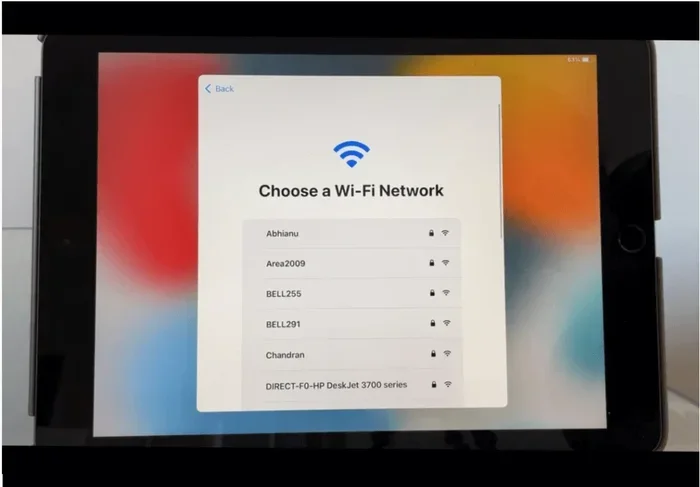
Yes, you can. A WiFi-only device like an iPad or a WiFi-only tablet works perfectly for international travel. You just need access to wireless networks. Many travelers use WiFi-only tablets for reading, maps, and entertainment. You do not need cellular service at all. Just make sure you download everything you need before you leave home.
If you are using a phone, you can still go WiFi-only. Simply disable cellular data and roaming. Your phone becomes a Wi-Fi-only device wherever you travel. This works great for most travelers who stick to cities and tourist areas with good wireless coverage.
Final Thoughts
Using Wi-Fi only internationally without roaming is not just possible. It is smart, affordable, and increasingly popular. With the right preparation, you can travel the world and stay connected without spending a fortune on data charges. Download offline maps, set up messaging apps, find free WiFi spots, and protect your privacy with a VPN.
The key is planning. A little preparation before your trip makes all the difference. You will feel confident and connected without relying on expensive roaming plans. So next time you book a flight, leave the data plan at home. Embrace the WiFi-only lifestyle and travel lighter, smarter, and cheaper.
Your phone is a powerful tool even without a cellular connection. Use it wisely, stay prepared, and enjoy every moment of your international adventure. The world is full of free WiFi waiting for you.
Frequently Asked Questions
Can I use my phone abroad without a data plan?
Yes, absolutely. You can use your phone abroad without a data plan by connecting to free Wi-Fi networks. Turn off cellular data and data roaming to avoid accidental charges. Use Wi-Fi for all your internet needs including maps, messaging, and browsing.
How do I find free Wi-Fi in foreign countries?
Hotels, cafes, restaurants, and public libraries usually offer free Wi-Fi. Use apps like Wi-Fi Map or Google Maps to locate nearby networks. Always ask staff for the password and read recent reviews to check connection quality before relying on a network.
Is it safe to use public Wi-Fi while traveling?
Public Wi-Fi can be risky if you take the right precautions. Always use a VPN to encrypt your connection. Avoid logging into banking accounts on open networks. Stick to well-known venues and use HTTPS websites whenever possible to keep your data safe.
Can I use Wi-Fi calling apps internationally?
Yes, apps like WhatsApp, Skype, FaceTime, and Google Voice work over Wi-Fi anywhere in the world. You do not need a cellular plan to use them. Just connect to a wireless network and make calls or send messages for free.
What should I do if there is no Wi-Fi available?
Download offline content before your trip. Save maps, guides, music, and entertainment on your device. If you need emergency data, consider getting a local SIM card or an eSIM plan as a backup option for those rare situations without Wi-Fi access.
Do I need a special device to use Wi-Fi only internationally?
No special device is needed. Any smartphone, tablet, or laptop with Wi-Fi capability works. Just disable cellular data and roaming settings. A portable travel router can be helpful but is optional. Your existing devices are all you need to stay connected abroad.
=== CONCLUSION ===
Using Wi-Fi only internationally without roaming is one of the best decisions you can make as a traveler. It saves money, keeps things simple, and still gives you all the connectivity you need. With offline apps, free public networks, and a few smart tools, you can explore the world without worrying about data charges.
Remember to prepare before you go. Download your essential tools, set up your messaging apps, and research WiFi availability at your destination. Stay safe by using a VPN and avoiding suspicious networks. And most importantly, enjoy your trip. The world is wide open, and Wi-Fi is everywhere if you know where to look.