How Do I Change An Iphone To Prepaid Wireless Service
Changing your iPhone to prepaid wireless service is simpler than most people think. You just need a compatible SIM card, an unlocked phone, and a prepaid carrier plan. This guide walks you through every step, from picking the right provider to activating your new prepaid mobile plan on your device.
Switching your iPhone to a prepaid wireless service is one of the smartest moves you can make for your budget. Traditional postpaid plans lock you into contracts, charge hidden fees, and often push you toward expensive data tiers. Prepaid service flips the script. You pay upfront, you control your spending, and you get the same cellular coverage you love.
Whether you want to cut costs, escape a contract, or just try something new, this guide covers everything you need. I will walk you through the entire process of how do I change an iPhone to prepaid service, from checking compatibility to activating your new plan. Let us get into it.
Key Takeaways
- Prepaid wireless service saves money: No contracts, no hidden fees, and full control over your monthly spending.
- Your iPhone must be unlocked: Carrier-locked phones won’t work with most prepaid wireless carriers.
- You can keep your number: Porting your existing phone number to a prepaid plan is straightforward and usually free.
- SIM card or eSIM options exist: Modern iPhones support both physical SIM cards and eSIM activation for prepaid service.
- Top prepaid providers include T-Mobile, AT&T, and MVNOs: Each offers different data speeds, coverage areas, and pricing tiers.
- Setting up data and voicemail is essential: Proper configuration ensures your prepaid account works seamlessly from day one.
📑 Table of Contents
- Why Switch to Prepaid Wireless Service?
- Before You Switch: Check iPhone Compatibility
- Choosing the Right Prepaid Carrier
- How to Change Your iPhone to Prepaid: Step-by-Step Guide
- Setting Up Data and Voicemail on Prepaid
- Common Mistakes to Avoid When Switching to Prepaid
- Expert Tips for Getting the Most From Your Prepaid iPhone
- Frequently Asked Questions
- Conclusion
Why Switch to Prepaid Wireless Service?
More and more people are making the switch to prepaid mobile plans every year. The reasons are clear and compelling. Here is why prepaid service is worth considering.
Cost Savings
Prepaid plans are almost always cheaper than postpaid contracts. You do not pay activation fees, early termination fees, or surprise overage charges. You pick a monthly plan that fits your budget and stick to it. Some prepaid wireless carriers offer unlimited data for under $40 a month.
No Contracts
With prepaid, there is no two-year commitment. You can switch providers anytime. This gives you incredible flexibility. If a better deal comes along, you simply move your SIM card and go.
Full Control Over Usage
Prepaid plans make you aware of your data usage from the start. You cannot accidentally blow past a data limit and get hit with extra charges. You manage your airtime balance directly, which keeps things transparent.
No Credit Checks
Postpaid plans require a credit check. Prepaid plans do not. Anyone can sign up regardless of credit history. This makes prepaid service accessible to almost everyone.
Before You Switch: Check iPhone Compatibility
Not every iPhone works with every wireless carrier. Before you change your iPhone to prepaid service, you need to confirm a few things. Skipping this step can cause headaches later.
Is Your iPhone Unlocked?
This is the most important check. An unlocked iPhone accepts any SIM card from any provider. A locked iPhone only works with its original carrier. Here is how to check.
- Go to Settings on your iPhone.
- Tap General, then About.
- Look for Carrier Lock. If it says “No SIM restrictions,” your phone is unlocked.
- If it says anything else, contact your current carrier and request an unlock.
Check Your iPhone Model
Most modern iPhones support both physical SIM cards and eSIM technology. iPhone XS and newer models have eSIM capability. This means you can activate prepaid service without even swapping a physical card. Older models may only support a physical nano-SIM.
Verify Network Band Support
Different carriers use different network bands. Your iPhone needs to support the bands your chosen prepaid carrier uses. Most modern iPhones support all major US bands, so this is rarely an issue. But if you are using an older model, double-check before switching.
Choosing the Right Prepaid Carrier
Picking the right wireless carrier for your prepaid service matters a lot. Not all prepaid plans are created equal. Here is a look at the top options available in the United States.
Major Carrier Prepaid Options
The big three carriers all offer prepaid plans with strong coverage networks.
- T-Mobile Prepaid: Offers fast 5G speeds and flexible monthly plans starting around $40 for unlimited data.
- AT&T Prepaid: Uses AT&T’s extensive network. Plans start around $35 and include unlimited talk, text, and data options.
- Verizon Prepaid: Known for excellent rural coverage. Verizon Prepaid plans are slightly pricier but deliver reliable service.
MVNOs (Mobile Virtual Network Operators)
MVNOs are smaller carriers that lease network space from the big three. They often provide the same coverage at much lower prices. Popular MVNOs include Mint Mobile, Visible, Cricket Wireless, and Boost Mobile. These are excellent choices if you want affordable prepaid wireless service without sacrificing quality.
How to Compare Plans
When comparing prepaid mobile plans, look at these factors:
- Coverage in your area: Check coverage maps for the carrier’s underlying network.
- Data speed and limits: Some plans slow down after a certain amount of data.
- Hotspot tethering: Can you share your connection with other devices?
- International calling: Do you need to call or text outside the US?
- Family plans: Some prepaid carriers offer discounts for multiple lines.
| Carrier | Starting Price | Data | Network |
|---|---|---|---|
| T-Mobile Prepaid | $40/month | Unlimited | T-Mobile |
| AT&T Prepaid | $35/month | Unlimited | AT&T |
| Verizon Prepaid | $40/month | Unlimited | Verizon |
| Mint Mobile | $15/month | Unlimited | T-Mobile |
| Visible | $25/month | Unlimited | Verizon |
How to Change Your iPhone to Prepaid: Step-by-Step Guide
Now for the part you have been waiting for. Here is the complete process to change your iPhone to prepaid wireless service. Follow these steps carefully and you will be up and running in no time.
Step 1: Back Up Your iPhone
Before making any changes, back up your device. Go to Settings, tap your name, then iCloud, and select Back Up Now. This protects all your data in case anything goes wrong during the switch.
Step 2: Remove Your Current SIM Card
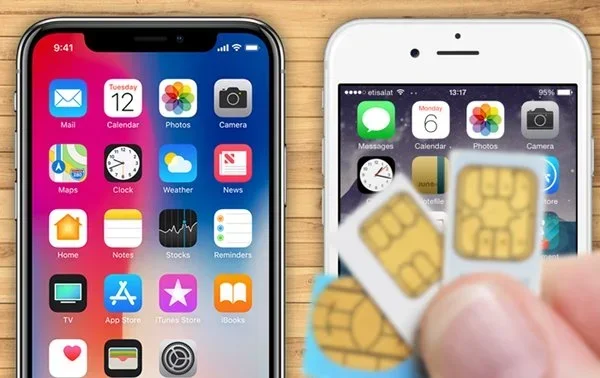
Use a SIM ejector tool or a small paperclip to open the SIM tray on your iPhone. Gently remove the existing SIM card. Keep it safe if you plan to port your number later.
Step 3: Insert Your New Prepaid SIM Card
Take the SIM card from your new prepaid carrier and insert it into the tray. Push the tray back in gently. Make sure the card sits flat and secure.
Step 4: Activate Your Prepaid Account
Most carriers require you to activate your account online or through their app. Visit the carrier’s website, create an account, and follow the activation prompts. You will need your SIM card number and personal information.
Step 5: Configure iPhone Settings
Once activated, go to Settings and tap Cellular or Mobile Data. Make sure your prepaid plan is selected as the active line. Turn on Cellular Data to get internet access. You may also need to update your APN settings for data and MMS to work correctly.
Step 6: Port Your Old Number (Optional)
If you want to keep your existing phone number, you can port it to your new prepaid account. Contact your new carrier and provide your old account number and SIM card details. The porting process usually takes 1 to 24 hours.
Setting Up Data and Voicemail on Prepaid
Getting your cellular service fully functional after switching requires a few extra configuration steps. Do not skip these if you want a smooth experience.
Configuring APN Settings
APN (Access Point Name) settings control how your phone connects to the internet through your carrier. If your data plan is not working, check these settings. Go to Settings, then Cellular, then Cellular Data Options, and tap Cellular Data Network. Enter the APN details provided by your wireless carrier.
Setting Up Voicemail
Prepaid voicemail works differently than postpaid. You usually need to set up a voicemail password and greeting manually. Open your Phone app, tap Voicemail, and follow the prompts. Some carriers let you set up voicemail through their app instead.
Managing Your Airtime Balance
One of the best things about prepaid is tracking your balance. Most prepaid carriers offer apps or online portals where you can check your airtime balance, add funds, and monitor your data usage in real time. Download your carrier’s app and set up notifications to avoid running out of data unexpectedly.
Common Mistakes to Avoid When Switching to Prepaid
Switching to a prepaid mobile plan is straightforward, but people do make mistakes. Here are the most common ones to watch out for.
- Forgetting to unlock your iPhone first: A locked phone will not accept a new SIM card. Always verify your phone is unlocked before purchasing a prepaid plan.
- Not checking coverage maps: A cheap plan means nothing if you have no signal where you live or work. Always verify coverage in your specific area.
- Ignoring APN settings: Without correct APN settings, your data and MMS will not work. Take five minutes to configure them properly.
- Choosing the wrong plan size: If you use a lot of data, a small prepaid plan will leave you frustrated. Analyze your usage habits before committing.
- Skipping the backup: Always back up your iPhone before swapping SIM cards or making major network changes.
Expert Tips for Getting the Most From Your Prepaid iPhone
Once you have made the switch, these tips will help you get the best experience from your prepaid wireless service.
Use Wi-Fi Whenever Possible
Prepaid plans have data limits, even “unlimited” ones. Connecting to Wi-Fi at home, work, and public places helps preserve your cellular data. Your iPhone has a Wi-Fi Assist feature that can use mobile data when Wi-Fi is weak. Turn it off in Settings to avoid accidental data usage.
Enable Low Data Mode
Go to Settings, then Cellular, then Cellular Data Options, and toggle on Low Data Mode. This reduces background data usage and helps your data plan last longer.
Monitor Your Usage Regularly
Check your data usage weekly through your carrier’s app. This keeps you aware of your habits and prevents surprise overages. Some prepaid carriers send alerts when you reach 50% or 75% of your data limit.
Consider an eSIM for Flexibility
If your iPhone supports eSIM, you can activate a prepaid plan without a physical SIM card. This is incredibly convenient. You can switch between carriers instantly by scanning a QR code or downloading a profile. It also means you can run two numbers on one phone.
Frequently Asked Questions
Can I keep my phone number when switching to prepaid?
Yes, absolutely. You can port your existing phone number to a new prepaid carrier. Contact your new provider and provide your old account details. The process usually takes between one and 24 hours to complete.
Do I need a new phone to switch to prepaid?
No. As long as your current iPhone is unlocked and compatible with your chosen wireless carrier’s network bands, you can keep using the same device. You only need a new SIM card from the prepaid provider.
Is prepaid service slower than postpaid?
Not necessarily. Many prepaid carriers use the same networks as postpaid plans. However, some MVNOs may deprioritize prepaid users during network congestion. In most cases, the difference is barely noticeable.
Can I switch back to postpaid later?
Yes. There is no permanent commitment with prepaid. You can switch back to a postpaid plan anytime. Just activate a new postpaid SIM card and port your number if needed.
What happens to my current carrier account when I switch?
You should cancel your old postpaid account to avoid ongoing charges. Contact your current carrier, settle any remaining balance, and confirm the account is closed. Keep records of the cancellation for your protection.
Can I use a prepaid plan with an iPhone bought from a carrier?
Only if the phone is unlocked. Carrier-locked iPhones bought on installment plans may still be locked until the balance is paid off. Contact the carrier to request an unlock before switching.
Conclusion
Switching your iPhone to prepaid wireless service is one of the easiest ways to save money and take control of your cellular expenses. You get the same great coverage, the same iPhone features, and the freedom of no contracts. The process is straightforward: confirm your phone is unlocked, choose a prepaid carrier, swap your SIM card, activate your account, and configure your settings.
With so many affordable prepaid mobile plans available today, there has never been a better time to make the switch. Whether you pick a major carrier or a budget-friendly MVNO, you will enjoy the same connectivity with more transparency and less cost. Follow the steps in this guide, avoid the common mistakes, and you will be enjoying your new prepaid wireless service in under an hour.
Take action today. Compare prepaid plans, find the right carrier for your needs, and experience the freedom of going prepaid. Your wallet will thank you.