Can You Do Gaming On A Hp Laptop Yes You Absolutely Can
Can you do gaming on a HP laptop? Absolutely yes. HP offers a range of gaming laptops built for casual and hardcore gamers alike. From the HP Omen series to the HP Victus lineup, these machines deliver solid gaming performance at various price points. You just need to pick the right model and understand what specs matter most for your favorite games.
So, can you do gaming on a HP laptop? The short answer is a big yes. HP has been making laptops for years, and they have stepped up their game in the gaming laptop world. Whether you want to play a slow-paced strategy game or jump into a fast-paced shooter, HP has options that can handle the job.
Many people still think gaming is only possible on a desktop PC. That used to be true, but laptops have caught up fast. Today, you can find HP gaming laptops that rival many desktops in performance. The key is knowing what to look for and how to set things up the right way.
In this guide, we will walk you through everything you need to know. We will cover the best models, the specs that matter, and simple tips to get the most out of your HP laptop for gaming. Let us dive in.
Key Takeaways
- HP laptops can absolutely handle gaming: Models like the HP Omen and HP Victus are built specifically for gamers.
- Check the GPU and CPU: A dedicated graphics card and a fast processor are the two most important parts for smooth gameplay.
- Budget options exist: You do not need to spend a fortune to enjoy great gaming on HP laptop models.
- Cooling matters a lot: Gaming generates heat, and HP laptops with good cooling systems perform better for longer.
- Adjust settings for best results: Lowering in-game settings can dramatically improve frame rates on any HP laptop.
- RAM and storage speed count: At least 8GB of RAM and an SSD will keep your games running smoothly.
- HP has options for every gamer: Whether you play casual indie games or competitive esports titles, there is an HP laptop for you.
📑 Table of Contents
What Makes an HP Laptop Good for Gaming
Not all laptops are created equal. Some are built for office work. Others are made for creative tasks like video editing. But a gaming laptop needs specific parts to run modern games without lag or stuttering.
Graphics Processing Unit (GPU)
The GPU is the heart of any gaming setup. It handles all the visuals, textures, and effects you see on screen. HP laptops often come with NVIDIA GeForce or AMD Radeon graphics cards. These dedicated GPUs are much faster than integrated graphics found in regular laptops.
When looking at HP Omen or HP Victus models, check the GPU first. A stronger GPU means higher frame rates and better image quality. For casual gaming, an entry-level GPU works fine. For AAA titles at high settings, you will want something more powerful.
Processor (CPU)
The CPU is the brain of your laptop. It processes game logic, AI behavior, and background tasks. HP gaming laptops typically use Intel Core i5 or i7 processors, or AMD Ryzen chips. A fast processor ensures your game runs smoothly even during intense action scenes.
When you game on HP laptop models, the CPU works hand in hand with the GPU. If one is weak, it can hold back the other. Always aim for a balanced setup where both parts are strong enough for your gaming needs.
RAM and Memory
RAM affects how many things your laptop can handle at once. For gaming, 8GB is the minimum. But 16GB is the sweet spot for most players today. If you like to stream while gaming or keep many apps open, go for 16GB or more.
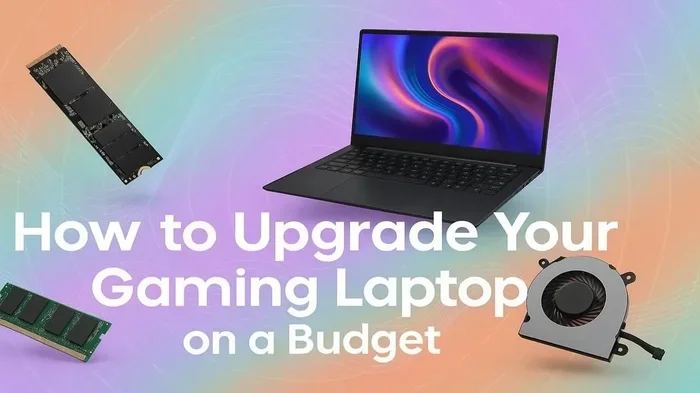
Some HP laptops allow you to upgrade RAM later. This is a big plus. You can start with 8GB and add more as your needs grow. Just make sure the model you choose has upgrade options.
Storage: SSD vs HDD
Storage speed matters more than people think. An SSD (solid-state drive) loads games much faster than an old HDD (hard disk drive). Most modern HP gaming laptops come with SSDs built in.
A 512GB SSD is a good starting point. If you have a large game library, consider 1TB or more. Some HP laptops also offer both SSD and HDD slots, giving you speed and plenty of space.
Display Quality
Your screen is the window into your game. Look for a display with a high refresh rate, like 120Hz or 144Hz. This makes motion look smoother, especially in fast-paced games like shooters or racing titles.
HP Omen and HP Victus models often come with IPS panels. These offer wide viewing angles and accurate colors. Full HD (1080p) is standard, but some models support 1440p or even 4K resolution for sharper visuals.
Best HP Laptops for Gaming in 2024
HP has several lines of laptops that work well for gaming. Each line targets a different type of player and budget. Here is a look at the most popular options.
HP Omen Series
The HP Omen series is HP’s premium gaming line. These laptops are built with serious gamers in mind. They feature powerful GPUs, high refresh rate screens, and advanced cooling systems.
The Omen 16 and Omen 17 are among the most popular models. They come with NVIDIA RTX graphics cards and Intel or AMD processors. These machines can handle demanding games at high settings with ease. If you want a top-tier gaming experience from an HP laptop, the Omen series is a great choice.
HP Victus Series
The HP Victus is HP’s budget-friendly gaming line. It offers solid gaming performance without breaking the bank. The Victus is perfect for players who want to enjoy modern games without spending a fortune.
Victus laptops typically come with NVIDIA GTX or RTX graphics and AMD Ryzen processors. They may not have all the premium features of the Omen, but they deliver great value. For casual gamers or those just starting out, the Victus is an excellent pick.
HP Pavilion Gaming Line
The HP Pavilion gaming line sits between the Omen and Victus in terms of price and power. These laptops offer a good balance of performance and affordability.
Pavilion gaming models come with decent GPUs and CPUs. They are well-suited for esports titles like Valorant, Fortnite, and League of Legends. If you want a reliable machine for competitive gaming, the Pavilion is worth a look.
| HP Laptop Line | Best For | Price Range | GPU Options |
|---|---|---|---|
| HP Omen | Hardcore gamers, AAA titles | $1,200 – $2,500 | RTX 3050 to RTX 4080 |
| HP Victus | Budget gamers, casual play | $700 – $1,200 | GTX 1650 to RTX 4060 |
| HP Pavilion Gaming | Esports, mid-range gaming | $900 – $1,500 | GTX 1650 to RTX 4070 |
Understanding the Specs You Need
Shopping for a gaming laptop can feel overwhelming. There are so many numbers and terms to keep track of. Let us break down the specs that actually matter for a smooth gaming experience on your HP laptop.
GPU Requirements by Game Type
Different games have different demands. Here is a simple guide to help you choose the right GPU:
- Esports games (Fortnite, Valorant, CS2): A GTX 1650 or RTX 3050 is more than enough.
- AAA titles at medium settings (GTA V, Red Dead Redemption 2): An RTX 3060 or better will serve you well.
- AAA titles at high/ultra settings (Cyberpunk 2077, Hogwarts Legacy): You need an RTX 4060 or higher for smooth performance.
- VR gaming: Go with an RTX 4070 or above for a comfortable virtual reality experience.
CPU and GPU Balance
Many beginners focus only on the graphics card. But your processor matters just as much. A weak CPU will bottleneck your GPU, causing stutters and low frame rates even with a powerful graphics card.
For most gaming on HP laptop setups, aim for at least an Intel Core i5 (12th gen or newer) or AMD Ryzen 5 (6000 series or newer). These processors pair well with modern GPUs and will not hold you back.
Thermal Design and Cooling
Gaming pushes your laptop hard. This generates a lot of heat. If your laptop cannot cool itself properly, it will slow down to prevent damage. This is called thermal throttling, and it kills gaming performance.
HP Omen models are known for their excellent cooling systems. They use multiple fans, heat pipes, and strategic venting to keep temperatures in check. When choosing a laptop, always check reviews for thermal performance. A cool laptop is a fast laptop.
Tips to Improve Gaming Performance on HP Laptops
Even the best HP laptop for gaming can benefit from a few optimizations. Here are simple steps you can take to get better frame rates and smoother gameplay.
Update Your Graphics Drivers
Outdated drivers can cause lag, crashes, and poor performance. NVIDIA and AMD release regular driver updates that improve game compatibility and speed. Visit the official website or use the NVIDIA GeForce Experience app to keep your drivers current.
This is one of the easiest and most overlooked gaming tips. A simple driver update can sometimes boost your frame rate by 10-20 percent.
Adjust In-Game Settings
You do not always need to play at maximum settings. Lowering a few options can make a huge difference. Start by reducing shadow quality, anti-aliasing, and volumetric lighting. These settings are demanding but hard to notice in fast-paced gameplay.
Keep the resolution at 1080p for most laptops. If your laptop supports 1440p, you can crank up the graphics a bit more. The goal is to find the balance between looks and smooth performance.
Use Windows Game Mode
Windows 10 and 11 come with a built-in Game Mode. This feature prioritizes system resources for your game and turns off background distractions. To turn it on, go to Settings, then Gaming, and toggle Game Mode on.
It is a small change, but it helps. Especially when you are running other apps in the background, Game Mode keeps your HP gaming laptop focused on the task at hand.
Keep Your Laptop Cool
Heat is the enemy of performance. Use your laptop on a hard, flat surface. Avoid beds, couches, or pillows that block the vents. A simple laptop cooling pad can make a big difference in temperature and frame rates.
Clean the vents and fans regularly. Dust builds up over time and reduces airflow. A can of compressed air can do wonders for keeping your laptop running cool during long gaming sessions.
Close Unnecessary Background Apps
Every open app uses your laptop’s resources. Before you start gaming, close browsers, streaming apps, and anything else you do not need. This frees up RAM and CPU power for your game.
You can also use the Task Manager to see what is running in the background. Sort by CPU or memory usage and close anything that is not essential.
Enable XMP in BIOS
This tip is for more advanced users. Many HP laptops come with fast RAM, but the memory runs at a slower speed by default. Going into your BIOS and enabling XMP (Extreme Memory Profile) unlocks the full speed of your RAM.
This can improve gaming performance by a noticeable margin, especially in CPU-heavy games. Just be careful in the BIOS and only change the XMP setting if you are comfortable doing so.
Common Mistakes People Make When Gaming on HP Laptops
Even experienced gamers can make mistakes that hurt their gaming experience. Here are the most common ones and how to avoid them.
Ignoring Thermal Paste
Over time, the thermal paste between your CPU/GPU and the heatsink dries out. This reduces heat transfer and causes your laptop to run hotter. If your HP laptop is a few years old and running hot, consider reapplying thermal paste.
This is an easy fix that many people overlook. A tube of thermal paste costs just a few dollars and can restore cooler temperatures and better performance.
Playing on Battery Power
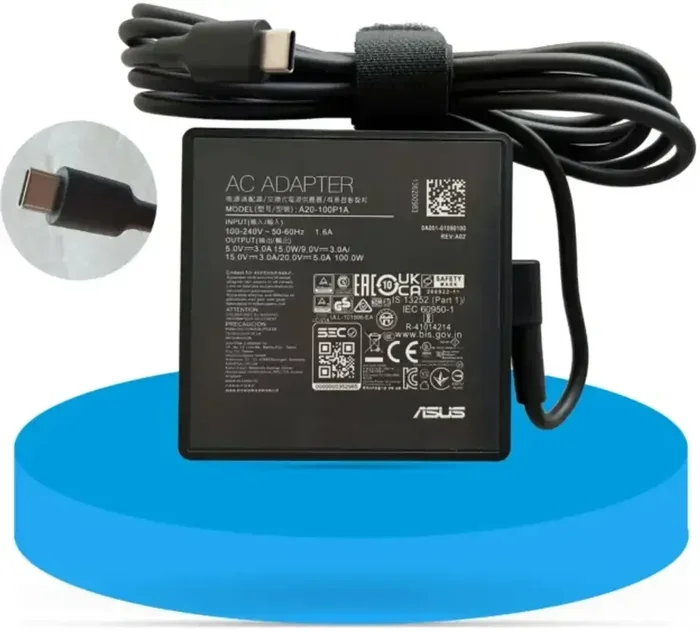
Gaming on battery is a bad idea for several reasons. First, the battery adds extra heat to the system. Second, Windows throttles performance to save battery life. Always plug in your HP laptop when gaming for the best results.
If you must game on battery, lower your game settings and brightness to reduce power draw. But for the smoothest experience, keep that charger plugged in.
Skipping Windows Updates
Windows updates often include performance improvements and security patches. Skipping them can leave your system running suboptimally. Keep your operating system up to date for the best gaming on HP laptop experience.
Overclocking Without Knowledge
Overclocking can boost performance, but it also increases heat and power consumption. If you do not know what you are doing, you can damage your laptop or cause instability. Stick to the default settings unless you are confident in your understanding of overclocking.
Buying Based on Brand Alone
Just because a laptop is from HP does not mean it is good for gaming. You need to check the specific specs. An HP Pavilion laptop designed for office work will not handle modern games well. Always look for dedicated GPUs, sufficient RAM, and fast storage.
Is Gaming on an HP Laptop Worth It
The short answer is yes. HP has built a strong reputation in the gaming laptop market. Their Omen line competes with top brands like ASUS ROG and Lenovo Legion. The Victus line offers an affordable entry point for new gamers.
What makes HP stand out is the balance of quality, performance, and design. HP laptops are well-built with sturdy chassis and good keyboards. The Omen series, in particular, has a sleek look that gamers love. You do not have to sacrifice style for power.
Another big advantage is support and warranty. HP offers solid customer service and warranty options on their gaming models. If something goes wrong, you have a reliable brand to turn to. This peace of mind is valuable, especially when you invest in an expensive machine.
Whether you are a casual player who enjoys indie games on weekends or a competitive gamer chasing high frame rates in esports titles, HP has a laptop for you. The key is choosing the right model for your needs and budget.
So, can you do gaming on a HP laptop? Without a doubt. HP gaming laptops deliver solid performance, great build quality, and excellent value. Pick the right model, follow our tips, and you will be gaming in no time.
Final Thoughts
Gaming on an HP laptop is not just possible, it is a fantastic experience. HP offers a wide range of machines designed for different types of gamers and budgets. From the premium HP Omen to the affordable HP Victus, there is something for everyone.
Remember to focus on the key specs: GPU, CPU, RAM, and storage. Keep your laptop cool and your drivers updated. Adjust your game settings to match your hardware. Follow these simple steps, and you will enjoy smooth, lag-free gaming on your HP machine.
The world of PC gaming is vast and exciting. With the right HP laptop, you are ready to explore it. So grab your favorite game, settle into your chair, and enjoy the experience. Happy gaming!
Frequently Asked Questions
Can I play AAA games on an HP laptop?
Yes, you can. HP Omen and HP Victus models with dedicated GPUs like the RTX 3060 or higher can run most AAA titles at medium to high settings. Just make sure your laptop meets the recommended specs for the specific game you want to play.
Is an HP Pavilion laptop good for gaming?
The HP Pavilion gaming line is a solid choice for casual and mid-range gaming. It handles esports titles and older AAA games well. However, for the latest AAA titles at maximum settings, you may want to consider the HP Omen series instead.
How long do HP gaming laptops last?
With proper care, an HP gaming laptop can last 4 to 6 years or more. Regular cleaning, good ventilation, and avoiding extreme temperatures all help extend the lifespan. Upgrading RAM or storage can also keep your laptop relevant for longer.
Can I upgrade the GPU in my HP laptop?
In most cases, no. Laptop GPUs are typically soldered onto the motherboard and cannot be replaced. This is why it is important to choose a model with a GPU that will meet your needs for several years.
Do HP gaming laptops overheat easily?
HP gaming laptops are designed with cooling systems to handle the heat generated during gaming. However, placing your laptop on soft surfaces like beds or couches can block vents and cause overheating. Always use a hard, flat surface and consider a cooling pad for extended sessions.
What is the best HP laptop for budget gaming?
The HP Victus series offers the best value for budget gaming. It comes with capable GPUs and processors at a lower price point than the Omen line. You can find solid models in the $700 to $1,200 range that handle most modern games at medium settings.