Can I Connect To ATT WiFi Anywhere And How To Do It
You can absolutely connect to ATT WiFi in many places, from your home to public hotspots across the country. AT&T offers WiFi through home gateways, public hotspots, and mobile options that keep you online wherever you go. This guide walks you through everything you need to know about finding, connecting to, and getting the most out of ATT WiFi anywhere.
If you have ever wondered whether you can connect to ATT WiFi anywhere you go, the answer is a pretty encouraging yes. AT&T has built one of the largest WiFi networks in the country, and it covers a lot of ground. From your living room to coffee shops, airports, and even some outdoor spaces, ATT WiFi is designed to keep you connected.
But here is the thing — knowing that ATT WiFi exists and actually understanding how to use it are two very different things. You might have the right plan, the right device, and still struggle to get online if you do not know the steps. That is exactly why this guide exists.
In this article, we will walk you through everything you need to know about ATT WiFi. We will cover what it is, where you can connect, how to set it up, which plans work best, and how to fix common problems. By the end, you will feel confident about using ATT WiFi wherever you are.
Key Takeaways
- ATT WiFi is widely available: You can connect at home, at AT&T hotspots, and at thousands of public locations nationwide.
- Multiple ways to connect: Use the AT&T WiFi app, your WiFi gateway, or manual login at public hotspots to get online.
- Coverage depends on your plan: Different AT&T Internet plans offer varying levels of WiFi access and hotspot usage.
- Performance tips matter: Small adjustments like router placement and frequency band selection can greatly improve your ATT WiFi speed and range.
- Troubleshooting is straightforward: Most common ATT WiFi issues can be fixed with simple steps like restarting your gateway or updating firmware.
- Security is built in: AT&T WiFi hotspots use encrypted connections to protect your data while you browse.
- Mobile hotspot is an option: You can turn your AT&T phone into a hotspot when ATT WiFi is not available nearby.
📑 Table of Contents
What Is ATT WiFi and How Does It Work?
ATT WiFi is a wireless networking service offered by AT&T that lets you connect to the internet without using cellular data. It works through a combination of home WiFi gateways and public WiFi hotspots. When you subscribe to an AT&T Internet plan, you typically get a WiFi gateway that broadcasts a WiFi coverage area inside your home or office.
At the same time, AT&T operates a huge network of public WiFi hotspots across the United States. These AT&T hotspots are located in places like shopping malls, airports, restaurants, and stadiums. If you have an eligible AT&T plan, you can connect to these hotspots for free or at a reduced cost.
How ATT WiFi Hotspots Work
AT&T WiFi hotspots are essentially wireless routers placed in public areas. They broadcast a WiFi signal that your phone, laptop, or tablet can pick up. When you connect, you usually need to log in using your AT&T account credentials. Once logged in, your device gets an internet connection through AT&T’s backbone network.
The beauty of ATT WiFi hotspots is that they use a technology called automatic login. If you have connected once, your device remembers the network and reconnects automatically when you are in range. This makes it very easy to stay online without typing in WiFi login credentials every time.
AT&T WiFi Network Coverage
AT&T’s WiFi coverage area is extensive. The company has millions of hotspots across the country, and that number keeps growing. You can find AT&T WiFi zones in major cities, suburban areas, and even some rural locations. AT&T also partners with other businesses to expand its public WiFi network, which means you can connect in more places than you might think.
To check the exact coverage near you, you can use the AT&T WiFi map on the AT&T website or through the AT&T WiFi app. This tool shows you all available hotspots in your area and helps you plan your connectivity on the go.
Quick Tips
- Always check the AT&T WiFi map before traveling to a new area.
- Make sure your device’s WiFi is turned on and set to auto-connect for known networks.
- Keep your AT&T account login details saved securely on your device for easy hotspot access.
Where Can You Connect to ATT WiFi?
The short answer is that you can connect to ATT WiFi in a lot of places. But the full picture is even more interesting. AT&T offers WiFi connectivity in several different settings, and understanding each one helps you make the most of your service.
AT&T WiFi Zones in Public Places
AT&T has set up WiFi hotspots in many public locations. These include airports like Dallas/Fort Worth and Los Angeles International, major shopping centers, fast-food chains, and even some parks and plazas. When you see the “attwifi” network on your device, you are in an AT&T WiFi zone.
These public hotspots are especially useful for travelers. Instead of burning through your cellular data plan, you can connect to ATT WiFi and browse, stream, and work without worrying about data caps. Just keep in mind that public WiFi network connections are shared, so speeds may vary depending on how many people are connected.
AT&T WiFi at Home and in Apartments
When you subscribe to AT&T Internet, you get a WiFi gateway that creates a WiFi coverage area inside your home. This is your personal ATT WiFi network, and it is usually more reliable and faster than public hotspots. The gateway broadcasts a signal that reaches every room in your house, provided you place it in a central location.
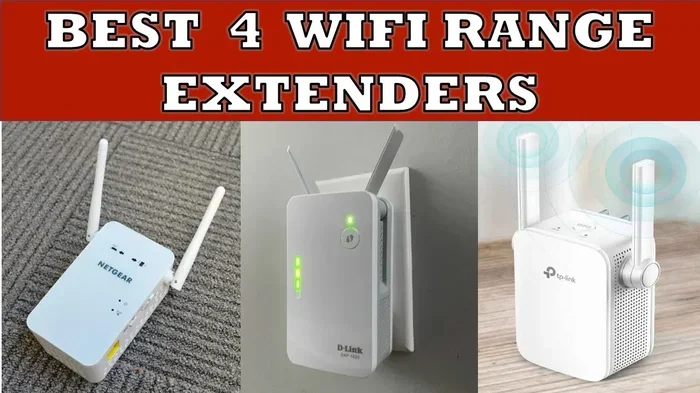
For apartment dwellers, ATT WiFi works just as well. The gateway is compact and easy to set up. You can also use AT&T WiFi extenders to boost the signal in larger apartments or homes with thick walls. This ensures that every corner of your living space has strong WiFi connectivity.
Common Mistakes
- Placing the gateway in a closet or corner: This blocks the WiFi signal and reduces your coverage area significantly.
- Ignoring firmware updates: Outdated gateway firmware can cause slow speeds and connection drops.
- Connecting to the wrong network: Make sure you are connecting to your home ATT WiFi network and not a neighbor’s network with a similar name.
AT&T WiFi on the Go
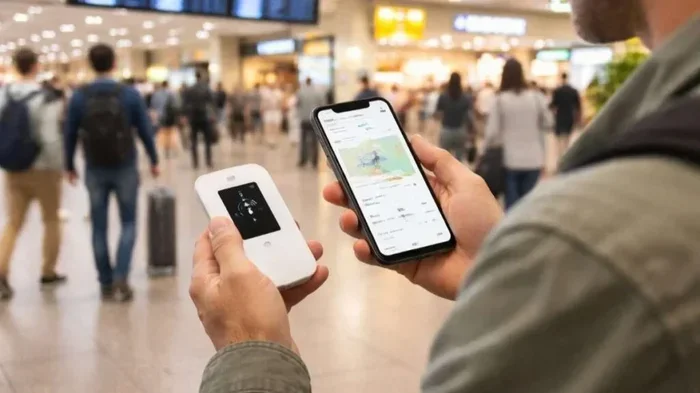
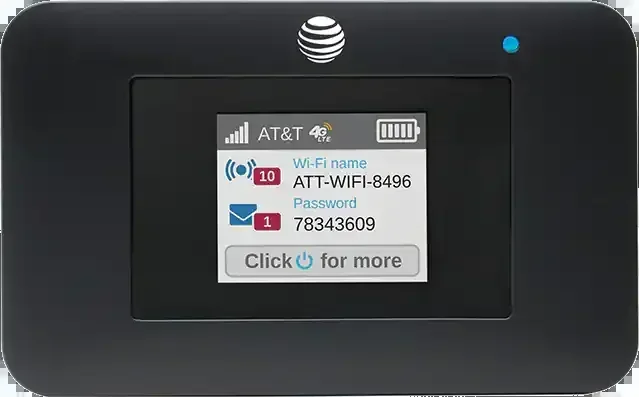
Beyond home and public hotspots, you can also use ATT WiFi on the go through your phone’s mobile hotspot feature. If you have an AT&T mobile plan with enough data, you can turn your phone into a WiFi hotspot and share its connection with other devices. This is a great backup option when ATT WiFi hotspots are not available.
How to Connect to ATT WiFi Anywhere
Connecting to ATT WiFi is straightforward once you know the steps. Whether you are at home, at a coffee shop, or at the airport, the process is similar. Let us walk through it.
Step-by-Step Connection Guide
- Turn on WiFi on your device: Go to your settings and enable WiFi. Your phone or laptop will start scanning for available networks.
- Find the ATT WiFi network: Look for a network named “attwifi” or “ATT WiFi” in the list of available networks.
- Tap or click to connect: Select the network and wait for the login page to load. If it does not load automatically, open a browser and visit any website.
- Log in with your AT&T credentials: Enter your AT&T account username and password. If you are a new user, you may need to create an account first.
- Accept the terms and connect: Once logged in, accept any terms of service, and you should be online.
That is it. In just a few taps, you are connected to ATT WiFi and ready to browse. The whole process usually takes less than a minute.
Using the ATT WiFi App
The AT&T WiFi app makes connecting even easier. It automatically finds hotspots near you and handles the login process in the background. You can also use the app to manage your home gateway, check WiFi signal strength, and run a WiFi speed test right from your phone.
The app is available for both iOS and Android devices. Once installed, it runs in the background and alerts you when a new AT&T hotspot is within range. This is one of the best ways to stay connected to ATT WiFi without thinking about it.
Expert Insights
According to networking experts, using the AT&T WiFi app is the single best way to simplify your hotspot experience. The app handles WiFi password recovery and automatic reconnection, which saves you time and frustration. Many users also recommend enabling the “auto-connect” feature so your device always joins ATT WiFi networks without manual input.
Connecting Multiple Devices
One great thing about ATT WiFi is that you can connect multiple devices to the same network. Whether it is your phone, tablet, laptop, or smart TV, they can all use the same WiFi connectivity. Just make sure your AT&T plan supports multiple devices, as some plans have limits on the number of simultaneous connections.
ATT WiFi Plans and Coverage Options
Not all AT&T Internet plans are the same, and the plan you choose affects your ATT WiFi experience. Let us look at the different options available and what they mean for your connectivity.
Comparing ATT WiFi Plans
| Plan Type | Speed Range | Best For | Hotspot Access |
|---|---|---|---|
| AT&T Internet 100 | Up to 100 Mbps | Light browsing and email | Basic hotspot access |
| AT&T Internet 300 | Up to 300 Mbps | Streaming and video calls | Full hotspot access |
| AT&T Fiber 300 | Up to 300 Mbps | Fast home WiFi | Full hotspot access |
| AT&T Fiber 5000 | Up to 5 Gbps | Heavy usage and large households | Premium hotspot access |
As you can see, higher-tier plans give you better speeds and more robust hotspot access. If you travel frequently or rely on ATT WiFi outside your home, an AT&T Internet plan with at least 300 Mbps is a smart choice. The fiber options offer the most consistent WiFi signal strength and the lowest latency.
AT&T WiFi for Businesses
AT&T also offers WiFi solutions for businesses. These include managed WiFi gateways, enterprise-grade hotspots, and dedicated support. If you run a business and want to provide WiFi connectivity to customers, AT&T has plans designed for that purpose. The business options come with enhanced security features and detailed usage analytics.
AT&T WiFi Add-Ons
Some AT&T plans include add-ons like the AT&T Smart Home Manager, which lets you manage your ATT WiFi network from your phone. You can set parental controls, prioritize devices, and run WiFi speed tests with just a few taps. These add-ons are especially useful for households with multiple users and devices competing for bandwidth.
Tips for Better ATT WiFi Performance
Getting ATT WiFi is one thing. Getting the best performance out of it is another. Here are some practical tips that can make a real difference in your daily experience.
Placement Matters
Where you place your WiFi gateway has a huge impact on your WiFi coverage area. The best spot is usually in the center of your home, elevated off the floor, and away from walls and metal objects. Avoid placing the gateway near microwaves, cordless phones, or other electronics that can cause interference.
If your home is large, consider using a WiFi extender or mesh system to boost the signal. This ensures that every room gets strong WiFi connectivity without dead zones.
Use the Right Frequency Band
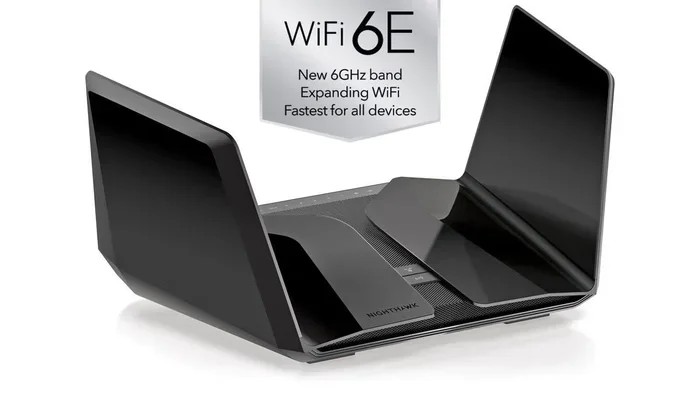
Most AT&T WiFi gateways broadcast on two frequency bands: 2.4 GHz and 5 GHz. The 2.4 GHz band has a longer range but slower speeds. The 5 GHz band is faster but has a shorter range. For the best ATT WiFi performance, connect devices that are close to the gateway to the 5 GHz band and use the 2.4 GHz band for devices that are farther away.
Regularly Update Your Gateway
AT&T periodically releases firmware updates for its WiFi gateways. These updates improve performance, fix bugs, and enhance security. Check the AT&T Smart Home Manager app regularly for available updates, and install them as soon as they are ready.
Run Regular Speed Tests
Use the WiFi speed test feature in the AT&T app or a third-party tool to check your connection quality. If you notice speeds dropping significantly, it may be time to reposition your gateway, reduce the number of connected devices, or contact AT&T support for help.
Quick Tips for Better Performance
- Restart your gateway once a month to clear cached data and refresh connections.
- Limit the number of devices connected during high-usage activities like video streaming.
- Use an ethernet cable for devices that need the most stable connection, like desktop computers.
- Set up a guest network for visitors to keep your main ATT WiFi network secure and fast.
Troubleshooting Common ATT WiFi Issues
Even with the best setup, you may run into issues with ATT WiFi from time to time. The good news is that most problems are easy to fix. Here are the most common issues and how to resolve them.
WiFi Keeps Disconnecting
If your ATT WiFi connection drops frequently, the first thing to check is your gateway’s placement. Walls, furniture, and other obstacles can weaken the signal. Also, make sure your gateway firmware is up to date. A simple restart — unplug the gateway, wait 30 seconds, and plug it back in — often fixes intermittent disconnections.
Slow WiFi Speeds
Slow speeds can be caused by several factors. Too many devices on the network is a common culprit. Try disconnecting devices you are not using and see if speeds improve. You can also run a WiFi speed test to identify the problem. If speeds are still slow after troubleshooting, contact AT&T support for further assistance.
Cannot Find ATT WiFi Hotspots
If you cannot see any AT&T hotspots nearby, your device’s WiFi settings may be misconfigured. Make sure WiFi is turned on and that your device is set to discover new networks. You can also check the AT&T WiFi map in the app to see if there are hotspots in your area. Sometimes, restarting your device’s WiFi adapter helps too.
Forgot WiFi Password
If you forget your ATT WiFi password, do not worry. You can find it on the bottom of your WiFi gateway or in the AT&T Smart Home Manager app. If you have changed the password and forgotten it, you can reset the gateway to factory settings, which restores the default credentials.
Common Mistakes to Avoid
- Ignoring error messages: Your device will often tell you exactly what is wrong. Read the error carefully before troubleshooting.
- Not restarting the gateway: A simple restart solves the majority of WiFi troubleshooting issues.
- Using outdated devices: Older devices may not support the latest WiFi standards, which can limit your speeds.
Final Thoughts
ATT WiFi is a powerful tool that keeps you connected at home, at work, and on the go. Whether you are streaming a movie, attending a video call, or just browsing the web, ATT WiFi gives you the freedom to stay online without worrying about data limits. With millions of hotspots across the country and reliable home gateways, AT&T has built a WiFi network that truly reaches far and wide.
The key to getting the most out of ATT WiFi is understanding how it works and taking a few simple steps to optimize your setup. Use the AT&T WiFi app, place your gateway wisely, keep your firmware updated, and know how to troubleshoot common issues. Follow these tips, and you will enjoy fast, reliable WiFi connectivity wherever ATT WiFi is available.
So yes, you can absolutely connect to ATT WiFi almost anywhere. Now that you know how, go ahead and make the most of it. Stay connected, stay productive, and let ATT WiFi handle the rest.
Frequently Asked Questions
Is ATT WiFi free to use?
For AT&T Internet subscribers, connecting to AT&T WiFi hotspots is typically free as part of your plan. However, some public ATT WiFi hotspots may require a paid subscription if you are not an AT&T customer. Always check the terms before connecting to a public WiFi network.
How do I find ATT WiFi hotspots near me?
The easiest way is to use the AT&T WiFi app, which shows you a map of available hotspots in your area. You can also check the AT&T website for a WiFi coverage map. Simply turn on your device’s WiFi and look for the “attwifi” network in the list of available networks.
Can I use ATT WiFi outside my home?
Yes, you can. ATT WiFi hotspots are located in many public places including airports, malls, restaurants, and parks. As long as you have an eligible AT&T plan, you can connect to these hotspots for free and enjoy WiFi connectivity on the go.
Do I need a special plan for ATT WiFi?
Most AT&T Internet plans include access to AT&T WiFi hotspots at no extra cost. However, the number of hotspot connections and speeds may vary by plan. Check with AT&T to confirm what your specific plan includes and whether it supports the level of WiFi coverage you need.
How secure is ATT WiFi?
AT&T uses encryption and secure login processes to protect your data when you connect to ATT WiFi hotspots. However, it is always a good idea to avoid accessing sensitive information like banking details on public WiFi networks unless you are using a VPN for extra protection.
What should I do if ATT WiFi is not working?
Start by restarting your device and your WiFi gateway. Check that you are within range of a hotspot and that your AT&T account is active. If the problem persists, use the AT&T Smart Home Manager app to run diagnostics or contact AT&T customer support for help with WiFi troubleshooting.