Can You Track A Laptop By Ip Address And Locate It Fast
Yes, you can track a laptop by IP address, but the accuracy depends on several factors like network type and ISP cooperation. IP tracking can reveal a general location, but it rarely pinpoints an exact address. Understanding how IP address tracking works helps you set realistic expectations and take faster action if your device goes missing.
This is a comprehensive guide about Can You Track A Laptop By Ip Address.
Key Takeaways
- A public IP address can reveal a general geographic area: typically the city or region, not the exact street address.
- Your ISP holds the most accurate location data: they can map an IP to a specific account and address when needed.
- IP tracking has real limits: VPNs, proxies, and dynamic IPs make precise tracking difficult.
- Combining IP tracking with other methods works best: use GPS, Wi-Fi triangulation, and device-finding tools together.
- Act fast if your laptop is stolen: report to police, contact your ISP, and use tracking software immediately.
- Protect your device proactively: enable tracking features, use strong passwords, and keep records of your IP and MAC address.
[FEATURED_IMAGE_PLACEHOLDER]
Can You Track A Laptop By IP Address And Locate It Fast
Laptops go missing every day. They get stolen from coffee shops, left in airports, or simply disappear from a bedroom desk. When that happens, one of the first things people search for is can you track a laptop by IP address. The short answer is yes, but the full story is more nuanced than most guides make it sound.
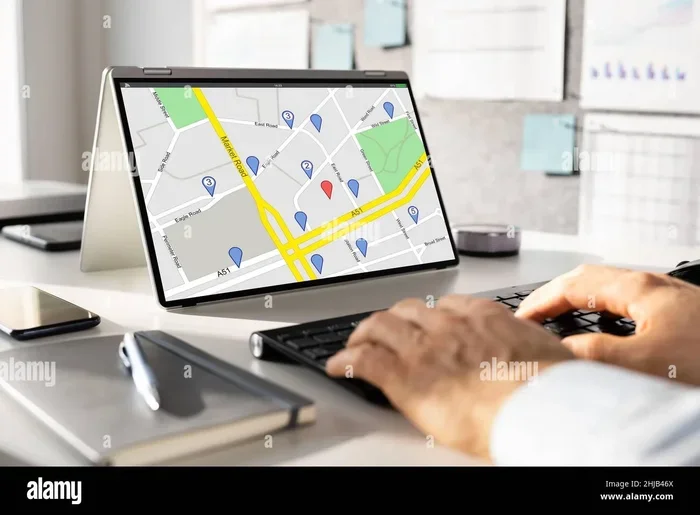
Tracking a laptop through its IP address is not like in the movies where a dot appears on a map within seconds. Real-world IP address tracking gives you a general area. Sometimes it narrows things down to a city or neighborhood. Other times, it only points to the internet service provider. But that general area can still be valuable when you need to locate a stolen laptop fast.
This guide walks you through everything you need to know. We cover how IP geolocation works, what tools you can use, where the limits are, and what steps to take right now if your laptop is missing. Whether you are dealing with a lost work computer or a stolen personal device, understanding network tracing gives you a real advantage.
Let us get into it. By the end, you will know exactly what IP tracking can and cannot do for you.
What Is An IP Address And How Does It Work
Before we answer can you track a laptop by IP address, it helps to understand what an IP address actually is. Think of it like a return address on a letter. Every device that connects to the internet gets a unique number that identifies it. That number is the IP address.
There are two types of IP addresses. A public IP address is what your router shows to the outside world. It is the address websites and online services see when you visit them. A private IP address stays inside your home network. Your router assigns it to each device, like your laptop, phone, or smart TV.
When you browse the web, your laptop sends requests using the public IP. That is how websites know where to send the data back. Your digital footprint grows every time you connect. Each connection leaves a trace tied to that IP.
Dynamic vs Static IP Addresses
Most home users have a dynamic IP address. This means your ISP assigns a new one each time your router restarts or after a set period. Static IPs stay the same, and they are more common with business connections.
Dynamic IPs make tracking harder over time. If your laptop’s IP changed yesterday, old records may not help you today. Static IPs are easier to trace because they stay fixed. But both types can be used for IP lookup and basic location tracking.
How ISPs Assign IP Addresses
Internet service providers manage pools of IP addresses. When you connect, your router borrows one from that pool. The ISP keeps logs of which IP was assigned to which customer and when. These logs are the key to accurate IP address location tracking.
Without ISP records, a trace IP address tool can only guess your location based on regional databases. With those records, the picture becomes much clearer.
Can You Track A Laptop By IP Address
So, can you track a laptop by IP address? Yes, but the results depend on what kind of tracking you need and what tools you use.
A basic IP lookup tool can tell you the general region tied to an IP. These tools use databases that map IP ranges to geographic areas. They are free, fast, and widely available. But they are not precise. They might show a city or a zip code, but rarely a street address.
For more accurate results, you need access to ISP data. Law enforcement agencies can request these logs from providers. Private citizens usually cannot. This is the biggest gap in IP tracking for everyday users.
What IP Tracking Can Reveal
Here is what a standard IP address tracking process can typically show:
- City or metropolitan area where the IP is registered
- Internet service provider name
- Time zone associated with the IP
- Approximate latitude and longitude coordinates
- Network type (residential, business, or mobile)
That is useful information. If your laptop was last seen in Austin, Texas, and the IP shows a connection from Austin, you have a starting point. But it will not give you the exact house or apartment.
What IP Tracking Cannot Reveal
It is equally important to know what IP geolocation cannot do. It cannot:
- Give you a precise street address or GPS coordinates
- Work through a VPN or proxy server
- Track a laptop that is turned off or offline
- Identify the specific user without ISP records
- Bypass privacy protections built into modern networks
Many people overestimate what IP address tracking can do. They expect it to work like GPS. It does not. But used the right way, it still provides a valuable starting point.
How IP Tracking Works In Practice
When someone asks can you track a laptop by IP address, they usually want to know the real-world process. How does tracking actually happen? Let us walk through it.
Every time your laptop connects to the internet, it communicates through a series of network nodes. Each node can log the incoming and outgoing traffic. Your IP address travels with every request. Websites, email services, and online platforms all see it.
Using IP Lookup Tools
The simplest way to check an IP is through a free IP lookup service. Sites like IPinfo, MaxMind, and WhatIsMyIPAddress let you enter an IP and get a location estimate.
These tools rely on IP geolocation databases. Those databases are built by collecting data from multiple sources. They include ISP registration records, Wi-Fi network data, and user-submitted location reports. The result is a rough but often useful estimate.
For example, if you run a trace IP address search and get a result showing “Dallas, Texas,” you now know the connection is coming from that region. That is actionable information.
Wi-Fi Network Triangulation
Another method uses nearby Wi-Fi networks. When a laptop connects to Wi-Fi, it can reveal the router’s location. Companies like Google and Apple have mapped millions of Wi-Fi access points worldwide. This data feeds into IP geolocation systems and improves accuracy.
If your laptop connects to a known Wi-Fi network, the network tracing process can narrow the location further. This is why tracking works better in dense urban areas than in rural ones.
Tracking Through Email and Online Services
Every time your laptop checks email, loads a webpage, or uses a cloud service, it exposes its IP address. These digital breadcrumbs create a trail. Security teams and investigators use this trail to build a picture of where a device has been.
If your laptop was last active on a specific platform, that platform may have logs showing the IP used. Combined with IP lookup data, this gives you a timeline of location.
Limitations Of IP Address Tracking
Understanding the limits of IP tracking is just as important as knowing what it can do. Several factors reduce accuracy and make fast location difficult.
VPNs and Proxies
A VPN masks your real IP address. When you use one, websites and trackers see the VPN server’s IP instead of yours. That IP might be in a different country, state, or city entirely.
This is the number one reason IP geolocation fails to find a device. If someone uses a VPN, the trace IP address leads to the VPN provider, not the actual location.
Dynamic IP Addresses
As mentioned earlier, most home connections use dynamic IPs. These change periodically. An IP you tracked yesterday may belong to a completely different household today.
This makes historical tracking unreliable. You need current, real-time data to get meaningful results from network tracing.
NAT and Shared Networks
In home and office networks, multiple devices share one public IP through a process called NAT. If your laptop connects through a shared network, the IP address location points to the router, not your specific device.
This is why device tracking works best when combined with other methods. IP alone cannot distinguish between devices on the same network.
Mobile and Cellular Networks
Laptops with cellular connections use IPs assigned by mobile carriers. These IPs often route through centralized gateways, making location estimates less accurate. A trace IP address on a mobile network might show a regional hub instead of the actual user location.
What To Do If Your Laptop Gets Stolen
Knowing can you track a laptop by IP address is one thing. Acting on it is another. If your laptop is stolen or lost, here is what you should do right away.
Step 1: Use Built-In Tracking Tools
Both Windows and macOS have built-in device tracking. Windows offers “Find My Device.” Mac users have “Find My Mac.” These tools use a combination of GPS, Wi-Fi, and IP data to locate your laptop.
Make sure these features are turned on before you need them. They are your first line of defense when answering can you track a laptop by IP address in a real emergency.
Step 2: Check Your IP Logs
If you have a router with logging enabled, check it for recent connections. Your router may show which IP address your laptop used and when it last connected.
You can also check your email, cloud storage, and streaming services for login activity. Each login reveals the IP used, giving you more data points for IP geolocation.
Step 3: Contact Your ISP
Your internet service provider can look up which customer a specific IP was assigned to. If the laptop is connected to your home network, the ISP can help identify the location.
For stolen devices, you will likely need to file a police report first. Law enforcement can then request ISP records on your behalf.
Step 4: Report To Authorities
File a police report with the IP address and any location data you have gathered. Even rough coordinates from IP lookup tools can help police narrow their search.
Include your laptop’s serial number, MAC address, and any other identifying information. The more data you provide, the better the chances of recovery.
Protecting Your Laptop And Privacy
Prevention is always better than tracking. Here are steps to protect your laptop and improve your chances if it ever goes missing.
Enable Tracking Features Now
Go to your device settings and turn on location tracking and remote wipe features. Both Windows and macOS let you lock, track, and erase a lost device from the cloud.
These features rely on GPS and Wi-Fi data, not just IP address tracking. They are far more accurate and should always be your primary tool.
Keep Records Of Your Device
Write down your laptop’s serial number, MAC address, and model details. Store this information somewhere safe outside your home. If your laptop is stolen, you will need these details for police reports and insurance claims.
Use Strong Authentication
A strong password and two-factor authentication make it harder for thieves to access your data. Even if they have the physical laptop, they cannot easily reach your files or cloud accounts.
Be Careful With Public Wi-Fi
Public Wi-Fi networks are convenient but risky. They expose your IP address and can make your device an easier target. Use a trusted VPN when connecting in public places.
Ironically, while a VPN hides your IP from trackers, it also protects your data from snoopers on the same network. It is a two-for-one benefit for online privacy.
Back Up Your Data Regularly
If your laptop is ever stolen, the data matters more than the hardware. Regular backups ensure you do not lose important files, photos, or documents.
Use cloud backup services or an external drive. This way, even if you never recover the device, your information stays safe.
Expert Insights On IP Tracking Accuracy
Cyber security professionals often get asked, can you track a laptop by IP address, and their answer is always the same. It depends. IP tracking is a tool, not a magic solution.
Expert investigators combine IP geolocation with other data sources. They look at Wi-Fi records, cell tower data, device fingerprints, and ISP logs. No single method works alone. The combination is what leads to real results.
For everyday users, the best approach is to set up tracking tools in advance. Do not wait until your laptop is missing. Having Find My Device enabled, keeping your IP records handy, and knowing your ISP’s policies can make a huge difference.
Also, understand that online privacy tools like VPNs work both ways. They protect you from tracking, but they also make it harder for you to track a lost device. Balance is key.
The takeaway is simple. IP address tracking is a useful first step, not a complete solution. Pair it with other methods and you will give yourself the best chance of locating your laptop quickly.
Conclusion
So, can you track a laptop by IP address? The answer is yes, with important caveats. IP tracking can reveal a general location, identify your ISP, and give you a starting point for recovery. But it cannot give you an exact address or work through VPNs and proxies.
The best approach combines IP address tracking with built-in device tools, ISP cooperation, and smart preventive measures. Enable tracking features now, keep your device records safe, and act quickly if anything goes wrong.
Knowing how IP geolocation works puts you ahead of most people. You do not need to be a tech expert. You just need to understand the basics and have a plan in place. Your laptop is a valuable asset, and being prepared is the best way to protect it.
Take five minutes today to check your tracking settings. Write down your device details. It is a small effort that can pay off big time if you ever need to locate a stolen laptop fast.
FAQs
Can police track a laptop using its IP address?
Yes, police can request ISP logs that show which customer was assigned a specific IP at a given time. This requires a legal request like a subpoena or court order. The ISP can then provide the account holder’s name, address, and connection details tied to that IP.
How accurate is IP geolocation for finding a laptop?
IP geolocation is usually accurate to the city or metropolitan area level. It rarely provides a precise street address. Accuracy depends on the ISP, the type of connection, and whether the IP is static or dynamic. Urban areas tend to have better accuracy than rural ones.
Does a VPN stop IP tracking of my laptop?
Yes, a VPN masks your real IP address by routing your traffic through a server in another location. Websites and trackers see the VPN server’s IP instead of yours. This makes it very difficult to trace the laptop back to its actual physical location using IP alone.
Can I track a laptop that is turned off using its IP?
No, you cannot track a laptop by IP if it is turned off or disconnected from the internet. IP tracking only works when the device is actively connected to a network. Once the laptop is off, there is no IP address to trace.
What is the difference between IP tracking and GPS tracking for laptops?
IP tracking uses the internet address to estimate a general location, usually to the city level. GPS tracking uses satellite signals to pinpoint the exact location, often within a few meters. GPS is far more accurate, but it requires the laptop to have GPS hardware and an active connection.
How can I find my stolen laptop using its IP address?
Start by checking your router logs or online service activity for the last IP your laptop used. Run that IP through a lookup tool to get a general area. Contact your ISP with the IP details and file a police report. Combine this with built-in tracking tools like Find My Device for the best chance of recovery.
Frequently Asked Questions
What is Can You Track A Laptop By Ip Address?
Can You Track A Laptop By Ip Address is an important topic with many practical applications.