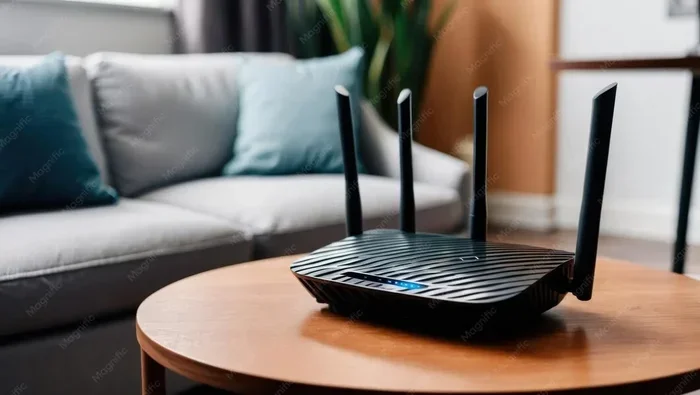
Can I Just Move My Wifi Router to Another Room Easily
Yes, you can just move your wifi router to another room, but the results depend on your home layout, walls, and distance from the modem. Moving your router can improve signal in some areas while creating dead zones in others. This guide walks you through everything you need to know before relocating your wifi router, including the impact on internet speed, wireless coverage, and practical solutions like mesh networks and WiFi extenders.
Have you ever walked into a room and noticed your phone shows full bars, but the internet barely loads? Or maybe your home office sits in a corner where the WiFi signal just disappears? You are not alone. Millions of people deal with poor wireless coverage every single day.
The obvious fix seems simple. Just move the wifi router to a better spot, right? Maybe to another room, closer to where you actually use the internet. And yes, you absolutely can move your wifi router to another room. But the real question is whether it will actually solve your problems. That is what we are going to explore in this article.
We will look at what happens when you relocate your router, the common mistakes people make, and the best solutions when a simple move is not enough. By the end, you will know exactly what to do to get the best possible home network setup for your space.
Key Takeaways
- Moving your router is simple physically, but the results vary based on walls, distance, and your home’s construction materials.
- WiFi signal strength weakens through thick walls and long distances, so placement matters more than people think.
- A mesh WiFi system is the best solution if you need strong coverage across multiple rooms or floors.
- Common problems after moving include slower speeds, dead zones, and connectivity drops that are easy to fix.
- Use an Ethernet cable or powerline adapter to maintain a strong backhaul connection when relocating your router.
- Test your network before and after moving to measure the real impact on performance.
- Avoid hidden spots and enclosed spaces that block signal and reduce your wireless coverage.
📑 Table of Contents
- Why People Move Their WiFi Router
- What Happens When You Move Your WiFi Router
- How to Move Your WiFi Router to Another Room
- Common Problems After Moving Your Router
- Solutions to Improve WiFi After Relocating
- Comparison: Router Placement Options
- When to Consider a Mesh WiFi System Instead
- Final Thoughts on Moving Your WiFi Router
Why People Move Their WiFi Router
There are many reasons someone wants to relocate their wifi router. Some are practical. Some are desperate. Let us look at the most common ones.
Dead Zones in the House
The number one reason people think about moving their router is dead zones. These are spots in your home where the WiFi signal just does not reach. Maybe your bedroom on the second floor has no connection at all. Or perhaps your backyard gets zero bars. A dead zone can be incredibly frustrating, especially if you work from home or stream movies in that room.
Better Internet Speed Where You Need It
Sometimes the router is tucked away in a closet or a basement. The signal has to fight through multiple walls before it reaches your living room or kitchen. Moving the router closer to where you actually use the internet can make a big difference in WiFi performance and daily browsing speed.
Aesthetics and Clutter
Let us be honest. Routers are not the prettiest devices. Many people hide them behind furniture or inside cabinets. But hiding your router actually hurts the signal strength. So some people move it to a more open, central location just to improve both looks and function.
ISP Equipment Placement
Internet service providers often place the modem and router in whatever spot makes their technician’s job easy. That spot might be near the main cable entry point, which is usually not ideal for wireless coverage throughout your home. After the technician leaves, many homeowners realize they need to move things around.
What Happens When You Move Your WiFi Router
Moving your wifi router to another room is not complicated physically. You unplug it, carry it to the new spot, and plug it back in. But the impact on your home network can be surprising. Here is what typically happens.
Signal Strength Changes
The further your router is from your devices, the weaker the WiFi signal becomes. Walls, floors, furniture, and even water pipes can absorb or block the signal. Moving your router one room closer to your main usage area can boost signal strength significantly. But moving it too far away can create new problems.
Speed May Improve or Drop
Internet speed depends on more than just the router. Your broadband connection speed from your ISP matters too. However, the distance between your router and your device plays a huge role in how fast your wireless connection actually feels. A closer router usually means faster real-world speeds, especially for activities like video streaming and online gaming.
Interference From Other Devices
Every home has devices that create signal interference. Microwaves, baby monitors, cordless phones, and even Bluetooth speakers can disrupt your WiFi network. When you move your router, you might accidentally place it closer to one of these devices. That can cause connectivity issues and slow down your network range.
Modem Connection Matters
If you have a separate modem and router, moving the router means you need to connect it back to the modem. A long Ethernet cable works fine, but it can be messy. Some people use powerline adapters or even MoCA adapters to maintain a strong wired connection between the modem and the relocated router. This keeps your backhaul connection fast and stable.
How to Move Your WiFi Router to Another Room
Ready to relocate your router? Follow these steps to make the process smooth and effective.
Step 1: Find the Best Location
Before you move anything, think about where you actually need the strongest signal. Consider these factors:
- Central location: Place the router in the middle of your home if possible. This gives the most even wireless coverage.
- Elevated position: Put the router on a shelf or table. Signals spread better downward than sideways.
- Open space: Avoid closets, cabinets, and behind TVs. These block the WiFi signal and reduce performance.
- Away from interference: Keep the router away from microwaves, metal objects, and thick appliances.
- Near a power outlet: Make sure the new spot has easy access to electricity.
Step 2: Disconnect and Move
Unplug the router from its current spot. If you have a separate modem, note which port the router connects to. Take a photo before disconnecting anything so you remember the setup. Carry the router carefully to the new location.
Step 3: Reconnect Everything
Plug the router back in at the new spot. If you need a longer Ethernet cable to reach the modem, grab one that is long enough. Avoid running cables across doorways or high-traffic areas where they can become a tripping hazard.
Step 4: Power On and Test
Turn the router back on. Wait about two minutes for it to fully start up. Then test your WiFi performance in different rooms. Use a speed test app on your phone or laptop to check internet speed and signal strength in multiple locations.
Quick Tip: Use a free app like WiFi Analyzer or NetSpot to map the signal strength throughout your home before and after moving the router. This gives you a clear picture of the improvement.
Common Problems After Moving Your Router
Not every router move goes perfectly. Here are the most common issues people run into and why they happen.
Slower Speeds in Previously Good Spots
This is the classic trade-off. You improve the signal in one room but lose it in another. If your router was originally in a central location and you moved it to a corner room, the rest of the house might suffer. Wireless coverage is all about balance.
New Dead Zones Appear
Moving the router can create entirely new dead zones. Rooms that had good signal before might now have none. This often happens when the new location has more walls between the router and the far rooms.
Frequent Disconnects
If the WiFi signal has to travel further or pass through more obstacles, devices may drop the connection more often. This is especially true for older devices with weaker WiFi adapters.
Channel Congestion
Sometimes moving the router changes how it interacts with your neighbors’ networks. If you live in an apartment building, channel congestion can cause slowdowns. You may need to change your router’s channel settings after relocating.
Common Mistakes to Avoid:
- Hiding the router inside a closed cabinet or drawer.
- Placing the router directly on the floor.
- Moving it near a large metal appliance or fish tank.
- Forgetting to restart the router after relocation.
- Not testing the new setup thoroughly before committing.
Solutions to Improve WiFi After Relocating
If moving your router alone does not fix the problem, do not worry. There are several effective solutions.
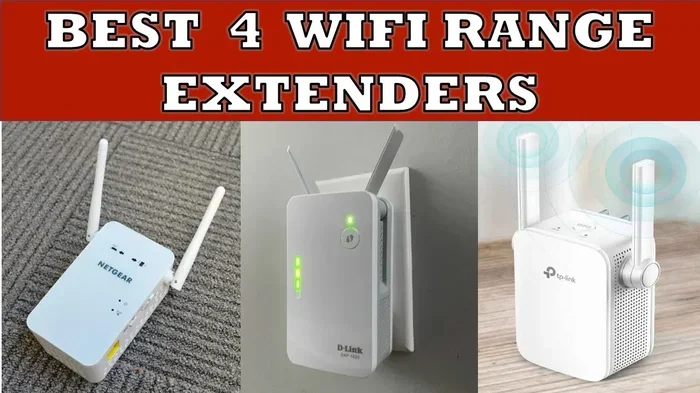
Use a WiFi Extender or Repeater
A WiFi extender picks up the existing signal and rebroadcasts it to areas that are too far away. These devices are affordable and easy to set up. They work best when placed halfway between the router and the area with weak signal.
Upgrade to a Mesh WiFi System
A mesh WiFi system replaces your single router with multiple nodes placed around your home. Each node creates a strong, seamless wireless access point. Mesh systems are the best solution for larger homes or homes with thick walls that block signal. Popular options include Google Nest WiFi, Eero, and TP-Link Deco.
Run an Ethernet Cable
If you have a smart TV, gaming console, or desktop computer in a room with weak signal, running a long Ethernet cable can give you a direct, fast connection. This bypasses WiFi limitations entirely for that device.
Use Powerline Adapters
Powerline adapters use your home’s existing electrical wiring to carry the internet signal from the router to another room. You plug one adapter near the router and another in the room that needs better coverage. It is an easy way to extend your network range without running cables through walls.
Update Router Firmware and Settings
Sometimes the fix is just a settings change. Update your router’s firmware to the latest version. Switch to the less crowded WiFi channel. Enable band steering if your router supports it. These small tweaks can significantly improve WiFi performance after a move.
Expert Insight: According to networking professionals, the ideal spot for a wifi router is in a central, elevated, open area on the main floor of your home. If you have a two-story house, placing the router near the staircase helps the signal reach both floors more evenly.
Comparison: Router Placement Options
Not sure where to place your router? Here is a quick comparison of common placement options and their pros and cons.
| Placement Option | Pros | Cons |
|---|---|---|
| Central Living Room | Best overall wireless coverage, even signal distribution | May not be convenient, visible to guests |
| Home Office | Great speed for work tasks, low interference | Poor coverage in living areas and bedrooms |
| Basement | Hidden and out of the way | Signal struggles to reach upper floors, concrete blocks signal |
| Second Floor | Good coverage for upper rooms | Weak signal in basement and ground floor |
| Near Modem (Same Room) | Strongest possible wired backhaul, best speeds | Limits router placement flexibility |
When to Consider a Mesh WiFi System Instead
Sometimes moving the router is not enough. If your home is larger than 2,000 square feet, has multiple floors, or has thick brick or concrete walls, a single wifi router simply cannot cover everything well. In these cases, a mesh WiFi system is the real solution.
A mesh system uses two or three nodes that work together to blanket your entire home with strong WiFi signal. Unlike a traditional router plus extender setup, mesh systems create one seamless network. Your devices switch automatically between nodes without dropping the connection.
Mesh WiFi systems are especially helpful for families with many connected devices. Smart TVs, phones, tablets, smart home gadgets, and gaming consoles all compete for bandwidth. A mesh system handles this load much better than a single router, no matter where you place it.
If you have tried moving your router and still experience connectivity issues, it is probably time to invest in a mesh setup. The cost is reasonable, and the improvement in wireless coverage is dramatic.
Final Thoughts on Moving Your WiFi Router
So, can you just move your wifi router to another room? Absolutely yes. It is one of the simplest and cheapest ways to improve your home network. But it is not a magic fix for every situation. The key is understanding your home’s layout, testing the signal strength before and after, and being willing to try different spots until you find the sweet spot.
If a simple move does not solve your WiFi problems, there are plenty of affordable tools to help. WiFi extenders, powerline adapters, and mesh WiFi systems all offer real solutions for better wireless coverage. Start with the simplest fix first, and scale up if needed.
Take some time today to evaluate where your router sits right now. Walk through your home and note the dead zones and the spots with great signal. Then try relocating your router to a more central, open area. You might be surprised at how much better your internet speed and WiFi performance can be with just a simple move.
The best home network setup is one that works for your specific space and your daily habits. Do not settle for weak signal and slow loading times when a better placement might be all you need.
Frequently Asked Questions
Can moving my WiFi router really improve my internet speed?
Yes, moving your router can improve your real-world internet speed, especially if the current location is far from where you use the internet. Walls, floors, and distance all weaken the WiFi signal, which slows down your connection. A better placement means a stronger signal and faster speeds at your devices.
How far can a WiFi router reach through walls?
A standard wifi router can reach about 150 feet indoors in open space. But thick walls, especially those made of brick, concrete, or metal, can cut that distance significantly. Each wall the signal passes through reduces its strength, which is why router placement matters so much for wireless coverage.
Do I need any special equipment to move my router to another room?
Usually no. You just need the router, a power outlet, and possibly a longer Ethernet cable to connect it back to the modem. If the new room is far from the modem, consider a powerline adapter or a short Ethernet cable run. A mesh WiFi system is helpful if you need coverage across a larger area.
Will moving my router to a different floor help or hurt my WiFi?
It depends on your home. Moving the router to the main floor usually helps because it is more central. Moving it to the second floor might help upper rooms but hurt the basement. The best approach is to test the signal strength in multiple spots after moving it to find the best floor for your home network setup.
How do I know if my router placement is bad?
Signs of bad router placement include slow speeds in certain rooms, frequent disconnects, weak signal bars on your devices, and dead zones where the WiFi does not work at all. If you notice these issues, try moving the router to a more central, open, and elevated location to improve WiFi performance.
Is a mesh WiFi system worth it if I just move my router?
If moving your router solves your problem, a mesh system is not necessary. But if you still have dead zones or weak signal after relocating, a mesh WiFi system is a worthwhile investment. It provides strong, even wireless coverage throughout your entire home and handles many connected devices with ease.