Can I Use A Bluetooth Smartwatch Without A Phone At All
Yes, you can use a Bluetooth smartwatch without a phone, but the experience depends on the watch model and features you need. Many modern smartwatches offer standalone capabilities like GPS tracking, music playback, and fitness monitoring even when your phone is nowhere nearby. However, full functionality typically requires a connected smartphone for calls, app downloads, and syncing data.
Can I use a Bluetooth smartwatch without a phone? This is one of the most common questions people ask before buying a smartwatch. The short answer is yes, but with some important caveats. How much you can do without a phone depends on the watch you choose, its features, and what you want to accomplish.
Smartwatches have come a long way in the last few years. What used to be a simple notification screen for your phone has turned into a full-fledged wearable device. Today, many models can track your workouts, play music, and even make calls all on their own. But not every smartwatch handles offline use the same way. Some need a constant phone connection, while others work just fine on their own.
In this guide, we will walk through everything you need to know about using a Bluetooth smartwatch without a phone. We will cover what works, what does not, and which watches give you the most freedom. Whether you are a runner who hates carrying a phone or just curious about standalone features, this article has you covered.
Key Takeaways
- Standalone Use Is Possible: Many Bluetooth smartwatches can work independently for fitness tracking, timekeeping, and music playback.
- GPS Works Without a Phone: Most smartwatches have built-in GPS so you can track your runs and walks outdoors without carrying your phone.
- LTE Models Offer More Freedom: Cellular or LTE smartwatches let you make calls and stream data without any phone nearby.
- Bluetooth Range Matters: Standard Bluetooth has a range of about 30 feet, so your phone must be nearby for most connected features.
- App Support Varies by Brand: Apple Watch, Samsung Galaxy Watch, and Wear OS devices each handle offline use differently.
- You Still Need Periodic Syncing: Even standalone watches need occasional phone connections to update data and download new features.
📑 Table of Contents
- What Does It Mean to Use a Smartwatch Without a Phone?
- Features That Work Without a Phone
- Features That Require a Phone Connection
- Which Smartwatches Work Best Without a Phone?
- How to Set Up a Smartwatch for Offline Use
- Common Mistakes People Make With Offline Smartwatch Use
- Expert Tips for Maximizing Your Standalone Smartwatch Experience
- Final Thoughts
What Does It Mean to Use a Smartwatch Without a Phone?
When we say “using a smartwatch without a phone,” we mean the watch operates independently. It does not need to be within Bluetooth range of your smartphone. You can wear it on a run, a hike, or a trip to the store, and it still functions fully. But the level of independence varies a lot from one device to another.
Some smartwatches are designed as companions to phones. They display notifications, control music, and show weather updates pulled from the phone. These watches become almost useless when the phone is out of range. Other smartwatches are built to stand on their own. They have their own internet connections, GPS chips, and storage. These are the ones that truly let you leave your phone behind.
Standalone vs. Companion Smartwatches
It helps to understand the difference between standalone and companion smartwatches. A companion smartwatch relies on a phone for almost everything. It shows notifications, syncs health data, and pulls up weather or news. Without the phone nearby, you are left with a basic watch face and a step counter.
A standalone smartwatch has its own modem, GPS, and sometimes even its own SIM card slot. It can connect to Wi-Fi or cellular networks. This means it can send messages, stream music, and track your location all without a phone in sight. The key difference comes down to connectivity options and onboard features.
Why People Want Phone-Free Smartwatch Use
There are many reasons people want to use a smartwatch without carrying a phone. Runners and gym-goers often find phones bulky and distracting. Parents tracking kids’ activity might prefer a watch that works on its own. Travelers sometimes want to leave their phone in a hotel room while exploring a new city. Whatever the reason, the demand for phone-free smartwatch use is growing fast.
Features That Work Without a Phone
Not all smartwatch features need a phone connection. Many core functions work just fine on their own. Here is a look at what you can typically do with a Bluetooth smartwatch without a phone nearby.
Timekeeping and Alarms
This is the most basic function, and every smartwatch handles it perfectly without a phone. Your watch keeps time using its own internal clock. You can set alarms, timers, and stopwatches with no phone needed at all. This alone makes a smartwatch useful even when your phone is dead or out of reach.
Fitness and Activity Tracking
Fitness tracking is one of the strongest standalone features on any smartwatch. Most devices come with built-in sensors that track steps, calories burned, heart rate, and sleep patterns. These sensors work independently. They do not need a phone connection to record your data. The watch stores the information in its own memory and syncs it to the phone later.
GPS tracking is a game-changer for outdoor workouts. A smartwatch with built-in GPS can map your running route, measure your distance, and track your pace all without a phone. You just start a workout, and the watch does the rest. This is one of the biggest reasons people buy standalone-capable smartwatches.
Music Playback
Many smartwatches let you store music directly on the device. You can download playlists from Spotify, Apple Music, or YouTube Music to the watch’s internal storage. Then, you can play that music through Bluetooth headphones without your phone anywhere in sight. This is perfect for gym sessions or runs where you do not want to carry anything extra.
Some watches also support streaming music over Wi-Fi. This means you can access your full music library online, even when your phone is not around. Just connect the watch to a known Wi-Fi network, and you are good to go.
Heart Rate and Health Monitoring
Modern smartwatches come packed with health sensors. Optical heart rate monitors, SpO2 sensors, and even ECG sensors work without a phone. The watch collects the data and saves it for later sync. Some watches can alert you to abnormal heart rates or irregular rhythms in real time, even when your phone is far away.
Features That Require a Phone Connection
While many features work standalone, some still need a phone. Understanding these limitations helps you set realistic expectations.
Notifications and Messaging
Most smartwatches display notifications by pulling them from your phone over Bluetooth. When the phone is out of range, you stop receiving new notifications. Some watches can handle this differently. LTE and Wi-Fi-enabled watches can receive notifications over a cellular or wireless network, even without the phone nearby.
However, standard Bluetooth-only watches will not show new text messages, emails, or app alerts when the phone is more than about 30 feet away. This is a key limitation to keep in mind when shopping for a phone-free smartwatch experience.
App Downloads and Updates
You cannot download new apps or update existing ones without a phone (or a Wi-Fi connection on select models). The watch relies on the phone’s app store to push new software. Some watches with LTE or Wi-Fi can download apps directly, but this is still limited to certain brands and operating systems.
Calls and Voice Assistants
Making phone calls from a smartwatch usually requires either a Bluetooth connection to the phone or a built-in cellular modem. A Bluetooth smartwatch without cellular support cannot place calls on its own. Voice assistants like Siri, Google Assistant, and Bixby also work better with a phone or Wi-Fi connection in most cases.
Which Smartwatches Work Best Without a Phone?
Not all smartwatches are created equal when it comes to standalone use. Some brands and models are designed to give you far more freedom than others. Here is a closer look at the top options.
Apple Watch Series (GPS + Cellular Models)
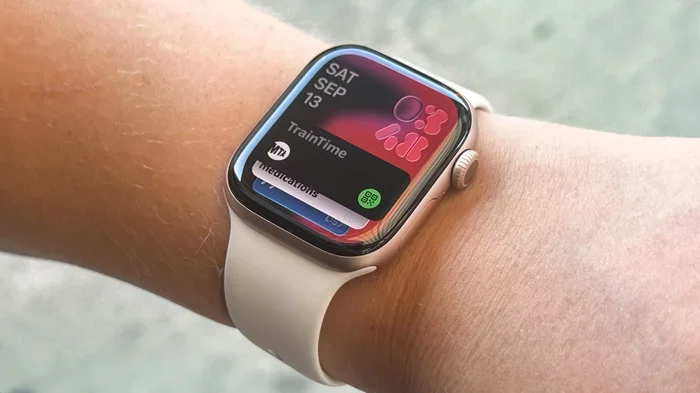
Apple Watch models with cellular support are among the best standalone smartwatches available. You can activate an eSIM on the watch and make calls, send texts, and stream music without your iPhone nearby. The built-in GPS and heart rate monitoring work perfectly offline. Apple Watch also supports offline Spotify and Apple Music playlists.
The main downside is that Apple Watch requires an iPhone for setup and most app management. If you are an Android user, an Apple Watch is not a viable option for you, phone or no phone.
Samsung Galaxy Watch (LTE Models)
Samsung Galaxy Watch models with LTE support offer strong standalone features. They can make calls, send texts, and stream Spotify directly from the watch. The built-in GPS tracks your outdoor activities accurately. Samsung also includes a range of health and fitness tools that work without a phone connection.
Galaxy Watches work best with Samsung phones, but they can pair with some Android devices too. iPhone users will find limited functionality, even with the LTE model.
Wear OS Watches (Google Pixel Watch, etc.)
Wear OS smartwatches from Google and other manufacturers offer a good balance of standalone features. Google Pixel Watch and newer Wear OS models support Wi-Fi and LTE on select versions. You can download Google Maps, Spotify, and other apps directly to the watch. The built-in GPS and health sensors work independently as well.
Wear OS watches pair with both Android and iPhone, giving them broader compatibility. However, the offline experience is still more limited than what Apple and Samsung offer with their LTE models.
Budget Fitness-Focused Watches
If you are on a tight budget, many fitness-focused watches offer strong standalone GPS and heart rate tracking. Brands like Garmin, Fitbit, and Amazfit make watches that excel at offline fitness tracking. They may not support calls or app downloads, but for workout tracking and timekeeping, they are excellent choices.
| Watch Brand | Standalone GPS | LTE/Cellular | Offline Music | Works With iPhone | Works With Android |
|---|---|---|---|---|---|
| Apple Watch (Cellular) | Yes | Yes | Yes | Yes | No |
| Samsung Galaxy Watch (LTE) | Yes | Yes | Yes | Limited | Yes |
| Google Pixel Watch | Yes | No (Wi-Fi only) | Yes | Limited | Yes |
| Garmin Forerunner | Yes | No | Yes | Yes | Yes |
| Amazfit GTR Series | Yes | No | Yes | Yes | Yes |
| Fitbit Versa 4 | Yes | No | Yes | Yes | Yes |
This table shows that LTE models give you the most freedom, but even non-cellular watches can track fitness and play music offline. Your choice depends on what matters most to you.
How to Set Up a Smartwatch for Offline Use
Getting the most out of your smartwatch without a phone takes a little preparation. Here are practical steps to make sure you are ready to go.
Download Music and Podcasts Before You Leave
Do not rely on streaming when you are away from Wi-Fi. Download your favorite playlists, podcasts, or audiobooks directly to the watch while it is still connected to your phone or a Wi-Fi network. Most smartwatches let you choose which playlists to store offline. This way, you have entertainment ready even in areas with no internet.
Update the Watch Software First
Before you head out without your phone, make sure the watch firmware is fully updated. Updates often include bug fixes and new offline features. You can only install updates when the watch is connected to your phone or Wi-Fi, so do this before you leave the house.
Set Up Emergency Contacts and Health Features
Many smartwatches let you store emergency contacts and medical information. Set this up before you go offline. Some watches can automatically detect falls or abnormal heart rates and send alerts. Make sure these features are configured so they work even without a phone nearby.
Charge the Watch Fully
Standalone features like GPS tracking and music playback drain the battery faster than basic watch functions. Always charge your watch fully before a phone-free outing. If you are planning a long hike or run, consider bringing a portable charger just in case.
Enable Airplane Mode or Do Not Disturb
Some smartwatches let you enable airplane mode to save battery when you are not using connected features. This can extend your standalone usage time significantly. You can always turn Bluetooth back on when you want to sync data with your phone later.
Common Mistakes People Make With Offline Smartwatch Use
Even with the best smartwatch, you can run into problems if you are not careful. Here are some common mistakes to avoid.
Forgetting to Download Offline Maps
If you rely on your smartwatch for navigation, you need to download maps ahead of time. Most smartwatch maps require an internet connection to load in real time. Download the map of your area while on Wi-Fi so you can navigate offline.
Assuming All Notifications Work Offline
Bluetooth smartwatches only show notifications that were already received by the phone. New messages that arrive while your phone is out of range will not show up on the watch. Do not count on your watch to alert you to new messages when the phone is not nearby.
Ignoring Battery Drain From GPS
Using the GPS feature continuously can drain your watch battery in just a few hours. If you are planning a long outdoor activity, start with a full charge and bring a backup charging option. Managing your battery is essential for successful phone-free use.
Not Syncing Data After Your Trip
When you return home and reconnect your watch to your phone, sync your data right away. The watch stores your activity, heart rate, and other data locally. If you do not sync soon, you risk losing data if the watch storage fills up or a reset happens.
Expert Tips for Maximizing Your Standalone Smartwatch Experience
Getting the most from your smartwatch without a phone is all about preparation and knowing your device. Here are some expert tips that help.
First, know your watch’s limits. Read the user manual or check the manufacturer’s website for a list of features that work offline. This prevents surprises when you are out and about.
Second, use Wi-Fi whenever possible. Even watches without LTE can connect to Wi-Fi for app updates, music downloads, and messaging. Connecting to a known Wi-Fi network at home or work keeps your watch ready for offline use.
Third, invest in a good pair of Bluetooth headphones. Music playback is one of the best standalone features. A quality pair of wireless headphones makes a huge difference in your experience when the phone is left behind.
Fourth, consider your use case honestly. If you only need time, steps, and occasional music, a budget fitness watch is all you need. If you want full independence with calls and messaging, an LTE model is the way to go.
Finally, keep your phone within range when you can. Even the best standalone smartwatch benefits from periodic syncing. Sync your data, update apps, and charge the watch whenever you have the chance. This keeps everything running smoothly.
Final Thoughts
So, can I use a Bluetooth smartwatch without a phone? The answer is a clear yes, with the right watch and the right expectations. Many smartwatches today offer strong standalone features that work beautifully without a phone nearby. GPS tracking, fitness monitoring, music playback, and health sensors all function independently on most modern devices.
However, full phone-free freedom really comes down to the watch’s connectivity options. Bluetooth-only watches work well for offline fitness and timekeeping. LTE and Wi-Fi-enabled watches take you much further, allowing calls, messaging, and streaming without a phone in sight.
Before you buy, think about what you need most. If you just want to track workouts and leave your phone at home during runs, almost any modern smartwatch will do. If you want complete independence, look for an LTE model from Apple, Samsung, or Google. The right smartwatch can truly free you from carrying a phone everywhere, and that is a liberating feeling.
Take the time to set up your watch properly, download the content you need, and understand its limitations. With a little preparation, your Bluetooth smartwatch can become a powerful standalone device that works just as well on its own as it does with your phone by your side.
Frequently Asked Questions
Can I answer phone calls from a Bluetooth smartwatch without my phone?
Only if your smartwatch has an LTE or cellular connection. Standard Bluetooth smartwatches need to be within range of your phone to handle calls. An LTE smartwatch with an active cellular plan can make and receive calls independently, even when your phone is not nearby.
Do all smartwatches have built-in GPS?
No, not all smartwatches include built-in GPS. Many budget models and basic fitness trackers rely on your phone’s GPS. If you want to track your outdoor activities without carrying your phone, look for a watch that specifically lists built-in GPS or standalone GPS in its features.
How long does a smartwatch battery last when using GPS without a phone?
Battery life varies by model, but most smartwatches last between 5 and 15 hours of continuous GPS use. Some fitness-focused watches like Garmin models can last 20 hours or more. Using music playback and the display simultaneously will drain the battery faster.
Can I use Spotify or Apple Music offline on a smartwatch?
Yes, many smartwatches allow you to download music directly to the device for offline playback. You need a Spotify Premium, Apple Music, or YouTube Music subscription on most models. Download your playlists while connected to Wi-Fi or your phone, and enjoy them later without any connection.
Will I lose my data if I do not sync my smartwatch with my phone?
Most smartwatches store data locally until you sync. You will not lose recent data immediately, but if the internal storage fills up, the watch may start overwriting older records. Always sync your watch with your phone regularly to keep your data safe and backed up.
Can I set up a smartwatch without ever owning a phone?
This depends on the brand and model. Apple Watch requires an iPhone for initial setup. Samsung Galaxy Watch and Wear OS watches can sometimes be set up with just a Wi-Fi connection, but full functionality still works best with a paired phone. LTE models offer the closest experience to a phone-free setup from day one.
=== CONCLUSION ===
Using a Bluetooth smartwatch without a phone is not only possible, it is becoming the norm for many wearable users. The key is choosing the right watch for your needs and understanding what works offline and what does not. With built-in GPS, offline music, and health tracking, modern smartwatches offer a lot of freedom even when your phone stays in your pocket or at home.
Whether you are a fitness enthusiast, a busy parent, or someone who simply prefers traveling light, a standalone-capable smartwatch can make a real difference in your daily routine. Pick the right model, set it up properly, and enjoy the freedom of a connected wrist without needing your phone nearby.