Can You Play Wii Without A TV And Still Enjoy Gaming
Yes, you can play Wii without a TV and still have a great time. Whether you use a projector, a computer monitor, or even a portable screen, the Nintendo Wii is more flexible than most people realize. This guide walks you through every option so you can game on your terms.
Have you ever wanted to play your Wii console but there is no TV in the room? Maybe the living room TV is taken, or you are setting up a game room and want a different setup. Whatever the reason, the good news is that you can play Wii without a TV and still enjoy everything the system has to offer.
The Nintendo Wii was designed to be flexible. It uses standard video cables that many displays can accept. This means your options go way beyond the old tube TV in the basement. From big projectors to portable monitors, there is a solution for almost every situation.
In this guide, we will walk through every way you can set up your Wii without a traditional television. We will cover the cables you need, the best alternative screens, and practical tips to make your setup work smoothly. By the end, you will know exactly how to get your Wii running on almost any display.
Key Takeaways
- You have multiple options: projectors, monitors, and portable screens all work with the Wii console.
- Wii doesn’t need a traditional TV: the system outputs video through standard cables that many displays support.
- Setting up is simple: most alternative displays just need the right cable or adapter.
- Portable gaming is possible: with the right setup, you can take your Wii almost anywhere.
- Audio matters too: don’t forget to set up sound when you ditch the TV.
- Avoid common mistakes: using the wrong cable or ignoring resolution limits can hurt your experience.
📑 Table of Contents
- Can You Play Wii Without A TV?
- Alternative Displays You Can Use With Your Wii
- How To Set Up Your Wii Without A TV
- Can You Use A Projector Instead Of A TV For Wii Gaming?
- Wireless And Streaming Options For Wii Gaming
- Tips For The Best Gaming Experience Without A TV
- Common Mistakes When Playing Wii Without A TV
- Conclusion
Can You Play Wii Without A TV?
The short answer is yes. The Wii outputs video through composite cables, component cables, and even HDMI with the right adapter. These are standard connections found on most modern displays. You are not locked into using a TV set.
Many people assume the Wii needs a big screen. But the system just needs a display that accepts the right input signal. As long as your alternative screen has the right ports, you are good to go. This opens up a lot of possibilities for gamers who want something different.
What Kind Of Video Output Does The Wii Use?
The original Wii uses a few different cable types. The standard setup comes with a composite AV cable. This is the yellow, red, and white cable set most people recognize. It delivers standard definition video and audio.
For better picture quality, you can use a component cable. This splits the video into three separate cables for sharper images. Some users also use an HDMI adapter. This lets you connect the Wii to modern displays that only have HDMI inputs.
Here is a quick look at the cable options:
- Composite AV Cable: The default cable included with the Wii. Works with most displays.
- Component Cable: Better image quality. Needs a display with component inputs.
- HDMI Adapter: Lets you use modern HDMI screens. A third-party accessory.
Each cable type gives you a way to connect the Wii to a non-TV display. Your choice depends on what ports your alternative screen has.
Alternative Displays You Can Use With Your Wii
Not all screens are created equal when it comes to gaming without a television. Some work better than others. Let us look at the most popular options and what you need to know about each one.
Projectors
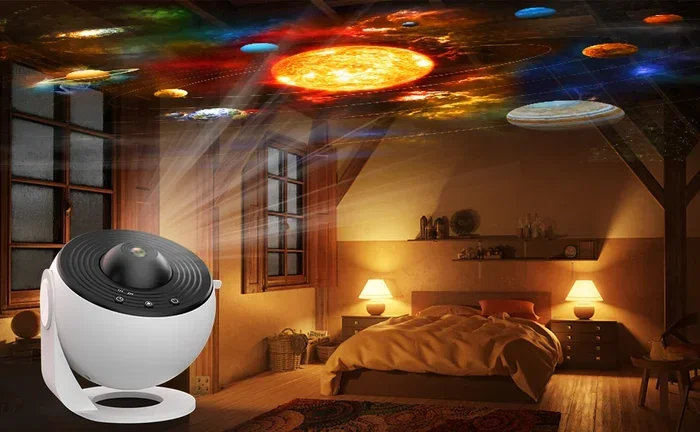
A projector is one of the best alternatives to a TV for Wii gaming. It gives you a big, immersive screen without the bulk of a television. You can set up a projector in a bedroom, garage, or even outdoors for a unique gaming experience.
Most projectors have HDMI inputs, which work perfectly with a Wii HDMI adapter. You just plug the adapter into the Wii, connect an HDMI cable, and you are ready to play. The image quality can be surprisingly good, especially in a dark room.
If you are exploring projector options, check out our guide on Can I Use A Projector Instead Of A Tv for more ideas on using projectors for gaming.
Here are some quick tips for using a projector with your Wii:
- Use a projector with at least 720p resolution for a clear picture.
- Make sure the room is dim enough to see the screen clearly.
- Position the projector at the right distance to avoid distortion.
- Use a tripod or ceiling mount for a stable setup.
Computer Monitors
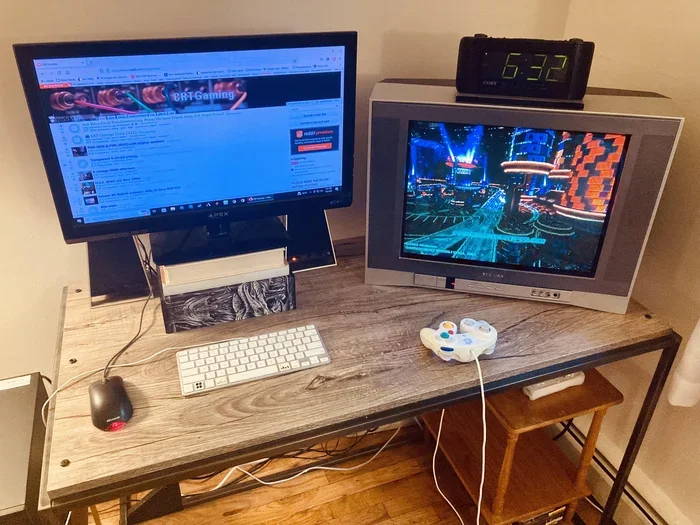
A computer monitor works well as a Wii display, especially if you have an extra one lying around. Most monitors have HDMI or VGA inputs. With the right cable or adapter, you can connect your Wii directly.
The benefit of a monitor is its size. A 24-inch monitor is compact enough for a desk setup but large enough to enjoy your games. Monitors also tend to have low input lag, which is great for fast-paced Wii games.
One thing to watch for is audio. Many monitors do not have built-in speakers. You will need to connect external speakers or headphones to hear the sound. A simple pair of desktop speakers solves this problem easily.
Portable Screens And Handheld Displays
Want to take your Wii on the go? A portable screen can make that happen. Some portable monitors are small enough to carry in a backpack and work with the Wii’s video output.
This setup is perfect for camping trips, road trips, or game nights at a friend’s house. You just need a power source for the portable screen and the Wii console. It adds a whole new level of flexibility to your gaming.
Keep in mind that portable screens are usually smaller. A 15-inch screen is a good size for handheld play. Anything smaller might make it hard to see the details on screen during fast action.
How To Set Up Your Wii Without A TV
Setting up your Wii on an alternative display is straightforward. The process is similar no matter which screen you choose. Here is a step-by-step walkthrough.
Step 1: Gather Your Cables And Adapters
First, figure out what cables your display accepts. Does it have HDMI? VGA? Component inputs? Once you know that, get the right cable or adapter to bridge the connection.
For most modern setups, an HDMI adapter is the easiest route. It gives you a single-cable connection and a decent picture quality. If your display only has VGA, you will need a composite-to-VGA adapter instead.
Step 2: Connect The Wii To The Display
Plug the Wii’s video cable into the adapter. Then connect the adapter to your display. If you are using an HDMI setup, just plug the HDMI cable from the adapter into the projector or monitor.
Do not forget the audio cable. The red and white cables carry the sound. Connect them to your speakers or headphones. Without audio, the experience will feel incomplete.
Step 3: Configure The Wii Settings
Turn on the Wii and go to the settings menu. Navigate to the screen settings and choose the right output format. The Wii lets you switch between 480p and 480i resolution.
Match the resolution to your display’s capabilities. Most modern projectors and monitors handle 480p just fine. If the picture looks fuzzy, try switching to 480i instead.
Step 4: Adjust The Picture And Sound
Use your display’s settings to fine-tune the image. Adjust the brightness, contrast, and color balance until the picture looks clear. For audio, test the sound levels and make sure everything is balanced.
Take your time with this step. A little tweaking goes a long way toward making your Wii without a TV setup feel polished and professional.
Can You Use A Projector Instead Of A TV For Wii Gaming?
Using a projector is one of the most popular ways to play Wii without a TV. The big screen experience is hard to beat. And projectors have become affordable in recent years, making them more accessible than ever.
You can even use a Roku with a projector to expand your entertainment options. Check out our guide on Can I Use A Roku With A Projector for tips on combining streaming and gaming on a single projector setup.
Here is a quick comparison of projectors versus TVs for Wii gaming:
- Screen Size: Projectors can display images from 50 inches to 150 inches or more. TVs usually max out around 65 to 85 inches.
- Portability: Projectors are lighter and easier to move. TVs are heavy and stay in one place.
- Cost: Budget projectors can be cheaper than a new TV. But high-end projectors cost more.
- Image Quality: Modern projectors offer sharp images. TVs generally have better brightness and color accuracy.
- Setup: Projectors need a flat surface or screen. TVs just need a stand or wall mount.
For many gamers, the projector wins on flexibility and screen size. If you want a cinematic feel while playing Wii games, a projector is hard to beat.
Wireless And Streaming Options For Wii Gaming
Did you know you can also stream your Wii gameplay to another screen wirelessly? While the Wii itself does not support built-in wireless display technology, you can use external devices to mirror the output.
Some users connect their Wii to a streaming device and then cast the signal to a tablet or laptop screen. This is not the most common setup, but it works in a pinch. It is especially useful when you do not have a dedicated gaming monitor handy.
If you are looking for wireless options, you might also explore casting your phone screen as a secondary display. You can connect your phone to HDMI TV setups and use similar principles for your Wii alternative display.
Using A Wireless HDMI Transmitter
A wireless HDMI transmitter sends the video signal from your Wii to a screen without a cable. You set up the transmitter near the Wii and a receiver near your projector or monitor. This removes the clutter of cables and gives you more flexibility in where you place your console.
Wireless transmitters are easy to set up. Most come in a sender-receiver pair. You plug the sender into the Wii’s HDMI adapter and the receiver into your display. Within minutes, you are gaming wirelessly.
Screen Mirroring With Streaming Devices
Some streaming devices can mirror content from external sources. This is not a native feature of the Wii, but it works with the right setup. You route the Wii’s video output through a streaming device and then cast it to a compatible screen.
This method works best when you already own a streaming device like a Roku or Chromecast. It adds another layer of versatility to your gaming setup without a TV.
Tips For The Best Gaming Experience Without A TV
Switching from a TV to an alternative display takes a little planning. These tips will help you get the best experience possible.
Choose The Right Screen Size
Screen size matters a lot for gaming. A screen that is too small makes it hard to see details. A screen that is too large can cause eye strain during long sessions. For most Wii setups, a display between 20 and 50 inches works well.
If you are using a projector, aim for a screen size of at least 80 inches. This gives you that immersive feel without pushing the image quality too far.
Get The Right Cables
Cheap cables can cause signal problems. Invest in quality cables that match your display’s inputs. Gold-plated connectors help reduce signal loss and interference.
Keep your cables as short as possible. Longer cables can degrade the signal, especially with older composite connections. A 6-foot cable is usually the sweet spot for most setups.
Set Up Proper Lighting
Lighting affects how well you can see your screen. For projectors, dim the room as much as possible. Ambient light washes out the image and makes it harder to enjoy the game.
For monitors and portable screens, avoid placing them in direct sunlight. The glare can make the screen unreadable. A shaded spot or a room with adjustable blinds works best.
Do Not Forget The Sound
It is easy to focus on the picture and forget about audio. But sound is a huge part of the gaming experience. Make sure your speakers or headphones are connected and working before you start playing.
A simple Bluetooth speaker setup works great. If you want to go wireless, check out how you can make your TV Bluetooth with an adapter for ideas on adding wireless audio to any display setup.
Common Mistakes When Playing Wii Without A TV
Avoiding mistakes saves you time and frustration. Here are the most common errors people make when setting up a Wii without a TV.
Using The Wrong Cable Type
Not all cables work with all displays. Plugging a composite cable into an HDMI-only monitor will not work. Always check what inputs your display supports before buying cables or adapters.
Ignoring Audio Output
Many people set up the video and forget about sound. Without audio, the Wii experience feels incomplete. Always test both video and audio before you start a long gaming session.
Choosing A Screen With Too Much Input Lag
Input lag is the delay between pressing a button and seeing the action on screen. Some displays, especially budget monitors, have high input lag. This makes games feel sluggish and unresponsive. Look for displays with low input lag for the best gaming experience.
Skipping The Wii Settings Adjustment
The Wii has built-in settings for adjusting the video output. Skipping this step can result in a poor picture. Always go through the settings and match the output to your display.
Overlooking Power Requirements
Portable screens and projectors need power. If you are gaming away from home, make sure you have a way to keep everything charged or plugged in. A portable power station works well for outdoor setups.
Conclusion
Can you play Wii without a TV? Absolutely. The Wii is a versatile console that works with many different displays. Whether you choose a projector, a computer monitor, or a portable screen, you can enjoy your favorite games without a traditional television.
The key is using the right cables and adapters. Match your display’s inputs to the Wii’s output, and you will be gaming in no time. Do not forget to set up audio and adjust your settings for the best picture quality.
With a little creativity and the right equipment, your Wii can deliver a great gaming experience anywhere. So go ahead, set up your Wii on your terms, and enjoy the games you love in a whole new way.
Frequently Asked Questions
Do I Need Any Special Equipment To Play Wii Without A TV?
You need the right cables and possibly an adapter. Most setups require either an HDMI adapter or a composite-to-VGA adapter depending on your display. These accessories are affordable and easy to find online or at electronics stores.
Can I Use A Laptop Screen As A Display For My Wii?
Yes, you can use a laptop screen if it has the right input ports. Most laptops do not accept direct video input, but you can use an external capture card or a monitor connected to your laptop as a middleman. This adds a step but it works in a pinch.
Is The Picture Quality Good On A Projector Compared To A TV?
Projectors can deliver excellent picture quality in the right conditions. In a dim room, a projector can produce a bright and clear image. However, projectors struggle in well-lit rooms. For the best results, set up your projector in a darker space.
Can I Play Wii Games On A Portable Screen While Traveling?
Yes, portable screens make Wii gaming on the go possible. You will need a power source for both the Wii and the portable screen. A 15-inch portable monitor is a popular choice for travel setups because it balances size and portability.
What Is The Best Budget Option For Playing Wii Without A TV?
A used computer monitor is the best budget option. Many people sell old monitors for very little money. A 24-inch monitor with HDMI input gives you a solid gaming screen without breaking the bank. Add a pair of cheap desktop speakers for audio and you are set.
Can I Use My Wii With A Tablet Or Phone Screen?
Directly connecting a Wii to a tablet or phone is not practical because most mobile devices do not accept video input. However, you can use a wireless streaming setup to cast the Wii output to a compatible smart display. This requires extra equipment and may add some lag to the experience.