Does A 4k Projector Make A Difference For Your Home Theater
Does a 4K projector make a difference? Absolutely. A 4K projector delivers four times the resolution of standard HD, bringing stunning detail and clarity to your home theater experience. If you are serious about movies or gaming, upgrading to a 4K projector can transform how you watch content.
Have you ever wondered if spending extra money on a 4K projector is actually worth it? You might think your current setup looks perfectly fine, but once you see what a 4K projector can do, you will never look back. The truth is, does a 4K projector make a difference is one of the most common questions people ask before upgrading their home theater setup. In this guide, we will break down everything you need to know. We will cover image quality, streaming options, gaming performance, setup tips, and whether the investment truly pays off. By the end, you will have a clear and honest answer for your own situation.
A 4K projector pushes out over eight million pixels on your screen, compared to about two million in a standard 1080p model. That massive jump in projector resolution means sharper text, smoother gradients, and incredible detail in dark scenes. Whether you are watching movies, playing games, or streaming shows, the difference is hard to ignore. But does every room and every budget need a 4K upgrade? Let us dive in and find out.
Key Takeaways
- 4K resolution offers four times the detail of standard 1080p, making every scene sharper and more lifelike.
- HDR support combined with 4K delivers richer colors, deeper blacks, and better contrast for movies.
- Native 4K projectors outperform pixel-shifted models, so always check the specs before buying.
- 4K projectors are worth the investment for dedicated movie lovers, gamers, and anyone building a premium home theater.
- Simple setup tips like using quality cables and optimizing room lighting maximize your 4K experience.
- 4K content is widely available on Netflix, Disney+, Amazon Prime Video, and Apple TV+.
- Avoid common mistakes like using cheap cables or ignoring ambient light to get the best picture quality.
📑 Table of Contents
- What Makes a 4K Projector Different From Standard HD
- Does a 4K Projector Make a Difference for Movies
- How a 4K Projector Improves Gaming
- Streaming and Content Availability in 4K
- Is a 4K Projector Worth the Price
- Quick Tips for Getting the Most Out of Your 4K Projector
- Common Mistakes People Make With 4K Projectors
- Conclusion
What Makes a 4K Projector Different From Standard HD
The biggest change you will notice right away is the image sharpness a 4K projector delivers. But there is more going on under the hood than just pixel count. Let us break down the key differences between standard HD and 4K projection.
Resolution and Pixel Count
A standard HD projector shows about 2 million pixels on your screen. A 4K ultra HD projector shows over 8 million. That is four times the detail packed into every frame. When you are sitting close to the screen, you can see individual pixels with a 1080p model. With a 4K projector, those pixels blend together seamlessly and create a smooth, natural image. The result is a picture that looks almost lifelike and immersive.
Here is why this matters for your home theater:
- Text on screen looks crisp and clean
- Facial details become more visible and realistic
- Background textures in movies look authentic
- Small text in games is easy to read
- Gradients in sunsets and night scenes appear smooth
- Overall projector quality feels noticeably upgraded
Native 4K vs Pixel-Shifted 4K
Not all 4K projectors are created equal, and this is an important distinction. Some use a true native 4K chip inside the projector, while others use a pixel-shifting technique to simulate 4K. Native 4K projectors have a real 4K sensor that displays all 8.3 million pixels at once. Pixel-shifted models move the pixels slightly to create a simulated 4K image. The difference is subtle but real. Native 4K gives you the best projector quality and the sharpest picture. If you want the real deal, always check whether the projector is native 4K or pixel-shifted before you buy.
Does a 4K Projector Make a Difference for Movies
This is where the magic really happens. A 4K projector can make your movie nights feel like a trip to the cinema. But how big of a difference does it actually make in everyday viewing? Let us explore what changes when you upgrade to 4K for your movie watching experience.
HDR and Color Accuracy
Many modern 4K projectors support HDR, which stands for High Dynamic Range. HDR expands the range of colors and brightness levels your projector can display on screen. Dark scenes look deeper and more detailed with hidden shadows revealed. Bright scenes pop without looking washed out or overexposed. The combination of 4K resolution and HDR is what truly makes a 4K projector shine for movies. You see colors the way the director intended them.
Here is what you can expect when watching movies in 4K with HDR:
- Deeper blacks in dark and nighttime scenes
- More vibrant and accurate colors across the spectrum
- Better shadow detail in low-light sequences
- Brighter highlights in action and explosion scenes
- A wider color gamut for richer and more vivid visuals
Viewing Distance and Screen Size
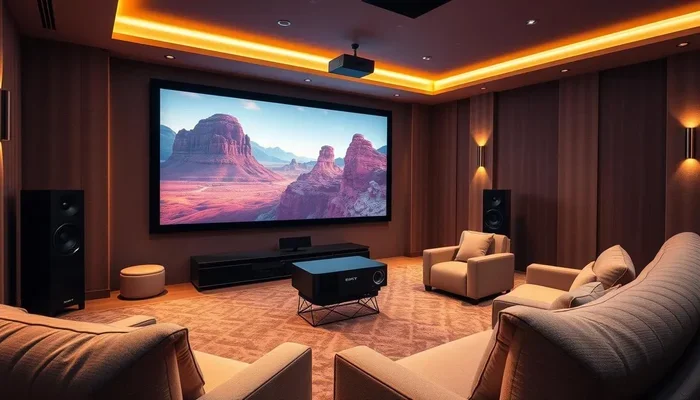
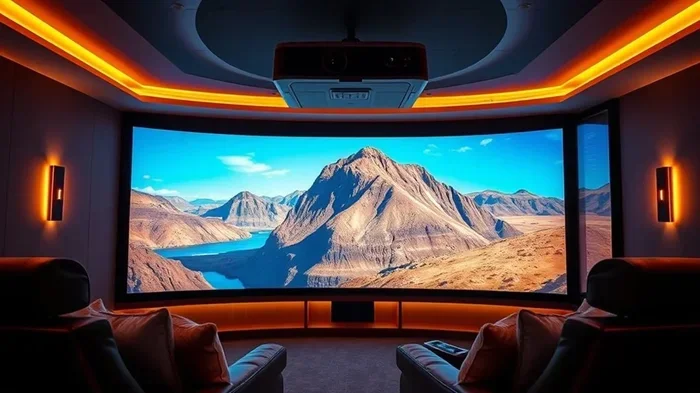
One of the great advantages of a 4K projector is that you can sit closer to a large screen without seeing individual pixels. With a 1080p projector, you need to sit farther back to avoid the screen door effect, where you can see a grid-like pattern on the image. A 4K projector lets you enjoy a big picture even in a smaller room or apartment. This makes it perfect for cozy living rooms and dedicated media spaces alike. You get a cinematic experience without needing a massive dedicated theater room.
If you are curious about using a projector as your main display instead of a traditional TV, check out our guide on Can I Use A Projector Instead Of A TV for more insights on setup and comparison.
How a 4K Projector Improves Gaming
Gamers are some of the biggest fans of 4K projectors right now. The sharp image and smooth motion make games look absolutely incredible on a big screen. But there are a few technical things to keep in mind before you make the jump from a standard HD projector to 4K for gaming.
Input Lag and Refresh Rates
When you are gaming, input lag is the delay between your controller input and what shows on screen. A good 4K projector for gaming keeps this lag low, usually under 20 milliseconds. Some models even go below 10 milliseconds, which is excellent for fast-paced competitive games where every millisecond counts. Look for projectors with a dedicated game mode that reduces processing time and delivers the fastest possible response.
Refresh rate matters too. A 120Hz refresh rate means smoother motion during action scenes and fast gameplay. This is especially important for racing games, shooters, and sports titles where quick movement is constant. Make sure the 4K projector you choose supports the refresh rate your gaming setup requires.
Connecting Your Gaming Console
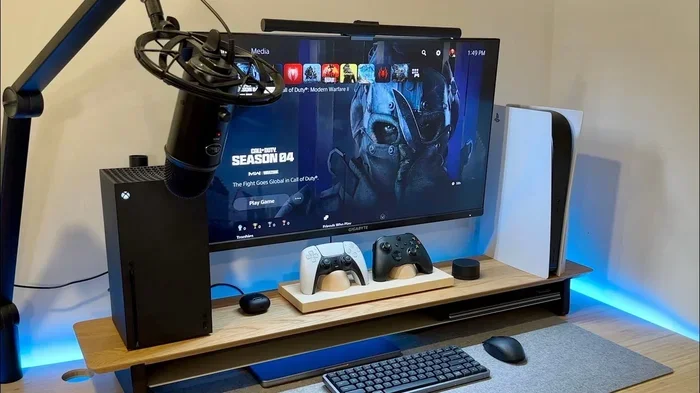
To get the best 4K gaming experience, you need the right cables and connections. An HDMI 2.1 cable supports 4K at 120Hz, which is ideal for modern consoles like the PlayStation 5 and Xbox Series X. Make sure your projector setup includes a high-speed HDMI cable to take full advantage of 4K gaming performance. Cheap or older cables can bottleneck your signal and limit the resolution you actually get.
Also, if you like to stream games or watch gaming content on your projector, you might want to learn about using a streaming device like Roku. Our article on Can I Use A Roku With A Projector covers this topic in detail and helps you set up the best streaming experience.
Streaming and Content Availability in 4K
Having a 4K projector is only half the battle. You also need content that takes advantage of that resolution. The good news is that 4K streaming is now widely available and more content is added every month. Let us look at what you need to know about accessing 4K content for your projector.
Streaming Platforms That Support 4K
Major streaming services like Netflix, Disney+, Amazon Prime Video, and Apple TV+ all offer 4K content with a growing library of movies and shows. However, you need a fast and stable internet connection to stream smoothly without interruptions. A minimum of 25 Mbps is recommended for reliable 4K streaming. If your connection is slower, you might experience buffering or automatic quality drops that ruin the experience.
Some people wonder if they can stream directly from their phone to the projector. You can mirror your iPhone to a projector using various wireless and wired methods. Learn more in our guide on Can I Mirror My Iphone To A Projector for step-by-step instructions.
Do You Need a Special Screen for 4K?
A 4K projector works best with a high-quality projector screen that enhances sharpness and color accuracy. You do not need an expensive screen, but you should avoid wrinkled or low-quality matte surfaces that can soften the image and reduce detail. A smooth, white screen with a gain of 1.0 to 1.3 is a great starting point for most home theater setups. The right screen makes a noticeable difference in how your 4K picture looks every time you watch something.
Is a 4K Projector Worth the Price
This is the question that stops most people from upgrading. Projector price for 4K models has dropped significantly in recent years, but they still cost more than 1080p options. Let us look at the real pros and cons so you can make an informed decision.
Pros of Upgrading to 4K
- Superior image quality with four times the detail of standard 1080p
- Future-proofing your setup as more content becomes available in 4K
- Better HDR support for richer colors and improved contrast
- Larger screen sizes without losing sharpness or clarity
- Enhanced gaming visuals with higher resolution and smoother motion
- Improved projector quality that makes everyday viewing more enjoyable
Cons to Consider
- Higher upfront cost compared to 1080p models
- 4K content requires a fast and stable internet connection for streaming
- Lamp or laser maintenance can add to long-term ownership costs
- Room lighting affects how much you actually see the 4K advantage
- Not all content is available in true 4K resolution yet
- Larger file sizes for downloaded or stored 4K content
When a 4K Projector Is Worth It
A 4K projector is worth every penny if you watch a lot of movies, play console games regularly, or want a premium home theater experience. If you mostly watch regular TV or use a projector casually for presentations, a 1080p model might still serve you well. But for dedicated movie lovers and serious gamers, the upgrade to 4K is noticeable and satisfying from the very first use. The picture quality improvement is hard to go back from once you experience it.
One thing many people overlook is maintenance. If you have an older projector, you might wonder about replacing the lamp or switching to LED technology. Our article on Can I Replace Projector Lamp With Led can help you explore cost-saving options that keep your setup running smoothly.
Quick Tips for Getting the Most Out of Your 4K Projector
Once you have a 4K projector, a few simple steps can make a big difference in picture quality and overall experience. Here are some practical tips to keep in mind.
Optimize Your Room Lighting
Ambient light is the enemy of a great picture on any projector. Close your curtains or blinds during movie time to block out unwanted light. If you cannot control the lighting in your room, consider a 4K projector with higher brightness, measured in lumens. A brighter projector handles ambient light better and keeps your image sharp and clear even in less-than-ideal conditions.
Use the Right Cables
Cheap or old cables can limit your projector resolution and cause signal issues that reduce picture quality. Invest in high-quality HDMI cables that support 4K at 60Hz or higher. This ensures you get the full picture quality your 4K projector is capable of delivering without any bottlenecks or signal loss.
Adjust Your Projector Settings
Most projectors come with default settings that are not optimized for the best picture. Go into the menu and switch to Cinema or Filmmaker mode. This setting provides the most accurate colors and contrast straight out of the box. You can also adjust the contrast ratio and brightness levels to match your specific room conditions and personal preferences.
Keep Your Projector Clean
Dust can build up on the lens over time and affect image clarity and sharpness. Use a soft microfiber cloth to gently clean the lens every few weeks. This simple habit keeps your picture looking sharp and extends the overall life of your 4K projector significantly.
Common Mistakes People Make With 4K Projectors
Even with a great 4K projector, mistakes can hold you back from getting the best possible picture quality. Here are some common pitfalls to avoid so you get the most out of your investment.
- Buying pixel-shifted instead of native 4K without checking the actual specifications
- Using low-quality HDMI cables that bottleneck the signal and limit resolution
- Ignoring room lighting and expecting a perfect picture in a bright, sunlit room
- Sitting too close or too far from the screen for the screen size you have
- Skipping firmware updates that improve performance and add new features
- Not matching the projector to the screen size properly for optimal viewing
- Forgetting to turn on game mode when gaming, resulting in unnecessary input lag
Avoiding these mistakes ensures you get the full benefit of your 4K projector and enjoy every movie, game, and show at its absolute best. A little attention to detail goes a long way in maximizing your viewing experience.
Conclusion
So, does a 4K projector make a difference? The answer is a clear and resounding yes. A 4K projector brings incredible detail, vivid colors, and a cinematic experience right into your living room. Whether you are a movie buff, a casual viewer, or a dedicated gamer, the upgrade to 4K resolution is hard to beat. The projector quality leap from 1080p to 4K is one of the most significant improvements you can make to your home theater. With prices dropping and more 4K content becoming available every day, there has never been a better time to upgrade your setup.
Take some time to evaluate your setup, your budget, and your viewing habits. If you think a 4K projector fits your needs, go for it. Your eyes will thank you every single time you hit play. The difference is real, and once you see it, you will wonder how you ever watched anything else.
Frequently Asked Questions
Is a 4K projector worth it over 1080p?
If you watch a lot of movies or play games on a big screen, a 4K projector is absolutely worth it. The jump in detail and sharpness from 1080p to 4K is very noticeable. However, if you only use your projector casually, a 1080p model might still work well for your needs.
Can I stream 4K content with any projector?
No, you need a 4K projector that supports 4K resolution to view 4K content. You also need a fast internet connection of at least 25 Mbps and a streaming service that offers 4K titles. Check that your projector and streaming setup both support 4K before expecting the full experience.
What is the difference between native 4K and pixel-shifted 4K?
A native 4K projector has a real 4K chip that displays all 8.3 million pixels at once. A pixel-shifted projector moves pixels slightly to simulate 4K. Native 4K delivers sharper and more accurate images, while pixel-shifted 4K is a more affordable alternative that still looks very good.
Does room lighting affect 4K projector picture quality?
Yes, ambient light can significantly reduce the impact of a 4K projector. A darker room lets you see deeper blacks and more vibrant colors. If your room has a lot of light, choose a projector with higher brightness and consider blackout curtains to improve your viewing experience.
Do I need a special screen for a 4K projector?
You do not need an expensive screen, but a smooth, high-quality projector screen helps bring out the best in a 4K projector. Avoid wrinkled or very matte surfaces that can soften the image. A screen with a gain between 1.0 and 1.3 works well for most setups.
How much should I spend on a 4K projector?
4K projector prices range widely. Budget models start around 500 dollars, while premium models can go well above 2000 dollars. For most home theater setups, a mid-range model between 800 and 1500 dollars offers the best balance of quality and value. Focus on native 4K support and HDR capability when choosing your budget.