Do Bluetooth Microphones Exist Here Is All You Need
Do Bluetooth microphones exist? Absolutely yes. You can find many wireless mic options that connect to your phone, laptop, or TV without any cables. Bluetooth microphones come in all shapes, from tiny clip-on lavalier mics to full studio-quality devices. Whether you want to record podcasts, stream gameplay, or sing karaoke, there is a wireless microphone ready for you.
Have you ever wondered, do Bluetooth microphones exist? The short answer is a big yes. The longer answer is even more exciting. Wireless microphone technology has grown by leaps and bounds in the last few years. Today, you can find Bluetooth microphones for nearly every use case. From singing in the shower to recording a professional podcast, these devices make life so much easier. No tangled cables. No annoying wires getting in your way. Just pure, clean wireless audio wherever you go.
If you are new to the world of Bluetooth microphones, you might have a lot of questions. How do they work? Are they any good? What should you look for when buying one? This guide answers all of that and more. We will walk you through everything you need to know about Bluetooth microphones. By the end, you will feel confident picking the right one for your needs. So let us dive right in.
Key Takeaways
- Bluetooth microphones do exist and come in many types for different uses.
- Wireless audio technology has made it easy to ditch cables and still get great sound.
- Bluetooth microphone compatibility depends on your device, so always check before buying.
- Portable Bluetooth mics are perfect for podcasters, gamers, and content creators on the go.
- Bluetooth 5.0 microphones offer better range, stable connections, and lower latency.
- Rechargeable Bluetooth microphones save money and reduce waste over time.
- Bluetooth microphone adapters can make older devices wireless-ready.
📑 Table of Contents
What Are Bluetooth Microphones
A Bluetooth microphone is a wireless microphone that connects to your device using Bluetooth technology. Instead of plugging a cable into your phone or computer, the mic sends audio through the air. This means you can move freely while still capturing great sound. Bluetooth microphones come in many shapes and sizes. Some look like regular earbuds. Others are standalone units with built-in batteries and controls.
The beauty of Bluetooth microphones is their simplicity. You pair the mic with your device, and you are good to go. Most Bluetooth microphones use Bluetooth 4.0 or newer, which ensures a stable connection. The latest Bluetooth 5.0 microphones offer even better performance. They have longer range, lower power use, and improved audio quality. If you have ever used Bluetooth headphones, you already understand the basics of how a Bluetooth microphone works.
How Bluetooth Microphones Connect
Connecting a Bluetooth microphone is straightforward. First, you turn on the mic and put it in pairing mode. Then you go to your device’s Bluetooth settings and select the mic from the list. Once paired, the mic and your device talk to each other instantly. Some Bluetooth microphones support multipoint pairing. This means you can connect to two devices at the same time. That is super handy if you switch between your phone and laptop often.
The Bluetooth audio range typically extends up to 30 feet. However, walls and other obstacles can reduce that distance. For most everyday uses, this range is more than enough. If you need a longer range, some Bluetooth transmitters for audio can extend the connection further.
Types of Bluetooth Microphones Available
Bluetooth microphones come in many different forms. Each type serves a specific purpose. Understanding the types helps you pick the right one for your needs. Here is a closer look at the most popular options.
Lavalier Bluetooth Microphones
A lavalier Bluetooth microphone is a small clip-on mic that attaches to your shirt or collar. These mics are tiny and lightweight. They are perfect for speakers, interviewers, and presenters. Many lavalier mics come with a small transmitter that sends audio to your phone or recorder via Bluetooth. They are also great for wireless podcasting on the go. You can clip one on and start recording without anyone noticing.
Bluetooth Headset Microphones
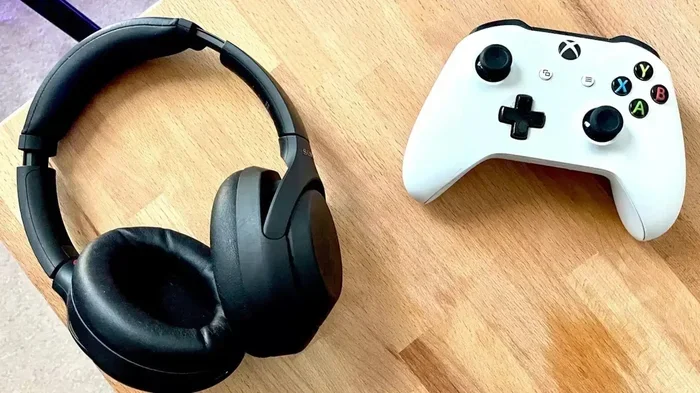
Bluetooth headset microphones combine headphones and a mic into one device. You have probably seen people wearing these during calls or while gaming. They are comfortable, portable, and easy to use. Many Bluetooth headsets offer noise cancellation, which helps your voice sound clear even in noisy rooms. If you want a simple solution for calls and quick recordings, a Bluetooth headset is a solid choice.
Portable Bluetooth Microphone Pens
Portable Bluetooth microphone pens are a fun and unique option. They look like regular pens but contain a high-quality mic inside. You can carry one in your pocket or clip it to your shirt. These mics are great for quick voice notes, interviews, or wireless karaoke sessions. They are compact and easy to use, making them a favorite among travelers and content creators.
Bluetooth Conference Microphones
For business users, a Bluetooth conference microphone is a game-changer. These mics pick up sound from all directions. They are perfect for online meetings, webinars, and team calls. You can place one in the middle of a conference table and everyone can speak clearly. Many Bluetooth conference mics also connect to your Bluetooth speakerphone for hands-free communication.
Best Bluetooth Microphones for Different Uses
Not all Bluetooth microphones are created equal. Different models shine in different scenarios. Let us explore the best options for various uses.
Bluetooth Microphones for Podcasting
If you are starting a podcast, a Bluetooth microphone for recording is a must-have. Look for mics that offer clear audio and low background noise. Some popular options include portable Bluetooth mics that connect directly to your phone. You can record episodes anywhere, from your kitchen table to a park bench. Wireless podcasting has become very popular, and Bluetooth microphones make it possible.
Bluetooth Microphones for Gaming
Gamers love Bluetooth microphones because they eliminate cable clutter. A Bluetooth microphone for gaming lets you communicate with teammates without being tied to your desk. Many gaming Bluetooth headsets also offer great mic quality. You can chat, strategize, and have fun without any wires getting in the way. If you play on a console, you might also want to check if Bluetooth headphones work with your setup.
Bluetooth Microphones for Live Streaming
Wireless mic for live streaming has become a big trend. Streamers use Bluetooth microphones to deliver clear audio while moving around their setup. A good Bluetooth mic connects to your phone or capture card and sends audio in real time. This gives you freedom to move and interact with your audience naturally. Portable Bluetooth mics are especially popular among streamers who want a clean, cable-free look.
Bluetooth Microphones for Music and Karaoke
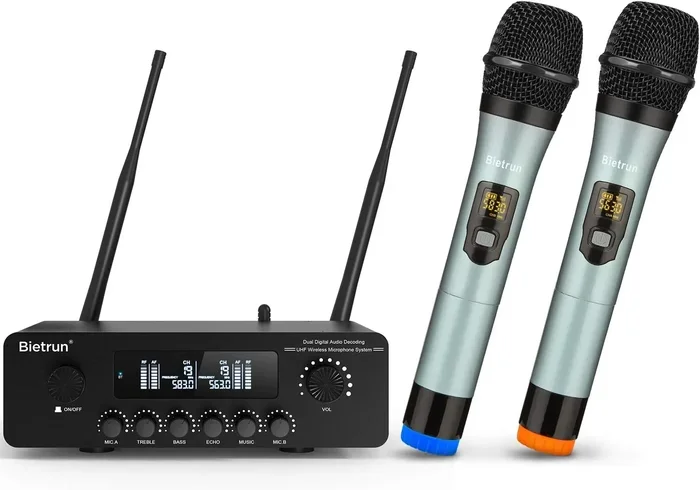
Love singing? A wireless karaoke microphone with Bluetooth is a blast. You can connect it to your phone, tablet, or TV and sing along to your favorite songs. Some Bluetooth microphones even come with built-in speakers, so you do not need extra equipment. They are perfect for parties, family gatherings, or just having fun at home.
How to Choose the Right Bluetooth Microphone
With so many Bluetooth microphones on the market, choosing the right one can feel overwhelming. Here are some key factors to consider before you buy.
Check Bluetooth Compatibility
Not all devices support the same Bluetooth microphone profiles. Make sure your phone, tablet, or computer supports the Bluetooth version your mic uses. Most modern devices work with Bluetooth 4.0 and above. If you have an older device, you might need a Bluetooth microphone adapter to make it work. Bluetooth microphone compatibility is essential, so always double-check before purchasing.
Consider Battery Life
Rechargeable Bluetooth microphones are the way to go. They save you from buying disposable batteries and they are better for the environment. Battery life varies by model. Some mics last 4 to 6 hours on a single charge. Others can go 10 hours or more. Think about how long your typical sessions last and choose accordingly. If you need a mic for long recording sessions, go for one with a bigger battery.
Look at Audio Quality
Audio quality is the most important factor. A Bluetooth microphone should deliver clear, crisp sound without static or distortion. Look for mics with noise cancellation and echo reduction. These features make your voice sound professional and polished. If you are recording music or podcasts, invest in a higher-quality Bluetooth mic. For casual calls or quick notes, a budget-friendly option might be enough.
Think About Portability
If you are always on the move, portability matters. A portable Bluetooth mic should be lightweight and compact. Some mics fit in your pocket or attach to your keychain. Others come with a carrying case for safe transport. Think about where and how you will use the mic most often. That will help you decide on the right size and design.
Read Reviews and Compare Options
Before you buy, read reviews from other users. Look for feedback on sound quality, battery life, and ease of use. Comparing different models helps you find the best value. You can also check if the mic works well with your specific devices. For example, if you want to use Bluetooth headphones with your TV or gaming console, make sure the mic supports those connections too.
Setting Up Your Bluetooth Microphone
Setting up a Bluetooth microphone is quick and easy. Follow these simple steps to get started.
- Charge your mic fully before the first use. Most rechargeable Bluetooth microphones come with a USB charging cable.
- Turn on the mic and put it in pairing mode. Usually, you hold down the power button for a few seconds until a light flashes.
- Go to your device’s Bluetooth settings and turn on Bluetooth.
- Select the mic from the list of available devices.
- Wait for the connection to complete. You will usually hear a confirmation sound or see a message.
- Test the mic by recording a short clip or making a test call.
If you run into connection issues, try turning Bluetooth off and back on. You can also move closer to your device to improve the signal. Some users find that a Bluetooth transmitter for audio helps extend the range and improve stability. For example, you can use a Bluetooth transmitter for my car to connect a mic to your car’s audio system wirelessly. Similarly, you can make older devices Bluetooth capable with the right adapter. If you have a stereo system, you might explore options like turning my stereo into Bluetooth to expand your setup.
Quick Tips for Better Performance
- Keep your Bluetooth microphone within 30 feet of your device for the best connection.
- Avoid placing the mic near other wireless devices that might cause interference.
- Update your device’s Bluetooth firmware for the latest improvements.
- Clean the mic regularly to prevent dust buildup that can affect sound quality.
- Store your rechargeable Bluetooth microphone in a cool, dry place to protect the battery.
Common Mistakes to Avoid
- Do not pair the mic in a crowded Bluetooth environment. Too many devices can cause connection problems.
- Do not ignore firmware updates. They often fix bugs and improve performance.
- Do not assume all Bluetooth microphones work with every device. Always check compatibility first.
- Do not forget to charge your mic before important recordings or calls.
- Do not place the mic too far from your device. Bluetooth audio range has limits, and going beyond them causes dropouts.
Bluetooth Microphones vs Wired Microphones
You might be wondering how Bluetooth microphones compare to traditional wired mics. Both have their strengths. Let us break it down.
| Feature | Bluetooth Microphone | Wired Microphone |
|---|---|---|
| Connectivity | Wireless via Bluetooth | USB cable or XLR cable |
| Portability | Highly portable | Less portable due to cables |
| Audio Quality | Good to excellent | Excellent, especially in studio settings |
| Setup | Quick and easy pairing | May require drivers or software |
| Battery | Rechargeable battery needed | No battery needed |
| Latency | Slight delay possible | Near-zero latency |
| Price Range | Budget to premium | Budget to professional |
For most everyday users, a Bluetooth microphone is more than enough. The slight latency is usually not noticeable for casual use. However, professional musicians and studio engineers might still prefer wired mics for the absolute best audio quality. The good news is that Bluetooth microphone technology is improving fast. The gap between wireless and wired quality is closing every year.
If you want to use a Bluetooth microphone with your TV, you can also explore options like making your TV Bluetooth with an adapter or using Bluetooth headphones with your TV. These accessories expand your wireless audio options and give you more flexibility in how you use your Bluetooth microphone at home.
Expert Insights on Bluetooth Microphones
Industry experts agree that Bluetooth microphones have come a long way. “The quality of wireless microphones today is remarkable,” says audio engineer Mark Stevens. “You can get studio-quality sound from a Bluetooth mic that fits in your pocket.” He adds that Bluetooth 5.0 has been a game-changer for wireless audio. “The connection is more stable, the range is better, and the audio quality is noticeably improved.”
Content creator Sarah Lin shares a similar view. “I use a portable Bluetooth mic for all my YouTube videos,” she says. “It saves me so much time on setup. I just clip it on and start recording.” She recommends looking for mics with noise cancellation if you record in noisy environments. “A good Bluetooth microphone with noise reduction makes a huge difference in the final product.”
For those wondering about professional use, many broadcast studios now use Bluetooth microphones for field reporting. The convenience of going wireless without sacrificing quality has made them a staple in modern journalism. You can also find Bluetooth microphones being used in live events, conferences, and even concerts. The technology has truly gone mainstream.
Final Thoughts
So, do Bluetooth microphones exist? Yes, they absolutely do, and they are better than ever. Whether you are a podcaster, gamer, streamer, singer, or professional, there is a Bluetooth microphone out there for you. The wireless audio revolution has made it easy to record, communicate, and create without being tied down by cables. With Bluetooth 5.0 technology, rechargeable batteries, and noise cancellation features, today’s Bluetooth microphones deliver impressive sound quality.
Remember to check Bluetooth microphone compatibility with your device before buying. Consider your specific needs, whether that is portability, audio quality, or battery life. And do not be afraid to try different types of mics until you find the perfect fit. The world of Bluetooth microphones is wide open, and the best one is the one that works best for you. Start exploring today, and enjoy the freedom of wireless audio!
If you are interested in using Bluetooth microphones with specific devices, you might want to check out guides on using Bluetooth headphones with PS4 or using a Bluetooth transmitter for my car to expand your wireless audio setup.
Frequently Asked Questions
Do Bluetooth microphones really work well?
Yes, Bluetooth microphones work very well for most uses. They deliver clear audio for calls, podcasts, recordings, and streaming. The latest Bluetooth 5.0 microphones offer even better sound quality and more stable connections. For professional studio work, wired mics still have a slight edge, but Bluetooth microphones are more than good enough for everyday use.
Can I use a Bluetooth microphone with any device?
Most modern devices support Bluetooth microphones, including phones, tablets, laptops, and smart TVs. However, Bluetooth microphone compatibility depends on the Bluetooth version and profiles your device supports. If you have an older device, a Bluetooth microphone adapter can help bridge the gap and make wireless connection possible.
How far can a Bluetooth microphone be from the connected device?
The typical Bluetooth audio range is about 30 feet. However, walls, furniture, and other obstacles can reduce this distance. For the best performance, keep your Bluetooth microphone within a reasonable range of your device. If you need more range, a Bluetooth transmitter can help extend the connection further.
Are Bluetooth microphones good for podcasting?
Absolutely. Many podcasters use Bluetooth microphones because they are portable and easy to set up. A portable Bluetooth mic lets you record episodes anywhere without worrying about cables. Look for models with noise cancellation and good battery life for the best podcasting experience. Wireless podcasting with a Bluetooth mic has become increasingly popular.
Do Bluetooth microphones have latency issues?
Some Bluetooth microphones may have a slight delay, especially with older Bluetooth versions. However, Bluetooth 5.0 microphones have significantly reduced latency. For most everyday uses like calls and casual recording, the delay is barely noticeable. Professional musicians doing live recordings might notice a small lag, but for general use, Bluetooth microphones perform excellently.
Can I make my old microphone Bluetooth compatible?
Yes, you can make older microphones Bluetooth capable using a Bluetooth transmitter or adapter. These small devices plug into your microphone and send audio wirelessly to your device. This is a great way to upgrade your existing setup without buying a whole new mic. You can also explore options like turning my stereo into Bluetooth or using a Bluetooth adapter on my TV to expand your wireless audio possibilities.