Does Apple Pencil 2 Need Bluetooth To Charge or Use Cable
The Apple Pencil 2 does not need Bluetooth to charge. It uses a magnetic attachment system that snaps onto the side of your iPad to charge wirelessly. Bluetooth is only used for wireless pairing and data transfer between the Pencil and your iPad. You never need a cable or adapter to power up your Apple Pencil 2.
This is a comprehensive guide about Does Apple Pencil 2 Need Bluetooth To Charge.
Key Takeaways
- Magnetic Charging: The Apple Pencil 2 charges by magnetically attaching to the side of your iPad — no cable needed.
- Bluetooth Is for Connection, Not Charging: Bluetooth handles pairing and data transfer, but it plays no role in powering your Pencil.
- No Cable Required: Unlike the first-generation Apple Pencil, the 2nd generation has a completely cable-free charging setup.
- Pairing Is Wireless: You pair the Apple Pencil 2 to your iPad through Bluetooth automatically when you attach it magnetically.
- Quick Charge Capability: A 15-second charge on the iPad side gives you about 30 minutes of use.
- Troubleshooting Is Simple: Most charging issues are solved by reattaching the Pencil or restarting Bluetooth on your iPad.
[FEATURED_IMAGE_PLACEHOLDER]
The Apple Pencil 2 is one of the most popular stylus tools on the market. Artists, students, and professionals rely on it daily for drawing, note-taking, and precise navigation. But one question keeps popping up: does Apple Pencil 2 need Bluetooth to charge? The short answer is no. The longer answer is much more interesting and involves the clever magnetic charging system Apple built into this device.
If you have an Apple Pencil 2, you might have noticed it sticks to the side of your iPad like a magnet. That is not just for show. That magnetic connection is how your Pencil gets power. Many people confuse Bluetooth connectivity with charging because the Pencil uses Bluetooth to communicate with your iPad. But those are two completely separate functions.
In this guide, we will walk through exactly how Apple Pencil 2 charging works, what role Bluetooth plays, and how to troubleshoot common issues. Whether you are a new Apple Pencil owner or have been using one for a while, this article covers everything you need to know.
What Is the Apple Pencil 2?
The Apple Pencil 2 is a stylus designed by Apple for use with compatible iPads. It was introduced in 2018 and quickly became a favorite among creatives and professionals. The Pencil features pressure sensitivity, tilt detection, and a low-latency drawing experience that makes it feel natural on screen.
One of the standout design choices Apple made with the Pencil 2 is the magnetic attachment system. Instead of using a Lightning connector or a charging dock, the Pencil 2 snaps onto the edge of your iPad. This design is sleek, intuitive, and incredibly convenient. It also means there are fewer cables to keep track of.
The Apple Pencil 2 is compatible with several iPad models, including the iPad Pro 11-inch and iPad Pro 12.9-inch (3rd generation and later). It is important to note that not all iPads support the Pencil 2, so always check compatibility before purchasing.
How Does the Apple Pencil 2 Charge?
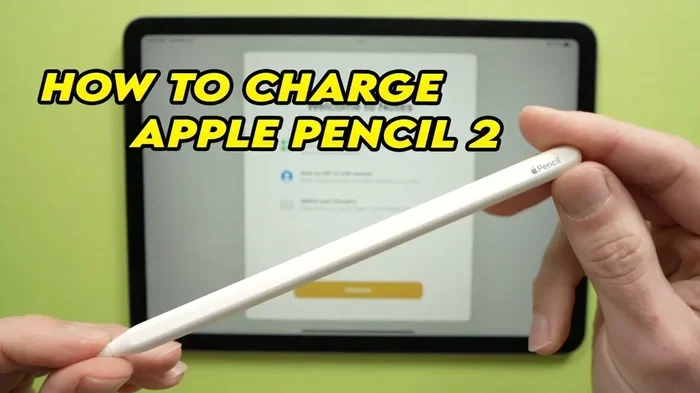
Understanding Apple Pencil 2 charging is simpler than you might think. The Pencil 2 uses a magnetic wireless charging method. When you place the Pencil on the magnetic strip along the side of your iPad, it begins to charge automatically.
The Magnetic Attachment System
The charging mechanism relies on a series of magnets embedded in both the Pencil and the iPad. When you align the Pencil with the magnetic strip on the iPad’s edge, the magnets pull it into place. Once attached, the Pencil makes electrical contact with the iPad’s internal charging circuitry.
This system is similar to how some wireless charging pads work, but instead of placing your Pencil on a pad, it attaches directly to your iPad. There is no cable, no dock, and no hassle. You simply stick it on and walk away.
How Long Does It Take to Charge?
Apple does not officially publish the full charge time for the Apple Pencil 2. However, user testing and reports suggest that a full charge takes roughly 15 to 20 minutes when attached to the iPad. Apple also advertises a quick-charge feature where just 15 seconds of charging gives you about 30 minutes of use.
This is incredibly useful if you are in a rush. You can quickly stick your Pencil to the iPad while grabbing a drink or answering a call, and it will have enough power to keep going.
Battery Life of the Apple Pencil 2
Apple estimates that the Apple Pencil 2 can last up to 12 hours on a single charge under normal use. Of course, actual battery life depends on how heavily you use it. If you are drawing for hours or using it with high-frequency apps, the battery may drain faster.
You can check your Pencil’s battery level directly from your iPad. Simply swipe down from the top-right corner to open the Control Center and look for the Pencil battery widget. This gives you a quick snapshot of how much charge remains.
Does Apple Pencil 2 Need Bluetooth To Charge?
This is the central question, and the answer is a clear no. The Apple Pencil 2 does not need Bluetooth to charge. Bluetooth is not involved in the charging process at all. Charging happens entirely through the magnetic connection between the Pencil and the iPad.
Bluetooth is a wireless communication technology. It allows devices to exchange data over short distances without cables. In the case of the Apple Pencil 2, Bluetooth is used to pair the Pencil with your iPad and to transmit touch, pressure, and tilt data in real time. But when it comes to delivering electrical power to the Pencil’s battery, Bluetooth plays zero role.
Think of it this way. Bluetooth is like a conversation between your Pencil and iPad. The magnetic charging is like a power cord that happens to not need a plug. They are two completely different systems working side by side.
Why People Confuse Bluetooth with Charging
It is easy to see why this confusion happens. When you first set up a new Apple Pencil 2, your iPad asks you to pair it via Bluetooth. This happens right after you attach the Pencil magnetically. Because the pairing and the charging happen at the same time, many people assume Bluetooth is part of the charging process.
In reality, the Pencil begins charging the moment the magnets make contact. The Bluetooth pairing is a separate step that enables data communication. You can even turn off Bluetooth and the Pencil will still charge when attached to the iPad. However, you will not be able to use it until Bluetooth is turned back on and the devices are paired.
This is similar to how some devices use Bluetooth technology for connectivity while relying on entirely different methods for power delivery. For example, Bluetooth connectivity on the Apple Watch works independently of its charging method, which uses a magnetic dock.
What Happens If Bluetooth Is Off?
If Bluetooth is turned off on your iPad, the Apple Pencil 2 will still charge when attached magnetically. However, you will not be able to use the Pencil as an input device until Bluetooth is re-enabled and the Pencil is re-paired. The charging function remains completely unaffected by the Bluetooth setting.
This is an important distinction. Some users think that turning off Bluetooth might save battery or interfere with charging. Neither is true. The magnetic charging system operates independently of all wireless communication protocols.
How Bluetooth Connects the Apple Pencil 2 to Your iPad
While Bluetooth does not charge your Pencil, it is essential for the Pencil to function. Let us look at how Bluetooth pairing works with the Apple Pencil 2 and why it matters.
The Pairing Process
Pairing the Apple Pencil 2 with your iPad is remarkably simple. When you magnetically attach the Pencil to the side of a compatible iPad, a pairing prompt appears on screen. You simply tap “Pair,” and the connection is established.
Behind the scenes, Bluetooth creates a low-latency wireless link between the two devices. This link allows the iPad to receive precise input from the Pencil, including pressure levels, tilt angles, and proximity data. The entire process happens in seconds and is nearly seamless.
Why Bluetooth Matters for Performance
Bluetooth ensures that the Pencil responds instantly to your strokes. Without it, the iPad would not know when or how you are using the Pencil. The low-latency Bluetooth connection is what gives the Apple Pencil 2 its smooth, responsive feel.
Apple uses a custom Bluetooth protocol optimized for the Pencil. This protocol prioritizes speed and precision over range, which makes sense given that the Pencil works only in close proximity to the iPad.
It is worth noting that Bluetooth is not unique to the Apple Pencil. Many devices use Bluetooth for similar purposes. For instance, you can use a Bluetooth adapter on your TV to connect wireless headphones or speakers, and the principle is the same — Bluetooth handles data, not power.
Bluetooth Range and Stability
The Apple Pencil 2 operates within Bluetooth’s standard short-range range, typically about 30 feet (10 meters). In practice, you will always be using the Pencil within a few feet of your iPad, so range is never a concern. The connection is also very stable and rarely drops during normal use.
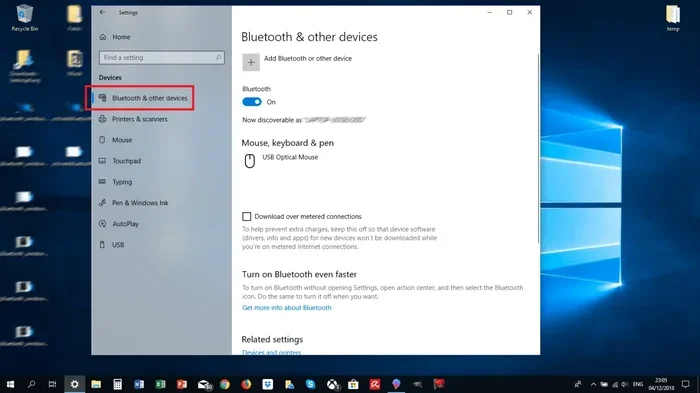
If you do experience connection issues, the first step is to make sure Bluetooth is enabled on your iPad. You can toggle it in the Control Center or go to Settings > Bluetooth. Restarting Bluetooth or restarting your iPad often resolves temporary connectivity problems.
Common Charging Problems and How to Fix Them
Even though the Apple Pencil 2 charging system is straightforward, issues can still occur. Here are the most common problems and their solutions.
Pencil Not Charging When Attached
If your Apple Pencil 2 is not charging when attached to your iPad, try these steps:
- Remove the Pencil and reattach it firmly to the magnetic strip.
- Make sure the magnetic contacts on both the Pencil and iPad are clean and free of debris.
- Check that your iPad is powered on and not in sleep mode.
- Restart your iPad and try again.
Dust or lint can sometimes get stuck in the magnetic area, preventing proper contact. A quick wipe with a soft, dry cloth usually solves this problem.
Battery Draining Quickly
If your Pencil battery drains faster than expected, consider these factors:
- Heavy use of pressure-sensitive apps can reduce battery life.
- Leaving Bluetooth on when not using the Pencil can cause minor battery drain.
- Old firmware may affect power management. Keep your iPad updated.
To extend battery life, disconnect the Pencil when you are not using it for extended periods. The magnetic attachment will keep it charged, but storing it attached for days on end can slowly drain both the Pencil and iPad batteries.
Pencil Not Pairing via Bluetooth
If your Pencil will not pair with your iPad, try the following:
- Go to Settings > Bluetooth and make sure it is turned on.
- Remove the Pencil from the iPad and reattach it.
- Restart your iPad.
- Forget the Pencil in Bluetooth settings and try pairing again.
Sometimes a simple Bluetooth reset is all it takes. Just toggle Bluetooth off, wait a few seconds, and turn it back on. Then reattach the Pencil and try pairing again.
Apple Pencil 2 vs Other Charging Methods
To fully appreciate how the Apple Pencil 2 charges, it helps to compare it with other devices and charging methods. The table below highlights the key differences.
| Feature | Apple Pencil 2 | Apple Pencil 1st Gen | Generic Bluetooth Stylus |
|---|---|---|---|
| Charging Method | Magnetic attachment to iPad | Lightning connector | USB cable or replaceable battery |
| Bluetooth Required for Charging? | No | No | No |
| Cable Needed? | No | Yes (Lightning cable) | Sometimes |
| Pairing Method | Automatic magnetic attachment | Manual Bluetooth pairing | Manual Bluetooth pairing |
| Charging Dock Required? | No | No | Sometimes |
The Apple Pencil 2 stands out because it eliminates the need for cables and docks entirely. The magnetic wireless charging system is elegant and user-friendly. Compare this with the first-generation Apple Pencil, which requires a Lightning cable for charging — a design that many users found inconvenient.
Generic Bluetooth styluses often rely on replaceable batteries or USB cables. These options work but lack the seamless integration that Apple offers with the Pencil 2. The magnetic charging system is a clear advantage in terms of convenience and design.
It is also worth noting that the Apple ecosystem handles connectivity in smart ways. Just as Apple has built-in tools that work together seamlessly, the Pencil 2 and iPad are designed to communicate and charge without extra accessories.
Quick Tips for Apple Pencil 2 Users
Here are some practical tips to get the most out of your Apple Pencil 2:
- Always attach the Pencil to the iPad when not in use. This keeps it charged and ready to go.
- Clean the magnetic contacts regularly. A soft cloth removes dust and prevents charging issues.
- Keep your iPad software updated. Apple frequently releases updates that improve Pencil performance and battery management.
- Use the battery widget in Control Center. This gives you instant visibility into Pencil battery levels.
- Restart Bluetooth if you experience connection issues. A quick toggle often fixes pairing problems.
- Store the Pencil magnetically on the iPad. This is safer and more convenient than storing it in a case or drawer.
Expert Insights
According to Apple’s support documentation, the Apple Pencil 2 is designed for maintenance-free use. There are no user-replaceable parts, and the internal battery is built to last for the lifetime of the device under normal usage conditions. Apple does not recommend attempting to disassemble or repair the Pencil yourself.
Tech experts also point out that the magnetic charging system is a significant design improvement over previous stylus models. By integrating charging into the iPad itself, Apple removed the need for extra accessories and simplified the user experience. This approach aligns with Apple’s broader philosophy of reducing cable clutter and creating a more seamless ecosystem.
For users coming from other Bluetooth-enabled devices, the separation between Bluetooth connectivity and charging may seem unusual. But once you understand that these are independent systems, it makes perfect sense. Bluetooth handles communication. Magnets handle power. Each system does its job without interfering with the other.
Conclusion
The Apple Pencil 2 does not need Bluetooth to charge. Its charging happens entirely through the magnetic attachment system on the side of your iPad. Bluetooth is only responsible for pairing the Pencil with your iPad and enabling real-time data transfer for a responsive, precise drawing and writing experience.
This separation of functions is a smart design choice. It means you can charge your Pencil without worrying about wireless settings, and you can use Bluetooth for other devices without affecting your Pencil’s battery. The result is a clean, intuitive experience that just works.
If you ever experience charging or pairing issues, the troubleshooting steps in this guide should help you resolve them quickly. Keep your Pencil magnetically attached when not in use, clean the contacts regularly, and keep your iPad software up to date. With proper care, your Apple Pencil 2 will serve you well for years to come.
Understanding how your devices work makes you a smarter user. And now you know exactly what Bluetooth does — and does not do — when it comes to your Apple Pencil 2.
Frequently Asked Questions
Can I charge my Apple Pencil 2 with a cable?
No, the Apple Pencil 2 does not have a cable-based charging option. It charges exclusively through magnetic attachment to the side of a compatible iPad. There is no Lightning port or USB-C port on the Pencil 2 itself.
Will my Apple Pencil 2 charge if Bluetooth is turned off?
Yes, absolutely. Bluetooth has nothing to do with charging. Your Apple Pencil 2 will charge via the magnetic connection even if Bluetooth is completely disabled on your iPad.
How do I know if my Apple Pencil 2 is charging?
When you attach the Pencil magnetically to the iPad, a small battery icon may appear briefly on the iPad screen. You can also check the battery level in the Control Center widget or in the Settings app under the Bluetooth section.
Can I use a third-party magnetic charger for the Apple Pencil 2?
Apple does not officially support third-party magnetic chargers for the Pencil 2. Using non-Apple accessories may result in poor charging performance or potential damage. It is always best to use the built-in magnetic attachment on your iPad.
How long does the Apple Pencil 2 battery last on a full charge?
Apple estimates up to 12 hours of use on a full charge. Actual battery life varies depending on usage intensity, app types, and Bluetooth connectivity duration. Light note-taking will last longer than intensive drawing sessions.
What should I do if my Apple Pencil 2 stops charging?
First, remove the Pencil and clean both the magnetic contacts on the Pencil and the iPad. Reattach firmly and check if charging resumes. If the issue persists, restart your iPad and try again. If the problem continues, contact Apple Support for further assistance.