Does Bluetooth 5 0 Have Multipoint And Why It Matters
Yes, Bluetooth 5.0 does support multipoint, and it changes how you use wireless audio every day. Bluetooth 5.0 multipoint lets your headphones or speakers stay connected to two devices at the same time, so switching is seamless. This feature saves time, reduces hassle, and makes your wireless experience smoother than ever before.
This is a comprehensive guide about Does Bluetooth 5 0 Have Multipoint.
Key Takeaways
- Bluetooth 5.0 supports multipoint: You can connect to two devices simultaneously without unplugging or re-pairing.
- Multipoint saves time: Switching between your phone and laptop happens automatically when audio changes.
- Not all Bluetooth 5.0 devices have it: Multipoint depends on the manufacturer, not just the Bluetooth version.
- Bluetooth 5.0 brings faster speed and better range: These upgrades pair well with multipoint for a stronger wireless experience.
- Battery life may be affected: Running two connections can drain your device battery faster than a single connection.
- Check before you buy: Always confirm multipoint support in the product specs or manual.
[FEATURED_IMAGE_PLACEHOLDER]
Wireless audio has come a long way, and Bluetooth 5.0 is one of the biggest leaps forward. If you have been shopping for headphones or speakers lately, you may have seen the term Bluetooth 5.0 multipoint everywhere. But what does it actually mean, and why should you care?
The short answer is yes, Bluetooth 5.0 does have multipoint capability. This means your device can stay connected to two different sources at the same time. You can be listening to music from your phone and then get a call on your laptop without missing a beat. It is a game changer for anyone who juggles multiple devices throughout the day.
In this guide, we will break down everything you need to know about Bluetooth 5.0 multipoint. We will cover how it works, which devices support it, and whether it is worth the extra cost. By the end, you will know exactly if multipoint Bluetooth 5.0 is right for you.
What Is Bluetooth 5.0?
Before diving into multipoint, let us first understand what Bluetooth 5.0 brings to the table. Released in 2016, Bluetooth 5.0 is the fifth major version of the Bluetooth wireless technology standard. It was designed to make wireless connections faster, farther reaching, and more stable.
Compared to older versions like Bluetooth 4.2, Bluetooth 5.0 offers some impressive upgrades:
- Faster data transfer speeds: Bluetooth 5.0 can move data at up to 2 megabits per second, which is twice as fast as Bluetooth 4.2.
- Longer range: The range extends up to 800 feet in open space, four times farther than previous versions.
- Better battery efficiency: Devices use less power when connected via Bluetooth 5.0.
- Improved signal stability: Fewer dropouts and stronger connections in crowded wireless environments.
- Support for more devices: Bluetooth 5.0 can handle more connected devices at once without slowing down.
These improvements set the stage for Bluetooth 5.0 multipoint. With better speed and range, handling two connections at once became much more practical. The foundation was there, and manufacturers started building multipoint features on top of it.
What Is Bluetooth Multipoint?
Bluetooth multipoint is a feature that allows a single audio device to maintain active connections with two different source devices at the same time. Think of it like this: your headphones stay paired to both your phone and your computer. When a call comes in on your phone, the audio automatically switches. When you finish the call, it goes back to your computer.
How Does Multipoint Work?
Here is a simple way to understand how multipoint Bluetooth 5.0 works:
- Your headphones connect to Device A, like your smartphone.
- They also connect to Device B, like your laptop or tablet.
- Both devices stay in a low-power standby connection.
- When audio starts playing on one device, the headphones prioritize that source.
- When the audio stops or pauses, they switch back or wait for the next source.
The whole process happens in the background. You do not need to manually disconnect from one device and pair with another. This is what makes Bluetooth 5.0 multipoint so convenient.
Multipoint vs Single Point
To really appreciate multipoint, it helps to compare it with traditional single-point Bluetooth:
| Feature | Single Point | Multipoint (Bluetooth 5.0) |
|---|---|---|
| Active Connections | One device at a time | Two devices at once |
| Switching Between Devices | Manual re-pairing needed | Automatic switching |
| Call Handling | Pauses audio on current device | Seamlessly switches to phone |
| Convenience Level | Moderate | High |
| Battery Usage | Lower | Slightly higher |
As you can see, multipoint adds a layer of convenience that single-point simply cannot match. If you use more than one device daily, this feature becomes very valuable.
Does Bluetooth 5.0 Have Multipoint?
Now for the big question: does Bluetooth 5.0 have multipoint? The answer is both yes and no, and here is why.
Bluetooth 5.0 as a standard does include the technical foundation needed for multipoint connections. The Bluetooth Special Interest Group (SIG) designed version 5.0 with enough bandwidth and connection management to support multiple simultaneous links. So the technology itself is capable.
However, multipoint is not turned on automatically for every Bluetooth 5.0 device. Whether your specific headphones or speaker support multipoint depends on the manufacturer. They have to build this feature into the device firmware and software.
This means:
- Not every Bluetooth 5.0 device has multipoint.
- Some Bluetooth 4.2 devices also offer multipoint through custom firmware.
- You need to check the product specs or marketing materials to confirm.
Which Devices Support Bluetooth 5.0 Multipoint?
Many popular wireless audio devices now support Bluetooth 5.0 multipoint. Here are some examples:
- Sony WH-1000XM4 and WH-1000XM5 headphones
- Bose Noise Cancelling Headphones 700
- Jabra Elite 85h and Elite 7 Active
- Sennheiser Momentum 3 and 4
- Apple AirPods Max (uses Bluetooth 5.0 with a custom multipoint-like implementation)
These devices let you stay connected to your phone and computer at the same time. If you are shopping for new Bluetooth 5.0 headphones, look for multipoint in the feature list.
For those who already own wireless speakers or car audio, you might want to check if your setup can be upgraded. For example, you can make your old Bose speakers Bluetooth capable with the right adapter, or you can turn your car radio into a Bluetooth device for a more connected driving experience.
Why Does Bluetooth 5.0 Multipoint Matter?
Bluetooth 5.0 multipoint is more than a fancy tech term. It solves real everyday problems that many wireless audio users face.
Seamless Device Switching
Imagine you are listening to a podcast on your phone while cooking. Then you sit down at your desk to work on your laptop. With multipoint, your headphones automatically detect the laptop audio and switch over. No buttons to press. No re-pairing. Just smooth transitions.
This is especially helpful if you use Bluetooth headphones for work and personal tasks throughout the day. You stay connected to everything without thinking about it.
Better Call Management
One of the best benefits of Bluetooth 5.0 multipoint is how it handles calls. When a call comes in on your phone while you are watching something on your TV or tablet, the audio pauses and the call audio takes over. After the call ends, your media resumes on the original device.
This kind of smart switching makes multipoint feel like magic. It works behind the scenes and just makes your life easier.
Reduced Bluetooth Latency and Dropouts
Because Bluetooth 5.0 has better bandwidth and range, maintaining two connections at once is more stable. Older Bluetooth versions often struggled with dropouts when juggling multiple devices. Bluetooth 5.0 multipoint handles this much better thanks to improved wireless connectivity technology.
The Bluetooth 5.0 range also means you can move farther from both devices without losing connection. You can walk around your home or office while staying connected to both your phone and computer.
Ideal for Hybrid Workers
If you work from home and split time between a phone and a computer, multipoint is a must-have. You can listen to music on your computer and take calls on your phone without ever touching your headphones. This kind of wireless audio convenience saves minutes every day that add up over time.
Common Myths About Bluetooth 5.0 Multipoint
There are several myths floating around about Bluetooth 5.0 multipoint. Let us clear them up.
Myth 1: All Bluetooth 5.0 Devices Have Multipoint
This is the biggest misconception. Bluetooth 5.0 provides the technical ability, but each manufacturer decides whether to include multipoint. Always check the product details before assuming your device supports it.
Myth 2: Multipoint Drains Battery Fast
While running two connections does use slightly more power, modern Bluetooth 5.0 chips are efficient enough that the battery impact is minimal. Most users barely notice a difference in battery life when using multipoint.
Myth 3: Multipoint Only Works with Headphones
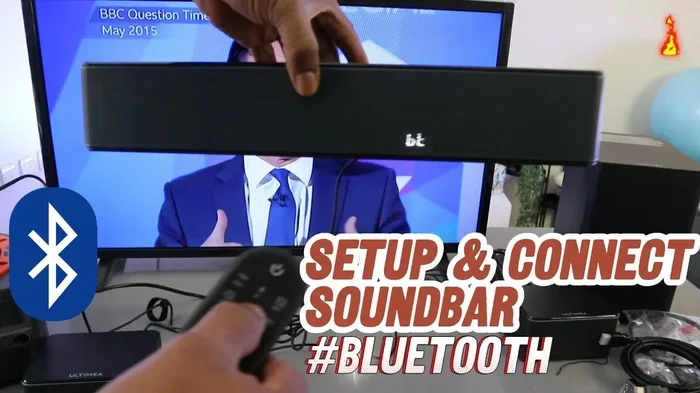
Multipoint works with any Bluetooth audio device. Speakers, soundbars, and even car audio systems can support it. For instance, you can use a Bluetooth transmitter to add multipoint functionality to older car stereos or home speakers.
Myth 4: Multipoint Means You Can Stream to Two Devices at Once
Multipoint does not mean you can play audio on two devices simultaneously and hear both. It means the device stays connected to two sources and prioritizes whichever one is active. You hear audio from one source at a time.
How to Set Up Multipoint on Your Bluetooth 5.0 Device
Setting up Bluetooth 5.0 multipoint varies by brand, but the general process is similar across most devices.
Step-by-Step Setup Guide
- Charge your device fully before starting the setup process.
- Prepare both source devices (like your phone and laptop) with Bluetooth turned on.
- Enter pairing mode on your Bluetooth headphones or speaker.
- Connect to the first device through your Bluetooth settings.
- Connect to the second device the same way.
- Test the switching by playing audio on one device, then pausing it and playing on the other.
Some brands like Sony and Bose have dedicated apps that walk you through the multipoint setup. Others handle it automatically once both devices are paired. Check your device manual for brand-specific instructions.
Quick Tips for Multipoint Success
- Keep both devices within Bluetooth 5.0 range for the best experience.
- Update your device firmware regularly to get the latest multipoint improvements.
- If switching feels slow, try turning Bluetooth off and back on on one device.
- Use Bluetooth 5.0 codecs like aptX or LDAC for better audio quality during multipoint use.
- Turn off multipoint when you do not need it to save a little battery.
Bluetooth 5.0 Multipoint vs Older Bluetooth Versions
To really understand the value of Bluetooth 5.0 multipoint, it helps to see how it compares to older versions:
| Feature | Bluetooth 4.2 | Bluetooth 5.0 |
|---|---|---|
| Max Speed | 1 Mbps | 2 Mbps |
| Max Range | 200 feet | 800 feet |
| Multipoint Support | Rare, manufacturer-dependent | Common, widely supported |
| Battery Efficiency | Good | Better |
| Audio Codec Support | SBC, some AAC | SBC, AAC, aptX, LDAC |
| Connection Stability | Moderate | High |
The table shows that Bluetooth 5.0 is a clear upgrade. The multipoint feature alone makes a big difference in daily usability. Combined with faster speeds and better range, Bluetooth 5.0 is the sweet spot for wireless audio today.
If you are using older devices, you might explore options like a Bluetooth adapter for your TV or a Bluetooth transmitter for your car to bring your setup up to modern standards. Many older Bose speakers can also be upgraded to Bluetooth with the right adapter.
Should You Buy Bluetooth 5.0 Multipoint Devices?
The decision comes down to your usage habits. Here is a quick guide to help you decide:
- Buy it if: You use more than one device daily, you take frequent calls while listening to audio, or you hate the hassle of re-pairing Bluetooth devices.
- Skip it if: You only use one device at a time for audio, budget is very tight, or you do not mind manually switching connections.
For most people who own a phone and a computer, Bluetooth 5.0 multipoint is absolutely worth it. The convenience factor is hard to put a price on. Once you go multipoint, going back to single-point feels frustrating.
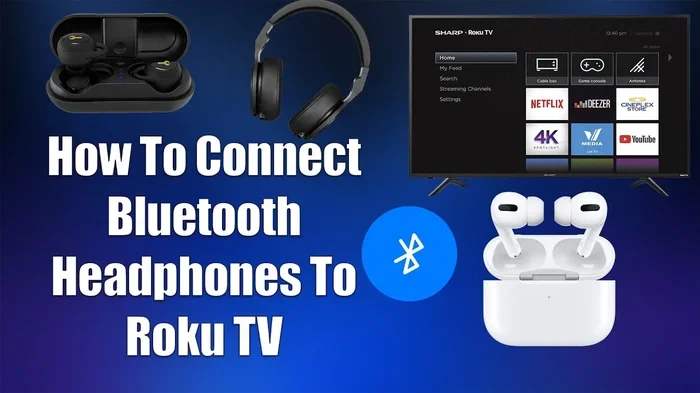
Before buying, make sure your devices are compatible. If you have a Samsung TV and want to use Bluetooth headphones, check if your TV supports the right Bluetooth profile. Similarly, if you want to use Bluetooth headphones on a PlayStation 4, verify that your console supports the right Bluetooth connection type.
Conclusion
Bluetooth 5.0 multipoint is a fantastic feature that makes wireless audio more convenient and practical. It lets you stay connected to two devices at once, switch seamlessly, and handle calls without interrupting your media. The technology behind Bluetooth 5.0 provides the speed, range, and stability needed to make multipoint work reliably.
Not every Bluetooth 5.0 device has multipoint, so always check before you buy. Look for it in the specs, read reviews, and ask the manufacturer if you are unsure. When you find a device that supports it, you will wonder how you ever lived without it.
Wireless technology keeps evolving, and Bluetooth 5.0 is a strong foundation for the future. Whether you are upgrading your headphones, speakers, or car audio, multipoint is a feature that delivers real everyday value. Embrace it, and enjoy the freedom of seamless wireless audio across all your devices.
Frequently Asked Questions
Is Bluetooth 5.0 multipoint the same as Bluetooth 5.1?
No, they are different versions. Bluetooth 5.1 introduced location-based features like angle-of-arrival tracking. However, both versions can support multipoint if the manufacturer includes it. The multipoint feature itself is not version-specific.
Can I use Bluetooth 5.0 multipoint with a car radio?
Yes, you can. If your car radio supports Bluetooth 5.0, you may be able to use multipoint to stay connected to both your phone and another device. You can also use a Bluetooth transmitter to add this capability to older car audio systems.
Does Bluetooth 5.0 multipoint drain battery faster?
It can use slightly more battery because two connections are active at once. However, Bluetooth 5.0 is designed to be efficient, so the difference is usually small. Most users do not notice a significant drop in battery life.
Can I connect more than two devices with Bluetooth 5.0 multipoint?
Standard multipoint supports two active connections. Some premium headphones may offer a “triple point” feature through custom firmware. But for most devices, two devices is the limit for multipoint Bluetooth 5.0.
Do I need special headphones for Bluetooth 5.0 multipoint?
Yes, your headphones or speaker must be specifically designed to support multipoint. Having Bluetooth 5.0 alone is not enough. Check the product specifications or the manufacturer’s website to confirm.
Can I listen to my Samsung TV with Bluetooth headphones that support multipoint?
Yes, if your Samsung TV supports Bluetooth audio output and your headphones have multipoint, you can connect to both the TV and your phone simultaneously. This lets you watch TV and take phone calls without re-pairing.