Can I Use My Phone As A Bluetooth Barcode Scanner
Yes, you can absolutely use your phone as a Bluetooth barcode scanner with the right apps and accessories. Bluetooth barcode scanner technology has made it possible to turn any smartphone into a powerful wireless barcode reader for retail, inventory, and everyday use. You do not need expensive dedicated hardware when a mobile barcode reader app can do the same job. This guide covers setup steps, best apps, pros and cons, and practical tips for getting started.
Have you ever stood in a store wondering if your phone could do more than just take photos? What if I told you that your pocket-sized device could double as a Bluetooth barcode scanner? It sounds like something from a sci-fi movie, but it is totally real. People use their smartphones to scan barcodes every single day, and the technology keeps getting better. Let me walk you through everything you need to know about turning your phone into a wireless barcode reader.
The idea of using a mobile barcode reader might feel new, but the concept has been around for a while. Apps have made it incredibly easy to scan product codes, QR codes, and even create your own barcodes. Whether you run a small retail shop or just want to organize your home inventory, your phone can handle the job. In this article, we will explore how Bluetooth barcode scanning works, which apps to use, and whether it is right for your needs.
Key Takeaways
- Phone-based scanning works: Your smartphone can function as a fully capable Bluetooth barcode scanner with the right app and accessories.
- Free and paid options exist: Many barcode scanner apps are free, while premium versions offer advanced features like inventory tracking.
- Setup is simple: Pairing your phone with a Bluetooth scanner or using the camera takes only a few minutes.
- Great for small businesses: Small business barcode scanner solutions save money and improve efficiency without bulky equipment.
- Limitations exist: Phone cameras may struggle with damaged or poorly printed codes compared to dedicated wireless barcode reader devices.
- Versatile use cases: From retail checkout to warehouse inventory, scan and go technology works across many industries.
📑 Table of Contents
- What Is a Bluetooth Barcode Scanner?
- Can You Really Use Your Phone as a Bluetooth Barcode Scanner?
- Best Apps for Smartphone Barcode Scanning
- Setting Up Your Phone as a Bluetooth Barcode Scanner
- Pros and Cons of Using Your Phone as a Scanner
- Real-World Uses for Phone-Based Barcode Scanning
- Comparison: Phone Camera vs. Bluetooth Scanner
- Common Mistakes to Avoid
- Expert Insights on Phone-Based Scanning
- Is Phone Scanning the Future?
- Conclusion
- Frequently Asked Questions
What Is a Bluetooth Barcode Scanner?
A Bluetooth barcode scanner is a handheld device that reads barcodes and sends data wirelessly to another device. Traditional scanners plug into computers or cash registers with cables. The Bluetooth version connects without wires, giving you more freedom to move around. These devices are common in warehouses, grocery stores, and shipping departments.
But here is the exciting part. Your smartphone can now do many of the same things. With a barcode scanner app, your phone uses its camera or a connected Bluetooth scanner to read codes. The data then goes straight into an app, spreadsheet, or inventory system. This wireless data capture method has changed how small businesses and even large retailers handle daily tasks.
How Does Phone-Based Barcode Scanning Work?
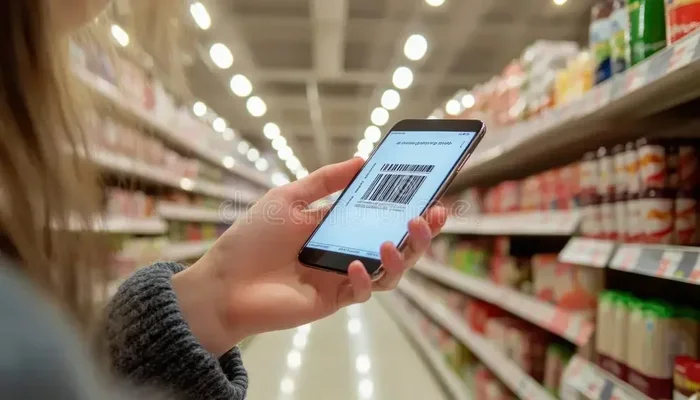
Your phone camera acts as the scanner in most cases. When you point your camera at a barcode, the app decodes the lines and numbers. It then sends that information where you need it. Some apps let you save the data locally. Others sync it to the cloud instantly. The whole process takes just a second or two.
When you use a Bluetooth scanner for phone setup, you pair a physical scanner with your device. The scanner reads the barcode and transmits the data over Bluetooth. Your phone receives it and pastes it into whatever field is active. This method feels faster and more accurate than using the camera alone. It is especially helpful when you need to scan hundreds of items in a row.
Can You Really Use Your Phone as a Bluetooth Barcode Scanner?
The short answer is yes. The longer answer is yes, and it is easier than you think. Many people ask, can I use my phone as a Bluetooth barcode scanner, and the answer depends on what you want to accomplish. For basic scanning, your phone camera and a free app work great. For heavy-duty scanning, pairing a Bluetooth scanner with your phone gives you professional-level results.
There are two main ways to scan with your phone:
- Camera-based scanning: You use your phone’s built-in camera and a scanning app. No extra hardware needed.
- Bluetooth scanner pairing: You connect a handheld Bluetooth scanner to your phone. This gives you faster scanning and better accuracy.
Both methods let you scan products with phone technology. The choice depends on your volume, budget, and how often you scan. Let us look at each method in more detail.
Method 1: Using Your Phone Camera
This is the simplest way to get started. You do not need any extra equipment. Just download a barcode scanner app and point your camera at any code. Apps like Google Lens, Shopify Barcode Scanner, and Scandit work well for everyday use.
The camera method works great for personal use. Want to scan a product to compare prices? Done. Need to pull up a QR code at a restaurant? Easy. But if you are scanning dozens of items per hour, the camera method can slow you down. Your hands get tired holding the phone steady. The focus sometimes struggles with blurry or damaged codes. For light use, though, it works perfectly.
Method 2: Pairing a Bluetooth Scanner
This is where things get really powerful. You buy a Bluetooth connectivity device — a small handheld scanner — and pair it with your phone. Once connected, every scan sends data directly into your phone as if you typed it on the keyboard.
Many small business barcode scanner setups use this method. Retail workers scan items quickly during checkout. Warehouse staff scan boxes for inventory. The speed and accuracy are far better than camera scanning. Plus, you can use the scanner with one hand while holding a product in the other. It is a game-changer for anyone scanning frequently.
Best Apps for Smartphone Barcode Scanning
Not all scanning apps are created equal. Some are free. Some cost a few dollars a month. Some are built for specific industries. Here are some of the best options for turning your phone into a mobile barcode reader.
Free Apps for Everyday Users
If you just need basic scanning, free apps work well. Google Lens comes built into most Android phones. Apple users can use the built-in camera app for QR codes. For a dedicated barcode scanner app, try these free options:
- Shopify Barcode Scanner — Great for retail and inventory management.
- Quick Scan — Simple and fast for both barcodes and QR codes.
- Barcode Scanner by QR Code City — Lightweight and easy to use.
- Amazon App — Lets you scan products and compare prices instantly.
Paid Apps with Advanced Features
For serious scanning, paid apps offer more power. These apps support inventory management app features, batch scanning, and data export. Some popular paid options include:
- Scandit — Used by large retailers for high-volume scanning.
- Sortly — Combines scanning with visual inventory tracking.
- inFlow Inventory — Great for small businesses managing stock.
- Stockpile — Simple and affordable for home or small office use.
Setting Up Your Phone as a Bluetooth Barcode Scanner
Setting up your phone for Bluetooth barcode scanning is straightforward. Whether you use the camera or a paired scanner, the process takes just a few minutes. Let me walk you through both setups.
Setting Up Camera-Based Scanning
Open your app store and search for a barcode scanner app. Download one that fits your needs. Open the app and point your camera at any barcode. The app should recognize the code and display the product information. That is it. You are now scanning with your phone.
Quick Tips for Camera Scanning:
- Make sure your camera lens is clean.
- Hold the phone steady about 6 to 8 inches from the code.
- Good lighting helps the app read codes faster.
- Keep the barcode flat and unwrinkled for best results.
Setting Up a Bluetooth Scanner
First, buy a compatible Bluetooth scanner for phone. Many models work with both Android and iPhone. Once you have the scanner, follow these steps:
- Turn on the Bluetooth scanner and put it in pairing mode.
- Open your phone’s Bluetooth settings.
- Find the scanner in the list of available devices.
- Tap to pair and connect.
- Open your scanning app and start scanning.
Most Bluetooth scanners connect instantly. You will see a confirmation on both devices. Once paired, the scanner works automatically every time you turn it on, as long as Bluetooth is enabled on your phone.
Pros and Cons of Using Your Phone as a Scanner
Like any technology, using your phone as a wireless barcode reader comes with advantages and limitations. Let us break them down so you can make an informed decision.
Advantages
- Cost savings: You do not need to buy a separate scanner. Your phone does the job.
- Portability: Your phone is always with you. No extra equipment to carry.
- Easy setup: Downloading an app takes minutes. No technical skills required.
- Versatility: Scan barcodes, QR codes, and even create your own codes.
- Cloud integration: Many apps sync data to the cloud automatically.
- Scalability: Works for one person or a whole team with the right app.
Limitations
- Speed: Camera scanning is slower than a dedicated Bluetooth scanner for high-volume work.
- Battery drain: Constant scanning uses your phone battery quickly.
- Durability: Phones are fragile. Dropping your phone during a busy scanning session can be costly.
- Accuracy: Damaged or poorly printed codes sometimes confuse phone cameras.
- Screen glare: Outdoor scanning can be difficult in bright sunlight.
Real-World Uses for Phone-Based Barcode Scanning
Scan and go technology has found its way into many industries. Here are some practical ways people use their phones as Bluetooth barcode scanners every day.
Retail and Point of Sale
Small retailers use phone scanning for quick checkout. Instead of a bulky point of sale scanning setup, a cashier scans items with a phone. The app calculates totals, applies discounts, and prints receipts. This contactless scanning approach became even more popular after the pandemic. Many pop-up shops and farmers markets rely on it completely.
Inventory Management
Keeping track of stock is easier with a phone scanner. Warehouse workers scan items as they come in and go out. The digital inventory tool updates in real time. Business owners can check stock levels from anywhere using their phone. This saves hours of manual counting and reduces errors.
Personal Organization
You do not need a business to benefit from phone scanning. Home users scan barcodes to track purchases, compare prices, or manage a personal library. Some people scan every new item they bring home. The data helps them budget, organize, and avoid duplicate purchases.
Event and Ticket Management
Event organizers use phone scanning for ticket entry. Attendees show a QR code on their phone. Staff scan it with their own phones and the entry is recorded instantly. This replaces printed tickets and speeds up entry lines. It is a clean, contactless scanning solution for concerts, conferences, and festivals.
Comparison: Phone Camera vs. Bluetooth Scanner
Not sure which method fits your needs? Here is a quick comparison to help you decide.
| Feature | Phone Camera | Bluetooth Scanner |
|---|---|---|
| Cost | Free | $20 to $200 |
| Setup Time | Under 1 minute | 5 to 10 minutes |
| Scanning Speed | Moderate | Very Fast |
| Accuracy | Good | Excellent |
| Battery Usage | Moderate | Low (scanner has own battery) |
| Best For | Light use, personal tasks | High-volume, business use |
| Extra Equipment | None | Handheld scanner required |
As you can see, each method has its place. If you scan occasionally, the camera method is perfect. If you scan all day long, investing in a Bluetooth scanner for phone setup makes sense. Many businesses start with the camera method and upgrade to a Bluetooth scanner as they grow.
Common Mistakes to Avoid
Even though phone scanning is simple, some mistakes can slow you down. Here are a few to watch out for:
- Using the wrong app: Not all scanning apps are equal. Some struggle with certain barcode types. Choose an app that supports the codes you scan most often.
- Ignoring lighting: Poor lighting makes scanning harder. Move to a well-lit area if the app struggles to read a code.
- Forgetting to update apps: Updated apps fix bugs and improve scanning accuracy. Keep your scanning apps current.
- Not testing before a big event: Always test your setup before a busy day or event. Nothing is worse than a scanner failing when you need it most.
- Skipping Bluetooth maintenance: If you use a Bluetooth scanner, keep your phone and scanner firmware updated for the best connection.
Expert Insights on Phone-Based Scanning
Many small business owners have switched from traditional scanners to phone-based solutions. The feedback is overwhelmingly positive. One coffee shop owner shared that using a mobile barcode reader saved her hundreds of dollars in equipment costs. A warehouse manager reported that scan and go technology cut his inventory processing time in half.
The trend toward phone-based scanning is not slowing down. As phone cameras improve and scanning apps become more powerful, the gap between phone scanning and dedicated hardware shrinks. For most everyday and small business needs, a phone-based setup works just as well — if not better — than traditional equipment.
Digital inventory tools have also improved dramatically. Many apps now let you scan an item, attach a photo, add notes, and track its location. This level of organization used to require expensive software and training. Now it fits in your pocket.
Is Phone Scanning the Future?
The short answer is yes. Contactless scanning is becoming the norm in retail, logistics, and even healthcare. Phones are getting better cameras, faster processors, and stronger Bluetooth connections. All of these improvements make phone scanning more reliable every year.
Dedicated scanners still have a place in high-volume industrial settings. But for the average person, a small business owner, or a retail worker, your phone is already enough. The combination of a good scanning app and, optionally, a Bluetooth scanner gives you everything you need.
So the next time someone asks you, can I use my phone as a Bluetooth barcode scanner, you can confidently say yes. Share this article with them. Help them save money and streamline their workflow. The technology is there. All you need is your phone and the right app.
Conclusion
Using your phone as a Bluetooth barcode scanner is not just possible — it is practical, affordable, and increasingly powerful. Whether you choose camera-based scanning or pair a Bluetooth scanner with your phone, you get a versatile wireless barcode reader in your pocket. The best apps make setup a breeze, and the cost savings compared to dedicated hardware are significant.
Start with a free app and test it for your needs. If you find yourself scanning frequently, consider investing in a Bluetooth scanner for faster, more accurate results. The world of scan and go technology is at your fingertips. Embrace it, experiment with it, and watch how it transforms the way you work and organize.
Frequently Asked Questions
Do I need a special phone to use it as a Bluetooth barcode scanner?
No. Most modern smartphones work with barcode scanning apps. Both Android and iPhone devices support camera-based scanning and Bluetooth scanner pairing. As long as your phone has a camera and Bluetooth, you are good to go.
Is it safe to use barcode scanner apps on my phone?
Yes, most reputable scanning apps are safe. Stick to well-known apps from trusted developers. Always check reviews and permissions before downloading. Avoid apps that ask for unnecessary access to your personal data.
Can I scan any type of barcode with my phone?
Most apps support common barcode types like UPC, EAN, QR codes, and Code 128. Some specialized apps handle additional formats like PDF417 or Data Matrix. Check the app description to see which barcode types it supports before committing.
How fast is phone scanning compared to a dedicated scanner?
Camera-based scanning is slower than a dedicated Bluetooth scanner. A Bluetooth scanner can read codes in milliseconds and works reliably in low light. Camera scanning works well for occasional use but may lag during high-volume scanning sessions.
Do I need internet access to scan barcodes with my phone?
For basic scanning, no internet is needed. The app decodes the barcode using your camera. However, if you want to look up product details, compare prices, or sync data to the cloud, you will need an internet connection.
Can I use my phone as a scanner for my small business?
Absolutely. Many small businesses rely entirely on phone-based scanning for inventory, checkout, and order management. Paid apps with inventory tracking features make it easy to scale from personal use to full business operations.