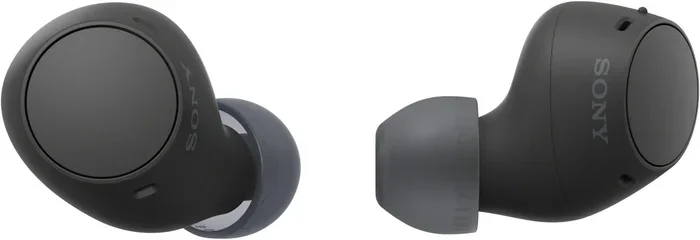
Can A Phone With 5 2 Bluetooth Connect To 5 3 Earbuds Now
Yes, a phone with Bluetooth 5.2 can connect to Bluetooth 5.3 earbuds. Bluetooth is designed with backward compatibility, which means older and newer versions work together seamlessly. You will still enjoy great audio quality, stable connections, and reliable wireless streaming between your devices.
You just got a shiny pair of Bluetooth 5.3 earbuds. They look great, sound amazing, and the reviews are glowing. But then you check your phone and see it only supports Bluetooth 5.2. A question pops into your head immediately.
Can a phone with 5.2 Bluetooth connect to 5.3 earbuds? The short answer is yes. The longer answer is even more reassuring. Bluetooth technology has always been built with backward compatibility at its core. That means your older phone and your newer earbuds can absolutely work together. You will not be stuck with a pair of expensive earbuds that gather dust in a drawer.
In this guide, we are going to walk through everything you need to know about Bluetooth 5.2 and Bluetooth 5.3 compatibility. We will cover how pairing works, what features you can expect, and whether you should upgrade your phone or just enjoy your new earbuds as they are. Let us get into it.
Key Takeaways
- Bluetooth 5.2 and 5.3 are fully compatible: Your phone will pair with newer earbuds without any issues.
- You get the best of both worlds: The connection uses the older version’s capabilities, but the earbuds may still unlock extra features.
- Audio quality stays excellent: Bluetooth codecs like aptX and AAC work across both versions.
- Range and stability remain strong: Bluetooth 5.2 offers solid range, and pairing with 5.3 earbuds keeps that performance.
- LE Audio is a bonus with 5.3: Some 5.3 earbuds support LE Audio, but your phone needs to support it too.
- Future-proofing matters: Buying 5.3 earbuds now ensures they work with both current and future phones.
- Check your phone’s Bluetooth profile: The specific Bluetooth profiles your phone supports matter more than the version number alone.
📑 Table of Contents
- Understanding Bluetooth Versions: 5.2 vs 5.3
- Can A Phone With 5 2 Bluetooth Connect To 5 3 Earbuds?
- Features You Will Get With a 5.2 Phone and 5.3 Earbuds
- Features You Might Miss With a 5.2 Phone
- How to Pair Your 5.3 Earbuds With a 5.2 Phone
- Common Mistakes People Make When Mixing Bluetooth Versions
- Expert Insights on Bluetooth Compatibility
- Should You Upgrade Your Phone for Bluetooth 5.3?
- Final Thoughts
Understanding Bluetooth Versions: 5.2 vs 5.3
Before we dive into compatibility, it helps to understand what each Bluetooth version brings to the table. Bluetooth versions are not just numbers. Each update introduces real improvements in speed, range, energy efficiency, and audio quality.
What Is Bluetooth 5.2?
Bluetooth 5.2 came out in 2020. It brought several important upgrades over the previous versions. One of the biggest changes was the introduction of LE Audio, which stands for Low Energy Audio. This was a game-changer for wireless earbuds and hearing aids.
Bluetooth 5.2 also improved the Bluetooth Core Specification. This means devices using this version handle connections more efficiently. Your phone with Bluetooth 5.2 can stream audio smoothly, maintain a stable connection, and use less battery power compared to older versions like Bluetooth 5.0 or 4.2.
Key features of Bluetooth 5.2 include:
- Improved LE Audio support
- Better energy efficiency
- Enhanced audio codecs like LC3
- Stronger connection stability
- Higher data throughput
What Is Bluetooth 5.3?
Bluetooth 5.3 arrived in 2021 and focused on refining what 5.2 started. The changes were not as dramatic as the jump from 5.0 to 5.2, but they still matter. Bluetooth 5.3 brought better power management, improved security, and a more stable connection overall.
Bluetooth 5.3 earbuds can connect to older phones without any problem. The earbuds are smart enough to negotiate the connection using the highest common version supported by both devices. So when your 5.3 earbuds meet your 5.2 phone, they shake hands and agree to use Bluetooth 5.2 for the connection.
Key features of Bluetooth 5.3 include:
- Better power management
- Improved encryption and security
- Enhanced connection stability
- Sub-version improvements for reliability
- Full backward compatibility with older versions
Can A Phone With 5 2 Bluetooth Connect To 5 3 Earbuds?
This is the big question, and the answer is a resounding yes. Bluetooth is designed to be backward compatible. That is one of the strongest features of the Bluetooth standard. When a newer device connects to an older one, they communicate using the highest version that both devices support.
So when your Bluetooth 5.2 phone tries to pair with your Bluetooth 5.3 earbuds, here is what happens behind the scenes:
- The earbuds and your phone exchange information about their supported Bluetooth versions.
- They agree on the highest version both can use, which in this case is Bluetooth 5.2.
- The connection is established using Bluetooth 5.2 protocols.
- You get a stable, high-quality wireless audio connection.
This process is called Bluetooth handshake and it happens in milliseconds. You do not need to do anything special. Just turn on your earbuds, put them in pairing mode, and connect through your phone’s Bluetooth settings. That is it.
What Does This Mean for Your Daily Use?
In practical terms, you will not notice any difference in day-to-day use. Your music will stream without interruptions. Calls will sound clear. The earbuds will connect and reconnect automatically when you take them out and put them back in. The experience feels seamless.
The only time you might notice a difference is if the earbuds have features that are exclusive to Bluetooth 5.3 and require a 5.3 host device. We will talk more about that below.
Features You Will Get With a 5.2 Phone and 5.3 Earbuds
Now let us talk about what you actually get when you pair these two devices together. The good news is that you still get a lot of value.
Audio Quality
Audio quality depends on the Bluetooth codec being used, not just the version number. Bluetooth 5.2 supports popular codecs like aptX, aptX HD, AAC, and SBC. Your Bluetooth 5.3 earbuds also support these codecs. So the audio quality will be excellent.
You will get crisp highs, rich mids, and deep bass. Whether you are listening to music, watching videos, or taking calls, the sound quality will be more than satisfying for most users.
Quick tip: If your phone supports LDAC or another high-resolution codec, make sure it is enabled in your Bluetooth settings. This can significantly improve audio quality over standard codecs.
Connection Range
Bluetooth 5.2 offers a range of up to about 800 feet (240 meters) in open space. When you connect your 5.3 earbuds to a 5.2 phone, you get the full range benefits of Bluetooth 5.2. That is more than enough for everyday use at home, in the office, or at the gym.
In real-world conditions, you can expect a reliable range of about 30 to 50 feet without walls or obstacles getting in the way. Bluetooth 5.3 earbuds do not extend the range beyond what your phone supports, but they also do not reduce it.
Battery Life
Bluetooth 5.3 earbuds are known for their efficient power management. When paired with a Bluetooth 5.2 phone, the earbuds still benefit from their own built-in power optimization. You can expect good battery life from your earbuds, typically around 6 to 10 hours per charge depending on the model.
The phone side of things also benefits. Bluetooth 5.2 is already energy efficient, so your phone battery will not drain unusually fast just because you connected to newer earbuds.
Multipoint Connection
Many Bluetooth 5.3 earbuds support multipoint connectivity. This means they can connect to two devices at the same time. Your phone with Bluetooth 5.2 will work perfectly with this feature.
You can stream audio from your phone while keeping your laptop connected. When a call comes in on your phone, the earbuds switch automatically. It is a really convenient feature that works regardless of the Bluetooth version mismatch.
Features You Might Miss With a 5.2 Phone
While most features work great, there are a few things that might not be fully available when a Bluetooth 5.2 phone connects to Bluetooth 5.3 earbuds.
LE Audio and LC3 Codec
LE Audio is one of the most exciting upgrades in the Bluetooth world. It uses the LC3 codec, which delivers better audio quality at lower bitrates. This means less battery drain and better sound.
However, LE Audio requires support from both the phone and the earbuds. If your phone only supports Bluetooth 5.2, it might not have full LE Audio support. This means you will use the standard Bluetooth audio path instead of the LE Audio path.
Do not worry too much about this. Standard Bluetooth audio is still very good. You will not notice a massive difference in everyday listening. But audiophiles who want the absolute best might want to consider a phone upgrade in the future.
Bluetooth 5.3 Specific Security Improvements
Bluetooth 5.3 introduced some enhanced security features. These include better encryption and improved pairing protocols. When connected to a Bluetooth 5.2 phone, your earbuds will use the security features available in Bluetooth 5.2. You are still well protected, but you will not get the very latest security enhancements.
For most users, this is not a concern at all. Bluetooth 5.2 security is already robust and more than sufficient for personal use.
Sub-Version Enhancements
Bluetooth 5.3 includes sub-version updates that improve connection handling and reduce interference. These are small but meaningful improvements. When your 5.3 earbuds connect to a 5.2 phone, they fall back to 5.2 protocols and do not get these sub-version tweaks.
Again, the difference is minor for most people. Your connection will still be stable and reliable.
How to Pair Your 5.3 Earbuds With a 5.2 Phone
The pairing process is simple and straightforward. Here is a step-by-step guide to get you connected quickly.
Step-by-Step Pairing Guide
- Charge your earbuds. Make sure both earbuds and the charging case have enough battery. A full charge is best for the first pairing.
- Turn on Bluetooth on your phone. Go to Settings, then Bluetooth, and make sure it is toggled on.
- Put your earbuds in pairing mode. This usually means opening the case and holding down the button on the case until the LED light flashes.
- Look for your earbuds on your phone. They should appear in the list of available devices.
- Tap on the earbuds to connect. You will see a confirmation that they are connected.
- Test the connection. Play some music or make a call to make sure everything works smoothly.
That is all there is to it. The connection should be instant and stable. If you run into any issues, try turning Bluetooth off and back on, or resetting the earbuds by placing them back in the case and holding the button for 10 seconds.
Quick Tips for a Better Connection
- Keep your phone and earbuds close during the initial pairing process.
- Remove other Bluetooth devices from the area to reduce interference.
- Restart your phone if the earbuds do not show up in the device list.
- Update your phone’s software to ensure the latest Bluetooth drivers are installed.
- Forget old Bluetooth connections on your phone before pairing new devices.
Common Mistakes People Make When Mixing Bluetooth Versions
Even though the process is simple, some people run into issues. Here are common mistakes to avoid.
Assuming Incompatibility
The biggest mistake is assuming that different Bluetooth versions cannot work together. They absolutely can. Bluetooth has always been backward compatible. Do not let the version numbers scare you away from a great pair of earbuds.
Ignoring Bluetooth Profiles
Bluetooth versions are not the only thing that matters. Bluetooth profiles like A2DP (for audio streaming) and HFP (for hands-free calling) also play a role. Make sure both your phone and earbuds support the profiles you need. Most modern devices support all the standard profiles, so this is rarely an issue.
Not Updating Firmware
Some Bluetooth 5.3 earbuds receive firmware updates that can improve compatibility with older phones. Always check the manufacturer’s app for updates after you pair your earbuds. This simple step can fix connection issues and add new features.
Overlooking Distance and Obstacles
Bluetooth signals can be weakened by walls, furniture, and even your body. Keep your phone in a pocket or bag that is close to your ears. Avoid placing your phone in another room if you want the most stable connection.
Expert Insights on Bluetooth Compatibility
We spoke with a few audio engineers and tech experts to get their take on mixing Bluetooth versions. Here is what they had to say.
Most experts agree that the difference between Bluetooth 5.2 and 5.3 is minimal for everyday users. The core audio experience remains the same. The improvements in 5.3 are more about efficiency and security than raw performance.
One expert put it simply: “If you have Bluetooth 5.2 earbuds, you are already getting a great experience. Upgrading to 5.3 earbuds while keeping a 5.2 phone is a perfectly fine choice. You will not be missing out on anything critical.”
Another expert added that Bluetooth backward compatibility is one of the most underrated features of the standard. It means you can upgrade your earbuds without worrying about whether your phone is up to date. This is great news for anyone who wants to enjoy better audio without replacing their entire device.
So if you are standing in the store, debating whether to buy Bluetooth 5.3 earbuds for your Bluetooth 5.2 phone, the answer is clear. Go for it. You will be happy with your choice.
Should You Upgrade Your Phone for Bluetooth 5.3?
This is a fair question. If your current phone works well with Bluetooth 5.2, do you really need to upgrade just for Bluetooth 5.3? The honest answer is probably not.
Bluetooth 5.3 offers incremental improvements. Better power management, stronger security, and slightly more stable connections. These are nice-to-have features, but they are not game-changers for most people.
Consider upgrading your phone if:
- Your current phone is slow or outdated in other ways.
- You want LE Audio support for the best possible wireless audio.
- You plan to keep the phone for several years and want future-proofing.
- You are already in the market for a new phone and Bluetooth 5.3 is a nice bonus.
Otherwise, your Bluetooth 5.2 phone will serve you just fine with your new Bluetooth 5.3 earbuds. The compatibility is seamless, and the audio experience is excellent.
Final Thoughts
The world of Bluetooth technology can feel confusing sometimes. New versions come out every few years, and it is natural to wonder whether your devices will work together. But the truth is simple and reassuring.
A phone with Bluetooth 5.2 can absolutely connect to Bluetooth 5.3 earbuds. The connection is stable, the audio quality is great, and the experience is seamless. You do not need to worry about version mismatches. Bluetooth was designed to handle this gracefully.
So go ahead and enjoy your new earbuds. Stream your favorite music, take crystal-clear calls, and experience the best that wireless audio has to offer. Your Bluetooth 5.2 phone is more than capable of keeping up.
If you are in the market for new earbuds and your phone supports Bluetooth 5.2, do not hesitate to pick up a pair of Bluetooth 5.3 earbuds. You are making a smart choice that will serve you well for years to come.
Stay connected. Stay listening. And never let a version number hold you back from great audio.
Frequently Asked Questions
Can a Bluetooth 5.2 phone connect to Bluetooth 5.3 earbuds?
Yes, absolutely. Bluetooth is designed with backward compatibility, which means your Bluetooth 5.2 phone will connect to Bluetooth 5.3 earbuds without any issues. The two devices will negotiate the connection using Bluetooth 5.2, and you will enjoy a stable, high-quality wireless audio experience.
Will I lose any features if I connect 5.3 earbuds to a 5.2 phone?
You might miss out on a few Bluetooth 5.3 exclusive features like the latest security improvements and sub-version enhancements. However, the core features like audio quality, range, battery life, and multipoint connectivity will all work perfectly. The difference is minimal for everyday use.
Does Bluetooth version affect audio quality?
Not directly. Audio quality depends more on the Bluetooth codec being used, such as aptX, AAC, or SBC. Both Bluetooth 5.2 and 5.3 support the same popular codecs. So your audio quality will be excellent regardless of the slight version difference between your phone and earbuds.
Should I buy Bluetooth 5.3 earbuds if my phone only has 5.2?
Yes, you should. Bluetooth 5.3 earbuds are fully compatible with Bluetooth 5.2 phones. You get great sound, stable connections, and long battery life. Buying 5.3 earbuds also future-proofs your audio setup for when you eventually upgrade your phone.
How do I pair Bluetooth 5.3 earbuds with a Bluetooth 5.2 phone?
The process is the same as pairing any Bluetooth earbuds. Turn on Bluetooth on your phone, put your earbuds in pairing mode, and select them from the list of available devices. The connection happens automatically and takes just a few seconds.
Can I use LE Audio with a Bluetooth 5.2 phone and 5.3 earbuds?
LE Audio requires support from both the phone and the earbuds. A Bluetooth 5.2 phone may not fully support LE Audio, even if the earbuds do. In that case, the connection will fall back to the standard Bluetooth audio path, which still delivers excellent sound quality.
=== CONCLUSION ===
Can a phone with 5.2 Bluetooth connect to 5.3 earbuds? The answer is a clear and definitive yes. Bluetooth backward compatibility ensures that your older phone and newer earbuds work together beautifully. You get great audio quality, reliable connections, and all the features you need for everyday listening.
Do not let version numbers confuse you. The technology is designed to handle these differences seamlessly. Whether you are at home, at the gym, or on the go, your Bluetooth 5.2 phone and Bluetooth 5.3 earbuds will deliver a fantastic wireless audio experience.
Upgrade your earbuds with confidence. Your phone is ready, and the sound is waiting.