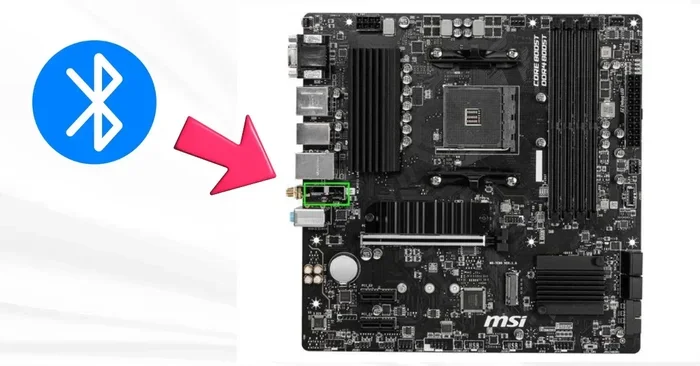
Does Prime X670 P Have Bluetooth 2 Wireless Support
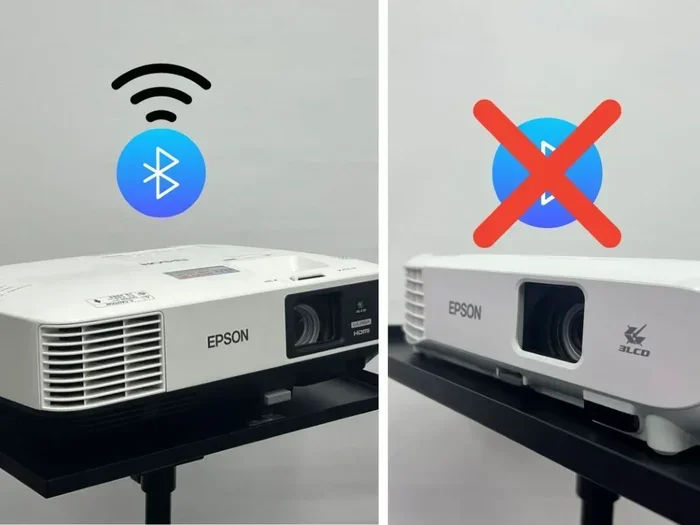
The Prime X670 P does not support Bluetooth 2. This modern AMD AM5 motherboard comes equipped with Bluetooth 5.x, offering much faster and more reliable wireless connectivity. If you specifically need Bluetooth 2, you would need older hardware or a separate adapter.
This is a comprehensive guide about Does Prime X670 P Have Bluetooth 2.
Key Takeaways
- No Bluetooth 2 Support: The Prime X670 P uses Bluetooth 5.x, not Bluetooth 2.
- Modern Wireless Standard: Bluetooth 5.x offers faster speeds, longer range, and better stability than Bluetooth 2.
- Built-In Wireless: The motherboard includes integrated wireless capabilities, so no extra card is needed.
- Backward Compatible: Bluetooth 5.x can still connect with older Bluetooth 2 devices, though with reduced performance.
- Driver Matters: You may need to install the right driver to get Bluetooth working on the Prime X670 P.
- Check Your Needs: If you only have Bluetooth 2 devices, a Bluetooth adapter may be a better solution.
[FEATURED_IMAGE_PLACEHOLDER]
The world of wireless connectivity has changed a lot over the years. When Bluetooth 2 first came out, it felt like magic. You could finally connect your phone to a headset without any wires. Fast forward to today, and we have Bluetooth 5 and even newer versions that do so much more. But what happens when you are building or upgrading a PC and you wonder about older tech? That is exactly the question many people ask about the Prime X670 P motherboard. Does it still support Bluetooth 2? The short answer is no. But the full story is much more interesting. In this article, we will break down everything you need to know about Bluetooth support on the Prime X670 P. You will learn what version it uses, why Bluetooth 2 is outdated, and what you can do if you still rely on older Bluetooth devices.
The Prime X670 P is a motherboard made by ASRock. It uses the AMD X670 chipset and supports the AM5 socket. This means it works with the latest AMD Ryzen processors. The board is designed for people who want strong performance, good features, and modern connectivity. One of the things people look for in a motherboard is wireless support. Nobody wants to run cables everywhere if they do not have to. That is where Bluetooth comes in. It lets you connect wireless keyboards, mice, headsets, speakers, and more without any hassle. But the version of Bluetooth matters a lot. Older versions like Bluetooth 2 are slow and have limited range. Newer versions like Bluetooth 5.x are much better in every way. So let us dive deeper into what the Prime X670 P actually offers.
There is a big difference between Bluetooth 2 and the Bluetooth versions found on modern motherboards. Bluetooth 2 was released way back in 2004. At the time, it was a big deal. It offered better speed and range than Bluetooth 1.x. But compared to today’s standards, it is very outdated. Bluetooth 2 has a maximum data transfer rate of about 3 Mbps. That sounds fine for audio, but it struggles with anything more demanding. The range is also limited, usually around 10 meters. And the connection can be unstable at times.
Now look at the Prime X670 P. This motherboard supports Bluetooth 5.x. Bluetooth 5 was released in 2016, and it brought huge improvements. The data transfer rate jumped to 2 Mbps for low energy mode and much higher for classic mode. The range improved to about 40 meters or more in open space. There is also better battery efficiency, which is great for wireless peripherals. You can learn more about how Bluetooth works on different devices by checking out this guide on Can I Download Bluetooth On My Pc.
So why does Bluetooth 2 not appear on the Prime X670 P? The simple answer is that technology moves forward. Motherboard manufacturers design their boards with the latest wireless standards. Supporting old Bluetooth versions like Bluetooth 2 would add unnecessary cost and complexity. It also would not make sense from a user experience perspective. No one wants a slow, short-range Bluetooth connection when faster options are available. The X670 chipset is built for modern computing. It supports the latest AMD processors, PCIe 5.0, and DDR5 memory. Bluetooth 5.x fits right into that ecosystem.
The Prime X670 P includes integrated wireless LAN and Bluetooth. This means you do not need to buy a separate wireless card. The motherboard comes with a built-in wireless module that handles both Wi-Fi and Bluetooth. The wireless module on the Prime X670 P supports the latest Bluetooth standards. This ensures you get the best performance for your wireless devices. Whether you are using a wireless mouse, keyboard, headset, or speaker, the connection will be fast and stable.
The wireless module on the Prime X670 P typically uses Bluetooth 5.2 or later. This version adds features like LE Audio and improved multipoint connections. LE Audio allows for better audio streaming with lower power consumption. Multipoint lets you connect to multiple devices at the same time. These are features that Bluetooth 2 simply could not offer. If you are curious about how Bluetooth works with other devices, you might find this article on Can I Use Bluetooth Headphones With Ps4 helpful.
If you have older devices that only use Bluetooth 2, you can still connect them to the Prime X670 P. Bluetooth 5.x is backward compatible. This means it can communicate with older Bluetooth devices. However, the connection will use the older Bluetooth version’s capabilities. So a Bluetooth 2 headset will still work, but it will not get the speed or range benefits of Bluetooth 5. The connection will be as good as what Bluetooth 2 can offer.
There are a few things to keep in mind when connecting older Bluetooth devices. First, make sure your device drivers are up to date. Second, place the Bluetooth device close to the motherboard’s wireless antenna for the best signal. Third, if you experience connection issues, try removing the device and pairing it again. Sometimes a fresh connection solves the problem. You can also check out this guide on Can I Use A Bluetooth Adapter On My Tv for tips on using Bluetooth adapters with different devices.
If you only have Bluetooth 2 devices and you want the best experience, a Bluetooth adapter might be a good option. A Bluetooth adapter plugs into a USB port and adds Bluetooth capability to your system. You can get adapters that support Bluetooth 5.x for a very low price. This way, you get the best of both worlds. Your old Bluetooth 2 devices will still work, and you can also use newer Bluetooth 5 devices.
There are also situations where you might need to manage Bluetooth on your system. For example, you might want to remove Bluetooth if it is causing issues. You can learn more about this in our article on Can I Uninstall Bluetooth. Managing your Bluetooth settings properly can help keep your system running smoothly.
Setting up Bluetooth on the Prime X670 P is pretty straightforward. Here is a quick step-by-step guide. First, make sure your motherboard has the latest BIOS update installed. This ensures all wireless features work properly. Second, check your Windows settings and make sure Bluetooth is turned on. Third, go to Settings > Devices > Bluetooth & other devices. Fourth, click Add Bluetooth or other device. Fifth, select your device from the list and follow the prompts. That is it. Your device should be connected in seconds.
If Bluetooth is not showing up in your settings, do not worry. There are a few things you can try. First, check if the wireless module is enabled in the BIOS. Second, make sure you have installed the wireless drivers from ASRock’s website. Third, try restarting your computer. Fourth, run the Windows Bluetooth troubleshooter. These steps should fix most common issues.
Not all Bluetooth devices are the same. Some work great with the Prime X670 P, while others might give you trouble. Here are a few examples. Wireless keyboards and mice from brands like Logitech and Razer work perfectly. Bluetooth headsets and earbuds also connect without any problems. Wireless speakers and soundbars are great for audio. However, some very old Bluetooth 2 devices might have trouble. The connection might drop or the audio quality might not be great. If that happens, consider using a wired connection or getting a Bluetooth adapter.
Here are some quick tips to get the most out of Bluetooth on your Prime X670 P. Keep your drivers updated. ASRock releases driver updates that improve Bluetooth performance. Place your wireless devices close to the motherboard for a strong signal. Avoid placing the motherboard near other wireless devices that might cause interference. Use Bluetooth 5 devices whenever possible for the best experience. Turn off Bluetooth when you are not using it to save a little battery. These small tips can make a big difference in your daily use.
Even with modern hardware, Bluetooth issues can happen from time to time. Here are some common problems and how to fix them. If your Bluetooth device keeps disconnecting, try moving it closer to the motherboard. If you cannot find your device during pairing, make sure it is in pairing mode. If the audio quality is poor, check if there are other wireless devices causing interference. If Bluetooth is not showing up at all, reinstall the wireless drivers. Most issues can be solved with these simple steps.
Bluetooth technology has come a long way since the early days. Bluetooth 2 was a big step forward when it came out. But today, we have Bluetooth 5.x and even Bluetooth LE Audio. These newer versions offer much better performance. The Prime X670 P is built for the present and the future. It supports the latest wireless standards so you can enjoy fast, stable connections. Investing in modern hardware means you do not have to worry about outdated technology holding you back.
If you are building a new PC or upgrading an existing one, the Prime X670 P is a solid choice. It offers great wireless connectivity, strong performance, and modern features. You do not need to worry about Bluetooth 2 support because the board goes way beyond that. You get Bluetooth 5.x, which is more than enough for all your wireless needs. Whether you are a gamer, a content creator, or a casual user, the wireless experience on this motherboard is excellent.
One thing to keep in mind is that wireless technology keeps evolving. What is cutting edge today might be old news in a few years. But that is the beauty of modern hardware. It is designed to last and stay relevant. The Prime X670 P is no exception. It supports the latest standards and is ready for whatever comes next. So you can buy it with confidence, knowing your wireless connectivity is in good hands.
Frequently Asked Questions
Does the Prime X670 P support Bluetooth 2?
No, the Prime X670 P does not support Bluetooth 2. It comes with Bluetooth 5.x, which is a much newer and faster wireless standard. Bluetooth 2 is an older version that is no longer supported on modern motherboards like the Prime X670 P.
Can I still connect Bluetooth 2 devices to the Prime X670 P?
Yes, you can connect Bluetooth 2 devices to the Prime X670 P because Bluetooth 5.x is backward compatible. However, the connection will use the older Bluetooth 2 speed and range. You will not get the full benefits of Bluetooth 5.x when using an older device.
What Bluetooth version does the Prime X670 P use?
The Prime X670 P uses Bluetooth 5.x, which is likely Bluetooth 5.2 or later. This version offers faster data transfer speeds, longer range, and better battery efficiency compared to older Bluetooth versions like Bluetooth 2.
Do I need a separate Bluetooth card for the Prime X670 P?
No, the Prime X670 P has integrated wireless support built into the motherboard. It includes both Wi-Fi and Bluetooth without needing an extra card. Just make sure you install the wireless drivers from ASRock’s website for the best performance.
How do I check what Bluetooth version my Prime X670 P is using?
You can check your Bluetooth version in Windows by going to Device Manager. Expand the Bluetooth section, right-click your wireless adapter, and select Properties. The driver details will show you the Bluetooth version supported by your hardware.
What should I do if my Bluetooth is not working on the Prime X670 P?
First, make sure Bluetooth is turned on in Windows settings. Second, check that the wireless drivers are installed and up to date. Third, try restarting your computer. Fourth, run the Windows Bluetooth troubleshooter. If none of these work, try disabling and re-enabling Bluetooth in Device Manager.
=== CONCLUSION ===
To wrap things up, the Prime X670 P does not support Bluetooth 2. It uses Bluetooth 5.x, which is far superior in every way. The board offers fast wireless connectivity, long range, and excellent stability. If you have older Bluetooth 2 devices, they will still work thanks to backward compatibility, but you will not get the full performance benefits. For the best wireless experience, consider upgrading to Bluetooth 5 devices or using a Bluetooth adapter. The Prime X670 P is a great motherboard that keeps you connected in the modern wireless world. Whether you are building a new PC or upgrading an existing one, you can trust this board to deliver reliable and fast Bluetooth connectivity for years to come.