Does Sony Still Support Vaio Computers And Laptops Today
Sony stopped supporting VAIO laptops in 2014, but the VAIO brand lives on under a separate company. VAIO Corporation now handles its own lineup of computers, and Sony no longer makes or supports VAIO devices. If you own an old Sony VAIO laptop, you can still find limited support, but your options are quite limited today.
This is a comprehensive guide about Does Sony Still Support Vaio.
Key Takeaways
- Sony Discontinued VAIO in 2014: Sony sold its VAIO division, and the brand no longer falls under Sony’s umbrella.
- VAIO Corporation Exists Separately: A new company now owns the VAIO brand and continues to make laptops independently.
- Limited Sony Support Remains: Sony still offers some driver downloads and basic resources for older VAIO models, but no active warranty or repair services.
- You Can Still Use a VAIO Laptop: Many older VAIO machines run Windows 10 or Linux, but finding replacement parts is tough.
- Buying a VAIO Today Means Buying From VAIO Corp: New VAIO laptops are available, but they come at a premium price point.
- Consider Alternatives: If you need reliable support and parts, brands like Dell, Lenovo, or HP may serve you better.
[FEATURED_IMAGE_PLACEHOLDER]
The question “Does Sony Still Support Vaio” comes up a lot among laptop users who own older VAIO machines. Maybe you have one sitting on a desk at home, or you are thinking about picking up a used one from a secondhand store. Either way, you want to know if Sony will help you keep it running. The short answer is no, Sony does not support VAIO anymore. But the full story is more interesting than that.
The VAIO brand has a long and colorful history. It was once a symbol of sleek, stylish computing. Today, the situation is very different. A separate company now owns the VAIO name, and Sony has moved on entirely. Let us walk through everything you need to know about this topic, step by step.
The History of Sony VAIO
VAIO stands for Visual Audio Intelligent Organizer. Sony launched the VAIO line back in 1996. At the time, it was a big deal. These laptops looked different from the bulky computers most people used. They were thin, colorful, and packed with features that felt futuristic.
For years, VAIO laptops were popular among creative professionals and tech enthusiasts. Sony invested heavily in the brand. They made desktops, laptops, and even tablets under the VAIO name. The brand built a loyal fan base. People loved the design and the build quality of VAIO machines.
But things changed. The laptop market became more competitive. Companies like Apple, Dell, and Lenovo started offering powerful machines at lower prices. Sony struggled to keep up. Sales dropped, and the company looked for ways to cut costs.
Why Sony Decided to Sell VAIO
By the early 2010s, Sony was losing money on the VAIO line. The company faced tough competition from PC makers that could produce laptops faster and cheaper. Sony also wanted to focus on its core businesses like entertainment, gaming, and imaging.
In 2014, Sony made a big announcement. It would sell its VAIO division. A Japanese investment fund called Japan Industrial Partners bought the VAIO business. This marked the end of Sony’s involvement with VAIO laptops. From that point on, VAIO was no longer a Sony product.
Many VAIO fans were sad to see this happen. The brand had a special place in the hearts of loyal users. But the market realities made the decision unavoidable.
Does Sony Still Support Vaio Laptops?
The direct answer is no. Sony does not provide active support for VAIO laptops anymore. There is no warranty coverage, no official repair service, and no dedicated customer support team for VAIO products at Sony.
However, Sony does leave some resources available. You can still find VAIO drivers and software downloads on Sony’s support website. These include BIOS updates, audio drivers, graphics drivers, and Wi-Fi drivers for older models. This is helpful if you are trying to keep an aging VAIO laptop running.
But here is the catch. Sony does not update these drivers regularly. They simply keep the old ones available for reference. If something breaks on your VAIO laptop, Sony will not fix it for you. You are on your own.
So if you are asking “does Sony still support vaio” because your laptop needs repair, the answer is clear. You will need to find alternative solutions. We will cover those later in this article.
What Support Does Sony Still Offer?
Sony’s website still hosts a support page for VAIO products. On that page, you can find:
- Driver downloads for older VAIO models
- User manuals and setup guides
- Basic troubleshooting tips
- Information about factory resets
That is it. No phone support, no live chat, no warranty claims. Sony treats VAIO as a legacy product at this point. The company still provides these basic resources, but they do not invest in active support anymore.
If you are using a VAIO laptop and need to reset it, you might want to check whether a factory reset removes your Google backup or other data. This is an important step if you are planning to sell or recycle your old machine.
What Happened After Sony Left VAIO
After Sony sold the VAIO division, the brand did not disappear. A new company called VAIO Corporation took over. This company is independent and operates on its own. It is based in Japan and continues to design and sell laptops under the VAIO name.
VAIO Corporation has made some changes since it took over. The new company focuses on premium, niche laptops. It targets users who value design and quality over raw performance or low prices. VAIO laptops today are sleek, lightweight, and well-built. But they come with a premium price tag.
So when you buy a VAIO laptop today, you are not buying a Sony product. You are buying from VAIO Corporation. This is an important distinction to understand.
VAIO Corporation’s Current Product Line
VAIO Corporation currently offers a few laptop models. These include:
- VAIO SX14: A premium ultrabook with a compact design
- VAIO SX12: A smaller version of the SX14
- VAIO FE14: A more affordable option with solid performance
- VAIO Z Series: High-end creative laptops with powerful specs
These laptops are available in select markets, mostly in Japan and parts of Asia. You can also buy them online internationally, but availability is limited compared to mainstream brands.
VAIO Corporation does offer its own customer support for its current products. If you buy a new VAIO laptop from the VAIO Corporation, you will get warranty coverage and dedicated support. But this is a completely separate entity from Sony.
Can You Still Use an Old Sony VAIO Laptop?
Yes, you can still use an old Sony VAIO laptop. Many people do. But there are some important things to consider before you rely on one as your daily machine.
First, let us talk about operating systems. Most older VAIO laptops came with Windows 7, Windows 8, or Windows 10 preinstalled. If your VAIO laptop is running Windows 10, you can still receive security updates from Microsoft. This makes it usable for basic tasks like browsing the web, writing documents, and watching videos.
However, if your VAIO laptop is stuck on Windows 7 or Windows 8, you are running an unsupported operating system. Microsoft stopped supporting Windows 7 in January 2020. This means no more security patches. Using an unsupported OS can be a security risk, especially if you connect the laptop to the internet.
Some users have successfully installed Linux on older VAIO machines. This can breathe new life into an old laptop. Linux distributions like Linux Mint or Ubuntu are lightweight and user-friendly. They can run well on older hardware that struggles with modern versions of Windows.
Connectivity and Wireless Features on Old VAIO Laptops
One thing to check on older VAIO laptops is the wireless connectivity. Some older models use older Wi-Fi standards. If your VAIO laptop only supports WEP or WPA, you may have trouble connecting to modern routers. Most current routers use WPA2 or WPA3 security protocols.
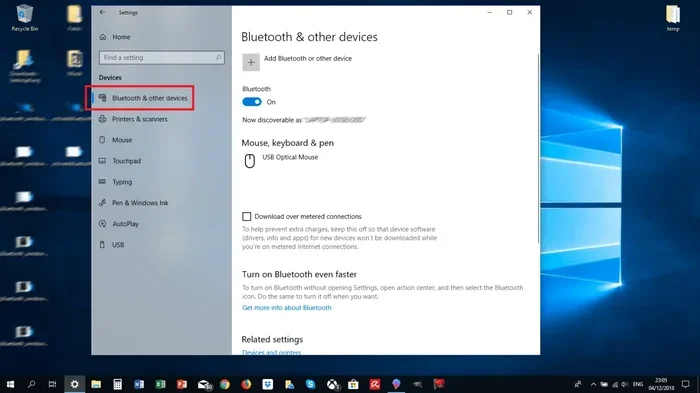
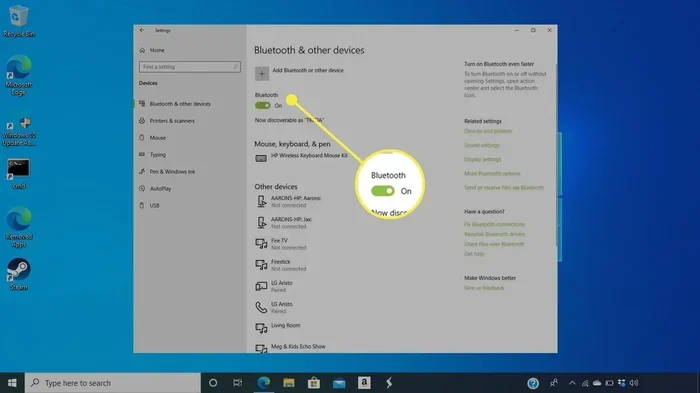
Bluetooth is another consideration. Older VAIO laptops may have older Bluetooth versions. This can cause compatibility issues with newer accessories like wireless mice, keyboards, or headphones. If you are having trouble connecting a Bluetooth device to your VAIO laptop, the Bluetooth version might be the culprit.
For those who use VAIO laptops with smart home devices or other peripherals, you might run into compatibility issues. For example, if you are trying to connect a smart home hub like Homewerks, you may want to check whether it has an app that supports older hardware.
Finding Replacement Parts for VAIO Laptops
This is where things get tricky. Since Sony no longer supports VAIO, finding replacement parts is difficult. You might be able to find batteries, keyboards, or screens on third-party marketplaces. But OEM (original equipment manufacturer) parts from Sony are no longer available.
Some independent repair shops may be willing to work on VAIO laptops. But their expertise varies. It is always a good idea to call ahead and ask if they have experience with VAIO machines before you hand over your laptop.
If you are planning to factory reset your VAIO laptop before selling it, make sure you understand what happens to your data. A reset can remove personal files and settings, so always back up your important data first.
Should You Buy a Sony VAIO Laptop Today?
This is a question many people ask, especially when they see a cheap VAIO laptop on sale. The answer depends on what you plan to use it for.
If you find a used Sony VAIO laptop for a very low price, it might be worth it as a backup machine or a basic web browsing device. Just do not expect it to handle heavy tasks like video editing or gaming. Older VAIO hardware is simply not powerful enough for demanding workloads anymore.
On the other hand, if you are looking for a reliable daily driver, a used VAIO laptop might cause more headaches than it is worth. The lack of support, limited parts availability, and outdated hardware can be frustrating.
Here is a quick comparison to help you decide:
| Factor | Old Sony VAIO | New VAIO Corp Laptop | Mainstream Brand (Dell/Lenovo/HP) |
|---|---|---|---|
| Price Range | Very low (used) | High (premium) | Low to high |
| Warranty | None | Yes (VAIO Corp) | Yes (varies) |
| Driver Support | Limited (Sony site) | Full (VAIO Corp) | Full (manufacturer) |
| Parts Availability | Very limited | Good | Excellent |
| Performance | Outdated | Modern | Modern |
| Best For | Backup/light use | Premium users | Most users |
As you can see, each option has its pros and cons. If you value reliability and support, a mainstream brand is usually the safer choice. If you love the VAIO design and are okay with the limitations, a used Sony VAIO can still serve a purpose.
Common Mistakes VAIO Owners Make
There are some common mistakes that VAIO laptop owners make. Avoiding these can save you time and frustration.
- Expecting Sony Support: Many VAIO owners assume Sony will still help them. Sony will not provide repair or warranty services for VAIO products. Do not count on it.
- Skipping Driver Updates: Even though Sony does not actively update VAIO drivers, you should still check for the latest available versions. Outdated drivers can cause performance issues and security vulnerabilities.
- Ignoring Operating System Updates: Running an outdated and unsupported operating system is a security risk. If your VAIO laptop can handle a newer OS, consider upgrading.
- Overlooking Third-Party Repair Options: Many local repair shops can fix VAIO laptops even without Sony support. Do not assume your laptop is beyond repair.
- Buying Used Without Checking Specs: Always check the specifications of a used VAIO laptop before buying. Make sure it meets your needs in terms of RAM, storage, and processor power.
Expert Insights on the VAIO Brand
Industry experts have mixed opinions about the VAIO brand’s future. Some believe VAIO Corporation is doing a great job carving out a niche in the premium laptop market. Others think the brand is too small to compete with the big players like Apple, Dell, and Lenovo.
One thing most experts agree on is that the VAIO name still carries goodwill among laptop enthusiasts. The brand has a loyal following, and that loyalty helps VAIO Corporation stay in business even after the split from Sony.
If you are a VAIO fan, supporting VAIO Corporation is the best way to keep the brand alive. Buying directly from VAIO Corporation ensures you get proper support, warranty coverage, and access to the latest products.
For those who rely on VAIO laptops for work or creative projects, it is worth exploring whether other brands might offer better value. If you are already in the Apple ecosystem, you might want to check if Apple has a password manager built into its devices. This could be a useful alternative consideration if you are looking for seamless integration.
The VAIO Community and Fan Support
Even though Sony and VAIO Corporation do not provide the same level of support as major brands, the VAIO community is still active. Online forums and social media groups are filled with VAIO enthusiasts who share tips, drivers, and repair advice.
These communities can be a great resource. If you are struggling with a VAIO laptop issue, someone in the community has likely faced the same problem. Joining a VAIO forum or Facebook group can give you access to real-world solutions and practical advice.
Some VAIO fans have even created their own custom drivers and software patches for older models. This kind of community-driven support is invaluable when the manufacturer has moved on.
However, be cautious when downloading drivers or software from unofficial sources. Always verify the authenticity of any file before installing it on your laptop. Stick to trusted forums and verified community members.
Conclusion
So, does Sony still support VAIO? The answer is a clear no. Sony handed over the VAIO brand to a separate company back in 2014, and it has not looked back. VAIO Corporation now runs the show, and it offers its own products and support to customers.
If you own an old Sony VAIO laptop, you can still use it for basic tasks. You can find some drivers on Sony’s website, but do not expect active support or repair services. Your best bet is to keep the laptop maintained yourself or seek help from independent repair shops and online communities.
If you are thinking about buying a VAIO laptop, consider whether you want a used Sony VAIO or a new VAIO Corporation product. Each has its place, but neither offers the same level of support as major brands like Dell, HP, or Lenovo.
The VAIO brand has a rich history and a loyal fan base. Even though Sony no longer supports it, the brand continues to exist in a new form. Whether that is enough depends on your needs, budget, and how much you value the VAIO experience.
Before making any decision, do your research. Check the specs, read user reviews, and consider your long-term needs. A laptop is a big investment, and you want to make sure you are getting the best value for your money.
Frequently Asked Questions
Can I still get drivers for my old Sony VAIO laptop?
Yes, Sony still hosts driver downloads for older VAIO models on its support website. You can find drivers for audio, graphics, Wi-Fi, and other components. However, these are not actively updated, so they may not be the latest versions available.
Is it safe to use a Sony VAIO laptop in 2024?
It can be safe if the laptop is running a supported operating system like Windows 10. If it is stuck on Windows 7 or older, it is a security risk because Microsoft no longer provides updates. Consider upgrading the OS or switching to Linux for better safety.
Where can I buy replacement parts for a VAIO laptop?
OEM parts from Sony are no longer available. Your best options are third-party marketplaces like eBay or Amazon. Some independent repair shops may also stock compatible parts. Always verify compatibility before purchasing.
Does VAIO Corporation offer warranty on its laptops?
Yes, VAIO Corporation offers warranty coverage on its current products. This is separate from Sony and only applies to laptops purchased directly from VAIO Corporation or authorized retailers. Always check the warranty terms before buying.
Can I install Windows 11 on an old Sony VAIO laptop?
It depends on the hardware. Windows 11 has specific requirements, including a compatible processor, TPM 2.0, and Secure Boot support. Many older VAIO laptops do not meet these requirements. Check your VAIO model’s specs before attempting an upgrade.
Why did Sony stop making VAIO laptops?
Sony stopped making VAIO laptops because the division was not profitable enough. The laptop market became highly competitive, and Sony wanted to focus on its core businesses like entertainment and gaming. In 2014, Sony sold the VAIO division to Japan Industrial Partners.