Does Sonos Play 1 Have Bluetooth Everything You Need To Know
The Sonos Play 1 does not have built-in Bluetooth. This popular wireless speaker relies entirely on Wi-Fi for streaming music and audio. However, you can still connect it to Bluetooth devices using a Sonos Port or third-party Bluetooth adapter. Understanding how Sonos Play 1 connectivity works helps you get the most from your speaker setup.
This is a comprehensive guide about Does Sonos Play 1 Have Bluetooth.
Key Takeaways
- No Built-in Bluetooth: The Sonos Play 1 does not include Bluetooth hardware, so you cannot pair it directly with phones or tablets the way you would with a standard Bluetooth speaker.
- Wi-Fi Is the Primary Connection: Sonos Play 1 uses your home Wi-Fi network for all streaming, which actually delivers better sound quality and more stable connections than Bluetooth.
- You Can Add Bluetooth With a Sonos Port: The Sonos Port is the official way to add Bluetooth functionality to your Sonos system and lets you stream from any Bluetooth device.
- Third-Party Adapters Work Too: If you do not want a Sonos Port, a Bluetooth adapter plugged into the Play 1’s audio output can also enable Bluetooth streaming.
- AirPlay 2 and Line-In Are Alternative Options: The Play 1 supports AirPlay 2 and has a line-in jack, giving you more ways to connect devices beyond Wi-Fi.
[FEATURED_IMAGE_PLACEHOLDER]
The Sonos Play 1 is one of the most popular wireless speakers on the market. It has earned a loyal following thanks to its compact design and rich sound. But one question keeps coming up from buyers and curious listeners: does Sonos Play 1 have Bluetooth?
The short answer is no. The Sonos Play 1 does not include built-in Bluetooth capability. This surprises a lot of people, especially since Bluetooth has become a standard feature on most wireless speakers today. But Sonos made a deliberate choice with this speaker, and understanding why can change how you think about the whole Sonos ecosystem.
In this guide, we will walk through everything you need to know about Sonos Play 1 connectivity. We will cover how it connects to your devices, what options you have for Bluetooth streaming, and whether the lack of Bluetooth actually matters. By the end, you will have a clear picture of what the Play 1 can and cannot do.
What Is the Sonos Play 1 and Why Does It Not Have Bluetooth
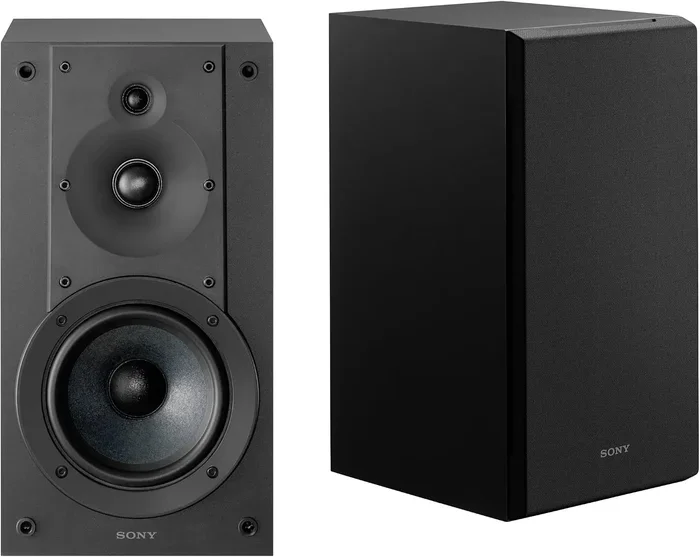
The Sonos Play 1 launched in 2009 and became one of the foundational products in the Sonos lineup. It is a compact, bookshelf-sized speaker designed for home audio. Over the years, Sonos has refined the Play 1 into a sleek, minimalist device that fits easily into any room.
Sonos made a strategic decision to skip Bluetooth in the Play 1. The company built its entire ecosystem around Wi-Fi streaming. This approach has both advantages and limitations, which we will explore below.
Why Sonos Chose Wi-Fi Over Bluetooth
Sonos focused on Wi-Fi for a few key reasons. First, Wi-Fi delivers better audio quality than Bluetooth. Bluetooth compresses audio data to save bandwidth, which can reduce sound fidelity. Wi-Fi streaming sends uncompressed or less compressed audio, preserving more detail and clarity in your music.
Second, Wi-Fi offers a more stable connection. Bluetooth connections can drop or degrade when you move around the house. A Wi-Fi connection stays consistent as long as your router is working well.
Third, Wi-Fi allows for multi-room audio with Sonos. You can group multiple Sonos speakers together and play the same music in different rooms. This is something Bluetooth simply cannot do natively.
The Trade-Offs of No Built-In Bluetooth
While Wi-Fi has its perks, the lack of Bluetooth does create some limitations. You cannot simply walk up to the Play 1 and pair your phone the way you would with a Bluetooth speaker. You need your home Wi-Fi network to be active, and your phone must be on the same network to stream directly.
This can be a problem in situations where you do not have Wi-Fi access. For example, at a party without a shared network, the Play 1 cannot receive a direct phone connection without extra hardware.
How the Sonos Play 1 Connects to Your Devices
Even without Bluetooth, the Sonos Play 1 offers several ways to connect and stream audio. Each method serves a different purpose, and knowing them all helps you make the most of your speaker.
Wi-Fi Streaming via the Sonos App
The primary way to use the Sonos Play 1 is through the Sonos app and your home Wi-Fi network. The app lets you browse and play music from services like Spotify, Apple Music, Amazon Music, and Tidal. You control everything from your phone, tablet, or computer.
The Sonos app also supports voice assistants. You can link Amazon Alexa or Google Assistant to your Play 1 for hands-free control. This adds a lot of convenience without needing Bluetooth at all.
AirPlay 2 Support
The Sonos Play 1 supports AirPlay 2, which is Apple’s wireless streaming protocol. If you have an iPhone, iPad, or Mac, you can stream audio directly to the Play 1 over Wi-Fi using AirPlay 2. This is a great alternative to Bluetooth for Apple users.
To use AirPlay 2, simply open the Control Center on your Apple device, tap the AirPlay icon, and select your Sonos Play 1. The audio streams over your Wi-Fi network with minimal lag.
Line-In Audio Jack
The Sonos Play 1 includes a 3.5mm line-in jack on the back. This lets you connect any device with a standard audio output using a simple cable. Think of turntables, MP3 players, or even another speaker.
The line-in connection is always active and does not require Wi-Fi or any app setup. Just plug in and play. This is the most straightforward way to get audio into a Sonos Play 1 without using the network.
Using the Sonos Port for Extra Connectivity
The Sonos Port is a separate device that plugs into your speaker system and opens up many more connection options. It has an Ethernet port for wired network access and supports Bluetooth input. The Port also gives you analog and digital audio outputs for connecting to amplifiers or receivers.
If you want to stream from a device that does not support Wi-Fi or AirPlay, the Sonos Port fills the gap. It essentially turns your Sonos system into a hub that accepts multiple input types.
Can You Add Bluetooth to the Sonos Play 1
Since the Sonos Play 1 lacks built-in Bluetooth, many people wonder if they can add it. The good news is that you have several options for enabling Bluetooth on a Sonos Play 1.
Option 1: The Sonos Port
The Sonos Port is the most seamless way to add Bluetooth to your Sonos system. It connects to your Sonos speaker through the Sonos app and supports Bluetooth pairing directly. Once set up, any Bluetooth device can stream to your Play 1 through the Port.
The Port costs around $449, which is a significant investment. However, it also adds Ethernet connectivity, analog outputs, and the ability to connect to traditional amplifiers. For Sonos enthusiasts, the Port is a versatile addition.
Option 2: Third-Party Bluetooth Adapters
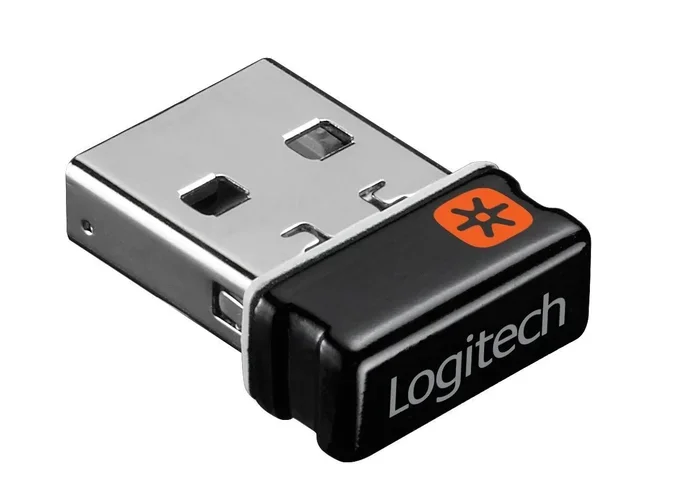
If you do not want to buy a Sonos Port, a third-party Bluetooth adapter is a budget-friendly alternative. These small devices plug into the Play 1’s line-out or connect via the AUX input and provide Bluetooth reception.
Popular options include Bluetooth 5.0 receivers that connect to the 3.5mm jack. They are easy to set up and usually cost under $50. The trade-off is that they add a small piece of hardware to your setup and may introduce slight audio latency.
Option 3: Use the Sonos Play 1 as Part of a Bluetooth Speaker Setup
Some users pair the Play 1 with a separate Bluetooth speaker for specific situations. For instance, you might use a portable Bluetooth speaker outdoors and the Play 1 for indoor listening. This approach works but means managing two separate devices.
If you are looking for a simple Bluetooth speaker experience, you might want to explore options like Can I Use Alexa As A Bluetooth Speaker or learn about Can I Turn My Stereo Into Bluetooth for other speaker setups that natively support Bluetooth.
Sonos Play 1 Bluetooth Alternatives Compared
Not everyone needs Bluetooth, and Sonos has built solid alternatives into the Play 1. Let us compare the main connectivity options side by side.
Wi-Fi vs. Bluetooth for Home Audio
Wi-Fi and Bluetooth serve different purposes in home audio. Wi-Fi handles higher-quality audio streams and multi-room setups. Bluetooth is convenient for quick, on-the-go connections without needing a network.
For a stationary speaker like the Sonos Play 1, Wi-Fi is generally the better choice. It delivers superior sound and integrates with the full Sonos ecosystem. Bluetooth is more useful for portable speakers or temporary setups.
AirPlay 2 vs. Bluetooth for Apple Users
Apple users have a built-in alternative to Bluetooth through AirPlay 2. AirPlay 2 streams over Wi-Fi and supports higher audio quality. It also allows multi-room audio across Apple devices and Sonos speakers.
Bluetooth, on the other hand, works with any device regardless of brand. But the audio quality is lower, and the range is shorter. For most indoor listening, AirPlay 2 is the better option.
Line-In vs. Wireless Connections
The line-in jack on the Play 1 is a reliable fallback. It works with any device that has a headphone or audio output. There is no setup required, and the connection is always stable.
The downside is that it uses a physical cable, which limits mobility. Wireless options like Wi-Fi and AirPlay 2 let you move freely around your home without worrying about cables.
Common Mistakes People Make With Sonos Play 1 Connectivity
Many users run into issues because they expect the Play 1 to behave like a standard Bluetooth speaker. Here are some common mistakes to avoid.
Expecting Direct Bluetooth Pairing
The most common mistake is trying to pair a phone directly with the Play 1 via Bluetooth. This simply will not work because the speaker does not have Bluetooth hardware. You need to use Wi-Fi, AirPlay 2, or a Sonos Port instead.
Ignoring Wi-Fi Network Requirements
The Sonos Play 1 needs a stable Wi-Fi connection to function properly. If your router is far away or your signal is weak, you may experience dropouts or poor performance. Consider adding a Wi-Fi extender or mesh network node to improve coverage.
Not Using the Sonos App for Setup
Some users try to set up the Play 1 without the Sonos app. The app is essential for initial configuration, software updates, and managing your speaker settings. Skipping the app setup can lead to connectivity issues and missed features.
Overlooking the Line-In Jack
The line-in jack is a simple but powerful feature. Many users forget about it and struggle to connect older devices. If you have a turntable, MP3 player, or any device with a 3.5mm output, the line-in jack is your best friend.
Expert Insights on Sonos Play 1 and Wireless Audio
Audio experts generally agree that the Sonos Play 1’s lack of Bluetooth is a deliberate design choice, not a flaw. Sonos built the Play 1 for home environments where Wi-Fi is always available. The result is a speaker that sounds better than most Bluetooth alternatives at similar price points.
Sound quality is where Wi-Fi really shines. Bluetooth compresses audio to save data, which removes subtle details from music. Wi-Fi streaming preserves those details, giving you a fuller, richer listening experience.
That said, if Bluetooth is a must-have for you, the Sonos Play 1 is not the ideal choice. You should consider other Sonos models that have built-in Bluetooth or explore speaker brands that prioritize Bluetooth connectivity. For those interested in Bluetooth speaker options, checking out guides like Can I Use Any Bluetooth Headphones With My Tv or learning about Can I Make My Old Bose Speakers Bluetooth can help you find the right setup for your needs.
The Sonos ecosystem is designed around Wi-Fi, and once you embrace that philosophy, the Play 1 becomes a powerful and flexible part of your home audio setup. The key is understanding what the speaker offers and working within its strengths.
Is the Sonos Play 1 Still Worth Buying in 2024
The Sonos Play 1 remains a solid choice for home audio in 2024. Its sound quality, build, and integration with the Sonos ecosystem make it a compelling option. The lack of Bluetooth is a limitation, but it is one that most users can work around.
If you already have a Wi-Fi network and use streaming services, the Play 1 fits right into your setup. If you need a speaker that works without Wi-Fi or requires direct Bluetooth pairing, you may want to look at other options.
The price point of the Play 1 also makes it attractive. It offers premium sound at a mid-range cost, which is hard to beat. Just be sure you understand the connectivity requirements before purchasing.
Conclusion
So, does Sonos Play 1 have Bluetooth? The answer is no, not built in. But that does not mean the Play 1 cannot connect to your Bluetooth devices. With options like the Sonos Port, third-party adapters, AirPlay 2, and the line-in jack, you have plenty of ways to stream audio to your Play 1.
The Sonos Play 1 is a Wi-Fi-first speaker, and that is by design. It delivers better sound quality, supports multi-room audio, and integrates seamlessly with the Sonos app and ecosystem. For most home users, the lack of Bluetooth is a minor inconvenience that is easily solved with the right accessory.
If you are looking for a versatile, high-quality speaker for your home, the Sonos Play 1 is still a strong contender. Just go in with the right expectations, and you will be very happy with what it delivers.
FAQs
Can I connect my phone directly to the Sonos Play 1 via Bluetooth?
No, the Sonos Play 1 does not have built-in Bluetooth. You cannot pair your phone directly with the speaker using Bluetooth. You will need to use Wi-Fi, AirPlay 2, or a Sonos Port to stream audio to the Play 1.
What is the best way to add Bluetooth to a Sonos Play 1?
The best way is to use a Sonos Port, which adds Bluetooth input and several other connectivity options. A more affordable alternative is a third-party Bluetooth adapter that connects to the Play 1’s line-out jack. Both methods work well depending on your budget and needs.
Does the Sonos Play 1 support AirPlay 2?
Yes, the Sonos Play 1 fully supports AirPlay 2. This lets you stream audio from any Apple device over your Wi-Fi network. AirPlay 2 is a great alternative to Bluetooth for Apple users who want high-quality wireless streaming.
Can I use the Sonos Play 1 without Wi-Fi?
You can use the Play 1 without Wi-Fi by connecting a device via the 3.5mm line-in jack. This works for wired connections like turntables or MP3 players. However, all wireless streaming features require an active Wi-Fi connection.
Is Wi-Fi streaming better than Bluetooth for the Sonos Play 1?
Yes, Wi-Fi streaming delivers better audio quality than Bluetooth because it does not compress the audio data as heavily. Wi-Fi also provides a more stable connection and supports multi-room audio, which makes it the preferred method for the Sonos Play 1.
How much does the Sonos Port cost?
The Sonos Port typically costs around $449. It is an investment, but it adds Bluetooth connectivity, Ethernet support, and multiple audio outputs to your Sonos system. If you already own Sonos speakers like the Play 1, the Port is the most seamless way to expand your connectivity options.
Frequently Asked Questions
What is Does Sonos Play 1 Have Bluetooth?
Does Sonos Play 1 Have Bluetooth is an important topic with many practical applications.