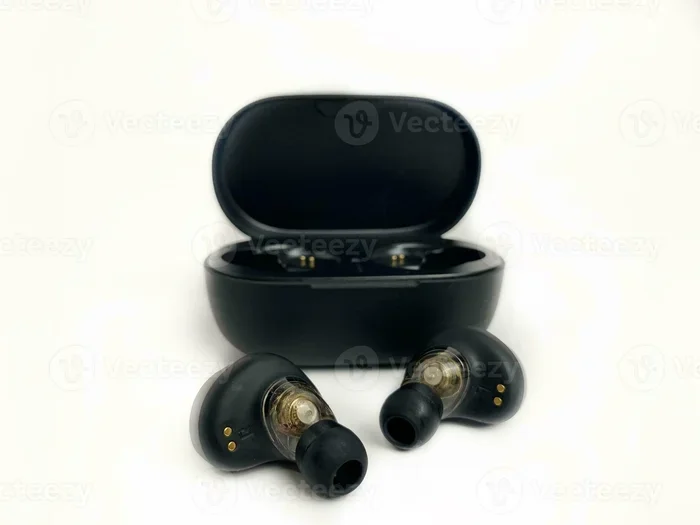
Can Bluetooth Earphones Actually Work as Microphone
Yes, Bluetooth earphones can work as microphones. Most wireless earphones come with built-in microphones that allow you to make calls, record voice notes, and join meetings. Bluetooth earphones used as microphone devices are incredibly convenient for hands-free communication. However, the audio quality and performance depend on several factors like Bluetooth version, earphone model, and your device settings.
Can Bluetooth Earphones Actually Work as Microphone?
Have you ever wondered if your favorite pair of wireless earphones can double as a microphone? The answer is yes. Bluetooth earphones can work as microphone devices in most situations. Whether you need to take calls, record voice notes, or join a video meeting, your wireless earphones likely have you covered. Many people already use their earphones this way without even realizing it. In this guide, we will explore everything you need to know about using Bluetooth earphones as microphone tools.
The world of wireless audio has grown fast over the last few years. People now rely on Bluetooth earphones for music, podcasts, gaming, and communication. The built-in microphone in most wireless earphones makes them incredibly versatile. You do not need a separate microphone anymore for everyday tasks. Let us dive deep into how this technology works and how you can get the best results.
Key Takeaways
- Bluetooth earphones double as microphones: Most modern wireless earphones include built-in microphones for calls and voice input.
- Bluetooth version matters: Newer Bluetooth versions deliver better audio input quality and lower latency.
- Not all earphones are equal: Premium models offer superior microphone sensitivity compared to budget options.
- Quick tips improve performance: Simple adjustments like positioning and noise settings can boost mic quality significantly.
- Limitations exist: Bluetooth earphones as microphones may not match dedicated studio mics for professional recording.
- Wide range of uses: From gaming to telemedicine, Bluetooth earphones serve as versatile microphone alternatives.
📑 Table of Contents
- How Bluetooth Earphones Work as Microphones
- The Technology Behind Bluetooth Audio Input
- Common Uses for Bluetooth Earphones as Microphones
- Factors That Affect Microphone Quality
- Tips for Getting the Best Microphone Performance
- Limitations of Using Bluetooth Earphones as Microphones
- Comparison: Bluetooth Earphones vs. Dedicated Microphones
- Expert Insights on Bluetooth Earphone Microphones
- Key Takeaways
- Conclusion
How Bluetooth Earphones Work as Microphones
Understanding how your wireless earphones pick up your voice helps you use them better. The microphone inside your earphones is a small but clever piece of technology. It captures sound waves and converts them into electrical signals. These signals then travel through the Bluetooth connection to your device.
The Built-In Microphone Inside Your Earphones
Most Bluetooth earphones come with at least one tiny microphone. This microphone sits inside the earbud or along the earhook. It picks up your voice when you speak near the earphone. The mic then sends your voice to the paired device, such as your phone or laptop. This is how you can talk during hands-free calls without holding your phone.
The microphone quality varies from one earphone model to another. Cheap earphones often have basic microphones that sound muffled. Premium earphones use advanced mic technology to deliver clearer voice input. Some high-end models even use multiple microphones to reduce background noise. This makes your voice sound much cleaner during calls.
How the Bluetooth Connection Transmits Your Voice
Once the microphone captures your voice, it needs to send that audio to your device. This happens through Bluetooth technology. Bluetooth creates a short-range wireless connection between your earphones and your phone or computer. The audio signal travels through this connection in real time.
Different Bluetooth versions handle audio input differently. Older Bluetooth versions like 4.0 may introduce slight delays. Newer versions like 5.0 and above offer faster data transfer and better voice quality. If you want your Bluetooth earphones to work well as microphone tools, make sure your devices support a recent Bluetooth version.
In many settings, including medical environments, computers rely on Bluetooth audio input for communication. 10 Ways Computers Are Used In Medicine highlights how wireless devices, including Bluetooth audio tools, play a role in healthcare communication and telemedicine setups. This shows how Bluetooth earphones as microphone devices support real-world professional use cases.
The Technology Behind Bluetooth Audio Input
The technology that lets your earphones act as a microphone is fascinating. It involves several components working together seamlessly. Let us break down the key parts of this process.
Bluetooth Profiles for Microphone Use
Bluetooth uses different profiles to handle various tasks. The profile that handles microphone input is called the Hands-Free Profile (HFP). When you connect your earphones to your phone for a call, HFP kicks in. It tells your phone to use the earphone microphone as the audio input source.
Another profile called the Advanced Audio Distribution Profile (A2DP) handles high-quality audio output. This is the profile used when you listen to music. A2DP sends audio from your phone to your earphones. However, it does not handle microphone input. For two-way communication, HFP is the profile that matters.
Understanding these profiles helps you troubleshoot issues. If your microphone is not working, switching between profiles often fixes the problem. You can do this through your device’s Bluetooth settings.
Codec Technology and Voice Quality
Codecs are the algorithms that compress and decompress audio data. They play a big role in how your voice sounds during a call. Some codecs prioritize voice clarity, while others focus on music quality. The most common codec for microphone input is CVSD (Continuously Variable Slope Delta modulation).
Newer codecs like LC3 (Low Complexity Communication Codec) offer much better voice quality. They reduce background noise and make your voice sound sharper. As Bluetooth technology evolves, codec improvements continue to enhance the microphone experience. This means your Bluetooth earphones as microphone devices keep getting better over time.
Noise Cancellation and Microphone Enhancement
Background noise can ruin a call or recording. Many modern Bluetooth earphones include noise-canceling microphones. These use multiple mic units to separate your voice from surrounding sounds. The earphone’s processor then filters out the noise and sends only your clean voice to the other person.
Some earphones use AI-powered noise reduction. This technology learns to identify human speech and blocks out unwanted sounds. It works surprisingly well in noisy environments like cafes or streets. If you often take calls in loud places, look for earphones with advanced noise cancellation features.
Common Uses for Bluetooth Earphones as Microphones
Using Bluetooth earphones as microphone tools is more common than you think. People across different fields rely on this setup every day. Here are the most popular use cases.
Hands-Free Calling
The most common use is making and receiving phone calls. You wear your earphones, and the built-in mic picks up your voice. This lets you talk while walking, driving, or cooking. It is hands-free and very convenient. Most smartphones automatically detect the earphone microphone when connected via Bluetooth.
Voice Recording and Dictation
Many people use Bluetooth earphones for quick voice recordings. You can dictate notes, memos, or reminders using your earphones as the microphone. The audio gets recorded directly on your phone or computer. While not as precise as a dedicated recording mic, it works well for everyday tasks.
Video Conferencing and Online Meetings
Remote work has made Bluetooth earphones essential for video calls. Platforms like Zoom, Microsoft Teams, and Google Meet all support Bluetooth microphone input. You can join meetings without plugging in any cables. Your earphone mic handles both the audio input and output, giving you a clean wireless experience.
In educational and healthcare settings, wireless audio devices have become essential tools. Computers used in various professional fields, including medical applications, often integrate Bluetooth audio devices for patient consultations and remote diagnostics. This connection between Bluetooth earphones as microphone tools and broader computer usage shows their real-world importance.
Gaming and Streaming
Gamers and streamers also benefit from using Bluetooth earphones as microphones. While wired mics are still preferred for competitive gaming, Bluetooth earphones work fine for casual streaming. They eliminate cable clutter and let you move freely. Many gaming earphones come with excellent built-in microphones designed for voice chat.
Smart Home and Voice Assistants
Bluetooth earphones also work with voice assistants like Siri, Google Assistant, and Alexa. You can give voice commands through your earphones. The earphone mic picks up your command and sends it to the assistant. This is especially handy when your phone is across the room.
Telemedicine and Remote Healthcare
One growing use case is telemedicine, where doctors and patients communicate remotely. Bluetooth earphones serve as microphone tools during virtual consultations. They allow patients to speak clearly with their healthcare provider from home. This use case connects directly to how computers support medical communication, as explored in resources about computers in medicine. Wireless audio devices make remote healthcare more accessible and convenient for everyone involved.
Factors That Affect Microphone Quality
Not all Bluetooth earphones deliver the same microphone quality. Several factors determine how well your earphones perform as a microphone. Understanding these factors helps you choose the right pair.
Bluetooth Version
The Bluetooth version on your device affects audio input quality. Bluetooth 5.0 and newer versions offer better bandwidth for voice transmission. Older versions may compress your voice more, resulting in lower quality. Always check the Bluetooth version on both your earphones and your phone.
Number of Microphones
Earphones with multiple microphones generally perform better. A single mic picks up your voice and surrounding noise. Two or more mics work together to isolate your voice. This beamforming technique focuses on the sound closest to the earphones. The result is clearer voice input and less background interference.
Earphone Fit and Positioning
How well your earphones fit in your ears matters a lot. A loose fit lets outside noise leak into the microphone. This can make your voice sound unclear to the other person. A snug fit blocks background noise and keeps the mic focused on your voice. Choose earphones with multiple ear tip sizes for the best seal.
Device Compatibility
Not all devices handle Bluetooth microphone input the same way. Some phones and computers have better Bluetooth audio drivers than others. If your earphone mic sounds bad on one device, try another. The problem might be the device, not the earphones.
Environmental Noise
Your surroundings play a big role in microphone performance. In a quiet room, even a basic earphone mic sounds fine. In a noisy street or crowded cafe, the mic struggles to separate your voice from the chaos. Using earphones with noise-canceling microphones helps a lot in loud environments.
Tips for Getting the Best Microphone Performance
You can improve how your Bluetooth earphones work as microphones with a few simple steps. These tips help you get clearer voice quality and fewer connection issues.
Keep Your Earphones Charged
Low battery can affect microphone performance. When your earphones run low on power, the mic may become quieter or distorted. Keep your earphones fully charged before important calls or recordings. Most earphones last 4 to 8 hours on a single charge, which is plenty for daily use.
Update Your Bluetooth Drivers
On computers, outdated Bluetooth drivers can cause microphone problems. Check for driver updates regularly. Windows, macOS, and Linux all provide easy ways to update Bluetooth drivers. Updated drivers ensure your earphone mic works at its best.
Position the Mic Correctly
The microphone on your earphone is usually near the mouthpiece area. Make sure the earphone sits close to your mouth. Speaking too far from the mic causes your voice to sound faint. A quick adjustment can make a big difference in call quality.
Use Noise Suppression Apps
Software tools can enhance your microphone quality further. Apps like Krisp or NVIDIA RTX Voice remove background noise from your voice input. These tools work with Bluetooth microphone input and make your voice sound much cleaner. They are especially useful for remote workers and content creators.
Reset Your Bluetooth Connection
If your earphone mic stops working, try resetting the Bluetooth connection. Turn off Bluetooth on both devices, wait a few seconds, and turn it back on. Re-pair your earphones if needed. This simple fix resolves most connection-related microphone issues.
Choose the Right Earphones for Your Needs
If microphone quality is important to you, invest in earphones designed for calls. Look for models with multiple microphones and active noise cancellation. Popular brands like Apple, Sony, Jabra, and Samsung offer excellent options. Reading reviews helps you find the best Bluetooth earphones for microphone use.
Limitations of Using Bluetooth Earphones as Microphones
While Bluetooth earphones work well as microphones for everyday tasks, they do have limitations. Being aware of these helps you set the right expectations.
Audio quality is not studio-level. Bluetooth compression reduces audio fidelity. Your voice will not sound as rich and detailed as it would with a professional microphone. For podcasting or music recording, a dedicated mic is still the better choice.
Latency can be an issue. There is a small delay between you speaking and the other person hearing you. This delay is usually unnoticeable during casual calls. But for live performances or real-time music recording, the lag can be problematic.
Battery dependence is real. Your earphone microphone stops working when the battery dies. Unlike wired microphones that do not need charging, Bluetooth earphones require regular charging. Always keep them powered up for important calls.
Range limitations exist. Bluetooth typically works within 30 feet (about 10 meters). If you move too far from your paired device, the mic connection drops. This limits your mobility during calls or recordings.
Compatibility issues can arise. Some older devices do not support Bluetooth microphone input properly. Always check your device specifications before relying on Bluetooth earphones for important communication.
Comparison: Bluetooth Earphones vs. Dedicated Microphones
How do Bluetooth earphones stack up against dedicated microphones? Here is a quick comparison to help you decide which option works best for you.
| Feature | Bluetooth Earphones | Dedicated Microphone |
|---|---|---|
| Portability | Excellent | Moderate |
| Voice Quality | Good for calls | Excellent |
| Hands-Free Use | Yes | No (usually) |
| Battery Required | Yes | No (usually) |
| Price Range | $20 to $300 | $30 to $500+ |
| Setup Time | Seconds | Minutes |
| Background Noise Handling | Moderate to Good | Excellent |
| Professional Use | Limited | Full Support |
As you can see, Bluetooth earphones offer great convenience but cannot replace dedicated microphones for professional work. For everyday communication, they are more than enough. For studio recording or broadcasting, invest in a proper microphone.
Expert Insights on Bluetooth Earphone Microphones
Audio engineers and tech reviewers agree that Bluetooth earphone microphones have improved dramatically in recent years. A few years ago, wireless mic quality was noticeably worse than wired alternatives. Today, the gap has narrowed significantly. High-end Bluetooth earphones now deliver voice quality that is nearly indistinguishable from dedicated microphones for most use cases.
Experts recommend choosing earphones with at least two microphones for the best results. The dual-mic setup uses beamforming to focus on your voice and ignore background sounds. This technology has become standard even in mid-range earphones. If you buy a new pair specifically for microphone use, prioritize models with multiple mic units.
Another expert tip is to keep your earphones clean. Earwax and dust can block the microphone port. A simple wipe with a soft cloth before important calls can prevent muffled audio. Small maintenance habits make a big difference in long-term microphone performance.
Key Takeaways
- Bluetooth earphones work as microphones: Most wireless earphones include built-in mics for calls and voice input.
- Bluetooth version matters: Newer versions deliver better audio input quality and lower latency.
- Multiple microphones improve quality: Dual or triple mic setups reduce background noise effectively.
- Fit and positioning are crucial: A snug ear tip seal keeps your voice clear during calls.
- Use noise suppression software: Apps like Krisp can significantly enhance Bluetooth mic performance.
- Know the limitations: Bluetooth earphones are not replacements for professional studio microphones.
- Keep earphones charged and clean: Battery and maintenance directly affect microphone performance.
Conclusion
Can Bluetooth earphones be used as microphone devices? Absolutely. They are versatile, convenient, and good enough for most everyday communication needs. From hands-free calling to video meetings and voice recording, your wireless earphones handle microphone tasks with ease. The technology has come a long way, and modern Bluetooth earphones deliver surprisingly clear voice quality.
While they may not replace professional microphones for studio work, they are perfect for daily use. Understanding the technology behind them helps you get the most out of your investment. Keep your devices updated, choose the right earphones, and follow the tips shared in this guide. You will be amazed at how well your Bluetooth earphones perform as microphone tools.
The next time you need to make a call or join a meeting, skip the extra microphone. Just use your Bluetooth earphones. They are always with you, always charged (hopefully), and always ready to pick up your voice. Embrace the convenience of wireless audio and enjoy the freedom of hands-free communication wherever you go.
Frequently Asked Questions
Can any Bluetooth earphones be used as a microphone?
Most Bluetooth earphones come with built-in microphones and can work as microphone devices. However, the quality varies between models. Budget earphones may have basic mics, while premium models offer advanced noise cancellation and clearer voice input. Always check product specifications before buying earphones specifically for microphone use.
Why is my Bluetooth earphone microphone not working?
Several reasons can cause this issue. Your Bluetooth connection might be using the wrong profile, or your device drivers may need updating. Low battery can also affect mic performance. Try resetting the Bluetooth connection, updating drivers, or switching to the Hands-Free Profile in your device settings to fix the problem.
Are Bluetooth earphones good enough for professional calls?
Yes, for most professional calls, Bluetooth earphones work very well. They provide clear voice quality and hands-free convenience. However, for high-stakes presentations or recordings, a dedicated microphone may offer better quality. Choose earphones with noise cancellation for the best professional call experience.
Can I use Bluetooth earphones as a microphone on a computer?
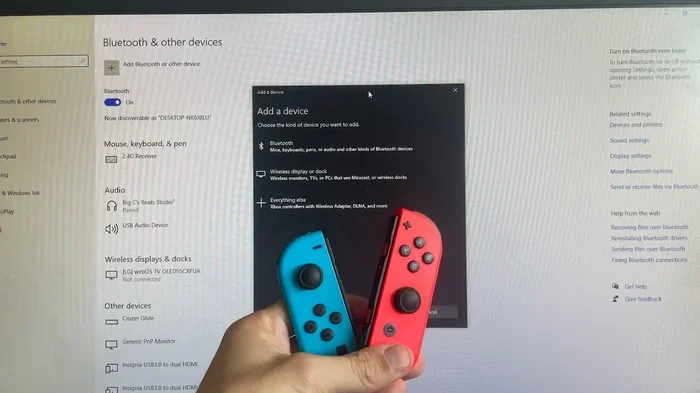
Yes, you can use Bluetooth earphones as a microphone on most computers. Make sure your computer supports Bluetooth and has the right audio drivers. On Windows, go to Settings > Bluetooth & Devices and select your earphones as the input device. On macOS, go to System Preferences > Sound and choose your earphones under the Input tab.
Do Bluetooth earphones have latency issues when used as microphones?
A small delay, or latency, exists with all Bluetooth audio devices. For regular phone calls and video meetings, this delay is barely noticeable. However, for live music performances or real-time music production, the latency can be a problem. Newer Bluetooth versions like 5.2 and above have significantly reduced this delay.
What is the best Bluetooth earphone for microphone use?
The best earphone depends on your needs and budget. For calls, look for models with multiple microphones and active noise cancellation. Popular choices include the Jabra Elite series, Apple AirPods Pro, and Sony WF-1000XM5. Read reviews and compare microphone specifications before making your decision.