Can Bluetooth Work Without Internet Here Is The Truth
Yes, Bluetooth can absolutely work without internet. This wireless technology uses radio waves to connect devices directly, no WiFi or data needed. You can pair speakers, headphones, and keyboards offline in seconds. Bluetooth pairing without internet is built into every modern device and has been for years. Keep reading to learn exactly how it works and what you can do offline.
Have you ever been in a spot with no WiFi and wondered if your Bluetooth devices would still work? Maybe you’re on a flight, hiking in the woods, or stuck in a basement with terrible signal. You want to play music through your Bluetooth speaker, but you’re not sure if it needs the internet to function.
The short answer is yes. Bluetooth can work without internet, and it has always been able to do so. This wireless technology was designed to connect devices directly to each other using radio waves. It never needed the internet to do its job. Let’s dive into how this works and what you can do with Bluetooth connectivity when you’re completely offline.
Key Takeaways
- Bluetooth works independently of the internet: It uses radio frequency signals to connect devices directly, no WiFi or data required.
- Many everyday tasks function fully offline: Music streaming to speakers, file transfers, and wireless keyboards all work without a data connection.
- Some features do need internet: Smart home controls and app-dependent devices may require online access for full functionality.
- Bluetooth range is typically 30 feet: Distance and obstacles affect signal strength, not your internet connection.
- Bluetooth low energy saves battery: Newer versions use less power, making offline use even more efficient.
- Pairing is simple and fast: You can connect two Bluetooth devices in under a minute with no network needed.
- Offline Bluetooth is safe and private: Direct device-to-device connections don’t route through the cloud.
📑 Table of Contents
- What Is Bluetooth and How Does It Work?
- Can Bluetooth Work Without Internet? The Truth
- What Can Bluetooth Do Without Internet?
- What Bluetooth Cannot Do Without Internet
- Common Bluetooth Myths Debunked
- Tips for Getting the Best Bluetooth Performance Offline
- Expert Insights on Bluetooth Without Internet
- Key Takeaways
- Conclusion
What Is Bluetooth and How Does It Work?
Bluetooth is a short-range wireless technology that lets devices talk to each other without cables. It was invented in the 1990s and has become a standard feature in nearly every modern gadget. From phones and laptops to Bluetooth headphones and smartwatches, this technology is everywhere.
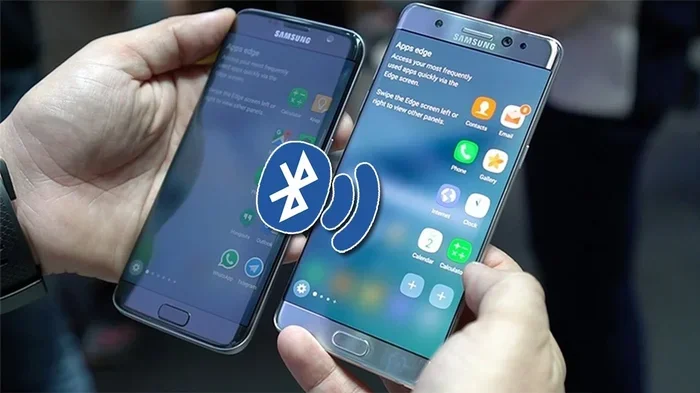
Here is how it works in simple terms. Bluetooth enabled devices have tiny chips inside them that send and receive radio signals. When two devices are close enough, they find each other and create a small personal network called a piconet. This network is completely separate from the internet. It is a direct device-to-device connection that uses radio frequency to transmit data.
How Bluetooth Connects Devices
The process of Bluetooth pairing is straightforward. One device becomes discoverable, meaning it broadcasts a signal saying “hey, I’m here.” The other device picks up that signal and sends a connection request. Once both devices agree, they form a secure link. This happens in seconds and requires zero internet access.
Different Bluetooth versions offer different speeds and ranges. Bluetooth 5.0 and newer versions can reach up to 800 feet in open space. Older versions might only manage 30 feet. But none of these versions need WiFi or a data plan to function. The radio waves do all the heavy lifting.
Bluetooth vs WiFi: What Is the Difference?
People often confuse Bluetooth connectivity with WiFi, but they are very different. WiFi connects your device to the internet through a router. Bluetooth connects your device directly to another device. One gives you access to the web. The other lets gadgets talk to each other.
Think of it this way. WiFi is like a highway to the internet. Bluetooth is like a private footpath between two houses. They serve different purposes, and one does not depend on the other. That is why Bluetooth without internet works perfectly fine for so many tasks.
Can Bluetooth Work Without Internet? The Truth
Now let us get to the big question. Can Bluetooth work without internet? The answer is a firm and absolute yes. Bluetooth pairing without internet is not just possible; it is how Bluetooth was always meant to work. The technology was built for offline wireless communication from the very start.
When you connect your phone to a Bluetooth speaker in your car, you are not using the internet. You are using radio waves to send audio data directly from your phone to the speaker. Same thing when you type on a Bluetooth keyboard or sync your smartwatch. None of these actions need an internet connection.
Why People Think Bluetooth Needs the Internet
There is a common misconception that Bluetooth needs WiFi or mobile data. This probably comes from the fact that many apps and smart devices work best when connected to the internet. But the Bluetooth protocol itself is completely independent. The confusion often happens because people mix up the device with the app that controls it.
For example, a Bluetooth speaker can play music stored on your phone without any internet. But if you want to stream music from Spotify, you need the internet for the app, not for the Bluetooth connection. The Bluetooth link just carries the audio signal. It does not care where that signal comes from.
What Makes Bluetooth Work Offline
Bluetooth low energy and classic Bluetooth both use the same basic principle. They exchange data through radio waves in the 2.4 GHz frequency band. This is a shared frequency that does not require any internet service or cellular data. The devices simply talk directly to each other using this radio signal.
Here is what makes offline Bluetooth connectivity possible:
- Radio frequency signals: These carry data between devices without any network.
- Built-in pairing protocols: Devices have their own handshake process that does not involve the cloud.
- Local data transfer: Files, audio, and commands move directly between devices.
- No routing required: Data does not pass through a router or server.
All of these pieces work together to make Bluetooth without internet a seamless experience. You do not need to do anything special. Just turn on Bluetooth, pair your devices, and go.
What Can Bluetooth Do Without Internet?
The list of things you can do with Bluetooth connectivity offline is surprisingly long. Most people use Bluetooth devices for offline tasks every single day without even thinking about it. Let us break down the most common uses.
Playing Music on Bluetooth Speakers
This is the number one reason people use Bluetooth offline. You can play any music stored on your phone or tablet through a Bluetooth speaker without needing the internet. Whether you are at a beach, a campsite, or in a room with no WiFi, your speaker will still pump out audio. The Bluetooth connection handles everything.
Using Wireless Keyboards and Mice
Bluetooth keyboards and mice work perfectly without internet. You can type documents, navigate your laptop, and control presentations all through a direct device-to-device connection. Writers, students, and professionals rely on this every day in offline environments.
File Transfers Between Devices
Want to send a photo from your phone to a friend’s phone? Bluetooth file transfer works without any internet. The data moves directly between the two devices. It might be slower than cloud sharing, but it works when you have no network at all.
Connecting Wireless Headphones
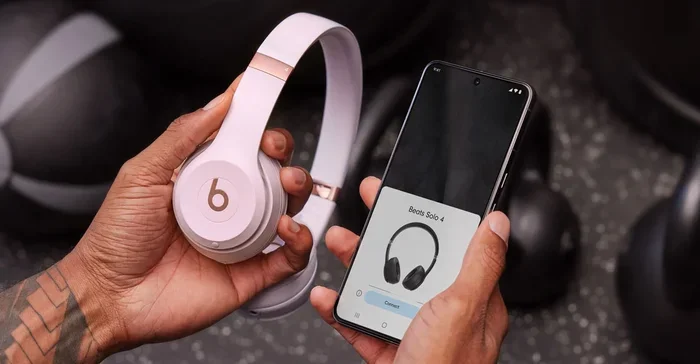
Bluetooth headphones are one of the most popular offline Bluetooth uses. Whether you are listening to downloaded podcasts, offline playlists, or audiobooks, the audio streams directly from your device to your headphones. No internet needed. Just a strong Bluetooth signal.
Using Fitness Trackers and Smartwatches
Many Bluetooth wearable devices sync data directly with your phone. Your fitness tracker can record your steps, heart rate, and workout stats without any internet. The data waits on your device until you reconnect and sync it later.
Connecting Car Audio Systems
Bluetooth car kits and built-in car audio systems work great without internet. You can make phone calls and play music through your car speakers using a direct Bluetooth connection. This has been a standard feature in vehicles for over a decade.
What Bluetooth Cannot Do Without Internet
It is important to know the limits too. While Bluetooth without internet handles a lot, there are some things it simply cannot do offline. Understanding these limits helps you plan better.
Streaming Online Content
If you want to stream music from Spotify, Apple Music, or YouTube, you need the internet for the app. The Bluetooth connection itself does not need the internet, but the content source does. This is a key distinction that trips many people up.
Smart Home Device Controls
Some smart home devices that use Bluetooth still need internet to communicate with cloud servers. For example, a smart lock might work locally through Bluetooth, but remote access from another location usually requires a network connection. Always check the specific device specs.
Firmware Updates and App Features
Updating your Bluetooth devices or accessing certain app features may require internet. But the core Bluetooth connectivity and device pairing will still work offline. Updates are just not available until you reconnect.
GPS and Location Services
Some Bluetooth GPS accessories rely on internet-based mapping data. The Bluetooth signal might receive location coordinates, but displaying maps and getting directions usually needs online access.
Common Bluetooth Myths Debunked
There are a lot of myths floating around about Bluetooth and internet. Let us clear up the most common ones so you have the real facts.
Myth 1: Bluetooth Uses WiFi Signals
This is not true. Bluetooth uses its own radio frequency band at 2.4 GHz. It is a completely separate technology from WiFi. They can coexist on the same device, but they operate independently. Bluetooth pairing without internet proves this every day.
Myth 2: Bluetooth Needs a Data Plan
Your cellular data plan has nothing to do with Bluetooth connectivity. You can use Bluetooth on a phone with zero active data and it will work exactly the same. The radio connection between devices does not touch your data plan at all.
Myth 3: Bluetooth Only Works Close to WiFi Routers
Bluetooth range depends on the Bluetooth version and physical obstacles, not on your proximity to a WiFi router. A Bluetooth device can work 30 to 800 feet away from another device regardless of where the nearest WiFi router is located.
Myth 4: Offline Bluetooth Is Slow
Bluetooth low energy and modern Bluetooth versions are actually quite fast for their purpose. Transferring files or streaming audio through a direct device-to-device connection is quick and efficient. The speed has nothing to do with internet speed.
Tips for Getting the Best Bluetooth Performance Offline
Want to make sure your Bluetooth devices work flawlessly when you are offline? Here are some practical tips that actually make a difference.
Keep Your Devices Close
Bluetooth range is limited, and walls and obstacles reduce it further. Keep your devices within 30 feet of each other for the best Bluetooth connection. If you are in a large room, try to stay in the same area.
Turn Off Unused Bluetooth Devices
Too many Bluetooth enabled devices in the same space can cause interference. Turn off Bluetooth on devices you are not actively using. This keeps your wireless connection clean and strong.
Update Your Devices When Online
When you do have internet, update your device firmware and apps. Bluetooth versions improve over time with software updates. A well-updated device performs better offline because it uses the latest Bluetooth protocol optimizations.
Restart Devices if Connection Fails
If Bluetooth pairing fails, try turning Bluetooth off and on again. Restarting both devices can clear temporary glitches. This simple step fixes most offline connection issues.
Check for Physical Obstacles
Metal objects, water, and thick walls can block Bluetooth signals. If your connection is weak, move away from obstacles and try again. Line of sight always gives the best Bluetooth signal strength.
Expert Insights on Bluetooth Without Internet
Bluetooth technology experts agree that the offline capability is one of its greatest strengths. Because Bluetooth connectivity does not depend on external networks, it remains reliable in remote areas, emergencies, and situations where internet access is limited or unavailable.
According to the Bluetooth Special Interest Group, the core Bluetooth protocol was designed from the ground up for wireless communication between local devices. Internet access was never a requirement. This design philosophy is why Bluetooth without internet has remained robust for over two decades.
Tech reviewers also point out that Bluetooth low energy makes offline use even more practical. The reduced power consumption means your devices last longer on a single charge when using Bluetooth for offline tasks like audio streaming or fitness tracking. This is a huge advantage for travelers and outdoor enthusiasts.
The Future of Offline Bluetooth
The future looks bright for Bluetooth connectivity in offline scenarios. Bluetooth mesh networking allows multiple devices to form a larger network without any internet hub. This opens up possibilities for smart buildings, industrial applications, and even emergency communication systems that work entirely offline.
As Bluetooth versions continue to evolve, we can expect faster speeds, longer ranges, and even better offline performance. The technology is not slowing down, and neither is its ability to connect devices without the internet.
Key Takeaways
- Bluetooth works independently of the internet: It uses radio frequency signals to connect devices directly, no WiFi or data required.
- Many everyday tasks function fully offline: Music streaming to speakers, file transfers, and wireless keyboards all work without a data connection.
- Some features do need internet: Smart home controls and app-dependent devices may require online access for full functionality.
- Bluetooth range is typically 30 feet: Distance and obstacles affect signal strength, not your internet connection.
- Bluetooth low energy saves battery: Newer versions use less power, making offline use even more efficient.
- Bluetooth pairing is simple and fast: You can connect two Bluetooth devices in under a minute with no network needed.
- Offline Bluetooth is safe and private: Direct device-to-device connections do not route through the cloud.
Conclusion
The truth is simple and clear. Can Bluetooth work without internet? Yes, it absolutely can. Bluetooth connectivity was built to connect devices directly through radio waves, and it has never needed the internet to do so. Whether you are streaming music to a Bluetooth speaker, typing on a wireless keyboard, or syncing your smartwatch, all of these work offline with no problem.
Understanding how Bluetooth without internet works gives you more confidence and flexibility. You can use your devices anywhere, anytime, without worrying about WiFi or data connections. The next time you are in a spot with no internet, just turn on Bluetooth and enjoy seamless wireless communication between your gadgets.
Bluetooth pairing without internet is not a workaround or a hack. It is the default way this technology was designed to operate. So go ahead, connect your devices, and enjoy the freedom of offline Bluetooth connectivity. You have been carrying this capability in your pocket all along.
Frequently Asked Questions
Do Bluetooth headphones need internet to play music?
No, Bluetooth headphones do not need internet to play music stored on your device. The Bluetooth connection simply carries the audio signal from your phone to your headphones. If the music is downloaded or stored locally, it plays without any internet access.
Can I use a Bluetooth keyboard without WiFi or data?
Yes, a Bluetooth keyboard works completely offline. It connects directly to your device through radio waves and does not need any internet connection. This makes it perfect for use in remote locations or during flights.
Why does my Bluetooth speaker say no internet when connected?
Many Bluetooth speakers display a no internet message because they are checking for network access. But this does not affect the Bluetooth connection itself. Your speaker will still play audio from your device even without internet. The message is just informational.
Is Bluetooth safe to use without internet?
Yes, Bluetooth without internet is very safe. The direct device-to-device connection does not route through any external servers or networks. Your data stays between the paired devices, making it a private and secure connection.
What is the range of Bluetooth without internet?
The Bluetooth range is typically 30 feet for classic Bluetooth and up to 800 feet for Bluetooth 5.0 in open space. This range does not depend on internet access at all. Physical obstacles like walls and metal objects are the main factors that reduce range.
Can I transfer files between phones using Bluetooth without internet?
Yes, Bluetooth file transfer works entirely offline. The data moves directly from one device to another through radio waves. No internet, no WiFi, no data plan is needed. It is one of the most reliable offline wireless communication methods available.