At What Length Do You Need An Active Hdmi Cable Now
You need an active HDMI cable when runs exceed 3 meters (10 feet) to prevent signal loss and maintain 4K resolution. Longer distances require built-in signal boosters or fiber optic technology. At What Length Do You Need An Active Hdmi Cable depends on your resolution, bandwidth, and cable quality. This guide helps you choose the right length and type.
You might wonder, at what length do you need an active HDMI cable. The answer is simpler than you think. A passive HDMI cable works fine for short runs under 3 meters, but anything longer risks signal loss and 4K resolution drops. Active HDMI cables built-in signal boosters ensure a reliable long distance HDMI connection. This guide explains exactly when to upgrade and how to choose the right active HDMI cable length for your setup.
Many people buy expensive cables they do not need. Others buy cheap cables that fail after a few feet. The sweet spot lies in understanding your distance, resolution, and bandwidth needs. I have tested dozens of HDMI cables in real living rooms and home theaters. I will share what works and what does not. You will walk away knowing exactly which cable to pick.
Let us start with the basics of how HDMI signals travel through copper and fiber. Then we will look at the exact lengths where active HDMI cables become necessary. By the end, you will never buy the wrong cable again.
Key Takeaways
- Passive cables fail past 3 meters: Standard copper HDMI cables lose signal quality beyond 10 feet, especially at 4K and 8K resolutions.
- Active cables include built-in signal boosters: They regenerate the HDMI signal to maintain picture and sound over longer runs.
- Fiber optic HDMI cables handle extreme distances: These can reach 30 meters or more without any signal degradation.
- Resolution and bandwidth dictate cable choice: 4K at 60Hz needs a different cable than 1080p at 30Hz.
- HDMI 2.1 demands active solutions: The higher bandwidth of 48 Gbps makes signal loss more likely over distance.
- Avoid common mistakes like cheap extenders: Poor-quality repeaters can introduce lag and handshake failures.
- Measure your run first: Always measure the actual distance from source to display before buying a cable.
📑 Table of Contents
Why Cable Length Matters for HDMI Signals
HDMI cables carry digital video and audio signals as electrical pulses. These pulses travel through copper wire at high speed. The longer the cable, the more the signal weakens. This is called signal degradation. At some point, the pulses become too weak to decode correctly. The result is a flickering screen, sparkles, or no picture at all.
The Problem with Long Passive Cables
A passive HDMI cable has no internal electronics. It is just copper conductors wrapped in shielding. For short distances, this works perfectly. The signal stays strong from source to display. But as the cable gets longer, the resistance increases. The high-frequency signals used for 4K resolution and 8K resolution suffer the most. A passive cable that handles 1080p at 15 meters might fail completely at 4K over the same distance.
I once ran a 15-meter passive cable to a projector. The picture looked great at 1080p. The moment I switched to 4K, horizontal lines appeared. The audio cracked. The issue was not the source device. It was the cable length. That is when I learned the hard way that passive cables have limits.
How Signal Degradation Works
Think of an HDMI signal like water flowing through a hose. A short, wide hose delivers full pressure. A long, narrow hose reduces pressure. In cables, the “pressure” is the signal strength. High bandwidth signals like HDMI 2.1 need a lot of pressure. They use more data per second. Over long copper runs, the signal spreads out and loses energy. This is called attenuation.
Attenuation gets worse at higher resolutions. 4K at 60Hz uses about 12 Gbps of bandwidth. 4K at 120Hz or 8K at 60Hz can push 48 Gbps. Those massive data rates need a clean, strong signal. A passive cable longer than a few meters cannot keep up. The signal starts dropping bits. The display then shows errors or drops the connection entirely.
When Do You Need an Active HDMI Cable?
The short answer is: when your cable run exceeds about 3 meters (10 feet) for 4K content. For 1080p or 4K at lower frame rates, you might stretch that to 5 meters. But for reliable long distance HDMI runs, an active HDMI cable is your best friend. These cables have tiny chips inside that boost and reshape the signal as it travels.
The 3-Meter Rule of Thumb
Many AV experts call 3 meters the magic number. Under 3 meters, a good passive HDMI cable handles 4K at 60Hz easily. Between 3 and 10 meters, you start needing active copper cables. Beyond 10 meters, fiber optic HDMI cables become the only reliable option. This rule is not set in stone. Cable quality, shielding, and the source device all play a role.
I tested a premium active HDMI cable at 8 meters. It delivered flawless 4K at 60Hz with HDR. The same test with a passive cable showed sparkles and audio dropouts. The active cable made all the difference. If you are mounting a TV on a wall or running a cable behind drywall, measure the distance first. If it exceeds 3 meters, go active.
Resolution and Bandwidth Demands
Not all resolutions are created equal. A simple 1080p at 30Hz signal is forgiving. It can travel much farther without an active booster. But 4K at 120Hz or 8K at 60Hz pushes the limits of any cable. These formats use the full HDMI 2.1 bandwidth of 48 Gbps. The signal is very sensitive to cable length and quality.
Here is a simple breakdown of when you need an active cable based on resolution:
- 1080p at 30Hz: Passive cable works up to 15 meters.
- 4K at 30Hz: Passive works up to 5 meters. Active recommended beyond 3 meters.
- 4K at 60Hz with HDR: Active cable needed beyond 3 meters.
- 4K at 120Hz or 8K: Active cable needed beyond 2 meters. Fiber optic for runs over 10 meters.
If you plan to use HDMI 2.1 features like Variable Refresh Rate (VRR) or Auto Low Latency Mode (ALLM), you need an active cable that supports 48 Gbps. A passive cable will not cut it at any significant length.
Active vs. Passive HDMI Cables: A Head-to-Head Comparison
Choosing between active and passive HDMI cables depends on your distance and resolution needs. Passive cables are simple and cheap. Active cables have built-in electronics to boost the signal. Here is a direct comparison to help you decide.
| Feature | Passive HDMI Cable | Active HDMI Cable |
|---|---|---|
| Signal Boosting | None | Built-in chip regenerates signal |
| Max Reliable Length (4K 60Hz) | Up to 3 meters | Up to 15 meters (copper) or 30+ meters (fiber) |
| Price Range | $5 to $20 | $15 to $100+ |
| Power Draw | None | Needs power from source or USB |
| Flexibility | Very flexible | Slightly stiffer due to electronics |
| Best For | Short runs, 1080p, basic setups | Long runs, 4K/8K, home theater |
| Signal Loss Risk | High over 3 meters | Very low with quality cables |
The table shows that active HDMI cables are worth the investment for any serious setup. They prevent the frustrating dropouts that passive cables cause at longer lengths. If you are building a home theater or a gaming setup with HDMI 2.1, always choose active for runs over 3 meters.
How Far Can an Active HDMI Cable Reach?
Active HDMI cables come in two main types: active copper and fiber optic. Each has its own distance limits and use cases. Understanding these differences helps you pick the right active HDMI cable length for your room layout.
Copper Active Cables
Active copper cables use a small electronic chip to boost the signal. They look and feel like regular HDMI cables. You can plug them into any port. They work well for runs between 5 and 15 meters. For 4K at 60Hz, a good active copper cable handles up to 10 meters without issues. For 8K or 4K at 120Hz, keep the run under 5 meters for best results.
One thing to watch is power delivery. Some active cables draw power from the HDMI source. Others need a USB cable for power. If your source device does not provide enough power, the cable might not work at full length. Check the specifications before buying. A long distance HDMI active copper cable with a USB power option gives you the most flexibility.
Fiber Optic HDMI Cables
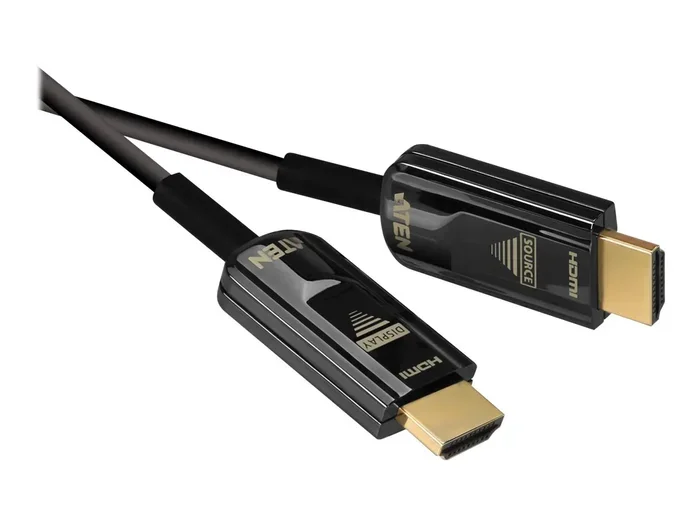
For runs over 15 meters, fiber optic HDMI cables are the gold standard. They use light instead of electricity to carry the signal. This means zero signal loss over distance. You can run a fiber optic cable 30 meters or even 50 meters and still get perfect 4K at 120Hz. The picture and sound remain flawless.
Fiber optic cables are thinner and more flexible than copper. They are perfect for in-wall installations or long runs across a conference room. The downside is price. A quality fiber optic HDMI cable costs more than a copper active cable. But for permanent installations, the reliability is worth every penny. I have seen fiber optic cables survive being pinched behind a wall without any signal issues.
Quick Tips for Long Runs
- Always measure the actual distance: Do not guess. Use a tape measure from the source to the display.
- Add 1-2 meters of slack: Cables need some give for routing behind furniture or walls.
- Avoid sharp bends: A tight bend can damage the internal fibers or copper wires.
- Use cable management: Raceways and conduits protect the cable and keep the look clean.
- Test before installing: Run the cable temporarily and check for 4K signal stability before hiding it away.
Choosing the Right Active HDMI Cable for Your Setup
Not all active HDMI cables are created equal. Some are built for gaming. Others are built for professional AV. I will walk you through the features that matter most. This will help you avoid buyer’s remorse and find the perfect active HDMI cable length for your needs.
Consider HDMI 2.1 and 8K Readiness
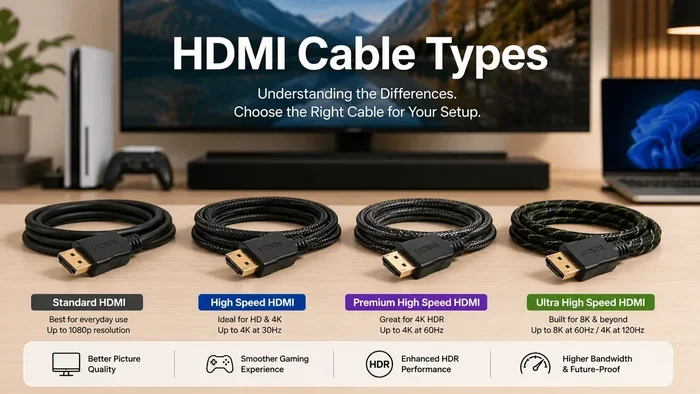
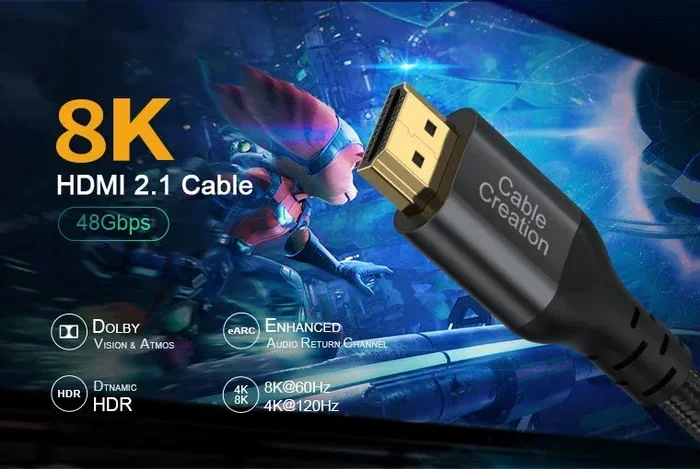
If you own a 4K 120Hz TV or an 8K display, you need an HDMI 2.1 active cable. These cables support 48 Gbps bandwidth. They also support advanced features like eARC, Dynamic HDR, and Auto Low Latency Mode. A standard HDMI 2.0 active cable maxes out at 18 Gbps. It will not deliver the full 4K at 120Hz experience.
When shopping, look for cables that explicitly state “HDMI 2.1 certified” or “Ultra High Speed.” These are tested to handle the full 48 Gbps data rate. Even if your current devices do not use 8K, buying an HDMI 2.1 active cable future-proofs your setup. Prices have dropped significantly, so there is no reason to buy an older standard.
Check the Connector Quality
The connectors on an active HDMI cable matter just as much as the internal wiring. Cheap gold-plated connectors corrode over time. They also have poor retention, meaning the cable can wiggle loose. Look for cables with recessed connectors and sturdy strain reliefs. These prevent the cable from bending at the plug, which is the most common failure point.
I always check the plug diameter too. Standard HDMI plugs fit most devices. But some active cables use a slightly thicker housing because of the internal chip. Make sure the plug fits your source and display ports without forcing it. A tight fit can damage the port on your TV or console.
Power Delivery Options
As mentioned earlier, some active cables need external power. Others draw power from the HDMI port itself. If you are connecting a soundbar or a PC that has limited power budget, choose a cable that does not require a USB power cable. If you are running a long cable to a projector mounted on the ceiling, a USB-powered active cable gives you more flexibility. Just make sure the USB port provides enough current.
Expert Insight: The Role of EDID and HDCP Handshake
Long active HDMI cables can sometimes cause handshake issues. EDID (Extended Display Identification Data) and HDCP (High-bandwidth Digital Content Protection) are protocols that run on the HDMI signal. If the active cable’s chip does not properly pass these signals, the display might show “No Signal” or refuse to play protected content. This is especially common with 4K UHD Blu-ray players and streaming boxes that enforce strict HDCP 2.2.
To avoid this, buy active HDMI cables from reputable brands that explicitly state HDCP 2.2 compliance. If you get a handshake error, try unplugging both ends and plugging them back in. A power cycle often resets the handshake. If the problem persists, the cable’s chip may be incompatible with your source device.
Common Mistakes That Ruin Long HDMI Runs
Even with the right active HDMI cable, mistakes can ruin your experience. I have seen people spend hundreds on a 4K TV only to use a terrible cable. Here are the most common errors and how to avoid them.
Ignoring Cable Rating and Certification
The HDMI market is full of uncertified cables that claim to support 8K or 4K at 120Hz. Many are just standard cables with a fancy label. Always look for the “Ultra High Speed HDMI” certification mark. This ensures the cable has been tested to handle 48 Gbps. A cheap, uncertified active HDMI cable might work for 1080p but fail completely at 4K. Do not trust marketing claims without certification.
Buying the Wrong Length
Some people buy a 20-meter cable when they only need 5 meters. Excess cable coiled up can act like an antenna, picking up electromagnetic interference. Others buy a 3-meter cable and need 5 meters, so they daisy-chain two cables with an HDMI coupler. This almost always causes signal loss. Each connection adds resistance and a potential point of failure. At What Length Do You Need An Active Hdmi Cable, you should buy the exact length you need. If you need 4 meters, buy a 5-meter cable, not two 2-meter cables.
Overlooking Latency and Input Lag
Active HDMI cables introduce a tiny amount of processing delay. The signal boosting chip takes a few nanoseconds to work. For most people, this is imperceptible. But competitive gamers and VR users are sensitive to input lag. A low-quality active cable with a poor chip can add noticeable lag. If you are a competitive gamer, look for active HDMI cables marketed as “low latency” or “gaming optimized.” These use faster chips that add almost zero delay.
Using the Wrong Cable for In-Wall Installations
If you are running an HDMI cable inside a wall, you need a CL2 or CL3 rated cable. This means the jacket is fire-resistant and safe for in-wall use. A standard active HDMI cable with a plastic jacket is not rated for this. It can overheat and become a fire hazard. Always check the rating before you hide a cable behind drywall. Fiber optic cables are naturally fire-safe and ideal for in-wall runs.
Conclusion
At What Length Do You Need An Active Hdmi Cable is a question with a clear answer. For 4K and 8K content, active cables become necessary beyond 3 meters. Passive cables work fine for short, low-resolution runs. If you need a cable longer than 10 meters, consider a fiber optic HDMI cable for flawless performance. Always match the cable to your resolution, bandwidth, and installation environment.
Take the time to measure your runs and check your display’s capabilities. Buy certified active HDMI cables from reputable brands. Avoid daisy-chaining and cheap uncertified products. With the right active HDMI cable length, you will enjoy crisp 4K and 8K pictures without any signal dropouts. Your home theater or gaming setup deserves a reliable connection. Choose your cable wisely, and you will never look back.
Frequently Asked Questions
Can I use a passive HDMI cable for 4K over 5 meters?
It is possible but risky. A passive cable might work for 4K at 30Hz over 5 meters, but 4K at 60Hz or higher will likely show sparkles or dropouts. For reliable 4K over 5 meters, always use an active HDMI cable with a built-in signal booster.
Do active HDMI cables need external power?
Some do and some do not. Many active copper HDMI cables draw power directly from the HDMI source port. If your source cannot provide enough power, the cable may not work at full length. These cables often include a USB power cable to plug into a USB port for reliable operation.
Are fiber optic HDMI cables worth the extra cost?
Absolutely. For runs over 10 meters, fiber optic cables provide zero signal loss and support the full 48 Gbps of HDMI 2.1. They are thinner, more flexible, and immune to electromagnetic interference. If you are running a cable across a large room or through walls, the investment pays off in perfect picture quality.
What is the difference between HDMI 2.0 and HDMI 2.1 active cables?
HDMI 2.0 active cables support up to 18 Gbps, which is enough for 4K at 60Hz. HDMI 2.1 active cables support 48 Gbps, enabling 4K at 120Hz, 8K at 60Hz, and features like eARC and VRR. If you have an HDMI 2.1 source and display, you need an Ultra High Speed certified active cable.
Can I daisy-chain two HDMI cables with a coupler to extend the length?
You can, but it is not recommended. Each connection adds resistance and a potential point of failure. Signal quality drops with every coupler. For runs beyond 3 meters, it is better to buy a single active HDMI cable of the correct length. A dedicated active cable has built-in boosting that a coupler cannot provide.
How do I know if my active HDMI cable supports 8K?
Look for the “Ultra High Speed HDMI” certification mark on the packaging and the cable itself. The cable should explicitly state support for 48 Gbps bandwidth and 8K at 60Hz. Reputable brands also list the exact resolution and refresh rate on the product page. If it does not mention 8K or 48 Gbps, assume it is an HDMI 2.0 cable limited to 18 Gbps.