Can HDMI 20 Do 144Hz on PS5 Everything You Need to Know
HDMI 2.0 can deliver 144Hz, but only at 1080p or 1440p—not at 4K on PS5. The PS5 uses an HDMI 2.1 port, which means you need the right cable and display to unlock its full potential. Understanding these limits helps you choose the best setup for smooth, high-refresh-rate gaming.
When you plug in your PS5 and want buttery-smooth gameplay at 144Hz, the cable and port you use really matter. A lot of gamers wonder whether their current HDMI 2.0 setup can handle that high refresh rate. The short answer is yes, but with some important limits. Let us break it all down so you know exactly what to expect.
The world of console gaming has changed a lot. Players now expect crisp visuals and super smooth frame rates. But not every cable and display can keep up. If you are trying to decide between HDMI 2.0 and HDMI 2.1, you need to understand how each one handles refresh rate and bandwidth. This guide covers everything you need to know about getting 144Hz on your PS5 setup.
Key Takeaways
- HDMI 2.0 supports 144Hz, but not at 4K resolution. You can get 144Hz at 1080p or 1440p, which is great for competitive gaming.
- PS5 ships with an HDMI 2.1 port. This gives you access to higher bandwidth and better gaming performance than HDMI 2.0 alone.
- The right HDMI cable matters a lot. Using an HDMI 2.1 certified cable unlocks 4K at 120Hz on PS5.
- Your monitor or TV must also support the right refresh rate. No matter what cable you use, the display needs to match.
- Features like VRR and ALLM depend on HDMI 2.1. These make gaming smoother and reduce screen tearing on PS5.
- Understanding your setup helps you get the most out of your PS5. Small changes can make a big difference in picture quality and performance.
📑 Table of Contents
What Is HDMI 2.0 and Why Does It Matter for PS5?
HDMI 2.0 is a version of the High-Definition Multimedia Interface standard. It was released back in 2013 and became the go-to connection for many TVs and monitors. The big deal about HDMI 2.0 is its bandwidth. It can push up to 18 gigabits per second (Gbps). That sounds like a lot, and it is. But when you compare it to newer standards, it starts to show its age.
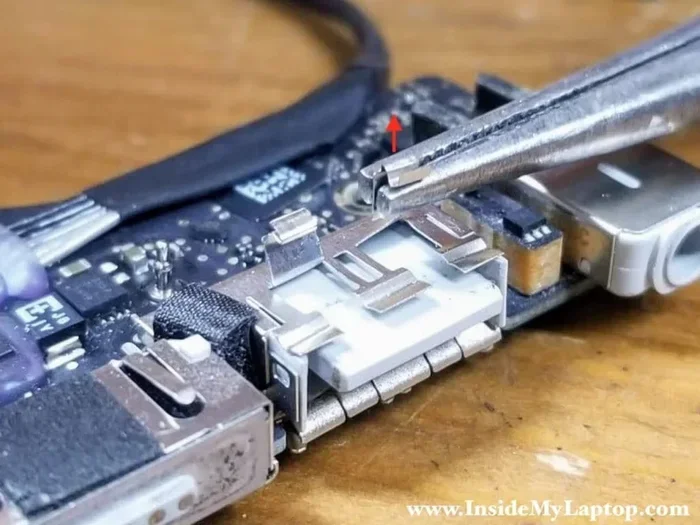
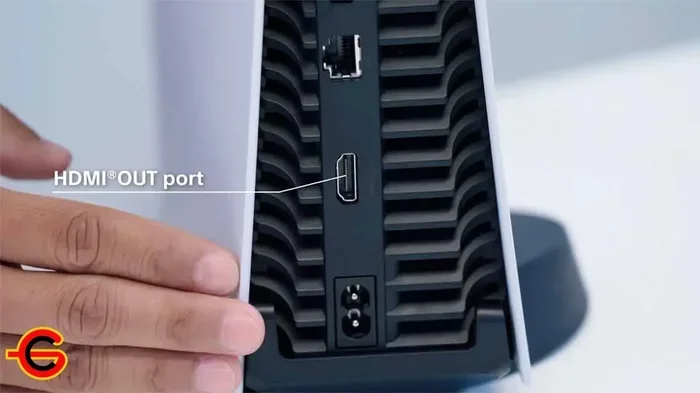
On the PS5, the console itself has an HDMI 2.1 port built into its hardware. This port is one of the key components found on the motherboard that determines what kind of video output the console can deliver. So even if your TV or monitor only has an HDMI 2.0 input, the PS5 can still connect. But the experience will be limited by the older standard.
Here is a simple way to think about it. Imagine a highway. HDMI 2.0 is like a two-lane road. HDMI 2.1 is like a six-lane superhighway. Both can carry cars, but the bigger road handles more traffic much faster. In this case, the “cars” are your video and audio data. The more lanes you have, the more data you can move at once.
HDMI 2.0 Bandwidth Explained
The 18 Gbps bandwidth of HDMI 2.0 is enough for many tasks. It can handle 4K resolution at 60Hz without any problems. That is perfect for most single-player games where you care more about picture quality than speed. But when you push for higher refresh rates, the bandwidth gets used up fast.
To get 144Hz on HDMI 2.0, you have to drop the resolution. At 1080p, HDMI 2.0 can absolutely deliver 144 frames per second. At 1440p, it can also manage 144Hz. But at 4K, the max refresh rate drops to 60Hz. This is a hard limit based on the amount of data the cable can carry.
Can HDMI 2.0 Actually Do 144Hz on PS5?
The direct answer is yes, HDMI 2.0 can do 144Hz on PS5—but only at certain resolutions. This is the most important thing to understand. You cannot get 4K at 144Hz through HDMI 2.0. The bandwidth simply is not there. But at 1080p or 1440p, you will get a smooth and responsive experience.
Many competitive gamers prefer this setup. Playing at 1080p with 144Hz gives you a huge advantage in fast-paced games. The high refresh rate makes movement look incredibly smooth. It helps you track enemies and react faster. For these players, sacrificing a little resolution is well worth the boost in frame rate.
However, if you want to play at 4K resolution on your PS5, you will be stuck at 60Hz with HDMI 2.0. This is fine for story-driven games or games where visuals matter more than speed. But if you want the best of both worlds—sharp picture and high refresh rate—you need to look at HDMI 2.1 and a compatible display.
Resolution vs. Refresh Rate: The Trade-Off
There is always a trade-off between resolution and refresh rate. Higher resolution means more detail, but it needs more bandwidth. Higher refresh rate means smoother motion, but it also needs more bandwidth. HDMI 2.0 gives you enough bandwidth for one or the other, but not both at the same time.
Here is a quick look at what HDMI 2.0 can handle on PS5:
- 1080p at 144Hz — Yes, fully supported
- 1440p at 144Hz — Yes, fully supported
- 4K at 60Hz — Yes, fully supported
- 4K at 120Hz — Not supported on HDMI 2.0
- 4K at 144Hz — Not supported on HDMI 2.0
These limits come down to the parts that are on the motherboard of both the PS5 and your display. The HDMI controller chip determines what signals can be sent and received. When you use an HDMI 2.0 connection, that chip caps the data transfer rate at 18 Gbps.
HDMI 2.0 vs HDMI 2.1: What Is the Difference?
This is the comparison every PS5 owner should understand. HDMI 2.0 and HDMI 2.1 are very different in terms of capability. The jump from one to the other is huge, especially for gaming.
Bandwidth Comparison
HDMI 2.0 offers 18 Gbps of bandwidth. HDMI 2.1 offers 48 Gbps. That is nearly three times more data per second. This massive increase in bandwidth opens up new possibilities for console gaming.
With HDMI 2.1, you can run 4K at 120Hz on your PS5. You can also push to 8K at 60Hz if your display supports it. The higher bandwidth also supports advanced features that make gaming better. These features include VRR (Variable Refresh Rate) and ALLM (Auto Low Latency Mode).
Features Only Available with HDMI 2.1
Not all features work over HDMI 2.0. Some are exclusive to the newer standard. Here are the key features that require HDMI 2.1:
- VRR (Variable Refresh Rate): This syncs your display refresh rate with the PS5 output. It reduces screen tearing and stuttering. Games look much smoother with VRR enabled.
- ALLM (Auto Low Latency Mode): This automatically switches your display to low-latency mode when you start gaming. You get faster response times without any manual setup.
- Quick Frame Transport (QFT): This reduces the time it takes for frames to travel from the console to your screen. It lowers input lag significantly.
- Dynamic HDR: This allows HDR metadata to change frame by frame. You get better color and brightness on every single scene.
None of these features work over HDMI 2.0. So if you want the full PS5 gaming experience, an HDMI 2.1 connection is the way to go. The HDMI port on the PS5 is designed to support all of these capabilities, but only when paired with the right cable and display.
How to Get 144Hz on PS5 with HDMI 2.0
If you are currently using an HDMI 2.0 setup and want to get 144Hz on your PS5, there are steps you can take. You do not need to buy all new gear right away. Here is how to make the most of what you have.
Step 1: Check Your Display
The first thing to do is check whether your TV or monitor supports 144Hz. Many modern gaming monitors do. Most standard TVs do not. If your display only goes up to 60Hz, then no cable or setting change will give you 144Hz. The display itself must be capable of that refresh rate.
Look at the specs of your display. Find the maximum refresh rate listed. If it says 120Hz or 144Hz, you are in good shape. If it only says 60Hz, you will need to upgrade your display to see the benefit of higher refresh rates.
Step 2: Use a Good HDMI Cable
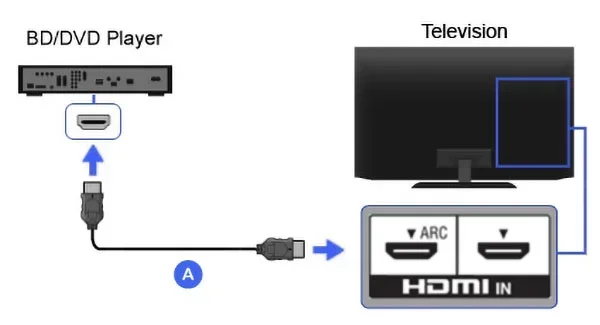
Not all HDMI cables are the same. An older or cheaper cable might not handle the data rate needed for 144Hz. Look for a cable that is rated for HDMI 2.0 or higher. A Premium High Speed HDMI cable should work fine.
You do not need an HDMI 2.1 cable if your display only has an HDMI 2.0 port. But you should avoid ultra-cheap cables that are not properly certified. A bad cable can cause flickering, drops in resolution, or no signal at all.
Step 3: Change PS5 Display Settings
On your PS5, go to Settings and then Sound and Screen. From there, select Video Output Information. Set the resolution to 1080p or 1440p, and make sure the frame rate is set to 120Hz or Automatic. The PS5 will then try to output at the highest refresh rate your display can handle.
Some games on PS5 let you choose the resolution and frame rate in the game settings itself. Lowering the resolution inside the game can also help you hit higher frame rates. This works especially well on older or less demanding titles.
Step 4: Consider Upgrading Your Display
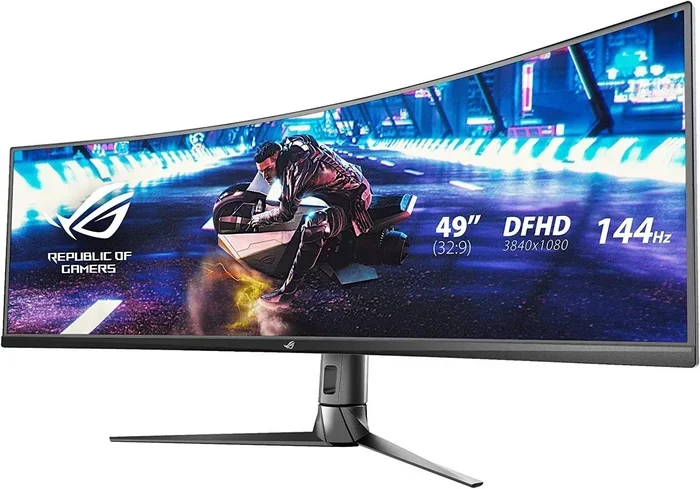
If you want the full PS5 experience, consider getting a monitor or TV with HDMI 2.1 inputs. A good gaming monitor with 1440p at 144Hz or 4K at 120Hz is a great investment. These displays take full advantage of what the PS5 can offer.
Many affordable options exist now. You do not need to spend a fortune to get a great high refresh rate display. Look for monitors that support FreeSync or G-Sync as well. These work hand-in-hand with VRR to make your games look and feel amazing.
Common Mistakes People Make with HDMI and PS5
There are a few mistakes that many gamers make when setting up their PS5. Avoiding these can save you a lot of frustration and help you get the best possible performance.
Using an Old or Cheap HDMI Cable
This is the most common mistake. A lot of people grab whatever HDMI cable they have lying around. But an old cable might not support the bandwidth needed for high refresh rates. Always use a cable that is rated for the resolution and refresh rate you want. If you are not sure, look for cables that are certified as Ultra High Speed for HDMI 2.1 or Premium High Speed for HDMI 2.0.
Not Checking the Display Input
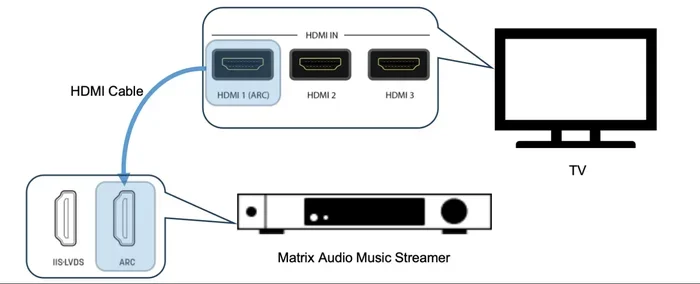
Some TVs and monitors have multiple HDMI ports. Not all of them support the same features. Check which port you are using and make sure it supports the right HDMI version. Sometimes a port is labeled as HDMI 2.0 even though the TV has other HDMI 2.1 ports. Using the wrong port can limit your experience.
Ignoring VRR and ALLM Settings
Even with the right hardware, you need to turn on features like VRR and ALLM in your display settings. These are not always enabled by default. Go into your TV or monitor settings and look for these options. Enabling them can make a huge difference in how smooth your games look.
Expecting 4K at 144Hz from HDMI 2.0
This is physically impossible. No cable, no setting, and no trick will give you 4K at 144Hz over HDMI 2.0. The bandwidth cap of 18 Gbps simply will not allow it. If someone tells you otherwise, they are wrong. Stick with 1080p or 1440p at 144Hz for the best results with HDMI 2.0.
Expert Tips for the Best PS5 Gaming Setup
Getting the most out of your PS5 is about more than just the cable. Here are some expert tips that can help you fine-tune your setup for the best gaming experience.
Match Your Resolution to Your Gaming Style
If you play competitive multiplayer games, go for lower resolution and higher refresh rate. 1080p at 144Hz gives you the smoothest gameplay and the lowest input lag. If you prefer single-player story games, go for higher resolution and enjoy the visuals at 60Hz or 120Hz.
Keep Your Console Firmware Updated
Sony regularly releases updates for the PS5 that improve performance and add new features. Keeping your console updated ensures you get the latest improvements to video output and display compatibility. You can check for updates in Settings, then System, then System Software.
Use a Wired Connection for Your Display
Always use a direct HDMI connection between your PS5 and your display. Avoid HDMI switches or extenders if possible, as they can reduce bandwidth and limit the features available. A direct connection gives you the best signal quality and the most features.
Consider the Whole Setup
The HDMI port is just one part of the equation. The components found on the motherboard of both your PS5 and your display work together to determine what you see on screen. Make sure your entire chain—from console to cable to display—is up to the task for the best results.
Final Thoughts
So, can HDMI 2.0 do 144Hz on PS5? The answer is a clear yes—with some important conditions. You can enjoy 144Hz at 1080p or 1440p without any problems. But if you want 4K at high refresh rates, you need HDMI 2.1 all the way through your setup.
Understanding these limits helps you make smart choices about your gaming gear. Whether you stick with HDMI 2.0 or upgrade to HDMI 2.1, knowing what your setup can do is the first step. You now have the knowledge to get the best picture and the smoothest gameplay from your PS5.
Take what you have learned here and apply it to your own setup. Check your cables, check your display, and adjust your settings. A small upgrade can make a huge difference in how your games look and feel. Happy gaming!
Frequently Asked Questions
Can I get 144Hz on PS5 with an HDMI 2.0 cable?
Yes, you can get 144Hz on PS5 using an HDMI 2.0 cable, but only at 1080p or 1440p resolution. You will not be able to get 144Hz at 4K with HDMI 2.0 because the bandwidth is not enough. Make sure your display also supports 144Hz for this to work.
Do I need an HDMI 2.1 cable for 144Hz on PS5?
You do not need an HDMI 2.1 cable for 144Hz at 1080p or 1440p. An HDMI 2.0 cable handles that just fine. However, if you want 4K at 120Hz or want to use features like VRR, you will need an HDMI 2.1 cable and a compatible display.
What refresh rate can HDMI 2.0 support at 4K?
HDMI 2.0 can support 4K at 60Hz. This is the maximum refresh rate it can handle at 4K resolution. If you want higher refresh rates at 4K, you need HDMI 2.1, which provides much more bandwidth.
Why can’t HDMI 2.0 do 4K at 144Hz?
HDMI 2.0 has a bandwidth limit of 18 Gbps. 4K at 144Hz requires more data transfer than that. The HDMI controller on both the PS5 and your display enforces this limit. There is no way to bypass it with HDMI 2.0 hardware.
Is 144Hz worth it on PS5 for gaming?
Yes, 144Hz is absolutely worth it for gaming, especially competitive titles. The higher refresh rate makes movement look much smoother. It reduces motion blur and helps you react faster. Even if you do not play competitively, the difference is very noticeable.
Can I use a monitor with HDMI 2.0 for PS5 gaming?
Yes, you can use an HDMI 2.0 monitor with your PS5. You will get 1080p or 1440p at 144Hz, or 4K at 60Hz. If your monitor also has HDMI 2.1 ports, you can take full advantage of the PS5’s capabilities including 4K at 120Hz and VRR support.
=== CONCLUSION ===
HDMI 2.0 can do 144Hz on PS5, but it comes with clear limits. Stick with 1080p or 1440p for the best high-refresh-rate experience over HDMI 2.0. If you want to push into 4K at high frame rates, you will need to upgrade to HDMI 2.1 across your entire setup. The right cable, the right display, and the right settings all work together to give you the smoothest and most visually stunning gaming experience on your PS5.