Can Regular Printers Print Id Cards At Home Quickly
Can regular printers print ID cards? Yes, you can create professional-looking ID cards at home with the right setup. This guide covers printing ID cards at home quickly using standard inkjet or laser printers, compatible card stock, and simple design tools. Learn the steps, tips, and common mistakes to avoid.
Have you ever needed an ID card in a hurry and wondered if your home printer could handle the job? The good news is that can regular printers print id cards, and the answer is a resounding yes. You do not need a fancy, expensive specialized machine to create professional-looking identification badges. With a standard inkjet or laser printer, some card stock, and a little patience, you can produce crisp, clear ID cards right from your desk. This guide walks you through everything you need to know to print ID cards at home quickly and easily.
Many people assume that only dedicated ID card printers can deliver good results. That is not true. Modern home printers have improved dramatically in resolution and color accuracy. Whether you need a quick visitor badge, a temporary employee ID, or a custom card for a club event, your regular printer can do the work. I will show you the supplies, the steps, and the pitfalls to avoid. By the end, you will feel confident printing your own ID cards whenever you need them.
Key Takeaways
- Regular printers work: You can use your existing inkjet or laser printer to produce quality ID cards at home.
- Right card stock matters: Use PVC-free synthetic sheets or thick cardstock designed for ID printing to avoid jams.
- Design software is key: Free tools like Canva or GIMP let you create custom layouts without design skills.
- Print settings need tweaking: Set the printer to highest quality and select the correct paper type for sharp results.
- Cutting and finishing: A simple paper cutter or laminator gives your ID cards a polished, durable look.
- Avoid common mistakes: Don’t use regular copy paper, and always test print on plain paper first.
📑 Table of Contents
What You Need to Print ID Cards at Home
Before you start, gather a few simple supplies. You do not need a long list of fancy equipment. The key is to choose the right materials and tools for a smooth printing experience. Here is what you will need.
Choosing the Right Printer
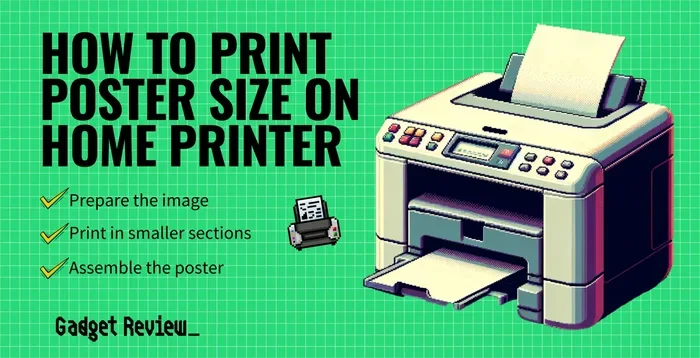
Most inkjet and laser printers can handle ID card printing. Inkjet printers often give richer colors and smoother photo prints. Laser printers offer faster drying times and sharp text. Both work well for home ID cards. If you have a color printer, you are already set. Monochrome printers can still produce clean text-based badges. Check your printer’s manual for supported paper types and weight limits.
Card Stock and Supplies
Regular copy paper is too flimsy for ID cards. You need something sturdy. Look for PVC-free synthetic card stock or heavy-weight cardstock designed for ID printing. These sheets are usually 10 mil thick and resist tearing. Some sheets come with a peel-off adhesive backing for sticker-style badges. You will also need a paper cutter or scissors for trimming, and a laminator if you want a durable finish.
Design Software and Templates
You do not need professional design skills. Many free tools let you create ID card layouts in minutes. Canva offers ready-made ID card templates that you can customize. GIMP and Inkscape are free alternatives for more control. Microsoft Word and Google Docs also work for simple text-based badges. Pick a template that matches your card size, such as standard credit card dimensions (3.375 x 2.125 inches).
Step-by-Step Guide to Printing ID Cards
Now that you have your supplies ready, let’s walk through the actual printing process. Follow these steps for the best results.
Designing Your ID Card Layout
Start by opening your chosen design tool. Insert your logo or photo. Add the person’s name, ID number, and any other details. Keep the layout clean and uncluttered. Leave a small border around the edges to prevent important content from getting cut off during trimming. If you are using a template, simply replace the placeholder text with your information. Preview the design on screen to check alignment.
Setting Up Print Settings
This step makes a big difference. Go to your printer settings and select the highest print quality option. Choose the correct paper type, such as “thick cardstock” or “photo paper,” depending on your sheet. Turn off any duplex (double-sided) printing unless you are using special two-sided card stock. Feed one sheet at a time to prevent jams. If your printer has a manual feed slot, use it for thicker materials.
Cutting and Finishing
Once the sheet prints, let it dry for a minute. Use a paper cutter or a ruler and craft knife to trim each card precisely. For extra durability, run the finished cards through a laminator. Lamination adds a protective layer that prevents smudging and wear. You can also punch a hole in the top corner and add a lanyard or clip. Your DIY ID cards are now ready to use.
Benefits of Printing ID Cards at Home
Printing ID cards at home offers several advantages over ordering them from a professional service. Here are the main benefits.
Cost Savings
Professional ID card printing can cost several dollars per card, especially for small batches. With a home printer, you pay only for the card stock and ink. A pack of synthetic sheets costs around $20 and can yield 20 to 50 cards. That is a fraction of the cost of outsourcing. For schools, small businesses, or community groups, the savings add up quickly.
Convenience and Speed
You can print a card in minutes when you need it. No waiting for shipping or pickup. If a new employee starts today, you can create their badge on the spot. For events like conferences or parties, you can print badges as guests arrive. This quick ID card printing capability gives you flexibility and control over your schedule.
Can Regular Printers Match Professional ID Card Quality?
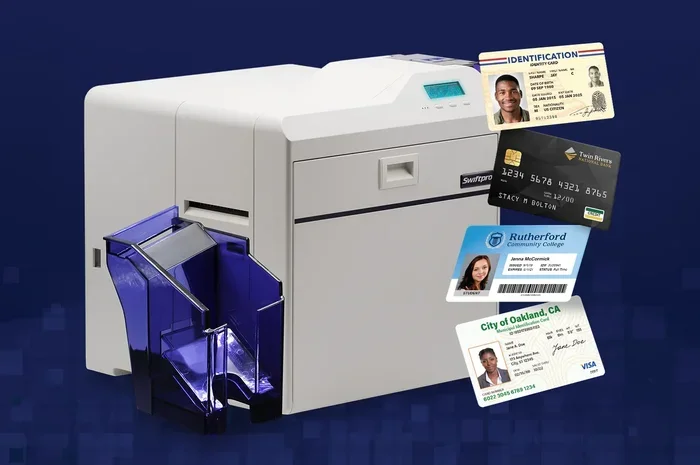
This is a common question. The short answer is yes, for most everyday purposes. Professional ID card printers use specialized ribbons and PVC cards that last for years. Home printers use ink or toner on synthetic sheets. The result is not quite as rugged, but it looks great for short-term use. Let us compare the two approaches.
| Feature | Home Printer | Professional ID Printer |
|---|---|---|
| Cost per card | $0.20–$0.50 | $1.00–$3.00 |
| Print quality | Very good for color and text | Excellent, edge-to-edge printing |
| Durability | Good with lamination | Excellent, water-resistant |
| Speed | A few minutes per card | Seconds per card |
| Setup required | Minimal | Specialized software and supplies |
For temporary badges, event passes, or internal office IDs, a home printer is more than enough. If you need cards that survive heavy daily wear for years, a professional machine might be better. But for most people, the difference is hardly noticeable.
Common Mistakes to Avoid When Printing ID Cards
Even with a simple process, a few missteps can ruin your prints. Watch out for these common errors.
Using the Wrong Paper
This is the number one mistake. Regular copy paper is too thin and will jam or bleed ink. Always use card stock rated for your printer type. Check the packaging for your printer model and paper weight recommendations.
Ignoring Print Settings
If you leave the print quality on “draft” or the paper type on “plain,” your cards will look dull and blurry. Take the extra 30 seconds to select high quality and the correct media type. This simple step makes a huge difference in sharpness and color vibrancy.
Skipping the Test Print
Before you print on your expensive card stock, run a test copy on plain paper. This lets you check alignment, colors, and text placement. It saves you from wasting a whole sheet of specialty paper. I always keep a stack of plain paper near my printer for quick tests.
Quick Tips for Flawless ID Card Printing
- Use a dedicated photo black ink cartridge for sharper images and text.
- Store unused card stock in a cool, dry place to prevent warping.
- Clean your printer rollers regularly to avoid smudges and jams.
- Design your cards at 300 DPI or higher for crisp edges.
- Let printed cards dry completely before handling or laminating.
- Keep a spare set of ink cartridges on hand so you never run out mid-job.
Conclusion
Can regular printers print id cards quickly and professionally? Absolutely. You have everything you need to get started today. With the right card stock, a simple design tool, and a few minutes of your time, you can produce ID cards at home that look sharp and serve their purpose perfectly. Do not wait for a professional service or a special order. Try it yourself and enjoy the convenience of on-demand badge printing. Your home printer is more capable than you think.
Frequently Asked Questions
Can any regular printer print ID cards?
Most inkjet and laser printers can print ID cards as long as you use the correct card stock. Check your printer’s manual for supported paper weights and types. Avoid using regular copy paper because it is too thin and will jam.
What type of paper is best for printing ID cards at home?
PVC-free synthetic card stock or heavy-weight cardstock designed for ID printing works best. These sheets are typically 10 mil thick and feed smoothly through home printers. They resist tearing and accept ink or toner without bleeding.
Do I need a special printer for DIY ID cards?
No, you do not need a special printer. A standard color inkjet or monochrome laser printer handles the job well. The key is to adjust the print settings to high quality and select the correct paper type for the best results.
How long does it take to print an ID card at home?
Printing one ID card takes only a few minutes. Designing the layout might take 5 to 10 minutes if you use a template. Cutting and laminating add another 2 to 3 minutes. Overall, you can have a finished card in under 15 minutes.
Can I laminate ID cards printed at home?
Yes, you can laminate them easily with a household laminator. Let the printed card dry completely, then run it through the laminator. This adds a protective layer that prevents smudging and extends the life of the card significantly.
Are home-printed ID cards durable enough for daily use?
They are durable for short-term or moderate use, especially when laminated. For heavy daily wear over years, professional PVC cards last longer. But for temporary badges, event passes, or internal IDs, home-printed cards hold up very well.