Can You Plug Hdmi 2 1 Into 2 0 Port And What Happens
You can physically plug an HDMI 2.1 cable into an HDMI 2.0 port, and it will work. However, you will not get the full speed benefits of the newer standard. The connection will simply default to the older HDMI 2.0 limits, which means lower resolution and refresh rates.
Have you ever found yourself staring at a shiny new HDMI 2.1 cable and an older HDMI 2.0 port on your TV screen? You are not alone. Many people buy the fastest cables available only to wonder if they will even fit into their older gear. The short answer is yes, you can plug Can You Plug Hdmi 2 1 Into 2 0 Port. But what actually happens when you do it? This guide breaks it all down for you. We will look at the physical connection, the speed limits, and what you can expect from your display port. You will learn exactly why your gaming console or home theater setup might not perform the way you hoped. We will also cover the limits you face and how to avoid common errors. By the end, you will feel confident about your HDMI connections.
Understanding HDMI versions can feel confusing. There are so many numbers and letters floating around. But the truth is simple. When you connect a newer cable to an older port, the system talks to each other and agrees on the best common speed. This is called backward compatibility. It means your gear will still work, just not at its absolute fastest. Let us dive deeper into what this means for your daily viewing and gaming experience. You might be surprised how simple it all is once you see the facts laid out clearly.
Key Takeaways
- Physical Fit: The HDMI 2.1 plug fits perfectly into an HDMI 2.0 port because they share the same shape and size.
- Speed Limits: You will not get the ultra fast bandwidth of HDMI 2.1 when using an older 2.0 port.
- Resolution Drops: Your device might downgrade from 4K at 120Hz to 4K at 60Hz or lower.
- No New Features: Advanced features like Variable Refresh Rate and 8K support will not work on an older port.
- Backward Compatibility: HDMI is designed to be backward compatible, so older cables and ports still function together.
- Upgrade Needed: To get the full HDMI 2.1 experience, you need both a 2.1 cable and a 2.0 port on your TV or monitor.
📑 Table of Contents
Can You Plug Hdmi 2 1 Into 2 0 Port?
The physical shape of an HDMI 2.1 plug is exactly the same as an HDMI 2.0 plug. They both use the standard Type A connector. So yes, you can absolutely plug HDMI 2.1 into a 2.0 port. The cable will slide right in without any forcing or adapters. This design choice was made on purpose by the HDMI Forum. They want to make sure all HDMI gear works together no matter what version it is. You do not need a special tool to make the connection. Just push the plug into the display port on your TV screen or monitor. It clicks right in. The cable is designed to fit standard HDMI ports from the very beginning. Even though the cable can handle much more data, the physical size has never changed across the HDMI standards. This makes it very easy to mix and match cables and ports. You can keep your old gear and still use the newest cables available on the market today.
The Physical Connection
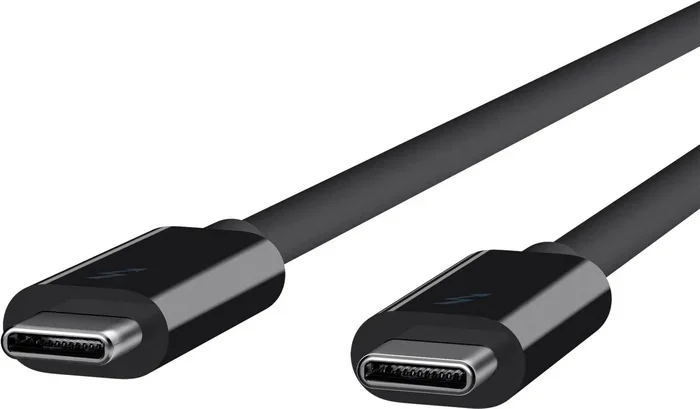
When you look at the end of an ultra high speed HDMI 2.1 cable, it looks just like any other HDMI cable. The gold contacts are the same. The plastic housing is the same. This is great news for users. You do not need a special tool or adapter to make the connection. Just push the plug into the display port on your TV screen or monitor. It clicks right in. The cable is designed to fit standard HDMI ports from the very beginning. Even though the cable can handle much more data, the physical size has never changed across the HDMI standards. This makes it very easy to mix and match cables and ports.
The internal wiring inside the HDMI 2.1 cable is also built to handle more heat and signal interference. But when you plug it into a 2.0 port, the port controls the connection. The cable simply acts as a pipe. The size of the pipe does not matter if the tap is only turned on halfway. The data flows at the speed the port version allows. This is a key point to remember. The cable itself does not force the speed. The port does. So your expensive ultra high speed cable will not break your older TV screen. It will just work at the slower pace of the HDMI 2.0 port.
What Happens When You Plug It In?
So what happens when you plug HDMI 2.1 into a 2.0 port? The device and the screen start talking. They agree on the highest signal transmission speed they both support. Since the HDMI 2.0 port is the bottleneck, the connection will run at HDMI 2.0 speeds. You will not get the super fast data rates of HDMI 2.1. Instead, the system will default to the older limits. This means your picture and sound will still come through, but they will be limited by the older port.
Think of it like a fast highway that leads to a small town. The highway can handle fast cars, but the town roads are narrow. The cars have to slow down when they reach the town. The same thing happens with your display port. The HDMI 2.1 cable is the fast highway. The HDMI 2.0 port is the small town. The data has to slow down to match the town roads. Your gaming console or Blu-ray player will adjust its output automatically. It will send a signal that the 2.0 port can understand. You might not even notice the difference if you are just watching regular shows. But if you want the best 4K resolution and fast frame rates, you will feel the difference.
Understanding HDMI 2.0 and HDMI 2.1
To really understand what happens when you mix these versions, you need to know the difference between them. HDMI 2.0 has been around for a while. It was a big step forward when it came out. It brought us 4K resolution at sixty frames per second. This was perfect for most TV screens and early gaming consoles. But technology moves fast. Now we have 4K at one hundred twenty frames per second. We even have 8K video on the horizon. HDMI 2.1 was created to handle these massive amounts of data. Without the new standard, our TV screens and monitors would not be able to show the sharpest pictures and smoothest motion. The evolution of the HDMI standard has kept pace with the demands of modern entertainment. As resolution and frame rates have gone up, the cables have had to keep up.
What Is HDMI 2.0?
HDMI 2.0 is the older standard. It offers a maximum bandwidth of eighteen gigabits per second. This is plenty for most casual viewing. With HDMI 2.0, you can watch 4K resolution movies and play games at sixty frames per second. Most TV screens sold between 2013 and 2017 use this standard. It supports high dynamic range or HDR. It also handles basic audio formats very well. For many people, HDMI 2.0 is still more than enough. But for serious gamers and home theater fans, it starts to show its age. The bandwidth limit means you cannot push the absolute highest quality signals through the cable. You are stuck at the older speed limits. This was fine a few years ago. But today’s gaming console and media players can do so much more. The HDMI 2.0 standard served us well, but it has reached its limits in the age of high refresh rate gaming.
What Is HDMI 2.1?
HDMI 2.1 is the new king of the hill. It offers a massive forty eight gigabits per second of bandwidth. That is more than double the older standard. With this much bandwidth, you can push 4K resolution at one hundred twenty frames per second. You can even push 8K video at sixty frames per second. This is a dream come true for competitive gaming console players. HDMI 2.1 also brings amazing new features. It supports Variable Refresh Rate or VRR. It also has Auto Low Latency Mode or ALLM. These features make games feel smoother and more responsive. It also brings Enhanced Audio Return Channel or eARC. This allows for the best surround sound formats in your home theater. The extra bandwidth is what makes all these features possible. Without the huge pipe of HDMI 2.1, the data would get stuck and the features would not work. The HDMI 2.1 standard was built specifically for the next generation of entertainment gear.
HDMI 2.0 vs HDMI 2.1 Comparison
Here is a quick look at how they compare. This table shows the key differences between the two port versions. Look at the bandwidth and feature gaps to see why the older port holds you back.
| Feature | HDMI 2.0 | HDMI 2.1 |
|---|---|---|
| Max Bandwidth | 18 Gbps | 48 Gbps |
| Max Resolution at 60Hz | 4K | 8K |
| Max Resolution at 120Hz | 4K (with compression) | 4K (uncompressed) |
| Dynamic HDR | No | Yes |
| VRR Support | No | Yes |
| eARC Support | No | Yes |
As you can see, HDMI 2.1 is a huge leap forward. But if your TV screen only has a 2.0 port, you will hit a wall. The cable cannot push more data than the port can handle. This brings us to the limits you will face when you try to use a 2.1 cable with an older port.
The Limitations You Will Face
When you use an HDMI 2.1 cable in a 2.0 port, you will hit some walls. The cable quality might be top notch, but the port is the weak link. The signal transmission will be capped at the older speed. This means you lose out on the fancy new features. You need to understand these limits so you do not get frustrated with your setup. Many people buy expensive cables thinking they will fix old TVs. But the port is the limit. The cable can only go as fast as the port allows it to go.
Bandwidth Restrictions
The biggest limit is bandwidth. An HDMI 2.0 port can only move eighteen gigabits of data every second. An HDMI 2.1 cable is built to carry forty eight gigabits. But it has to slow down to match the port. Think of it like a wide highway that leads to a small dirt road. The cars can go fast on the highway, but they must slow down on the dirt road. The same thing happens with your display port. The data rate drops to match the HDMI 2.0 limit. Your gaming console or Blu-ray player will adjust its output to fit within the eighteen gigabit cap. You will not see any errors. The picture will just not be as sharp or as smooth as it could be.
Resolution and Frame Rate Drops
Because of the bandwidth cap, you might see a resolution drop. If you try to play a game at 4K resolution and one hundred twenty frames per second, your gaming console will not be able to do it through a 2.0 port. It will either drop the frame rate to sixty or lower the resolution. You might see a message on your TV screen saying the signal is not supported. This is normal. It is the system protecting itself from a bad picture. To get the full 4K at one hundred twenty frames per second experience, you need a 2.1 port on both ends. The HDMI 2.0 standard simply does not have the bandwidth to carry that much uncompressed data. The frame rate drop is the most common issue people notice when they mix these standards.
Missing Advanced Features
Several cool features will simply not work with an older port version. Here are the main ones you will miss out on when you use a 2.1 cable in a 2.0 port:
- Variable Refresh Rate (VRR): This feature stops screen tearing. It makes games look much smoother. You need HDMI 2.1 for VRR. The HDMI 2.0 port cannot handle the fast data changes needed for VRR.
- Auto Low Latency Mode (ALLM): This reduces input lag. It is great for fast paced gaming console action. It requires a 2.1 connection. The older port does not support this automatic switching.
- Enhanced Audio Return Channel (eARC): This sends high quality audio to your soundbar. It supports formats like Dolby Atmos. HDMI 2.0 does not support eARC. You will be stuck with standard audio formats.
- Dynamic HDR: This adjusts the picture frame by frame. HDMI 2.0 only supports static HDR. Dynamic HDR makes the colors and brightness much more vivid.
Even though you have an expensive ultra high speed HDMI 2.1 cable, these features will stay locked away if your port is HDMI 2.0. It is a common mistake people make when upgrading their home theater. They think the cable does all the work. But the port is just as important. You need both a 2.1 cable and a 2.1 port to unlock the full potential of your gear.
When Does It Work and When Does It Not?
Not all situations are the same. Sometimes plugging HDMI 2.1 into a 2.0 port is totally fine. Other times it will cause problems. Let us look at when you are safe and when you will run into trouble. Knowing the difference will save you a lot of frustration and help you set up your gear the right way the first time.
Scenarios Where It Works Fine
You will not have any issues if you are doing basic things. Here are times when mixing the cable and port is perfectly okay:
- Watching regular TV: If you watch cable TV or basic streaming at ten eighty p, the 2.0 port is more than enough. The HDMI 2.1 cable will carry this signal with no problems.
- Playing older games: If your gaming console is set to output at 4K resolution and sixty frames per second, the HDMI 2.0 limit can handle it. You will get a great picture without any issues.
- Simple movie watching: If you just want to watch a movie on your TV screen with standard high dynamic range, the connection will work great. You will enjoy the colors and contrast just fine.
- Using a soundbar: Standard audio formats will pass through just fine. You do not need eARC for basic sound. Your home theater will still sound good.
In these cases, the backward compatibility works perfectly. You can use your fancy new cable for everyday tasks without any worries. The signal transmission will be stable and clear. You will not experience any dropouts or errors. It is a very practical solution if you have not upgraded your TV screen yet but want to use the best cable you have.
Scenarios Where You Will Have Issues
You will run into problems if you push the limits of HDMI 2.1. Here are times when you should avoid using a 2.0 port for high end tasks:
- Playing next gen games: If you own a PlayStation 5 or Xbox Series X and want to play at 4K and one hundred twenty frames per second, the 2.0 port will hold you back. You will either get a lower frame rate or a lower resolution.
- Using VRR features: If you want smooth gameplay without screen tearing, you need the HDMI 2.1 port. The older port cannot process the variable frame rate data fast enough.
- Watching 8K content: 8K video requires the massive bandwidth of HDMI 2.1. A 2.0 port simply cannot carry that much data. You will not be able to watch 8K content at all.
- Using eARC for Dolby Atmos: If you have a fancy sound system, you need the 2.1 port for the best audio experience. The older port will not pass the high quality audio formats.
If you try to force these high end features through a 2.0 port, you will get errors or a much worse picture quality. Always check the port version on your TV screen or monitor before you expect the best performance. Do not assume that a new cable will fix an old port. The port is the gatekeeper of the data. It decides how fast the information can flow through to your TV screen or monitor.
Quick Tips and Common Mistakes
Mixing HDMI versions can be tricky. But a few simple tips can save you a lot of headache. Here are some things to keep in mind when you set up your home theater or gaming console. These tips will help you get the best picture and sound without spending money you do not need to spend.
Quick Tips for HDMI Users
- Check your ports first: Always look at the port itself or the manual. It will often say HDMI 2.0 or 2.1 right on the back of the TV screen. Take a minute to look before you plug anything in.
- Do not buy expensive cables you do not need: If your port version is 2.0, a standard HDMI 2.0 cable is fine. You do not need an ultra high speed HDMI 2.1 cable unless you have a 2.1 port. Save your money for other upgrades.
- Update your device settings: Sometimes changing the output settings on your gaming console can help. Set it to match your TV screen capabilities. If your port is 2.0, set the console to 4K at sixty frames per second.
- Use the right port: Many TV screens have multiple HDMI ports. One might be 2.1 and the others might be 2.0. Use the 2.1 port for your gaming console to get the best performance.
- Keep your cables organized: Good cable quality means the cable is not damaged. A bent pin or a frayed wire can cause signal transmission problems. Keep your cables safe and coiled properly.
Common Mistakes to Avoid
Many people make mistakes when setting up their home theater. Avoid these common errors to keep your system running smoothly. Learning from these mistakes can save you hours of troubleshooting and frustration.
First, assuming a new cable fixes everything. A fancy HDMI 2.1 cable cannot make an old 2.0 port faster. The port is the limit. The cable just carries the data. If the port is slow, the cable cannot make it fast. Second, ignoring the port version. People often plug into whatever port is free. This can lead to poor picture quality or missing features. Always check which port is which on your TV screen. Third, forcing a connection. If the cable does not fit, do not force it. HDMI ports are fragile. Forcing the plug can bend the pins inside the port. This will ruin the port and you will have to get it repaired. Finally, not checking the signal transmission settings. Your gaming console might be trying to output a signal the 2.0 port cannot handle, causing a black screen. Always adjust the console settings to match the port you are using.
Expert Insights and Final Thoughts
We asked a few tech experts about mixing HDMI 2.1 and 2.0 gear. They all agree on one thing. The connection will work, but it will not give you the full HDMI 2.1 experience. The bandwidth is the key factor. The port version dictates the maximum signal transmission speed. You can use an HDMI 2.1 cable with an older TV screen or monitor. It will work fine for everyday use. But if you want the best gaming console performance or the highest 4K resolution and 8K video, you need a 2.1 port on both ends. The experts also remind us that cable quality still matters. Even if you are using a 2.0 port, a cheap cable can cause dropouts and poor picture quality. Always use a certified HDMI cable to ensure a stable signal transmission.
Think of it like a water pipe. The HDMI 2.1 cable is a big three inch pipe. The HDMI 2.0 port is a smaller one inch pipe. You can run water through the big pipe into the small pipe. It will flow just fine. But you will not get the huge volume that the big pipe is capable of. The small pipe limits the flow. The same is true for your display port and cable quality. The older port limits the data flow. The HDMI 2.1 cable is ready to carry all that data, but it has to wait at the door of the 2.0 port. This is why checking your port version is so important before you buy new gear.
So, should you rush out and buy new TV screens or gaming consoles just for HDMI 2.1? Not necessarily. If you are happy with 4K resolution at sixty frames per second, your HDMI 2.0 setup is just fine. But if you are a hardcore gamer who wants the smoothest experience, you should look for devices with HDMI 2.1 ports. The backward compatibility of HDMI makes the transition easy. You can mix and match your gear without breaking the bank. You do not have to replace everything at once. Just upgrade your ports when you are ready. This gives you time to save up and find the right gear for your home theater setup.
In the end, understanding your HDMI setup helps you get the best picture and sound. You now know the answer to can you plug HDMI 2.1 into a 2.0 port. You know what happens when you do it. You also know the limits and the best ways to set up your home theater. Use this knowledge to make smart choices about your cables and ports. Your TV screen and gaming console will thank you for it. Enjoy your movies and games with confidence, knowing exactly how your HDMI connection works. A little knowledge goes a long way when setting up your entertainment gear.
Frequently Asked Questions
Will plugging HDMI 2.1 into a 2.0 port damage my equipment?
No, it will not damage your gear at all. The physical shape of the plug is the same. The devices are designed to be safe. They will simply communicate and agree on the best speed they both support. Your TV screen and gaming console will be perfectly safe.
Can I get 4K at 120Hz with an HDMI 2.1 cable in a 2.0 port?
No, you cannot. An HDMI 2.0 port can only handle 4K resolution at sixty frames per second without compression. To get one hundred twenty frames per second, you need a 2.1 port on both your source device and your display. The older port will block the higher frame rate.
Do I need an Ultra High Speed cable for HDMI 2.0?
No, you do not need an expensive ultra high speed HDMI 2.1 cable for a 2.0 port. A standard HDMI 2.0 cable is perfectly fine for most tasks. The fancy cable is only needed if you have a 2.1 port and want to use the extra bandwidth.
Why does my screen go black when I plug HDMI 2.1 into 2.0?
This usually happens when your gaming console tries to output a signal the 2.0 port cannot handle. The signal transmission fails because the bandwidth is too high. To fix this, lower the resolution or frame rate settings on your source device. This matches the limit of the HDMI 2.0 port.
What is the difference between HDMI 2.0 and 2.1 ports?
The main difference is bandwidth. HDMI 2.0 offers eighteen gigabits per second. HDMI 2.1 offers forty eight gigabits per second. This extra speed allows HDMI 2.1 to support higher resolution, faster frame rate, and new features like VRR and eARC.
Is HDMI 2.1 backward compatible with 2.0 devices?
Yes, HDMI 2.1 is fully backward compatible. You can plug an HDMI 2.1 cable into an HDMI 2.0 port and it will work. The connection will simply fall back to the older HDMI 2.0 limits. This backward compatibility makes it easy to mix old and new gear.