Can You Plug Lightning To Usb C Without Any Issues
Yes, you can plug a Lightning cable into a USB-C port using the right adapter or cable. Apple designed the Lightning to USB-C connection to work with iPhones, iPads, and other devices. You need a compatible Lightning to USB-C cable or a proper adapter to make it work safely. This guide covers compatibility, charging speed, data transfer, and everything else you need to know.
You have a Lightning cable in your hand and a USB-C port on your wall charger, laptop, or power bank. You stare at them both and think, “Can you plug Lightning to USB C?” It is a simple question, but it opens up a world of confusion for many Apple users.
The short answer is yes. You can plug Lightning to USB C without any issues, provided you have the right cable or adapter. Apple has made this connection work for years now. Whether you want to charge your iPhone faster or transfer files to a new MacBook, the Lightning to USB-C setup has you covered.
But here is the thing. Not all cables are the same. Not all adapters work equally well. And some setups can actually slow things down or even damage your device if you are not careful. That is exactly why we wrote this guide. We will walk you through everything you need to know about connecting Lightning devices to USB-C ports. You will learn about compatibility, charging speeds, data transfer, common mistakes, and expert tips that will save you time and money.
Key Takeaways
- Lightning to USB-C works: You can connect Lightning devices to USB-C ports with the right cable or adapter.
- Fast charging is possible: USB-C supports faster power delivery than standard Lightning cables.
- Data transfer speeds vary: USB-C offers better data transfer speeds compared to USB-A connections.
- MFi certification matters: Always use MFi certified cables to avoid damage and ensure compatibility.
- Common mistakes exist: Using cheap adapters or wrong cables can cause charging issues or device damage.
- Apple supports this: Apple officially sells Lightning to USB-C cables and embraces USB-C for many devices.
📑 Table of Contents
- What Is the Lightning to USB-C Connection?
- Can You Plug Lightning To Usb C for Charging?
- Can You Plug Lightning To Usb C for Data Transfer?
- Compatibility: Which Devices Work with Lightning to USB-C?
- Common Mistakes When Plugging Lightning to USB-C
- Quick Tips for the Best Lightning to USB-C Experience
- Is It Worth Upgrading to USB-C Fully?
- Final Thoughts
What Is the Lightning to USB-C Connection?
Apple uses the Lightning connector on iPhones, iPads, and some accessories. USB-C is a different type of connector found on modern MacBooks, Android phones, and many chargers. The Lightning to USB-C cable bridges these two different shapes and technologies into one simple connection.
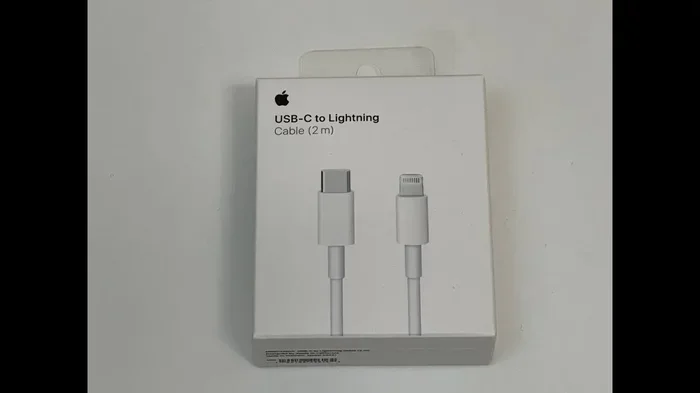
This cable has a USB-C plug on one end and a Lightning plug on the other. You plug the USB-C end into your charger or computer. You plug the Lightning end into your iPhone or iPad. That is it. The cable handles all the communication between the two different standards.
Why Did Apple Move Toward USB-C?
Apple has been transitioning its entire lineup to USB-C. The latest iPad Pro models, MacBook Air, and MacBook Pro all use USB-C exclusively. Even the European Union pushed regulations that encourage USB-C adoption across all devices. This shift means more people are asking about Lightning to USB-C compatibility every single day.
The good news is Apple has fully embraced this change. Their own Lightning to USB-C cable works flawlessly with current iPhones and iPads. You get faster charging, better data transfer, and a more universal connection. It is a win for everyone.
Can You Plug Lightning To Usb C for Charging?
Absolutely. Charging is the most common reason people ask, “Can you plug Lightning to USB C?” The answer is a clear yes. When you use a Lightning to USB-C cable with a USB-C power source, your device charges up quickly and reliably.
But the speed depends on a few factors. Let us break those down so you understand exactly what to expect.
Charging Speed: What to Expect
A standard Lightning cable plugged into a USB-A charger delivers about 5 watts of power. That is slow. A Lightning to USB-C cable connected to a USB-C charger can deliver much more power. Here is how the speeds compare:
- 5W charging: Standard Lightning cable with USB-A charger. Takes about 3 hours to charge an iPhone 14.
- 12W charging: Lightning to USB-C cable with a 12W USB-C adapter. Faster than 5W and widely supported.
- 20W or higher: Lightning to USB-C cable with a USB-C power delivery charger. This is fast charging. An iPhone can reach 50% in about 30 minutes.
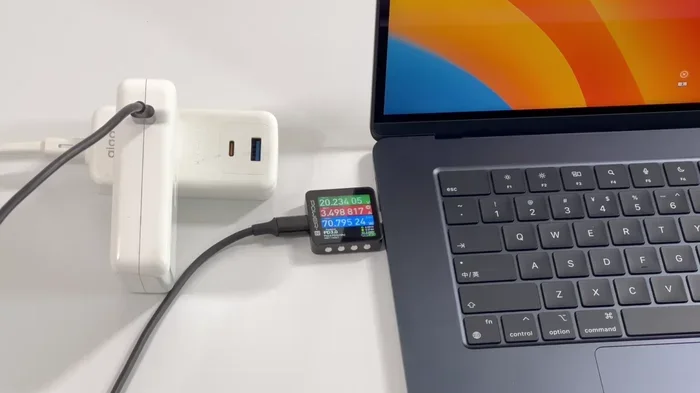
The key difference is USB Power Delivery, also known as PD. This technology allows the charger and device to negotiate the best power level automatically. Your iPhone or iPad tells the charger exactly how much power it needs. The charger responds accordingly. This keeps your device safe while charging at the fastest possible speed.
Does Fast Charging Work with Lightning to USB-C?
Yes, fast charging works with Lightning to USB-C cables on supported iPhones. You need three things: a USB-C power delivery charger of 20W or higher, a certified Lightning to USB-C cable, and an iPhone 8 or newer. With these three pieces, you get significantly faster charging times.
Many people do not realize they already own a USB-C charger. If you have a newer MacBook or iPad charger, it likely supports USB-C power delivery. Just grab a Lightning to USB-C cable and plug in. You will notice the difference immediately.
Can You Plug Lightning To Usb C for Data Transfer?
Charging is one thing, but what about moving files? Can you plug Lightning to USB C and transfer photos, videos, or documents? Yes, you can. USB-C provides much better data transfer speeds than older USB-A connections.
When you connect your iPhone to a computer using a Lightning to USB-C cable, you can sync photos, back up your device, and transfer files. The speed depends on the cable quality and the USB version supported by your computer.
USB 3.0 vs USB 2.0 Speeds
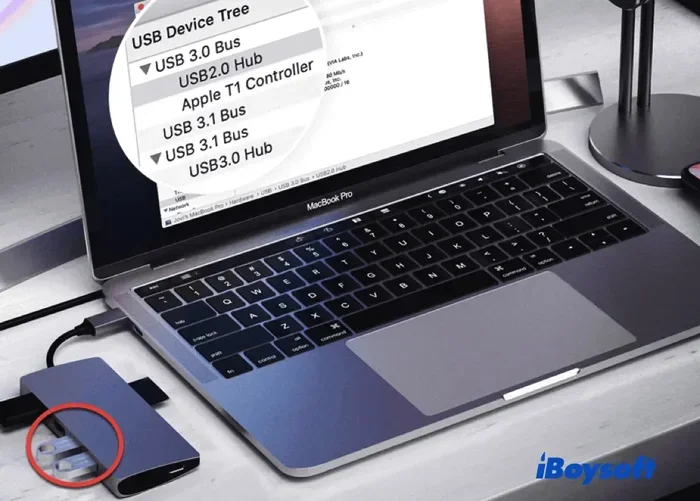
Not all USB-C ports are created equal. Some support USB 3.0 or even USB 3.1, which offers much faster data transfer. Others are limited to USB 2.0 speeds. Here is a quick comparison:
| Connection Type | Max Data Transfer Speed | Best For |
|---|---|---|
| USB 2.0 | 480 Mbps | Basic syncing and charging |
| USB 3.0 | 5 Gbps | Large file transfers and backups |
| USB 3.1 Gen 2 | 10 Gbps | Professional workflows and video |
Most computers made after 2018 support USB 3.0 or higher on their USB-C ports. This means you can transfer a full iPhone photo library in minutes instead of hours. The Lightning to USB-C cable makes this possible and much more convenient than older connection methods.
Using the Cable with MacBooks
If you have a MacBook with USB-C ports, connecting your iPhone is effortless. Just plug in the Lightning to USB-C cable and your Mac recognizes the device instantly. You can use Finder (on macOS Catalina and later) or iTunes (on older versions) to sync, back up, and restore your iPhone.
The connection also supports digital audio output through the Lightning port. You can connect your iPhone to external speakers or audio interfaces using the right adapter. This is great for musicians, podcasters, and anyone who cares about sound quality.
Compatibility: Which Devices Work with Lightning to USB-C?
Compatibility is one of the most important things to understand when you ask, “Can you plug Lightning to USB C?” The answer depends on your specific device. Let us go through the supported devices so you know exactly what works.
iPhones That Support Lightning to USB-C
Every iPhone from the iPhone 5 onward uses the Lightning connector. This means the following models all work with a Lightning to USB-C cable:
- iPhone 5, 5S, 5C
- iPhone 6 and 6 Plus
- iPhone 6S and 6S Plus
- iPhone SE (all generations)
- iPhone 7 and 7 Plus
- iPhone 8 and 8 Plus
- iPhone X
- iPhone XR, XS, and XS Max
- iPhone 11, 11 Pro, and 11 Pro Max
- iPhone 12, 12 Mini, 12 Pro, and 12 Pro Max
- iPhone 13, 13 Mini, 13 Pro, and 13 Pro Max
- iPhone 14, 14 Plus, 14 Pro, and 14 Pro Max
- iPhone 15 series (note: iPhone 15 uses USB-C natively)
All of these devices charge and sync using a Lightning to USB-C cable. Fast charging works on iPhone 8 and newer models when paired with a 20W or higher USB-C charger.
iPads and Other Apple Devices
Many iPads also use the Lightning connector. The iPad Air, iPad mini, and older iPad Pro models all support Lightning to USB-C charging and data transfer. The latest iPad Pro models have switched to USB-C natively, but millions of iPads still use Lightning.
Apple accessories like AirPods with a Lightning case, the Lightning version of the Magic Keyboard, and various MFi certified accessories all work with USB-C through the right cable or adapter.
Common Mistakes When Plugging Lightning to USB-C
Even though the connection is straightforward, people still make mistakes. These errors can lead to slow charging, data loss, or even damaged ports. Let us look at the most common pitfalls and how to avoid them.
Using Non-Certified Cables
This is the number one mistake. Cheap, uncertified cables may look the same as genuine Apple cables, but they often lack proper wiring and safety features. They can cause slow charging, intermittent connections, or even overheating. Always look for MFi certification, which stands for Made for iPhone. This certification guarantees the cable meets Apple’s safety and quality standards.
Forcing the Connector
Sometimes people try to plug the cable in the wrong way. The USB-C connector is reversible, so it does not matter which way you insert it. But the Lightning connector has a specific orientation. If it does not fit easily, do not force it. Flip it over and try again. Forcing the connector can damage the port on your device.
Using the Wrong Adapter
If you are trying to connect a Lightning cable to a USB-A port, you need a different adapter than if you are connecting to a USB-C port. Using the wrong adapter can result in very slow charging or no charging at all. Always double-check that your adapter matches the port type on your power source.
Ignoring Firmware Updates
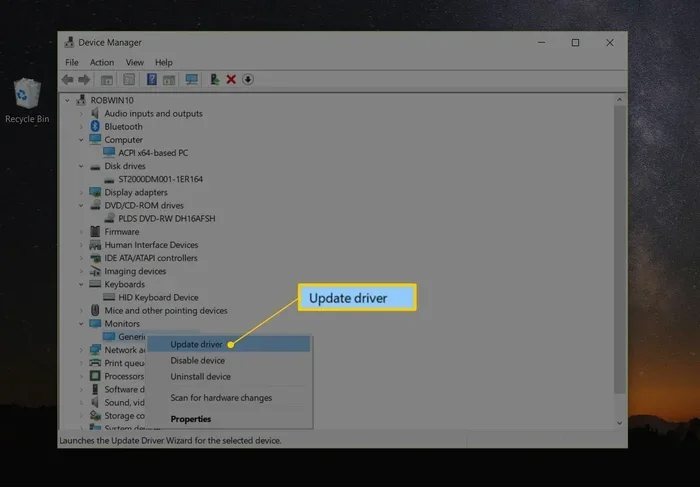
Apple occasionally releases firmware updates that improve USB-C compatibility with Lightning devices. Keeping your iPhone and iPad updated ensures the best performance when using Lightning to USB-C cables. Go to Settings, then General, then Software Update to check for the latest version.
Quick Tips for the Best Lightning to USB-C Experience
Want to get the most out of your Lightning to USB-C connection? Follow these simple tips to ensure the best performance every time.
- Buy MFi certified cables only. This guarantees compatibility and safety. Look for the “Made for iPhone” logo on the packaging.
- Use a 20W or higher USB-C charger for fast charging. A lower wattage charger will still work but will charge your device more slowly.
- Keep your connectors clean. Dust and lint can build up in the ports and cause connection issues. Use a soft brush or compressed air to clean them gently.
- Avoid stretching or bending the cable sharply. This damages the internal wiring and shortens the cable’s lifespan.
- Store cables properly. Coil them loosely and store them in a cool, dry place. Avoid leaving them in hot cars or near water.
- Update your devices regularly. Software updates often include improvements to USB-C connectivity and charging performance.
- Test with multiple devices. If a cable does not seem to work, try it with a different charger or device to rule out the power source as the problem.
Is It Worth Upgrading to USB-C Fully?
Apple has already started this transition. The iPhone 15 lineup uses USB-C natively, which means you no longer need a Lightning to USB-C cable for newer iPhones. This shift brings many benefits, including one cable for all your devices and faster data transfer speeds.
If you still use Lightning devices, investing in a few high-quality Lightning to USB-C cables is a smart move. You will enjoy faster charging, better data transfer, and seamless compatibility with modern chargers and laptops. The cost is minimal compared to the convenience and performance gains you get.
For professionals and creatives, USB-C opens up even more possibilities. You can connect external displays, storage drives, and audio interfaces directly through your iPhone or iPad using the right adapter. The Thunderbolt protocol over USB-C delivers incredible speeds for professional workflows.
Final Thoughts
So, can you plug Lightning to USB C? Absolutely yes. The connection works seamlessly for charging, data transfer, and audio output. With the right Lightning to USB-C cable and a compatible USB-C power source, you get fast, reliable performance every time.
Remember to use MFi certified cables, avoid common mistakes like forcing connectors or using cheap adapters, and keep your devices updated. These simple steps ensure a smooth and safe experience with your Apple devices.
The world of connectivity is moving toward USB-C, and Apple is leading the way. Whether you are charging your iPhone from a USB-C laptop or syncing photos to a modern MacBook, the Lightning to USB-C connection makes it all possible. Embrace the change, invest in quality cables, and enjoy the faster, more universal charging experience that USB-C brings to your Apple ecosystem.
Can you plug Lightning to USB C? Now you know the answer. And more importantly, you know how to do it right. Happy charging.
Frequently Asked Questions
Can I use any Lightning to USB-C cable for fast charging?
Not all cables support fast charging. You need a USB-C power delivery charger rated at 20W or higher and an MFi certified Lightning to USB-C cable. Using a low-quality or non-certified cable may limit your charging speed or cause compatibility issues.
Will a Lightning to USB-C cable damage my iPhone?
No, it will not damage your iPhone if you use a certified cable and a compatible charger. Apple designed the Lightning connector to handle USB-C power delivery safely. Always choose MFi certified accessories to ensure your device stays protected.
Can I transfer data using a Lightning to USB-C cable?
Yes, you can transfer data between your iPhone and a computer using a Lightning to USB-C cable. The transfer speed depends on whether your computer supports USB 3.0 or higher. For the fastest speeds, connect to a USB 3.0 or USB 3.1 port on your Mac or PC.
Do all iPhones support fast charging with USB-C?
No, only iPhone 8 and newer models support fast charging with a Lightning to USB-C cable. Older iPhones like the iPhone 7 and earlier charge at standard speeds regardless of the charger or cable you use.
Can I use a USB-C hub with my Lightning device?
Yes, you can use a USB-C hub with your Lightning device through a Lightning to USB-C cable. This lets you connect multiple peripherals like keyboards, flash drives, and external hard drives. Make sure the hub supports power delivery if you want to charge your device while using it.
How do I know if my cable is MFi certified?
Look for the “Made for iPhone” or MFi certified logo on the cable packaging. You can also check the product listing on the manufacturer’s website. Apple maintains a list of certified accessories on their support page. Avoid cables that do not display this certification, as they may not work reliably.