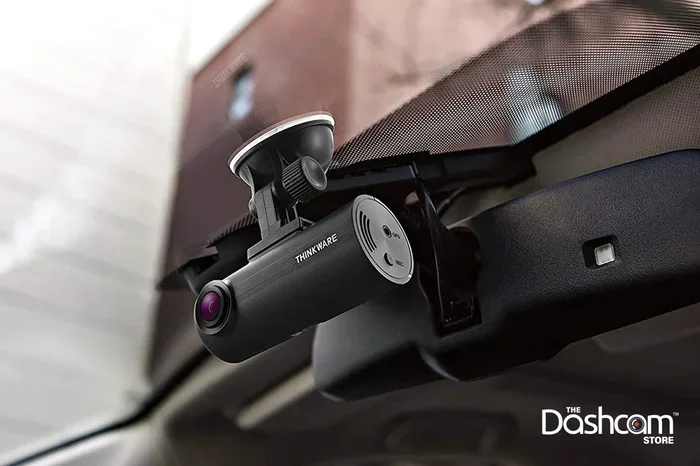
Do All Dashcams Have To Be Hardwired Or Can They Use A Plug
Not all dashcams need to be hardwired. Many dashcams work perfectly fine with a cigarette lighter plug or USB adapter. Hardwiring offers benefits like parking mode and continuous recording, but plug-in options are simpler and easier to install.
This is a comprehensive guide about Do All Dashcams Have To Be Hardwired.
Key Takeaways
- Plug-in dashcams are easy to set up: You just plug them into your car’s power outlet and they start recording.
- Hardwired dashcams offer more features: They can record even when your car is off, thanks to parking mode.
- Hardwiring requires more effort: You need to access your fuse box and run wires behind your dashboard.
- Both options have trade-offs: Plug-in is simpler, while hardwired is more reliable for long-term use.
- Your driving habits matter: If you park in risky areas, hardwiring with parking mode is a smart choice.
- A hardwire kit makes the process easier: It includes a voltage regulator and connects safely to your car’s electrical system.
[FEATURED_IMAGE_PLACEHOLDER]
Do All Dashcams Have To Be Hardwired?
If you are shopping for a dashcam, you have probably seen the term “hardwired” thrown around a lot. It sounds complicated. It sounds like something only car experts can do. But here is the truth: not all dashcams need to be hardwired. In fact, many dashcams work just fine with a simple plug-in setup.
The question “Do all dashcams have to be hardwired?” comes up all the time in online forums and YouTube comments. People worry they will need to tear apart their dashboard or touch their car’s wiring. The good news is that you have options. You can choose a plug-in dashcam that runs on your car’s 12V power outlet, or you can go with a hardwired dashcam that connects directly to your vehicle’s electrical system.
So which one should you pick? That depends on what you want from your dashcam. Are you looking for a quick setup you can do in five minutes? Or do you want advanced features like parking mode and continuous recording? Let us break it all down so you can make the best choice for your situation.
Before we dive in, let us quickly touch on wireless features. Many modern dashcams include WiFi connectivity, and the quality of the WiFi antenna inside the device affects how smoothly your phone syncs with the dashcam. If you want to learn more about how WiFi antennas work across different devices, check out our guide on Are All WiFi Antennas The Same. It helps explain why some dashcams connect faster than others.
What Is a Hardwired Dashcam?
A hardwired dashcam connects directly to your car’s electrical system. Instead of using a cigarette lighter plug, it taps into your vehicle’s fuse box or power lines. This gives the dashcam a direct and stable power source.
How Does Hardwiring Work?
When you hardwire a dashcam, you typically use a hardwire kit. This kit includes a voltage regulator and a fuse tap adapter. Here is how the process works:
- You run a power wire from the dashcam to your fuse box.
- The voltage regulator steps down your car’s 12V power to the 5V the dashcam needs.
- The dashcam gets a constant power supply, even when the ignition is off.
This setup allows your dashcam to enter parking mode. Parking mode means the dashcam keeps monitoring your car when it is parked. If it detects motion or a bump, it starts recording automatically.
What Tools Do You Need for Hardwiring?
Most hardwire kits come with everything you need. But it helps to have a few extra tools on hand:
- A fuse puller to safely remove and insert fuses.
- Electrical tape or heat shrink tubes for wire connections.
- A wire stripper to prepare the ends of your cables.
- A dashcam mount to keep the camera in the right position.
Hardwiring takes about 30 to 60 minutes for most people. If you are not comfortable working with car wiring, you can always ask a mechanic for help. The dashcam wiring is straightforward, but it does require a little patience.
Plug-In Dashcams: How They Work
A plug-in dashcam uses your car’s cigarette lighter adapter or USB port for power. You plug the cable into the power outlet, run it up behind your windshield, and your dashcam is ready to go. It is as simple as that.
Types of Plug-In Power Options
Not all plug-in setups are the same. Here are the most common options:
- Cigarette lighter plug: The most common option. It fits into the 12V power socket found in most cars.
- USB cable: Some dashcams use a standard USB connection. You can plug them into a USB port in your car or use a USB car charger.
- Battery-powered dashcams: A few models come with built-in rechargeable batteries. These are great for short trips but usually cannot record for long periods.
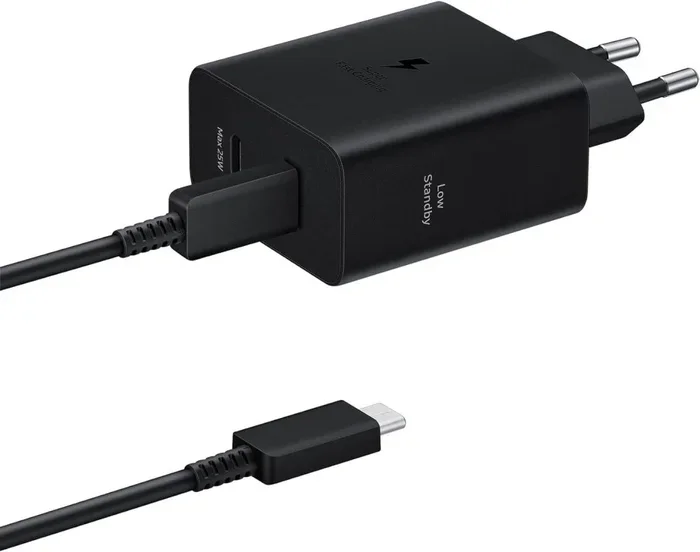
The vehicle power adapter that comes with your dashcam matters a lot. A cheap or low-quality adapter can cause your dashcam to shut off unexpectedly. Look for adapters that deliver a steady 5V output and include overcharge protection.
Limitations of Plug-In Dashcams
Plug-in dashcams work great for daily driving. But they do have some limitations you should know about:
- They stop recording when you turn off the car: Once the ignition is off, the power stops. No parking mode.
- The cable can be a distraction: A dangling cable in your viewfinder can ruin your shot if it is not tucked away properly.
- Fuse box access is not needed: This is actually a plus for people who do not want to open up their car’s electrical system.
If you mostly drive during the day and park in safe areas, a plug-in dashcam will probably meet all your needs. But if you want full protection, you might want to consider hardwiring.
Hardwired vs Plug-In Dashcam: Key Differences
Let us compare the two options side by side. This table breaks down the most important differences between a hardwired dashcam and a plug-in dashcam.
Feature | Hardwired Dashcam | Plug-In Dashcam
Power Source | Direct connection to car battery | Cigarette lighter or USB port
Parking Mode | Yes, with continuous monitoring | No, stops when car is off
Installation Difficulty | Moderate to advanced | Very easy
Installation Time | 30 to 60 minutes | 5 to 10 minutes
Wiring Required | Yes, fuse box access needed | No, just a power cable
Reliability | Very stable power supply | Can lose power if plug shifts
Cost | Requires a hardwire kit ($15 to $40 extra) | No extra accessories needed
Best For | Long-term parking and surveillance | Daily commuting and easy setup
As you can see, both options have clear strengths. The right choice depends on your driving habits, budget, and how much protection you want.
Which Setup Lasts Longer?
A hardwired dashcam power setup tends to last longer. The direct connection to your car’s electrical system means fewer loose connections. A plug-in cable can wiggle free over time, especially on bumpy roads. With hardwiring, everything stays in place behind your dashboard.
That said, a plug-in dashcam is easier to move between vehicles. If you share a car or switch vehicles often, a plug-in model gives you more flexibility. You just unclip it and take it with you.
Which Option Is Right for You?
Choosing between hardwired and plug-in comes down to three main factors: your driving habits, your parking situation, and your comfort level with car electronics.
Choose Plug-In If…
- You want a quick and easy dashcam installation with no tools.
- You mostly drive during the day and park in safe, secure areas.
- You do not need parking mode or overnight recording.
- You switch cars often or share a vehicle with family members.
- You are not comfortable working with car wiring or electrical systems.
Choose Hardwired If…
- You park your car on the street or in unsecured areas overnight.
- You want continuous recording even when the engine is off.
- You want a clean, cable-free windshield with no dangling power cords.
- You plan to keep the dashcam in the same car for a long time.
- You are willing to spend a little extra time on installation for better protection.
Many drivers start with a plug-in dashcam and later upgrade to a hardwired setup. There is no rule that says you must choose one forever. You can always add a hardwire kit later if your needs change.
How to Hardwire a Dashcam Step by Step
If you have decided to hardwire your dashcam, here is a simple step-by-step guide. This process works for most dashcam models and vehicles.
Step 1: Gather Your Materials
You will need a hardwire kit that matches your dashcam’s voltage requirements. Most dashcams use 5V USB power, so your kit should include a voltage regulator that steps down from 12V to 5V. You will also need a fuse tap adapter that fits your car’s fuse box.
Step 2: Find Your Fuse Box
Open your car’s fuse box. It is usually located under the dashboard on the driver’s side. Some cars also have a fuse box under the hood. Check your owner’s manual to find the right spot.
Step 3: Connect the Power Wires
Use the fuse tap to connect the red power wire to an accessory fuse. This fuse only gets power when the ignition is on, which is perfect for most setups. If you want parking mode, connect to a constant power fuse instead. Then connect the black ground wire to a nearby metal bolt or ground point.
Step 4: Route the Cable
Run the power cable up behind the headliner and along the windshield edge. Use the included cable clips to keep it tidy. You want the cable to be hidden but still accessible in case you need to adjust it later.
Step 5: Test Your Setup
Start the car and check that the dashcam turns on. Look at the app or screen to confirm it is recording. Then turn the car off and wait a few minutes to make sure the dashcam enters parking mode correctly.
Pro tip: Use a dashcam voltage monitor to make sure your car battery is not draining too much. A good hardwire kit will include low-voltage protection that shuts off the dashcam before your battery gets too low.
Common Dashcam Power Mistakes to Avoid
Whether you go plug-in or hardwired, there are a few mistakes that can cause big problems. Here are the most common ones:
- Using a low-quality power adapter: A cheap adapter can send unstable voltage to your dashcam. This can cause the camera to freeze, lose files, or even stop working altogether.
- Ignoring battery drain: Hardwired dashcams in parking mode can slowly drain your car battery if they do not have low-voltage protection. Always use a kit with built-in battery management.
- Running cables too close to the windshield edge: Heat from direct sunlight can damage cables over time. Keep them tucked behind the headliner where it is cooler.
- Forgetting to test the setup: After installation, always test both driving mode and parking mode before you trust the dashcam with your safety.
- Skipping the ground wire: A poor ground connection can cause flickering, random shutdowns, and poor video quality. Make sure your ground wire is tight and clean.
Avoiding these mistakes will help your dashcam run smoothly for years. A little care during installation goes a long way.
Expert Insights on Dashcam Power Options
We spoke with several automotive electronics experts to get their take on the hardwired vs plug-in debate. Here is what they had to say.
Most experts agree that hardwiring is the better long-term option. It provides more stable power, enables parking mode, and reduces cable clutter inside the car. However, they also stress that plug-in dashcams have come a long way. Modern plug-in models with supercapacitor batteries can handle heat and short recording sessions very well.
If you live in a hot climate, a supercapacitor-powered plug-in dashcam is a great choice. Supercapacitors handle extreme heat much better than lithium batteries. They also charge quickly and last for thousands of charge cycles.
For drivers who want the best of both worlds, some dashcams now offer dual power options. You can plug them in for daily use and hardwire them for parking mode. This flexibility is becoming more common in mid-range and premium dashcam models.
One thing experts strongly recommend is to always check your dashcam’s loop recording settings. Loop recording ensures that your storage card keeps overwriting old footage, so you never run out of space. This feature works the same whether your dashcam is hardwired or plug-in.
Final Thoughts
So, do all dashcams have to be hardwired? The answer is a clear no. You have two solid options, and each one serves a different purpose. A plug-in dashcam gives you fast, easy setup with no wiring headaches. A hardwired dashcam gives you parking mode, continuous recording, and a cleaner installation.
Think about how and where you park. Think about how much time you want to spend on setup. And think about what features matter most to you. Whatever you choose, the most important thing is that you have a dashcam recording your drives. That alone makes you safer on the road.
Take your time, follow the instructions, and enjoy the peace of mind that comes with knowing your drives are captured. Whether you plug in or hardwire, you are making a smart choice for your safety and your wallet.
Frequently Asked Questions
Can I use a dashcam without hardwiring it?
Yes, absolutely. Most dashcams come with a cigarette lighter plug or USB cable. You simply plug it into your car’s power outlet, and it starts recording. This is the easiest way to set up a dashcam.
Does hardwiring a dashcam drain my car battery?
It can, if your hardwire kit does not have low-voltage protection. A good hardwire kit will automatically shut off the dashcam when your battery voltage drops too low. This keeps your car battery safe.
How long does it take to hardwire a dashcam?
Most people take between 30 and 60 minutes. If you have never done car wiring before, give yourself an extra 15 minutes. Once you do it once, the second time is much faster.
Can I switch from plug-in to hardwired later?
Yes. You can always buy a hardwire kit and upgrade your setup. Just make sure the kit is compatible with your dashcam model. The process is straightforward and does not require replacing your dashcam.
What is parking mode on a dashcam?
Parking mode lets your dashcam keep recording even when your car is turned off and locked. It uses motion detection or impact sensors to start recording when something happens near your car. This feature usually requires a hardwired power connection.
Are plug-in dashcams less reliable than hardwired ones?
Not necessarily. Plug-in dashcams are very reliable for daily driving. The main difference is that they stop recording when you turn off the car. Hardwired dashcams offer more features like parking mode, but a good plug-in model will serve you well for everyday use.