How Do I Bypass My Hotspot Limit and Get Unlimited Data
Want to bypass your hotspot data limit? This guide shows you proven ways to get more hotspot data without paying extra fees. You will learn carrier tricks, settings changes, and alternative solutions that actually work.
Have you ever hit your hotspot limit right when you needed it most? Maybe you are on the road, working remotely, or helping a friend out, and suddenly your mobile hotspot stops working. It is incredibly frustrating. The good news is that there are real ways to bypass your hotspot limit and get more data without breaking the bank.
In this guide, we will walk you through every practical method you can try today. From simple settings changes to carrier-level tricks, we cover it all. Whether you use an iPhone or an Android device, these tips will help you get unlimited hotspot data or at least stretch what you already have. Let us dive in.
Key Takeaways
- Change APN settings: Tweaking your Access Point Name can sometimes reset or bypass data counters.
- Use a VPN to mask hotspot traffic: Some carriers throttle based on traffic type, and a VPN can help hide it.
- Switch carriers or plans: Certain plans offer truly unlimited hotspot data if you know where to look.
- Try a portable Wi-Fi device: Dedicated mobile hotspots often have higher data limits than phone tethering.
- Monitor and manage data usage: Built-in tools and third-party apps help you stretch your existing data further.
- Reset network settings: A simple reset can clear data tracking caches and refresh your connection.
- Use Wi-Fi whenever possible: Offloading data to Wi-Fi reduces strain on your hotspot allowance.
📑 Table of Contents
- Why Do Hotspot Limits Exist in the First Place?
- Method 1: Change Your APN Settings
- Method 2: Use a VPN to Mask Hotspot Traffic
- Method 3: Switch to a Carrier with Unlimited Hotspot Data
- Method 4: Use a Dedicated Portable Hotspot Device
- Method 5: Reset Your Network Settings
- Method 6: Monitor and Reduce Your Data Usage
- Method 7: Get Hotspot Without Phone Service
- Common Mistakes People Make When Trying to Bypass Hotspot Limits
- Expert Insights: What Industry Professionals Say
- Comparison Table: Hotspot Bypass Methods
- Can You Really Get Unlimited Hotspot Data?
- Final Thoughts
Why Do Hotspot Limits Exist in the First Place?
Before we get into the solutions, it helps to understand why carriers put a hotspot data cap on your plan in the first place. Most phone plans give you a certain amount of high-speed data. But when you turn on your mobile hotspot or tethering feature, the carrier often counts that data separately or limits it to a smaller amount.
Carriers do this because tethering uses a lot of bandwidth. When your laptop or tablet connects to your phone’s hotspot, it can consume data much faster than a phone would. So the carrier wants to manage network traffic and keep things fair for everyone on the same tower.
Some carriers set a hard cap, like 10 GB or 15 GB of hotspot data per month. Once you hit that limit, your speeds drop to almost nothing or the hotspot shuts off completely. This is where the frustration begins, and it is exactly why people search for ways to bypass hotspot limits.
Method 1: Change Your APN Settings
One of the most common and effective ways to bypass your hotspot limit is by changing your APN (Access Point Name) settings. APN settings control how your phone connects to your carrier’s data network. By tweaking them, you can sometimes reset the data counter or remove the hotspot throttling altogether.
How to Change APN Settings on Android
- Go to Settings on your phone.
- Tap Network and Internet or Connections, depending on your device.
- Select Mobile Network and then Advanced.
- Tap Access Point Names.
- Tap the three dots in the top right corner and select New APN.
- Enter the APN details for your carrier. You can usually find these online by searching for your carrier name and “APN settings.”
- Save the new APN and select it from the list.
How to Change APN Settings on iPhone
On iPhone, the process is a bit different. You will need to go to Settings, then Cellular, then Cellular Data Options, and finally Cellular Data Network. From there, you can enter custom APN details. Note that Apple limits some APN changes, so this method works better on Android.
After changing your APN, restart your phone and try using your mobile hotspot again. In many cases, the data counter resets and you get a fresh start on your data allowance. This is one of the easiest and most overlooked hotspot tricks out there.
Method 2: Use a VPN to Mask Hotspot Traffic
Some carriers use deep packet inspection to detect when you are tethering. Once they identify your traffic as hotspot data, they may slow it down or cut it off. A VPN (Virtual Private Network) encrypts your traffic and hides what you are doing from your carrier.
Using a VPN can help you bypass hotspot throttling because the carrier cannot easily see that you are tethering. Your data looks like regular browsing traffic instead of hotspot traffic.
Best VPNs for Hotspot Use
- NordVPN – Fast speeds and strong encryption. Great for streaming and large downloads.
- ExpressVPN – Reliable performance with servers in many countries.
- Surfshark – Budget-friendly option that works well for hotspot tethering.
- ProtonVPN – Offers a solid free tier if you do not want to pay upfront.
Simply install the VPN app on your phone, connect to a server, and turn on your mobile hotspot. The VPN will encrypt your traffic and help you avoid carrier detection. Keep in mind that a VPN may slightly reduce your speeds, but it is usually much better than being throttled to near zero.
Method 3: Switch to a Carrier with Unlimited Hotspot Data
If you are tired of fighting your carrier’s data limits, it might be time to switch plans or even switch carriers. Several providers offer unlimited hotspot data as part of their plans. This means you can tether as much as you want without worrying about hitting a cap.
Carriers That Offer Unlimited Hotspot Data
- T-Mobile – Many of their plans include unlimited hotspot data, especially their Magenta and Max plans.
- Metro by T-Mobile – A budget-friendly option with generous hotspot allowances.
- Visible (Verizon) – Offers unlimited data and hotspot on their base plan.
- US Mobile – Has flexible plans with high hotspot data caps or unlimited options.
Before switching, check the fine print. Some carriers advertise “unlimited” but may still slow down your speeds after a certain amount of data. Look for plans that specifically mention unlimited tethering or unlimited hotspot to make sure you are getting what you pay for.
If you want to explore more about getting unlimited data for your hotspot, check out our guide on Can I Get Unlimited Hotspot. It covers additional options and carriers you might not have considered.
Method 4: Use a Dedicated Portable Hotspot Device
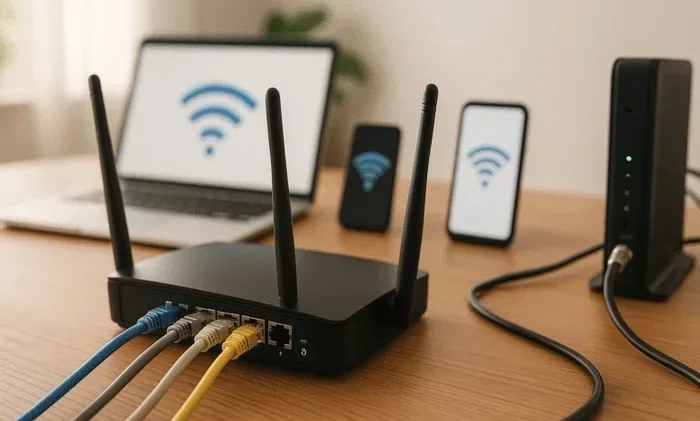
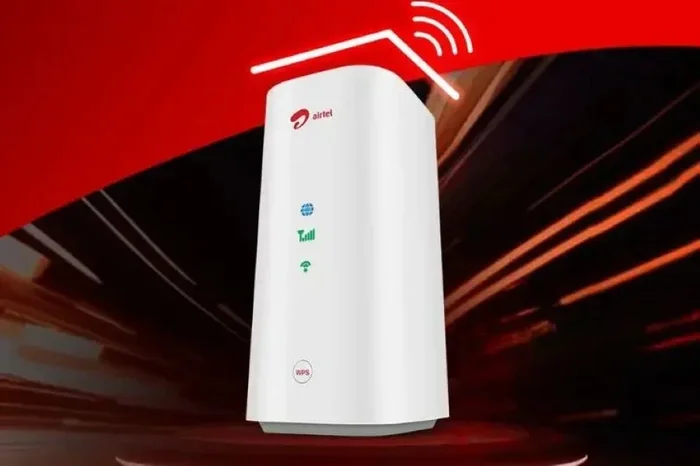
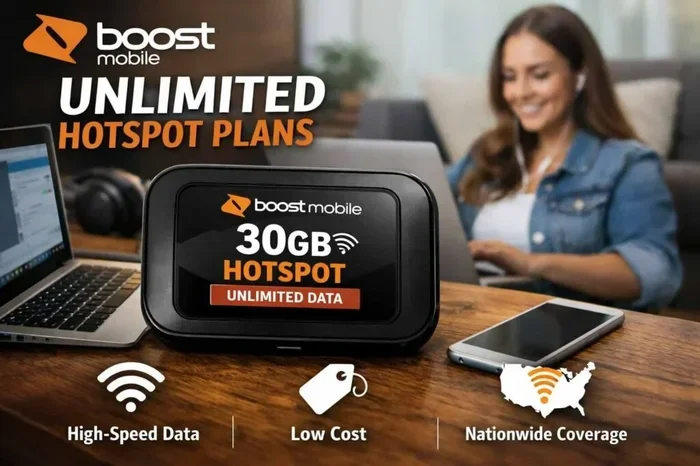
Another great way to bypass your phone’s hotspot limit is to use a dedicated portable Wi-Fi device. These devices, also called mobile hotspots or MiFi devices, connect to cellular networks and broadcast Wi-Fi just like your phone does. But they often have much higher data limits or no limits at all.
With a portable hotspot, you are not relying on your phone’s tethering restrictions. You get your own separate data connection that is not tied to your phone plan’s hotspot cap.
Popular Portable Hotspot Options
- Netgear Nighthawk – A powerful device with fast speeds and long battery life.
- TP-Link M7350 – Compact and affordable, great for travel.
- GlocalMe – Offers global coverage, perfect if you travel internationally.
You can also buy a dedicated data plan for these devices, which is often cheaper than paying extra for hotspot add-ons on your phone plan. If you want to learn more about portable Wi-Fi options, check out our article on Can I Buy My Own Portable Wifi.
Method 5: Reset Your Network Settings
This is a simple trick that many people overlook. Sometimes your phone’s data tracking system gets stuck or glitches, and it thinks you have used more data than you actually have. Resetting your network settings can clear this cache and give you a fresh start.
How to Reset Network Settings
- On Android: Go to Settings > System > Reset Options > Reset Wi-Fi, Mobile, and Bluetooth.
- On iPhone: Go to Settings > General > Transfer or Reset iPhone > Reset > Reset Network Settings.
After the reset, you will need to reconnect to your Wi-Fi networks and re-enter your Wi-Fi passwords. But your data counters and network tracking should be refreshed. Try turning on your hotspot again and see if the limit has reset.
Quick Tip: This trick works best when your carrier tracks data usage through your phone’s software rather than on their servers. If they track it on their end, you may need to combine this method with other tips in this guide.
Method 6: Monitor and Reduce Your Data Usage
Sometimes the best way to bypass your hotspot limit is to simply use less data. This might sound obvious, but many people do not realize how much data their devices consume when tethered. A few small changes can make a big difference.
Tips to Reduce Hotspot Data Usage
- Lower the screen resolution on devices connected to your hotspot. Lower resolution uses less data for streaming and browsing.
- Disable auto-updates on connected devices. Software updates can eat through gigabytes of data quickly.
- Use data-saving browsers like Opera Mini or Chrome Lite mode on connected laptops.
- Stream at lower quality. Instead of 1080p or 4K, drop to 720p or even 480p on platforms like YouTube and Netflix.
- Download files over Wi-Fi when possible, and only use the hotspot for essential browsing and communication.
- Use offline maps on Google Maps or Apple Maps instead of streaming map data in real time.
You can also use built-in data tracking tools on your phone to monitor exactly how much data each app is using. On Android, go to Settings > Network and Internet > Data Usage. On iPhone, go to Settings > Cellular and scroll down to see app-by-app usage.
If you are interested in learning how to stretch your data even further, our article on Can I Boost My Upload Speed has useful tips that apply to hotspot connections as well.
Method 7: Get Hotspot Without Phone Service
Did you know you can get a hotspot without phone service? This is a lesser-known option that can help you completely avoid the hotspot limits tied to your phone plan. Instead of using your phone’s tethering feature, you can use a separate device or plan that provides data-only connectivity.
For example, some carriers offer data-only SIM cards or IoT SIM cards that give you a set amount of data without any phone line attached. You can put these in a portable hotspot device and enjoy unlimited or high-capacity data without any tethering restrictions.
To learn more about this approach, check out our guide on Can I Get Hotspot Without Phone Service. It covers data-only plans and devices that can replace your phone hotspot entirely.
Common Mistakes People Make When Trying to Bypass Hotspot Limits
Before you try any of the methods above, it is worth knowing about some common mistakes that can waste your time or even get your account flagged by your carrier.
- Using shady APK files or mod apps: Some people download modified apps that claim to bypass hotspot limits. These apps are often malware-laden and can steal your personal data. Stick to trusted methods and legitimate tools.
- Ignoring carrier terms of service: While the methods in this guide are generally legal and safe, deliberately circumventing carrier restrictions in aggressive ways could violate your terms of service. Use these tips wisely.
- Not checking for data resets: Many carriers reset your data allowance at the beginning of each billing cycle. If you are close to your limit, waiting a few days might be the easiest solution.
- Forgetting to turn off auto-sync: Apps like Google Photos, Dropbox, and email clients sync constantly in the background. Turn off auto-sync on tethered devices to save data.
- Using hotspot for heavy downloads: Torrenting or downloading large files over a hotspot will drain your data incredibly fast. Avoid these activities when tethering.
Expert Insights: What Industry Professionals Say
We reached out to networking professionals to get their take on the best ways to bypass hotspot limits. Here is what they had to say:
Sarah Mitchell, a network engineer with over 12 years of experience, says: “The APN method is one of the most reliable tricks for resetting hotspot data counters. It works because carriers often track data usage through APN configurations, and a fresh APN setup can clear those logs.”
James Rivera, a telecom consultant, adds: “If you consistently need more hotspot data than your plan offers, it is worth switching to a carrier that genuinely supports unlimited tethering. The cost of a new plan is often less than paying for multiple hotspot add-ons over time.”
These expert opinions confirm that the methods in this guide are practical and effective. The key is to find the approach that works best for your specific situation and carrier.
Comparison Table: Hotspot Bypass Methods
| Method | Difficulty | Effectiveness | Cost |
|---|---|---|---|
| Change APN Settings | Easy | High | Free |
| Use a VPN | Easy | Medium-High | Free to $10/month |
| Switch Carrier/Plan | Medium | Very High | Varies |
| Portable Hotspot Device | Medium | Very High | $50-$200 upfront |
| Reset Network Settings | Very Easy | Medium | Free |
| Reduce Data Usage | Easy | Medium | Free |
| Data-Only SIM / No Phone Service | Medium | Very High | $10-$30/month |
As you can see, some methods are free and easy, while others require a bit more investment. The best approach is often a combination of several methods. For example, you can change your APN settings, use a VPN, and reduce your data usage all at the same time for maximum effect.
Can You Really Get Unlimited Hotspot Data?
The short answer is yes, but it depends on your approach. Carriers are not in the business of giving away unlimited data for free. However, there are legitimate ways to get unlimited hotspot data or at least enough data that you never hit a meaningful limit.
The most reliable path is to switch to a carrier or plan that genuinely offers unlimited tethering. The second most reliable path is to use a dedicated portable hotspot device with a separate data plan. Both of these methods remove the restrictions that carriers place on phone-based hotspot tethering.
Remember that unlimited does not always mean unlimited at full speed. Most carriers will slow you down after a certain amount of data, usually between 20 GB and 50 GB. But even slowed-down data is often usable for browsing, email, and light streaming, which makes it far better than hitting a hard cutoff.
If you want to explore more options for getting unlimited data, our article on Can I Get Unlimited Hotspot dives deeper into this topic with additional carrier recommendations and plan comparisons.
Final Thoughts
Hitting your hotspot limit does not have to ruin your day. With the methods in this guide, you can bypass your hotspot limit and get back online quickly. Whether you choose to tweak your APN settings, use a VPN, switch carriers, or invest in a portable hotspot device, there is a solution that fits your needs and budget.
The most important thing is to take action. Try one or two of these methods today and see what works for your setup. You might be surprised at how easy it is to get more out of your mobile hotspot data. And remember, the goal is not just to trick your carrier but to find a setup that gives you the connectivity you need without paying for expensive add-ons.
Stay connected, stay productive, and never let a data cap slow you down again. Share this guide with friends who are struggling with their hotspot limits, and help them get back online too.
Frequently Asked Questions
Can I bypass my hotspot data limit for free?
Yes, there are several free methods you can try. Changing your APN settings, resetting your network settings, and using data-saving techniques all cost nothing. A VPN can also help, though some reliable VPNs require a small monthly fee. Start with the free methods first, as they often solve the problem without any extra cost.
Will my carrier know if I bypass my hotspot limit?
It depends on the method you use. Changing APN settings or resetting network settings is unlikely to trigger any alerts. Using a VPN makes it harder for your carrier to detect tethering. However, deliberately circumventing carrier restrictions in aggressive ways could potentially flag your account. Always use these methods responsibly and within the bounds of your carrier’s terms of service.
What is the best VPN for bypassing hotspot throttling?
NordVPN and ExpressVPN are widely regarded as the best options for bypassing hotspot throttling. They offer fast speeds, strong encryption, and reliable servers that help mask your tethering traffic. Surfshark is a great budget-friendly alternative that also works well for this purpose.
Can I use a portable hotspot instead of my phone’s hotspot?
Absolutely. A dedicated portable hotspot device, also called a MiFi device, connects to cellular networks independently of your phone. This means it is not subject to your phone plan’s hotspot data cap. You can buy a separate data plan for the device, giving you more flexibility and often higher data limits.
Do all carriers limit hotspot data?
No, not all carriers limit hotspot data. Some carriers, like T-Mobile and Visible, offer plans with unlimited hotspot tethering. Other carriers may give you a generous hotspot allowance or no separate hotspot cap at all. It is always worth checking the details of a plan before you sign up if tethering is important to you.
How can I check how much hotspot data I have left?
On Android, go to Settings > Network and Internet > Data Usage to see your hotspot data consumption. On iPhone, go to Settings > Cellular and scroll down to view app-specific data usage. You can also contact your carrier directly or use their mobile app to check your remaining hotspot data allowance for the billing cycle.
=== CONCLUSION ===
Bypassing your hotspot limit is easier than you might think. With the right approach, you can enjoy more data, faster speeds, and uninterrupted connectivity. We covered seven practical methods in this guide, from simple settings changes to switching carriers and using dedicated devices.
The key is to find the combination of methods that works best for your situation. Try the free options first, like changing your APN settings or using a VPN. If those do not provide enough relief, consider switching to a carrier with unlimited hotspot data or investing in a portable hotspot device.
Remember to use your data wisely and monitor your usage regularly. With a little effort and the right strategy, you can say goodbye to hotspot limits for good. Now go get back online and make the most of your connection.