Can A Docsis 3 0 Router Work With A 3 1 Modem Explained
Can a DOCSIS 3.0 router work with a 3.1 modem? Yes, it can, thanks to backward compatibility. You’ll get internet access, but you might lose some advanced speed and efficiency features. Mixing older and newer gear is possible, yet it’s important to know the trade-offs before you set up your network.
You’ve got a DOCSIS 3.1 modem from your internet provider, but the router sitting in your living room is still the older DOCSIS 3.0 model. You’re wondering if they’ll play nice together. The short answer is yes. Can a DOCSIS 3.0 router work with a 3.1 modem? Absolutely. They can communicate, and you’ll get online. But there’s a catch. You won’t unlock the full speed and efficiency that the newer modem offers. In this guide, we’ll walk you through exactly what happens when you mix these two generations of gear. You’ll learn about compatibility, speed limits, setup steps, and whether an upgrade makes sense for your home network.
Many households still run a DOCSIS 3.0 router even though their ISP handed them a shiny new 3.1 modem. The reason is simple: the old router might still work fine, and replacing it costs money. Plus, not everyone needs the absolute fastest internet. However, if you’re paying for a gigabit plan, that older router could be holding you back. Understanding how these devices talk to each other helps you make the best decision for your internet experience. Let’s dive into the details.
The DOCSIS standard (Data Over Cable Service Interface Specification) is the language your cable modem uses to send and receive data. Think of it as a set of rules. DOCSIS 3.0 came out in 2006 and brought big improvements over the older 2.0 version. It used channel bonding to combine multiple TV channels into one super-fast data pipe. DOCSIS 3.1 arrived around 2016 and completely changed the game. It introduced OFDM (Orthogonal Frequency Division Multiplexing) for both downstream and upstream traffic. This allowed for much higher speeds and better efficiency, especially on the upload side. So when you mix a 3.0 router with a 3.1 modem, you’re bridging two different eras of this technology.
Key Takeaways
- DOCSIS 3.0 routers work with 3.1 modems: Backward compatibility makes it possible, but you lose DOCSIS 3.1 features.
- Speeds will be capped: Your connection will max out at DOCSIS 3.0 limits, not the full potential of a 3.1 modem.
- No OFDM upstream benefit: The 3.1 modem’s OFDM modulation won’t be used if the router is 3.0.
- Setup is simple: You just connect the modem to the router via Ethernet, no special configuration needed.
- Check your ISP plan: If you pay for gigabit speeds, a 3.0 router will bottleneck your connection.
- Firmware updates matter: Keep both devices updated for the best stability and security.
- Consider a full upgrade: For future-proofing, pairing a 3.1 modem with a 3.1 router gives the best performance.
📑 Table of Contents
- Understanding DOCSIS 3.0 and 3.1: What’s the Difference?
- Can A DOCSIS 3.0 Router Work With A 3.1 Modem? The Compatibility Story
- What Happens When You Mix 3.0 and 3.1 Equipment?
- Speed and Performance: What You’ll Actually Get
- How to Set Up a DOCSIS 3.0 Router With a 3.1 Modem (Step-by-Step)
- Should You Upgrade? Final Thoughts
Understanding DOCSIS 3.0 and 3.1: What’s the Difference?
Before we answer the main question, let’s quickly compare the two standards. This helps you see why mixing them has trade-offs. The table below breaks down the key differences in plain English.
| Feature | DOCSIS 3.0 | DOCSIS 3.1 |
|---|---|---|
| Downstream Channels | Up to 8 bonded channels (6 MHz each) | Single OFDM channel (up to 192 subcarriers) |
| Upstream Channels | Up to 4 bonded channels | OFDM upstream with flexible bandwidth |
| Max Downstream Speed | ~1 Gbps (theoretical) | ~10 Gbps (theoretical) |
| Max Upstream Speed | ~200 Mbps (theoretical) | ~1-2 Gbps (theoretical) |
| Modulation | QAM-256 (downstream), QAM-64 (upstream) | 256-QAM and OFDM |
| OFDM Support | No | Yes, for both downstream and upstream |
| Frequency Band | Fixed TV channels | Flexible spectrum, up to 1.2 GHz |
| Power Consumption | Higher | Lower, more efficient |
As you can see, DOCSIS 3.1 is a massive leap forward. It uses a single, wide channel with thousands of tiny subcarriers instead of bundling a few old TV channels together. This gives it more speed and better performance in noisy environments. The upstream, in particular, sees a huge boost, which matters for video calls, cloud backups, and gaming.
Now, let’s tackle the core question.
Can A DOCSIS 3.0 Router Work With A 3.1 Modem? The Compatibility Story
The answer is a clear yes. A DOCSIS 3.0 router can absolutely work with a DOCSIS 3.1 modem. The reason is simple: the connection between the modem and the router is not DOCSIS. It’s a standard Ethernet cable. The modem converts the cable signal into digital data, and the router just routes that data to your devices. The router doesn’t need to know or care what DOCSIS version the modem uses. It just sees an internet connection coming in through its WAN port.
So when you ask, can a DOCSIS 3.0 router work with a 3.1 modem, the short answer is yes, you’ll have internet. The modem handles the DOCSIS part, and the router handles the local network. They speak different languages, but they connect through a common Ethernet link. This backward compatibility is one of the best things about networking standards.
Quick Tips for Checking Compatibility
- Look at the labels: Both devices should have a DOCSIS version printed on them. Check the modem for 3.1 and the router for 3.0.
- Check your router’s manual: If you’re not sure, search the model number online. Most manufacturers list the DOCSIS version clearly.
- Bridge mode matters: If your 3.1 modem has built-in Wi-Fi and router features, you may need to put it in bridge mode. This turns off its router function so your 3.0 router can take over.
- Firmware is key: Ensure both devices have the latest firmware. This fixes bugs and improves compatibility.
- Ethernet cable quality: Use a Cat5e or Cat6 cable between the modem and router for the best speeds.
Even with full compatibility, there are real-world impacts. Let’s look at what actually happens when you mix these two generations.
What Happens When You Mix 3.0 and 3.1 Equipment?
You get internet, that’s the good news. But you don’t get the full benefits of the DOCSIS 3.1 modem. Think of it like putting a sports engine in a regular car. The engine is powerful, but the car can only go so fast. Here’s what you gain and what you miss.
What you gain: You get the reliability and modern features of a DOCSIS 3.1 modem. These modems handle signal noise better, support more users, and often have lower latency. They also future-proof your cable connection for higher speeds that your ISP might roll out later. So the modem part of your setup is top-notch.
What you miss: The router becomes the bottleneck. A DOCSIS 3.0 router can’t process the super-fast downstream and upstream channels that the 3.1 modem delivers. You’ll be capped at the router’s maximum throughput. Also, the OFDM upstream feature of DOCSIS 3.1 won’t be utilized. Your upload speeds will be limited to what the 3.0 router can handle. If you do a lot of uploading—like streaming on Twitch or backing up files to the cloud—you’ll feel the difference.
Common Mistakes When Mixing Generations
- Assuming you’ll get 3.1 speeds: This is the biggest mistake. A 3.0 router can’t pass through the full 3.1 speed. Your internet will only be as fast as the slowest device in the chain.
- Ignoring the upstream bottleneck: Many people focus only on download speed. But upload speed matters for video calls, gaming, and cloud uploads. A 3.0 router often caps upload at 100-200 Mbps, while a 3.1 modem can push much higher.
- Forgetting bridge mode: If your 3.1 modem has Wi-Fi, it might create a double NAT situation. This can cause connectivity issues with some games and apps. Always put the modem in bridge mode when using your own router.
- Using old coaxial cables: A cheap, damaged coax cable between the wall and the modem can ruin your signal, no matter what router you have.
- Skipping firmware updates: Both the modem and router need updates for security and performance. Neglecting this can lead to slow speeds or crashes.
Let’s talk numbers.
Speed and Performance: What You’ll Actually Get
Your actual speed depends on your ISP plan, the modem’s capabilities, and the router’s limits. DOCSIS 3.0 routers typically support downstream speeds up to about 1 Gbps and upstream up to around 200 Mbps. Some high-end 3.0 routers can handle more, but they’re rare. DOCSIS 3.1 modems can deliver up to 10 Gbps downstream and 1-2 Gbps upstream. So if you have a 1 Gbps internet plan, a 3.0 router will handle it fine. But if you have a 2 Gbps plan, the router will cap you at around 1 Gbps, and you’ll never get the full speed.
For most home users with plans under 1 Gbps, a DOCSIS 3.0 router with a 3.1 modem works perfectly. You’ll get the speeds your plan promises. The 3.1 modem just ensures your connection is stable and ready for future upgrades. However, if you’re a power user with a gigabit or multi-gig plan, you’ll want a DOCSIS 3.1 router to match.
Expert Insights: The Bottleneck Rule
Networking experts often say, “Your network is only as fast as its weakest link.” In a mixed setup, the router is usually the weak link. A DOCSIS 3.1 modem with a 3.0 router is like having a wide highway that ends in a narrow country road. The cars (data packets) can speed down the highway, but they get stuck at the narrow road. To get the full benefit of DOCSIS 3.1, every device in the chain should support it. That includes the modem, the router, and even your Ethernet cables.
Here’s a quick way to test your real-world speed.
Quick Tip: Run a Speed Test at the Router
Connect a laptop directly to the router via Ethernet. Run a speed test at speedtest.net. Then, if possible, connect the same laptop directly to the modem and run the test again. If the speed at the router is much lower than the speed at the modem, your router is the bottleneck. This simple test can save you money and frustration.
Now, let’s walk through the setup.
How to Set Up a DOCSIS 3.0 Router With a 3.1 Modem (Step-by-Step)
Setting up a mixed DOCSIS setup is straightforward. You don’t need any special tools, just a few minutes. Here’s the exact process.
- Connect the modem to the cable outlet. Screw the coaxial cable from the wall into the modem’s input port. Plug in the power adapter and turn the modem on. Wait for the lights to stabilize. This usually takes 2-3 minutes.
- Prepare the modem for bridge mode (if needed). If your 3.1 modem has built-in routing and Wi-Fi, log into its admin page (usually 10.0.0.1 or 192.168.100.1). Look for a bridge mode or IP Passthrough option. Enable it and save. This turns the modem into a simple bridge, passing all traffic to your router.
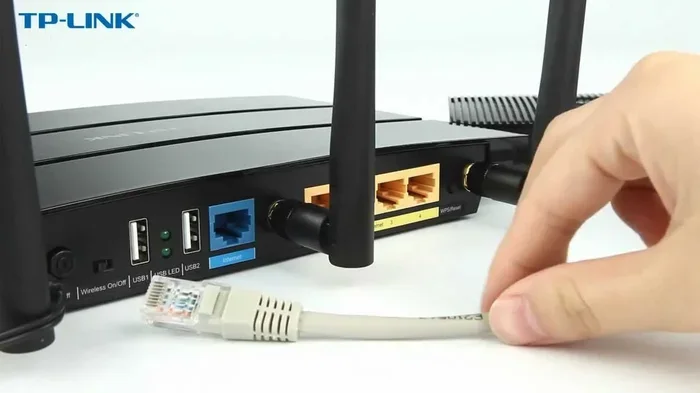
- Connect the modem to the router. Use an Ethernet cable. Plug one end into the modem’s Ethernet port (often labeled “LAN” or “Ethernet”). Plug the other end into the router’s WAN or Internet port. This is usually a different color, often blue or yellow.
- Power on the router. Plug in the router and wait for it to boot. The WAN light should blink and then stay solid, indicating it has an internet connection.
- Configure your router. Open a web browser on a connected device. Type the router’s admin address (commonly 192.168.1.1 or 192.168.0.1). Log in with the default credentials (check the sticker on the router). Follow the setup wizard. You’ll need to enter your ISP’s connection type, which is usually DHCP for cable internet. If your ISP requires PPPoE, you’ll need the username and password they provided.
- Set up Wi-Fi and security. Choose a strong Wi-Fi name (SSID) and password. Use WPA3 or WPA2 encryption. Update the router’s firmware if prompted.
- Run a final speed test. Connect a device to the router’s Wi-Fi or Ethernet. Run a speed test. Compare the result to your ISP plan. If you’re getting close to the plan speed, you’re all set.
That’s it. Your DOCSIS 3.0 router is now working with the 3.1 modem. You’ll have a stable, working internet connection. Just remember the speed cap we discussed earlier.
Should You Upgrade? Final Thoughts
So, can a DOCSIS 3.0 router work with a 3.1 modem? Yes, it can, and it will get you online. But the real question is whether you should keep this setup or upgrade. Here’s a simple way to decide.
If your internet plan is under 1 Gbps and you’re happy with your current Wi-Fi coverage, keeping the 3.0 router is perfectly fine. The 3.1 modem will still give you a stable, future-ready connection. You’re not wasting the modem’s potential because the modem’s main job is to talk to the cable network, and it does that brilliantly. The router’s job is to distribute that connection in your home, and if it’s doing that well enough for your needs, there’s no urgent reason to change.
On the other hand, if you’re paying for a 1 Gbps or faster plan, or if you have many users streaming, gaming, and working from home, the 3.0 router will hold you back. You’ll notice slow uploads, buffering during video calls, and lag in online games. In that case, upgrading to a DOCSIS 3.1 router—or a modem-router gateway that supports 3.1—will unlock the full speed and improve your overall experience.
Future-proofing is another strong reason. ISPs are gradually rolling out multi-gig speeds over DOCSIS 3.1. If you plan to stay with your current provider, having a 3.1-ready router means you won’t need another upgrade when they increase your speed tier. It’s a small investment now that can save you money and hassle later.
In summary, mixing a DOCSIS 3.0 router with a 3.1 modem is a valid, working solution. It’s not ideal for cutting-edge speeds, but it’s far from a disaster. You’ll have a functional network that can handle most everyday tasks. Just be aware of the limitations, and upgrade when the time is right.
Now you know the answer to can a DOCSIS 3.0 router work with a 3.1 modem. You understand the compatibility, the speed trade-offs, and the setup process. You’re equipped to make the best choice for your home network. Whether you keep the old router or upgrade, you’ll have a solid internet experience.
Frequently Asked Questions
Will I lose internet if I use a DOCSIS 3.0 router with a 3.1 modem?
No, you will not lose internet. The two devices are fully compatible because the connection between them is standard Ethernet, not DOCSIS. You’ll get online and can browse, stream, and game without any issues. The only thing you might lose is the top-end speed that a DOCSIS 3.1 modem can deliver.
Can I use my 3.1 modem’s built-in Wi-Fi if I also have a 3.0 router?
You can, but it’s not recommended. Running two routers at the same time can create a double NAT, which often causes problems with gaming, port forwarding, and some apps. The best practice is to put the 3.1 modem in bridge mode and let your 3.0 router handle all the Wi-Fi and routing duties.
What is the maximum speed I can get with a DOCSIS 3.0 router and a 3.1 modem?
Most DOCSIS 3.0 routers can handle downstream speeds up to about 1 Gbps and upstream speeds up to 200 Mbps. So even if your 3.1 modem can deliver faster, your router will cap the connection at those limits. If your internet plan is under 1 Gbps, you likely won’t notice any difference in everyday use.
Do I need a special Ethernet cable to connect a 3.0 router to a 3.1 modem?
No special cable is needed, but you should use a Cat5e or Cat6 Ethernet cable for the best results. These cables support gigabit speeds and are widely available. A cheap or damaged cable can limit your speeds, so it’s worth using a good quality one to ensure you get the most out of your setup.
Is it worth upgrading to a DOCSIS 3.1 router if I already have a 3.1 modem?
It depends on your internet plan and usage. If you have a 1 Gbps or faster plan, or if you do a lot of uploading and need the best performance, upgrading to a DOCSIS 3.1 router is definitely worth it. It will unlock the full speed of your modem and give you better upstream performance and future-proofing. If your plan is under 1 Gbps and your current router works fine, you can hold off on the upgrade.
Can I use any brand of DOCSIS 3.0 router with any brand of DOCSIS 3.1 modem?
Yes, you can mix brands without any problem. As long as the modem is in bridge mode (if it has routing features) and you connect the Ethernet cable from the modem to the router’s WAN port, they will work together. The DOCSIS standard ensures that all compatible devices can communicate with each other, regardless of the manufacturer.