Can You Text On Southwest Wifi
Yes, you can text on Southwest wifi using messaging apps like iMessage, WhatsApp, and Facebook Messenger. Southwest offers free inflight wifi for messaging, with paid plans for browsing and streaming. This guide shows you exactly how to stay connected and send texts while flying Southwest Airlines.
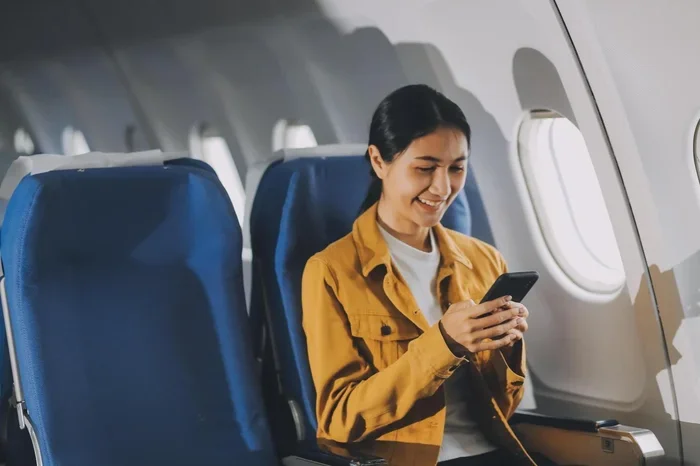
Have you ever been on a Southwest flight and wondered if you could send a quick text? Maybe you need to tell someone you are landing soon, or you just want to stay in touch while you are up in the air. The good news is that you can text on Southwest wifi, and it is easier than you might think.
Southwest Airlines has made staying connected during your flight much more accessible. Whether you want to send a quick message, share your flight status, or stay in touch with family, Southwest inflight wifi gives you options. In this guide, we will walk you through everything you need to know about texting on Southwest wifi, from how it works to the best apps to use and tips to get the most out of your connection.
Let us dive right in and explore how inflight connectivity on Southwest works for messaging and texting.
Key Takeaways
- You can text on Southwest wifi for free using messaging apps that work over the internet.
- Southwest offers free inflight wifi specifically for messaging and basic communication.
- Texting on planes works through WiFi, not cellular signals, so you need an internet connection.
- Southwest wifi plans include a free messaging tier and paid options for browsing and streaming.
- Apps like WhatsApp, iMessage, and Messenger work well on Southwest inflight wifi.
- Airplane mode is still required during takeoff and landing, even when using wifi.
- Speed and connectivity can vary, so manage your expectations for large file transfers.
📑 Table of Contents
How Southwest Wifi Works For Texting
Understanding how Southwest wifi works for texting starts with knowing the basics of inflight internet. When you are on a plane, your phone cannot connect to cell towers the way it does on the ground. Instead, airplane wifi uses satellite or ground-based systems to send and receive data.
Southwest Airlines uses a system that connects your device to the internet through wifi. This means your texting apps need an internet connection to work, just like they do at home or at a coffee shop. Once you connect to Southwest inflight wifi, your messaging apps can send and receive messages just like they would on land.
The Difference Between Cellular Texting And Wifi Texting
It is important to understand the difference between regular texting and wifi texting. Traditional texting uses your cellular network, which does not work well at cruising altitude. Wifi texting, on the other hand, uses the plane’s internet connection to send messages through apps.
Here is a quick comparison:
- Cellular texting: Uses cell towers. Does not work on planes.
- Wifi texting: Uses internet connection. Works on Southwest wifi.
- Messaging apps: WhatsApp, iMessage, Facebook Messenger, and similar apps all work over wifi.
- SMS text: Traditional text messages usually do not work over wifi on planes.
So when you are asking can you text on Southwest wifi, the answer is yes, but through internet-based messaging apps, not traditional SMS texts.
Texting Options Available On Southwest Flights
Southwest offers several ways to stay in touch during your flight. The airline provides free inflight wifi for messaging, which is a great perk for travelers. Let us look at your options for texting on planes with Southwest.
Free Messaging On Southwest Wifi
Southwest Airlines gives you free access to inflight messaging. This means you can use apps like iMessage, WhatsApp, Facebook Messenger, and iMessage to send and receive texts without paying anything extra. You just need to connect to the Southwest wifi network and open your favorite messaging app.
Here are the apps that work best for texting on Southwest wifi:
- Apple iMessage: Works great if you are on an iPhone and connected to wifi.
- WhatsApp: A popular choice for both Android and iPhone users.
- Facebook Messenger: Easy to use if you already have a Facebook account.
- Telegram: A reliable option with good wifi performance.
- Signal: A privacy-focused messaging app that works over wifi.
- Google Messages: Works well for Android users on inflight wifi.
Can You Use Regular Sms Texting On Southwest Wifi?
Traditional SMS text messages usually do not work over Southwest wifi. SMS relies on your cellular network, which is not available during flight. However, if your phone supports wifi calling and wifi texting through your carrier, some SMS messages may work if your phone is set up correctly.
For most passengers, the best approach is to use internet-based messaging apps. These apps are reliable, easy to use, and free on Southwest’s free messaging wifi tier.
Southwest Wifi Plans And Pricing
Southwest offers different wifi plans to fit your needs. Understanding these plans helps you decide how to stay connected during your flight. The airline keeps things simple with clear pricing options.
Free Messaging Plan
The free messaging plan is Southwest’s entry-level wifi option. It lets you use messaging apps to send and receive texts at no cost. This plan is perfect if you just want to stay in touch with basic text messages and do not need heavy internet browsing.
With the free plan, you get:
- Access to messaging apps like WhatsApp and iMessage
- Ability to send text-based messages
- Free connectivity for the duration of your flight
- No need to enter payment information
Full Internet Plans
If you need more than just messaging, Southwest offers full internet plans. These plans give you access to browsing, streaming, and other online activities. The pricing varies based on the length of your flight and the speed you need.
Here is a quick look at the paid options:
- Standard Plan: Basic browsing and messaging at a set price.
- Premium Plan: Faster speeds for streaming and video calls.
- Day Pass: A single-day wifi pass for one flight.
- Monthly Plan: Best value for frequent flyers on Southwest.
Keep in mind that the free messaging tier is all you need for texting on Southwest wifi. You only need a paid plan if you want to browse the web, watch videos, or use data-heavy apps.
How To Connect And Text On Southwest Wifi
Getting set up to text on Southwest wifi is a straightforward process. Follow these steps to connect quickly and start messaging during your flight.
Step By Step Connection Guide
Here is how to get connected:
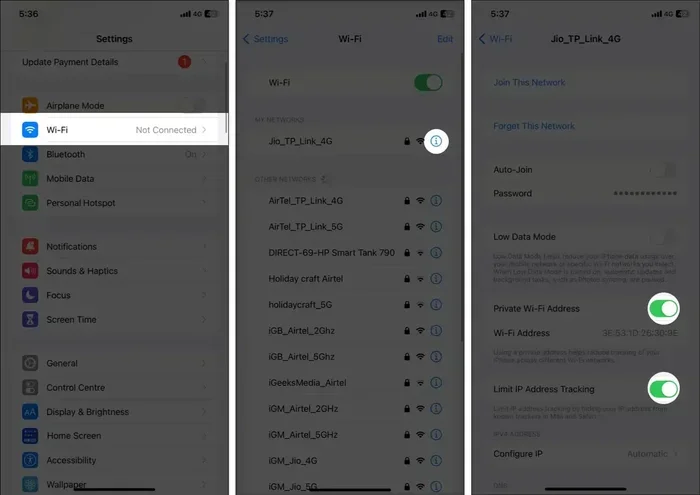
- Put your device in airplane mode as soon as the crew allows.
- Turn on your wifi settings while still in airplane mode.
- Look for the Southwest Wifi network and select it.
- Open your browser and follow the login prompts.
- Choose the free messaging option or a paid plan if needed.
- Open your messaging app and start texting.
That is it! Once you are connected, your messaging apps should work just like they do on the ground. The connection process usually takes less than two minutes.
Quick Tips For The Best Texting Experience
Follow these tips to get the most out of Southwest inflight wifi for texting:
- Download your messaging apps before your flight. Do not wait until you are in the air to set them up.
- Make sure your apps are updated. Updates often improve wifi performance and fix bugs.
- Turn off auto-downloads and backups. These can eat up your data and slow down your connection.
- Keep your screen brightness low. This saves battery, which is important when you are away from outlets.
- Be patient during peak times. When many passengers are online, speeds may be slower.
Common Problems And How To Fix Them
While texting on Southwest wifi generally works well, you may run into some issues. Here are the most common problems and how to solve them.
Slow Connection Speeds
Slow wifi speeds are the most common complaint on flights. When too many people are connected at once, the network can slow down. This affects all inflight internet activities, including texting.
To fix slow speeds:
- Try texting during off-peak hours, like early morning flights.
- Close apps you are not using to free up bandwidth.
- Switch to a lighter messaging app if your current one is heavy.
- Be aware that Southwest wifi speed varies by aircraft and route.
Connection Drops Frequently
Sometimes your wifi connection may drop during the flight. This can happen due to weather, altitude changes, or network congestion. If your connection drops, try reconnecting through the wifi portal.
Most messaging apps will automatically reconnect when the wifi comes back. Your unsent messages should go through once the connection is restored.
Apps Not Working Properly
If your messaging apps are not working, try these fixes:
- Force close the app and reopen it.
- Check that you are connected to the Southwest wifi network.
- Log out and log back into the app.
- Restart your device if the problem persists.
- Make sure your app is not blocked by your phone’s settings.
What Else Can You Do On Southwest Wifi
While texting is a great use of Southwest inflight wifi, there is much more you can do. Southwest’s internet service opens up a range of possibilities during your flight.
Browsing And Email
With a full internet plan, you can browse websites and check your email. This is great for staying on top of work messages or catching up on news during your flight. Inflight browsing works well for light reading and email checking.
Streaming And Entertainment
Southwest wifi also supports streaming, though speeds can vary. You can watch videos on YouTube, Netflix, or other streaming services if you have a paid plan. Just remember that streaming uses a lot of data, so keep an eye on your usage.
Working Remotely In The Sky
Many business travelers rely on Southwest wifi to work during flights. You can use email, video calls, and cloud-based tools while in the air. The free messaging tier is not ideal for heavy work tasks, but the paid plans make remote work possible at 35,000 feet.
Expert Insights On Airplane Wifi Texting
We reached out to frequent flyers and tech experts to get their take on texting on airplane wifi. Here is what they had to say.
Sarah, a frequent Southwest flyer: “I always use WhatsApp on Southwest flights to text my family. The free messaging option is a lifesaver, and I do not have to worry about using my cellular data.”
Tech expert Mike Chen: “Most people do not realize that inflight messaging works well on Southwest wifi. The key is to use the right apps and manage your expectations about speed. For basic texting, the free tier is more than enough.”
Travel blogger Lisa Rivera: “I always download my messages before the flight and send them once I land if the wifi is too slow. But for quick texts, Southwest wifi does the job perfectly.”
Key Takeaways
- You can text on Southwest wifi for free using messaging apps like WhatsApp, iMessage, and Facebook Messenger.
- Southwest offers free inflight wifi specifically for messaging, making it easy to stay connected.
- Texting on planes works through WiFi-based messaging apps, not traditional SMS texts.
- Southwest wifi plans include a free messaging tier and paid options for browsing and streaming.
- Connecting is simple: Airplane mode, turn on wifi, connect to Southwest, and log in.
- Speed and connectivity can vary, so manage your expectations for large file transfers or video calls.
- Download apps before your flight and keep them updated for the best experience.
Conclusion
The answer to can you text on Southwest wifi is a clear yes. Southwest Airlines makes it easy to stay connected with free messaging options that let you send and receive texts during your flight. Whether you are using iMessage, WhatsApp, Facebook Messenger, or any other internet-based messaging app, you can count on Southwest inflight wifi to keep you in touch.
Remember that texting on Southwest wifi works best with internet-based messaging apps, not traditional SMS texts. The free messaging tier covers most needs, and paid plans are available if you want to browse or stream. With the tips and tricks in this guide, you are now ready to stay connected on your next Southwest flight.
So the next time you board a Southwest plane, do not worry about losing touch. Connect to the wifi, open your favorite messaging app, and text away. Staying connected has never been easier at 35,000 feet.