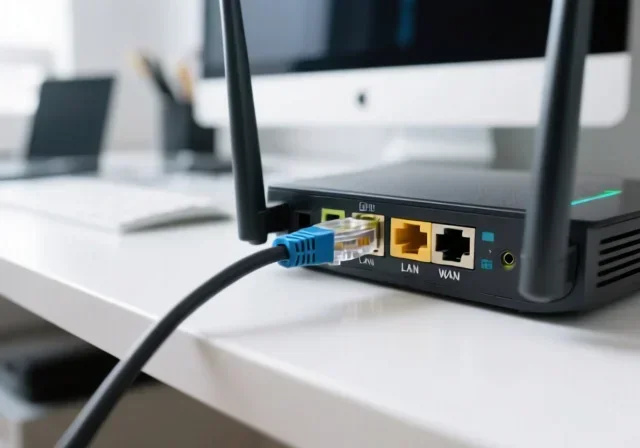
Can I Use Ethernet With Just A Router For Faster Internet
Yes, you can absolutely use Ethernet with just a router to get faster, more reliable Internet. A wired connection through a router gives you lower latency, better speeds, and a more stable network compared to Wi-Fi. This guide covers everything from basic setup to troubleshooting common issues.
Have you ever plugged your laptop into the wall and wondered if you really need a fancy setup to get the best Internet speed? The truth is simpler than you think. Can I use Ethernet with just a router? The short answer is yes. You can connect your device directly to a router using an Ethernet cable and enjoy a fast, stable wired connection.
Many people rely on Wi-Fi for everything. But Wi-Fi has its limits. Walls, distance, and interference from other devices can slow your signal down. A wired Ethernet connection cuts through all that noise. It gives you a direct path to your router and, ultimately, to the Internet. Whether you are gaming, streaming, or working from home, a router Ethernet connection can make a real difference.
This guide will walk you through everything you need to know. We will cover how it works, why it is faster, what you need to get started, and how to troubleshoot common issues. By the end, you will know exactly how to set up a wired network using nothing more than your router and an Ethernet cable.
Key Takeaways
- Ethernet works directly with a router: You do not need a modem or extra equipment to plug in and go online.
- Wired connections are faster: Ethernet delivers more consistent speeds than Wi-Fi for streaming, gaming, and downloads.
- Most modern routers have built-in Ethernet ports: Look for the LAN ports on the back of your router.
- Setup is simple: Just plug an Ethernet cable from your device to the router and you are done.
- Latency drops significantly: A wired connection reduces ping, which is great for online gaming and video calls.
- You can expand with a switch: If you need more ports, an Ethernet switch connects easily to your router.
- Common mistakes slow you down: Using old cables or wrong ports can limit your speed.
📑 Table of Contents
- What Is Ethernet and How Does It Work With a Router?
- Why Ethernet Is Faster Than Wi-Fi
- What You Need to Get Started
- Common Uses for Ethernet With a Router
- Can You Expand Your Wired Network With a Router Alone?
- Troubleshooting Common Ethernet Issues
- Expert Tips to Maximize Your Ethernet Performance
- Is Ethernet Worth It for Home Users?
- Final Thoughts
What Is Ethernet and How Does It Work With a Router?
Ethernet is a technology that connects devices to a local network using cables. It has been around for decades and remains one of the most reliable ways to access the Internet. When you use Ethernet, your device sends and receives data through a physical cable instead of through the air like Wi-Fi does.
A router acts as the traffic controller for your home network. It connects to your Internet source and then shares that connection with all your devices. Most routers come with Ethernet ports built right in. These are usually labeled LAN ports and sit on the back of the device.
How a Router Handles Ethernet Connections
When you plug an Ethernet cable into your router, the router recognizes the device immediately. It assigns an IP address and allows the device to communicate with the Internet. This process is called DHCP, and it happens automatically. You do not need to install any special software or configure complicated settings.
Here is what happens step by step:
- You plug an Ethernet cable into your device.
- The other end goes into one of the router LAN ports.
- The router detects the connection.
- Your device gets an IP address automatically.
- You are online with a wired connection.
That is it. No extra equipment needed. No complicated setup. Just a cable and a router. This is why so many people ask can I use Ethernet with just a router and the answer is a resounding yes.
Why Ethernet Is Faster Than Wi-Fi
Speed is one of the biggest reasons people switch to a wired connection. If you have ever experienced slow downloads or buffering during a movie, you know how frustrating an unreliable connection can be. Ethernet solves many of these problems.
Speed Comparison: Wired vs. Wireless
Wi-Fi is convenient, but it shares the airwaves with countless other signals. Microwaves, baby monitors, Bluetooth devices, and even your neighbors Wi-Fi networks can all cause interference. This interference slows down your network speed.
Ethernet avoids all of that. The cable provides a dedicated path for your data. Here is a simple comparison:
- Wi-Fi speeds: Typically range from 50 to 300 Mbps in real-world conditions, depending on distance and interference.
- Ethernet speeds: Can reach 100 Mbps to 10 Gbps depending on the cable type and router support.
- Latency: Ethernet typically has 1 to 5 milliseconds of latency, while Wi-Fi ranges from 10 to 50 milliseconds.
- Stability: Ethernet connections do not drop or fluctuate like wireless signals do.
The difference is especially noticeable for online gaming and video conferencing. When every millisecond counts, a wired connection gives you a clear advantage.
Understanding Gigabit Ethernet
Many modern routers support Gigabit Ethernet, which can transfer data at up to 1000 Mbps. To take full advantage of this speed, you need three things:
- A router with Gigabit Ethernet ports.
- A Cat5e or Cat6 Ethernet cable.
- A network adapter in your device that supports Gigabit speeds.
If you have all three, you can experience Internet speeds that match or exceed what your Internet service provider offers. This is the sweet spot for anyone who wants the best possible performance from a router Ethernet connection.
What You Need to Get Started
Setting up a wired connection is incredibly simple. You do not need expensive equipment or technical expertise. Here is everything you need.
1. A Router With Ethernet Ports
Most routers sold today include at least four LAN ports. These ports are designed specifically for Ethernet connections. Check the back of your router for small rectangular slots labeled LAN 1, LAN 2, and so on. If you see them, you are ready to go.
2. An Ethernet Cable
You need a standard Ethernet cable, also called an RJ45 cable. These cables come in different categories:
- Cat5: Supports up to 100 Mbps. Basic but still functional for light use.
- Cat5e: Supports up to 1000 Mbps. The most common choice for home networks.
- Cat6: Supports up to 10 Gbps over short distances. Great for future-proofing.
- Cat6a or Cat7: Even faster, but usually overkill for home use.
For most people, a Cat5e or Cat6 cable is perfect. It is affordable and delivers excellent Internet performance.
3. A Device With an Ethernet Port
Desktop computers, laptops, smart TVs, and gaming consoles usually have built-in Ethernet ports. If your device does not have one, you can buy a USB-to-Ethernet adapter. These are inexpensive and work with most computers.
Quick Setup Steps
Here is how to get connected in under two minutes:
- Take your Ethernet cable.
- Plug one end into your device Ethernet port.
- Plug the other end into any LAN port on your router.
- Wait a few seconds for the connection to establish.
- Check your Internet connection. You should be online.
That is all there is to it. No software to install. No passwords to enter. The direct connection between your device and router handles everything automatically.
Common Uses for Ethernet With a Router
Why do people choose a wired connection over Wi-Fi? There are several strong reasons. Let us look at the most common use cases.
Online Gaming
Gamers know that every millisecond matters. A wired connection provides the lowest possible latency, which means faster response times in games. You will notice fewer lag spikes and more consistent performance. Whether you play on a PC, PlayStation, or Xbox, plugging in via Ethernet gives you a competitive edge.
Streaming HD and 4K Content
Streaming services like Netflix, YouTube, and Disney+ require a stable connection. A wired network ensures your stream buffers less and plays smoothly. This is especially important for 4K content, which needs a strong and consistent data stream.
Work-From-Home Video Calls
If you work from home, video calls are part of your daily routine. Wi-Fi can cause freezing, pixelated video, and dropped calls. An Ethernet connection eliminates these issues. Your video and audio stay clear and consistent throughout the call.
Large File Transfers
Need to transfer big files between devices on your network? Ethernet makes this faster and more reliable. Whether you are backing up files to a network-attached storage device or sharing large documents, a wired connection handles the job efficiently.
Can You Expand Your Wired Network With a Router Alone?
One common question people have is whether a single router is enough for all their wired devices. Most routers have four LAN ports. But what if you have more devices than ports?
Using an Ethernet Switch
An Ethernet switch is a simple device that adds more ports to your network. You connect the switch to one of your router LAN ports, and then plug all your devices into the switch. This is a popular and affordable way to expand your wired network without buying a new router.
Switches come in various sizes, from 5-port to 48-port models. For most home users, a small 5-port or 8-port switch is more than enough. They are plug-and-play, meaning no configuration is needed.
Can You Use Ethernet Without a Modem?
This is an important question. In most setups, your router connects to a modem, which connects to your Internet service provider. But can you use Ethernet with just a router and no modem?
The answer depends on your Internet setup. If your ISP provides a router that combines modem and router functions, then yes, you can use Ethernet directly. But if you have a separate modem, you still need it to connect to the Internet. The router then distributes that connection to your devices through Ethernet or Wi-Fi.
So when someone asks can I use Ethernet with just a router, the full picture is this: you need a router with Ethernet ports, and you need an active Internet source. The router is the device that makes the wired connection possible.
Troubleshooting Common Ethernet Issues
Even with a simple setup, you might run into occasional problems. Here are the most common issues and how to fix them.
No Internet Connection After Plugging In
If you plug in your Ethernet cable but get no Internet, try these steps:
- Check that the cable is firmly seated in both ports.
- Look for a blinking light on the router port. If there is no light, try a different port.
- Restart your router by unplugging it for 30 seconds.
- Make sure your device Ethernet adapter is turned on.
Slow Speeds on a Wired Connection
If your wired speed is slower than expected, check these common culprits:
- Old cable: A damaged or outdated cable limits your speed. Try a new Cat5e or Cat6 cable.
- Wrong port: Some routers have WAN and LAN ports. Make sure you plug into a LAN port.
- Speed settings: Check your network adapter settings to make sure it is set to auto-negotiate.
- ISP speed: Your Internet plan might not support the speeds your Ethernet connection can deliver.
Intermittent Connection Drops
A connection that keeps dropping can be annoying. This is often caused by:
- A loose cable connection. Try a different cable.
- A faulty router port. Switch to another port.
- Driver issues on your device. Update your network adapter drivers.
- Overheating router. Make sure your router has proper ventilation.
Expert Tips to Maximize Your Ethernet Performance
Want to get the most out of your wired connection? Here are some expert-backed tips.
Use the Shortest Cable Possible
Longer cables can cause slight signal loss. Keep your Ethernet cable as short as practical. If you need to run a longer cable, use a Cat6 or higher to maintain signal quality.
Keep Cables Away From Power Sources
Running Ethernet cables parallel to power cords can introduce electromagnetic interference. This can slow down your connection. Keep data cables and power cables at least a few inches apart.
Update Your Router Firmware
Router manufacturers release firmware updates that improve performance and fix bugs. Check your router settings periodically and install any available updates. This keeps your router connection running at its best.
Use Quality Cables
Not all Ethernet cables are created equal. Cheap cables might not support the speeds you are paying for. Invest in reputable brands and cables that meet the Cat5e or Cat6 standard.
Test Your Speed Regularly
Use online speed test tools to check your connection regularly. This helps you spot problems early and confirms that your wired setup is delivering the speeds you expect.
Is Ethernet Worth It for Home Users?
The short answer is yes. If you care about speed, stability, and low latency, Ethernet is the way to go. Wi-Fi is perfect for casual browsing and mobile devices. But for anything that demands consistent performance, a wired connection is superior.
Think about it this way. Wi-Fi is like driving on a busy highway with lots of traffic. Ethernet is like having your own private road with no traffic. Both get you to your destination, but one is faster and more predictable.
You do not need a complex network setup to enjoy these benefits. Just plug in an Ethernet cable to your router, and you are already ahead of most Wi-Fi users. The simplicity and performance of a router Ethernet connection make it one of the best upgrades you can make for your home network.
Final Thoughts
So, can I use Ethernet with just a router? Absolutely. A wired connection through your router gives you faster speeds, lower latency, and a more reliable Internet experience. Whether you are a gamer, a streamer, a remote worker, or just someone who wants better performance, Ethernet delivers.
All you need is a router with Ethernet ports, a good cable, and a device that supports wired connections. The setup takes minutes, and the benefits last for years. Do not let slow Wi-Fi hold you back. Try a direct connection today and feel the difference.
Your Internet experience can be so much better. Start with a simple Ethernet cable, plug it into your router, and enjoy the speed and stability that a wired network provides. Once you make the switch, you will wonder why you ever relied on Wi-Fi alone.
Frequently Asked Questions
Do I need a modem if I use Ethernet with just a router?
It depends on your Internet setup. If your ISP provides a single device that acts as both modem and router, you can use Ethernet directly. But if you have a separate modem, you still need it to connect to the Internet. The router then distributes the connection to your devices through Ethernet ports.
Can I plug an Ethernet cable directly from my computer to the router?
Yes, you can. Just plug one end of the Ethernet cable into your computer and the other end into any LAN port on your router. The connection is automatic, and you should be online within seconds without any extra configuration.
Does using Ethernet slow down Wi-Fi for other devices?
No, it does not. Ethernet and Wi-Fi use separate pathways. A wired connection does not reduce the bandwidth available to your wireless devices. In fact, it can improve overall network performance by taking some traffic off the wireless network.
What type of Ethernet cable should I use for the best speed?
A Cat5e cable is the minimum for Gigabit speeds. For the best performance, use a Cat6 cable. Both are affordable and widely available. Avoid Cat5 cables if you want speeds above 100 Mbps.
Can I run Ethernet cables through my house without professional help?
Yes, you can. Ethernet cables are flexible and easy to route. You can run them along baseboards, through door frames, or use cable clips to keep them neat. For longer runs, consider using flat Ethernet cables that slide under doors and carpets easily.
Is an Ethernet connection better for gaming than Wi-Fi?
Yes, Ethernet is significantly better for gaming. It provides lower latency, more stable connections, and fewer dropped packets. Online gamers almost always experience a noticeable improvement when switching from Wi-Fi to a wired connection through their router.
=== CONCLUSION ===
Using Ethernet with just a router is one of the simplest and most effective ways to improve your Internet experience. A wired connection gives you faster speeds, lower latency, and a more stable connection than Wi-Fi alone. You do not need expensive equipment or technical skills to get started.
With just a router that has Ethernet ports and a quality cable, you can transform the way you browse, game, stream, and work. The router Ethernet connection is reliable, fast, and incredibly easy to set up. Whether you are a casual user or a power user, a wired network delivers results that Wi-Fi simply cannot match.
Take action today. Plug in an Ethernet cable, connect it to your router, and enjoy the speed and stability of a wired connection. Once you experience the difference, you will never go back to Wi-Fi alone.