Can A Verizon Jetpack Actually Replace Home Internet
Can a Verizon Jetpack replace home internet? The short answer is yes, but it depends on your data needs and location. Using a Verizon Jetpack as a broadband alternative offers great flexibility, but you must watch out for data caps and monthly data limits. This guide breaks down everything you need to know about switching to a wireless router for your home.
Can a Verizon Jetpack replace home internet? This is a question many people ask today. They want to save money. They want more freedom. A Verizon Jetpack is a small device. It gives you internet without cables. But can it really take the place of your home broadband? The answer is yes. But there are some big things to consider first.
A mobile hotspot works by using cell towers. It grabs the signal from Verizon. Then it turns that signal into Wi-Fi. Your phones and laptops connect to it. It acts just like a wireless router at home. The big difference is the source of the signal. One uses a cable. The other uses the air. This makes the Jetpack very flexible. But it also brings some limits. You must watch your monthly data. You must check your signal strength. You must manage the battery life too.
Many people look for a broadband alternative. They do not want to pay for cable. They do not want long contracts. A Jetpack offers a simple way out. It is easy to set up. You just turn it on. It works right away. But is it a true replacement? That depends on how you use the internet. If you just browse and email, it works great. If you stream movies all day, you need to be careful. This guide will help you decide. We will look at the pros and cons. We will check the speeds. We will talk about costs. By the end, you will know if a Jetpack fits your home.
Key Takeaways
- Portable Freedom: A Verizon Jetpack gives you internet anywhere, unlike fixed home internet.
- Data Limits Matter: You must manage your monthly data carefully to avoid overages.
- Speed Varies: 5G speeds can beat cable, but coverage and signal strength vary.
- Cost Differences: Jetpack plans can be cheaper than traditional broadband, but add device fees.
- Battery and Heat: Running a Jetpack all day requires good ventilation and power.
📑 Table of Contents
What Is a Verizon Jetpack and How Does It Work?
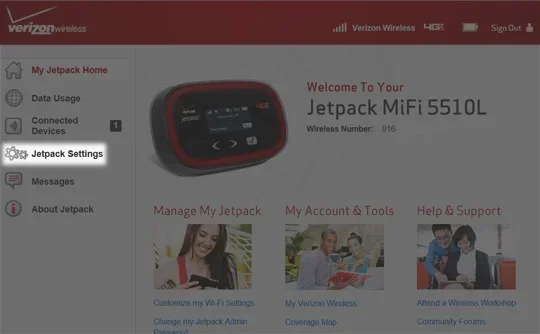
A Verizon Jetpack is a portable hotspot device. It connects to the Verizon cellular network. It then shares that connection with your gadgets. You can think of it as a wireless router on the go. It creates a small Wi-Fi zone. Your devices connect to this zone. Then they can access the internet. The Jetpack has a built-in battery. It also has a SIM card. This SIM card connects to the Verizon network. Without the SIM, the Jetpack does nothing. It is just a plastic box. The SIM card is the brain of the operation. It talks to the towers. It brings the signal back to your home.
How the Hotspot Device Works
The hotspot device is very simple to use. It picks up a wireless carrier signal. In this case, the carrier is Verizon. The device translates that signal. It turns the cellular signal into a Wi-Fi network. Your phone sees this network. You type in the password. Then you are online. The Jetpack acts as a bridge. It bridges the gap between cell towers and your home screens. It does not need a phone line. It does not need a cable outlet. It just needs cell coverage. This is why it is so popular. People love the simplicity. There are no wires to hide. There is no technician to schedule. You just plug it in and go. Over the years, these devices have gotten much smaller. They are barely bigger than a deck of cards now. But they pack a powerful punch. They can handle fast 5G speeds easily.
The Difference Between Jetpack and Home Routers
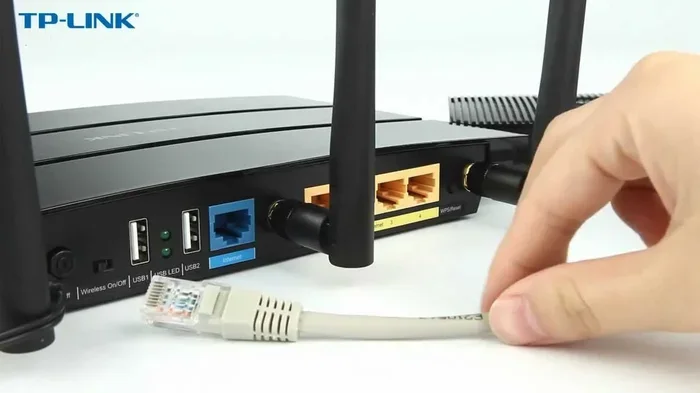
A regular home router needs a wired connection. It plugs into a wall. It gets internet from a cable or fiber line. A Verizon Jetpack gets internet from the sky. Well, not the sky exactly. It gets it from cell towers. There are no cables needed for the internet source. This makes the Jetpack very flexible. You can put it anywhere. You can move it from room to room. You can even take it on vacation. But a regular router gives you a steady signal. A Jetpack depends on network coverage. If the tower is far away, the signal is weak. If the tower is close, the signal is strong. You have no control over tower placement. You just have to work with what you have.
Can a Verizon Jetpack Actually Replace Home Internet?
Yes, a Verizon Jetpack can replace home internet. Many people do it successfully. But it is not for everyone. You need to look at your own habits. Do you use the internet a little or a lot? The Jetpack works best for light users. It is a great broadband alternative for people who just need the basics. But heavy users might run into problems fast. You must be honest about your usage. If you only check email, a Jetpack is fine. If you game all day, it is not fine.
The Pros of Using a Jetpack
There are many great reasons to use a Verizon hotspot at home. Here are the top benefits:
- Portable Freedom: You can take it anywhere. Move it from the living room to the bedroom. Take it to the backyard. You are not tied to one spot.
- Easy Setup: No technicians needed. No cables to run. Just turn it on and connect. You can be online in five minutes.
- No Contracts: Many plans are month-to-month. You can cancel anytime. There are no early termination fees. This is great for renters.
- Great for Rural Areas: Where cable lines do not reach, cell towers often do. This is a huge plus for countryside homes.
- Multiple Devices: A Jetpack can connect many gadgets. Phones, tablets, and smart TVs all work well. You can share the connection with your whole family.
- No Equipment Fees: Traditional ISPs charge rental fees for their modems. A Jetpack is yours to keep after you buy it.
The Cons of Relying on a Jetpack
There are also some downsides to using a Jetpack. You must know these before you switch:
- Data Caps: Most plans limit your monthly data. Once you hit the limit, speeds drop very fast. You might go from fast 5G to slow 3G in seconds.
- Battery Limits: The Jetpack needs power. You must keep it plugged in to run all day long. It does not work well on battery alone.
- Heat Issues: The device can get hot. If it gets too hot, it might slow down or shut off. You need to keep it in a cool spot.
- Signal Changes: Your signal strength can change. It depends on where you are and the time of day. Morning might be fast. Evening might be slow.
- Speed Limits: Upload speeds are often slower than with cable internet. This can affect video calls. You might freeze on screen while others do not.
- Shared Bandwidth: Every device you connect slows the Jetpack down. If ten devices are on, the speed drops for everyone.
Speed and Performance Comparison
How fast is a Verizon Jetpack really? The internet speed depends on the network type. Verizon has strong 4G and 5G networks. In areas with good internet coverage, you can get very fast speeds. But your results may vary. Let us look at the numbers. We will compare the speeds to traditional home internet. This will help you set realistic expectations.
Download and Upload Speeds
With 5G, a Jetpack can reach fast download speeds. You might see speeds over 100 Mbps. This is enough for most families. You can stream HD movies. You can browse the web with no lag. But upload speeds are often lower. You might only get 10 to 20 Mbps. This is fine for basic work tasks. But it can be slow for uploading big files. For heavy uploaders, this is a drawback. Cable internet often gives you 10 Mbps upload. Fiber internet gives you even more. So the Jetpack upload speed is decent. But it is not the fastest in the world.
4G vs 5G for Home Internet
Verizon offers both 4G and 5G networks. 4G is the older technology. It is still very reliable. 4G speeds are usually around 20 to 50 Mbps. This is enough for most browsing. But 5G is much faster. 5G speeds can reach over 100 Mbps. In some spots, they hit 300 Mbps. If you want the best performance, pick a 5G Jetpack. 5G also has lower latency. This means less lag. It is better for video calls. It is also better for gaming. But 5G coverage is not everywhere yet. Check if 5G is available at your address first. If not, 4G will still work well for basic needs.
Signal Strength and Coverage
Signal strength is very important for a Jetpack. If you live far from a cell tower, speeds drop. Internet coverage also changes by neighborhood. Walls and roofs can block the signal. You might get great speeds in one room. But the signal might be weak in another room. This is a big difference from a wired home router. A cable router gives the same speed to every room. A Jetpack does not always do that. You might need to move the Jetpack around. You might need to find the best spot in your house. This can be annoying if you have a large home.
Quick Tips for Better Speeds
Want to get the best internet speed from your Jetpack? Follow these simple tips:
- Place the Jetpack near a window. This helps it catch the cell signal better.
- Keep it away from thick walls. Walls can block the signal. Metal objects are bad too.
- Do not put it in a closed cabinet. It needs air to stay cool. Heat slows the device down.
- Restart the device once a week. This clears the memory. It keeps the connection fresh.
- Update the firmware often. Verizon sends updates to improve performance. Always install them.
Data Caps and Monthly Costs
Cost is a big factor when choosing a broadband alternative. A Jetpack plan costs money each month. You also pay for the device itself. Understanding your monthly data is very important. You do not want a surprise bill at the end of the month. Let us break down the costs and what they mean for you.
Understanding Your Monthly Data
A mobile hotspot uses data every time you go online. Streaming video uses the most data. HD video uses about 3 GB per hour. If you watch five hours a day, you use 15 GB. That is a lot of monthly data. Most Jetpack plans offer 15 GB to 100 GB. You must pick a plan that fits your habits. If you go over your limit, you pay extra fees. Some plans offer unlimited data. But even unlimited plans slow down after a certain amount. This is called a soft cap. You must read the fine print. Look at the terms carefully before you buy.
Jetpack Plans vs. Traditional Plans
Traditional home internet plans often have no data caps. You pay a flat fee for unlimited data. Jetpack plans often have strict limits. Some plans cost less upfront. But if you go over your data caps, fees add up fast. You must compare the total cost. Look at the monthly fee plus any extra charges. Here is a quick look at the differences between the two options:
| Feature | Verizon Jetpack | Traditional Home Internet |
|---|---|---|
| Setup Cost | Low | Medium to High |
| Monthly Fee | Varies by data | Flat rate |
| Data Caps | Yes, usually strict | Rarely |
| Contract Length | Month-to-month | Usually 12-24 months |
| Portability | High | None |
| Equipment Fee | One-time purchase | Monthly rental |
Common Mistakes to Avoid
Many people make mistakes with their Jetpack. Do not leave your device on all day. This drains the battery and uses data. Do not place the Jetpack in a closed cabinet. It needs air to cool down. Always check your network coverage before you rely on it. Finally, do not ignore your internet speed test results. Test your speed often. See if you are getting what you pay for. If speeds are slow, move the Jetpack to a new spot. Here are a few more mistakes to watch out for:
- Ignoring the heat: A hot Jetpack is a slow Jetpack. Keep it ventilated. Do not bury it under papers or pillows.
- Forgetting to update: Old software can cause connection drops. Always keep it current. Updates fix bugs and improve speed.
- Using it as a primary source without a backup: Cell service can go down. Have a backup plan for emergencies. A phone with a tethering plan can save you.
- Not monitoring your data: Check your usage every week. Do not wait until the end of the month. Verizon has a free app to help you track this.
- Placing it on the floor: Floors are often dusty and damp. Dust can block the vents. Keep it on a flat, dry surface.
Is a Jetpack Right for Your Home?
Deciding to ditch your cable modem is a big step. You need to look at your own needs. A Jetpack is not for everyone. But for some, it is a perfect fit. Think about your daily routine. How much do you really use the internet? Be honest with yourself. If you are not sure, write down what you do online every day. This will help you choose the right internet plan.
Who Should Use a Jetpack
A Verizon Jetpack is great for renters. People who move often will love the portability. It is also good for rural homes. Where cable internet is not available, a Jetpack can save the day. Students who need a simple wireless router also do well with a Jetpack. Small families with light internet use will find it very useful. If you only check email and browse the web, a Jetpack is all you need. It is also perfect for people who travel a lot. You can bring your home internet with you on the road.
Who Should Stick to Traditional Internet
Heavy internet users should think twice. If you game online for hours, a Jetpack might not work. The latency on cellular networks can be higher than on cable. This can cause lag in games. Fast-paced shooters are the worst for this. If you stream 4K movies all day, you will burn through data. Big families with many devices also need a lot of data. A Jetpack might not handle all of that. In these cases, a cable or fiber plan is better. Stick to what works for your heavy habits. Do not force a Jetpack to do a job it cannot handle. Traditional internet is often more stable too. You do not have to worry about signal drops during a big game.
Key Takeaways for Choosing
Before you make your final choice, remember these key points:
- Match the device to your usage: Light users need less data. Heavy users need more.
- Check coverage first: A fast plan is useless if the signal is weak at your home.
- Watch the heat: Keep the Jetpack cool for the best performance.
- Plan for the future: If your family grows, your data needs will grow too.
Expert Insights
Tech experts say a Jetpack works best as a backup. It is also good for light use. If you have unlimited data through a work plan, a Jetpack is a smart choice. Just watch your battery life. Keep the device in a cool, open space. This will help it run smoothly all day long. Experts also suggest using an external antenna. This can boost your signal strength in weak areas. A small change can make a big difference in your internet speed. They also recommend turning off devices you are not using. This saves data and keeps the Jetpack fast. Follow these tips and you will have a great experience with your Verizon 5G Home setup.
So, can a Verizon Jetpack replace home internet? Yes, it can. You just need to know what you are signing up for. Weigh the pros and the cons. Look at your data needs. Then make a choice that fits your life. A Jetpack gives you freedom. It also gives you flexibility. For the right user, it is a great choice. Do your research. Pick the right plan. And enjoy your new broadband alternative. You will be glad you made the switch. The world of wireless internet is wide open. You just have to take the first step.
Frequently Asked Questions
Can I use a Verizon Jetpack as my only home internet?
Yes, you can use a Jetpack as your only home internet. It works just like a regular wireless router. However, you must have good cell coverage at your home. You also need to watch your monthly data usage. If you are a light user, it is a great option.
How much does a Verizon Jetpack cost per month?
The cost depends on the data plan you choose. Plans usually range from 20 dollars to 80 dollars per month. You also need to buy the Jetpack device upfront. Some plans have data caps, while others offer unlimited data. Always check the total cost before you sign up.
Is a Verizon Jetpack faster than cable internet?
In some areas, a Jetpack can be faster than cable. This is especially true with 5G networks. However, cable internet is usually more consistent. Jetpack speeds depend on signal strength and network traffic. Your results may vary based on your location.
What happens if I run out of data on my Jetpack?
Most Jetpack plans have data caps. If you go over your limit, your speed will drop. You might slow down to 3G speeds. Some plans charge extra fees for overages. You can also buy add-on data packs to restore your full speed.
Can I connect multiple devices to a Verizon Jetpack?
Yes, you can connect multiple devices to a Jetpack. Most models support up to ten or fifteen connected devices. However, adding more devices slows down the speed for everyone. It is best to limit the number of active streams for the best performance.
Does a Verizon Jetpack work during a power outage?
A Jetpack has a built-in battery, but it will not last all day. You must keep it plugged in to use it continuously. If the power goes out, the Jetpack will run on battery for a few hours. You will need a backup power source to keep it running for a long time.