Do Routers Get Slower Over Time And What To Do About It
Yes, routers do get slower over time due to aging hardware, software buildup, and network congestion. Understanding why your router slows down helps you take action before it hurts your internet speed. This guide covers the main causes and simple fixes to restore your router performance fast.
Have you noticed your internet feels sluggish lately? You are not alone. Many people ask the same question every day: do routers get slower over time? The short answer is yes. But the good news is you can do something about it.
Your wireless router works hard every single day. It handles requests from phones, laptops, smart TVs, and more. Over months and years, this constant work takes a toll. Router performance naturally dips as hardware ages and software builds up. But that does not mean you have to live with slow internet.
In this article, we will explain exactly why routers slow down and what you can do to fix it. You will learn about the common causes of network slowdown, simple tips to boost speed, and when it is time to replace your network hardware. By the end, you will know how to keep your internet connection running strong.
Key Takeaways
- Routers slow down over time because of hardware aging, firmware clutter, and overheating.
- Too many connected devices can cause network slowdown and bandwidth congestion.
- Regular firmware updates and router resets keep your wireless router running smoothly.
- Router placement matters a lot for strong Wi-Fi signal and stable internet connection.
- Knowing when to replace your router saves you from frustrating speed drops.
- Simple habits like restarting your router can significantly improve router performance.
- Upgrading to a dual-band router helps handle modern internet demands better.
📑 Table of Contents
Why Do Routers Get Slower Over Time?
A router is not a set-it-and-forget-it device. It handles a lot behind the scenes. Several factors cause router performance to decline over time. Let us break them down.
Hardware Aging and Wear
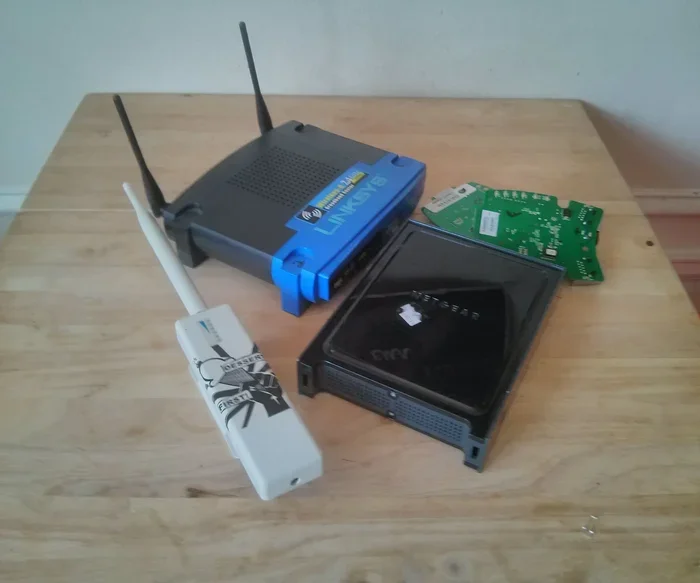
Like any electronic device, routers have a lifespan. The internal components degrade with constant use. Capacitors weaken, processors slow down, and memory fills up. This hardware aging happens gradually. You might not notice it at first. But after two or three years, the difference becomes clear.
Older routers also lack support for newer Wi-Fi standards. For example, an older router might only support Wi-Fi 4 or 5. Newer devices need Wi-Fi 6 for top speeds. When old hardware meets new demands, your internet speed drop becomes obvious.
Software and Firmware Buildup
Every router runs on software called firmware. Over time, firmware accumulates data. Cache files fill up. Settings get cluttered. This software buildup slows down the router’s processor. Think of it like a phone that gets slower when it has too many apps open.
Also, manufacturers stop supporting older models. They stop pushing updates too. Without updates, your router misses out on performance improvements and security patches. This makes it even more vulnerable to slowdowns.
Overheating Issues
Routers generate heat. When they run for hours without a break, they can overheat. Router overheating causes the processor to throttle down. This means it intentionally slows itself to avoid damage. You might notice your router feels hot to the touch. That is a warning sign.
Overheating often happens because of poor ventilation. Routers tucked inside cabinets or placed on soft surfaces trap heat. This leads to network slowdown and even unexpected disconnections.
Increased Network Demand
The world uses more bandwidth every year. Streaming 4K video, video calls, online gaming, and smart home devices all compete for your internet connection. A router that handled five devices just a few years ago might struggle with twenty today. This growing bandwidth congestion makes your network feel slower even if the router itself is fine.
Common Signs Your Router Is Slowing Down
How do you know your router is losing speed? Watch for these telltale signs.
- Slow page loads: Websites take longer to open than they used to.
- Buffering during streaming: Videos keep pausing to load, even on HD content.
- Frequent disconnections: Devices drop off the network more often than before.
- Weak signal in familiar spots: Areas that used to get strong Wi-Fi signal now show low bars.
- Lag during video calls: Voice or video freezes or delays during meetings.
- Slow file transfers: Moving files between devices takes much longer than expected.
If you notice several of these signs, your router performance is likely declining. The next step is figuring out what to do about it.
What You Can Do to Speed Up Your Router
The good news is that many causes of network slowdown are easy to fix. You do not need to be a tech expert. Try these steps one by one.
Restart Your Router Regularly
This is the simplest fix, and it works. Restarting your router clears the memory and refreshes the connection. It also flushes out cached data that may be slowing things down. Router reset does not mean factory reset. A simple restart by unplugging the power cable for 30 seconds does the trick.
Make it a habit to restart your router once a week. Many people set a reminder on Sunday morning. It takes less than a minute and can make a big difference in router performance.
Update Your Router Firmware
Firmware updates fix bugs and improve speed. Check your router manufacturer’s app or web dashboard for updates. Most modern routers auto-update, but many still require manual checks.
To update your firmware, log into your router settings through a browser. Look for a section called “Update” or “Firmware.” Follow the on-screen steps. Keeping your network hardware updated is one of the easiest ways to maintain strong internet speed.
Optimize Router Placement
Where you place your router affects your Wi-Fi signal more than you might think. A router hidden behind a TV or inside a closet struggles to broadcast properly. Walls, metal objects, and even microwaves can interfere with the signal.
Place your router in a central, open location. Keep it elevated on a shelf. Avoid corners and closed-off rooms. Good router placement can dramatically improve coverage and speed throughout your home.
Reduce Connected Devices
Every device connected to your router uses bandwidth. Smart TVs, phones, tablets, smart speakers, security cameras, and gaming consoles all compete. If you have too many devices, bandwidth congestion becomes a real problem.
Try disconnecting devices you are not using. Turn off Wi-Fi on devices that do not need it. Some routers also offer QoS settings (Quality of Service). These let you prioritize certain devices, like your work laptop, over less critical ones like smart home gadgets.
Change Your Wi-Fi Channel
Your router broadcasts on a specific channel. If your neighbors use the same channel, interference happens. This causes network slowdown and weak signals. Changing your channel can reduce this interference.
Use a free Wi-Fi analyzer app to find the least crowded channel. Then go into your router settings and switch to it. This simple step can boost your internet connection quality significantly.
Consider a Dual-Band or Tri-Band Router
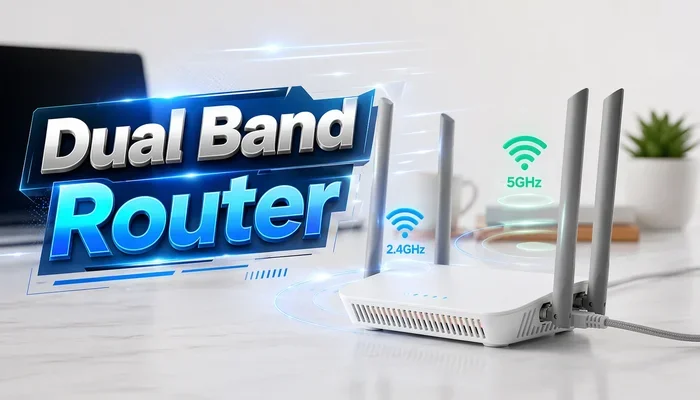
Older routers usually operate on a single band. Modern routers offer dual-band or tri-band options. A dual-band router uses two frequencies: 2.4 GHz and 5 GHz. The 5 GHz band is faster and less crowded. A tri-band router adds a second 5 GHz band for even more capacity.
If your current router is single-band, upgrading to a dual-band model can be a game changer. It helps handle multiple devices without the internet speed drop you might be experiencing now.
When Should You Replace Your Router?
Sometimes fixing is not enough. If your router is more than four or five years old, it might be time for a replacement. Here are clear signs that router replacement makes sense.
- Your router no longer supports modern Wi-Fi standards. Wi-Fi 6 and Wi-Fi 6E offer much faster speeds and better handling of multiple devices.
- Frequent crashes or freezes. If your router needs constant restarting, the hardware is failing.
- No firmware updates available. Manufacturers stop supporting older models. Without updates, security and performance suffer.
- Speed tests show consistent slowdowns. If your internet plan should give you faster speeds but your router cannot deliver, it is the bottleneck.
- You have added many new devices. A router bought for five devices will struggle with fifteen.
Replacing an old router can feel like an expense. But think of it as an investment in your daily productivity and entertainment. A new wireless router can transform your home network experience.
Quick Tips to Keep Your Router Running Fast
Want to keep router performance strong for as long as possible? Follow these quick tips.
- Restart your router weekly to clear memory and refresh connections.
- Keep firmware updated for the latest speed and security improvements.
- Place your router in an open, central spot away from walls and electronics.
- Use a router cooling stand if your router tends to overheat.
- Limit connected devices to only what you actively use.
- Change your Wi-Fi channel if you notice interference from neighbors.
- Use Ethernet cables for devices that need stable, fast connections like desktops and gaming consoles.
- Clear your DNS cache regularly to speed up domain lookups.
These habits take minutes but pay off big time. They help prevent network slowdown and keep your internet connection feeling fast and responsive.
Expert Insights on Router Longevity
Networking experts agree that most consumer routers last between three and five years. After that, performance drops and security risks increase. “Routers are like cars,” says one IT specialist. “They need maintenance, and eventually, they need replacing.”
Experts also stress that router placement and firmware updates are the two most overlooked factors in router performance. Many users buy a router, set it up once, and forget about it. A little regular attention goes a long way.
Another expert tip: do not buy the cheapest router you can find. A slightly better model from a reputable brand often lasts longer and performs better. Look for routers that support the latest Wi-Fi standards and offer regular firmware support from the manufacturer.
Key Takeaways
- Routers slow down over time due to hardware aging, firmware buildup, and overheating.
- Restart your router weekly to clear memory and maintain strong router performance.
- Update firmware regularly to get speed improvements and security patches.
- Place your router centrally for the best possible Wi-Fi signal coverage.
- Reduce connected devices and use QoS settings to manage bandwidth congestion.
- Upgrade to a dual-band router if your current model is single-band and outdated.
- Replace your router every 4-5 years to keep up with modern internet speed demands.
Conclusion
So do routers get slower over time? Yes, they do. But now you know exactly why and what you can do about it. Router performance decline is not inevitable if you take the right steps. Regular restarts, firmware updates, smart placement, and managing connected devices all make a real difference.
Do not wait until your internet connection becomes unusable. Take action now. Try the tips in this article and see the improvement yourself. And if your router is truly old and outdated, do not be afraid to invest in a new one. A modern wireless router can breathe new life into your home network and keep everyone connected without frustration.
Your internet speed drop does not have to be permanent. With the right knowledge and a few simple habits, you can keep your network running fast and smooth for years to come.
Do Routers Get Slower Over Time Even With Good Care?
Yes, all routers eventually slow down. Hardware components wear out over time, and newer internet demands exceed what older models can handle. However, good care like regular restarts, firmware updates, and proper placement can significantly extend your router’s useful life and keep it performing well for longer.
How Often Should I Restart My Router?
Restarting your router once a week is a great habit. This clears its memory, refreshes connections, and helps prevent network slowdown. If you notice speed issues, a quick restart is the first thing you should try before anything else.
Can Too Many Devices Really Slow Down My Router?
Absolutely. Every device connected to your router uses bandwidth. When too many devices are active at once, bandwidth congestion occurs. This leads to slower speeds for everyone on the network. Managing connected devices helps keep things running smoothly.
Is It Better to Use Wi-Fi or Ethernet for Speed?
Ethernet cables always provide a faster and more stable connection than Wi-Fi. If you need the best internet connection for gaming or video calls, use an Ethernet cable. Wi-Fi is more convenient, but Ethernet wins for raw speed and reliability.
What Is QoS and How Does It Help?
QoS stands for Quality of Service. It is a feature on many modern routers that lets you prioritize certain devices or activities. For example, you can give your work laptop higher priority over a smart TV. This helps manage bandwidth congestion and ensures important tasks get the speed they need.
When Is It Time to Replace My Router?
If your router is more than four or five years old, frequently crashes, or no longer receives firmware updates, it is time to replace it. Also, if you have upgraded your internet plan but still experience slow speeds, your router may be the bottleneck. A new wireless router with modern standards can make a huge difference.
Frequently Asked Questions
What is Do Routers Get Slower Over Time?
Do Routers Get Slower Over Time is an important topic with many practical applications.