Do I Need 200 Mbps Or 400 Mbps For Streaming And Gaming
Do I Need 200 Mbps Or 400 Mbps? The answer depends on how many devices you have, what you stream, and how seriously you game. Most households do fine with 200 Mbps, but 400 Mbps shines when multiple people stream 4K or compete online at the same time.
Do I Need 200 Mbps Or 400 Mbps? That is the question many internet users ask when they are shopping for a new internet plan. The truth is, the right internet speed depends on your household, your habits, and the devices you use every day.
Streaming movies, playing online games, and video conferencing all demand bandwidth. But how much? A single person watching Netflix in 4K needs far less speed than a family of five who all stream, game, and work from home simultaneously. This guide walks you through everything you need to know so you can make a smart choice without overpaying.
We will break down what each speed tier offers, compare them side by side, and give you practical advice based on real-world usage. By the end, you will know exactly whether 200 Mbps or 400 Mbps fits your life.
Key Takeaways
- 200 Mbps is enough for most households: It handles 4K streaming, video calls, and casual gaming with room to spare.
- 400 Mbps matters for heavy users: Large families, multiple 4K streams, and competitive gaming benefit from the extra bandwidth.
- Your internet plan should match your usage: Counting devices and activities helps you pick the right speed tier.
- Wi-Fi quality affects real-world speeds: A good Wi-Fi router and ethernet connection make a big difference.
- Upload speed is often overlooked: Streaming and gaming rely on both download and upload, so check both numbers.
- Run a speed test before upgrading: You may already have enough speed and just need better equipment.
📑 Table of Contents
What Does Mbps Actually Mean?
Before we dive into the comparison, let us clear up what Mbps really means. Mbps stands for megabits per second. It measures how much data your internet connection can download or upload every second. Think of it like a highway — the more lanes you have, the more cars (data) can move at once.
Download Speed vs Upload Speed
Most internet plans advertise download speed. That is the rate at which data travels from the internet to your device. When you watch a video or load a webpage, download speed matters most. But upload speed is equally important for streaming your own content, video calls, and online gaming.
Here is a quick look at what each speed tier typically offers:
- 200 Mbps plan: Usually around 20 Mbps upload speed on most internet providers.
- 400 Mbps plan: Often comes with 30 to 40 Mbps upload, depending on your connection type.
- Fiber optic connections: Tend to offer symmetrical speeds, meaning upload matches download.
When you ask yourself Do I Need 200 Mbps Or 400 Mbps, remember that both download and upload matter. A fast download with a slow upload can still cause lag during video calls or while streaming live content.
Why Bandwidth Matters for Everyday Use
Every device connected to your Wi-Fi router shares your total bandwidth. A smart TV, a laptop, a phone, a tablet — they all compete for data. If too many devices pull from the same pool at once, your connection slows down. This is why understanding your bandwidth needs is the first step toward choosing the right plan.
What You Need for Streaming
Streaming is one of the biggest bandwidth hogs in most homes. Whether you watch Netflix, YouTube, Disney Plus, or Hulu, your streaming quality depends directly on your internet speed. Let us look at what different quality levels require.
Streaming Quality and Speed Requirements
Different platforms and resolutions need different amounts of bandwidth. Here is a simple breakdown:
- Standard Definition (480p): About 3 to 4 Mbps per stream.
- High Definition (1080p): Around 5 to 8 Mbps per stream.
- 4K Ultra HD: Needs 15 to 25 Mbps per stream.
- Multiple 4K streams: Two 4K streams at the same time can use 30 to 50 Mbps alone.
So if you are a single viewer watching one 4K show, 200 Mbps gives you plenty of headroom. But if you have three family members all watching 4K content on different devices while someone else downloads a large file, you will feel the squeeze.
Quick Tip: Always leave about 20 to 30 percent of your total bandwidth free for background tasks. This prevents buffering and keeps everything running smoothly.
Does Streaming Need 400 Mbps?
For most streamers, 200 Mbps is more than enough. Even heavy users who run multiple 4K streams simultaneously can manage with 200 Mbps. You only truly need 400 Mbps for streaming if you have a large household where many people stream high-quality content at the same time while also doing other data-heavy tasks.
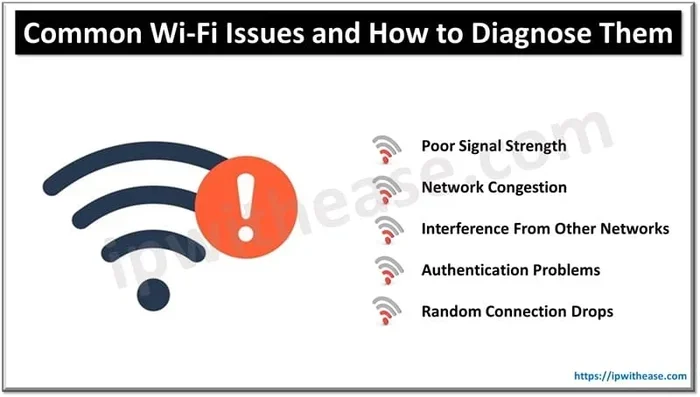
Common Mistake: Many people upgrade their plan thinking more speed will fix buffering issues. Often, the real problem is a weak Wi-Fi signal or an outdated router. Before you pay for a faster plan, check your equipment first.
What You Need for Gaming
Online gaming is different from streaming in one key way: it relies more on latency and ping rate than raw bandwidth. Latency is the time it takes for your action to reach the game server and come back. A high ping rate means lag, and lag can cost you a match.
How Much Speed Does Gaming Actually Use?
Here is something that surprises many people: most online games use very little download speed. A typical game might only need 3 to 6 Mbps to run well. The real enemy is high latency, not low bandwidth.
- Casual gaming: 5 to 10 Mbps download is plenty.
- Competitive gaming: You want low latency (under 50 ms) more than high speed.
- Game downloads and updates: These can be 50 to 100 GB or more, so faster download speed helps here.
- Live streaming your gameplay: This needs good upload speed, around 10 to 20 Mbps.
So when you ask Do I Need 200 Mbps Or 400 Mbps for gaming, the honest answer is that gaming itself does not need either speed. But if you game while others in your home stream or browse, the extra speed helps keep everything stable.
Wired vs Wireless for Gaming
An ethernet connection is always better for gaming than Wi-Fi. A cable gives you a direct line to your router, which means lower latency and fewer dropped packets. If you cannot use a cable, make sure your Wi-Fi router supports the latest standards like Wi-Fi 6 for the best gaming latency performance.
Expert Insight: Many professional gamers use ethernet connections even with modest internet speeds. They prioritize stable, low-latency connections over raw bandwidth. A 50 Mbps wired connection often performs better than a 400 Mbps Wi-Fi connection with high packet loss.
When 400 Mbps Makes Sense for Gaming
400 Mbps becomes useful for gaming households where multiple people are online simultaneously. One person might be downloading a 100 GB game update while another is playing competitively and a third is streaming on Twitch. The extra bandwidth ensures no one experiences slowdowns.
200 Mbps vs 400 Mbps: Head-to-Head Comparison
Now let us put both speed tiers side by side. This comparison table shows what you can expect from each plan in real-world scenarios.
| Scenario | 200 Mbps | 400 Mbps |
|---|---|---|
| Single 4K stream | Works perfectly | Works perfectly |
| 3 simultaneous 4K streams | Works well | No problem |
| Online gaming (1 player) | Excellent | Excellent |
| Gaming + streaming at the same time | Good | Great |
| Large file downloads (50 GB) | Takes about 30 minutes | Takes about 15 minutes |
| 10+ connected devices | Adequate | Comfortable |
| Video calls (multiple) | Works fine | No issues |
| Price difference (typical) | Lower cost | Higher cost |
Quick Tips for Comparing Plans
- Check the fine print: Some plans advertise “up to” speeds, which means your actual speed may be lower.
- Look at upload speeds: Many plans prioritize download speed but ignore upload. For streaming and gaming, upload matters.
- Consider fiber optic options: Fiber offers more consistent speeds than cable or DSL, especially during peak hours.
- Watch for data caps: Some internet providers limit your monthly data usage, which can throttle your connection.
Common Mistake: People often choose a plan based on the headline number alone. A plan that says “up to 400 Mbps” on paper may only deliver 250 Mbps during peak evening hours. Always check real-world reviews and ask neighbors about their experience with the same provider.
How Many Devices Change Your Speed Needs
The number of devices connected to your network is one of the biggest factors in choosing between 200 Mbps and 400 Mbps. Every device that is online — even if it is not actively streaming — uses a portion of your bandwidth.
Device Count and Speed Recommendations
- 1 to 3 devices: 200 Mbps handles this easily. One person can stream, game, and browse without any issues.
- 4 to 6 devices: 200 Mbps still works well for most households, but you may notice slowdowns during peak usage.
- 7 or more devices: 400 Mbps gives you comfortable breathing room, especially if multiple people are streaming 4K content or gaming.
Think about your household. Do you have smart TVs, phones, tablets, laptops, smart home devices, and gaming consoles all connected? Each one adds to the demand on your internet connection. The more devices, the more speed you need to keep everything running smoothly.
Quick Tip: Count every device in your home that connects to the internet. Include smart speakers, security cameras, and even smart fridges. Many people are surprised by how many devices are actually using their bandwidth every day.
Background Usage You Might Not Notice
Even when you are not actively using a device, it may still be consuming internet bandwidth. Phone apps sync in the background. Computers download updates. Smart home cameras upload footage to the cloud. All of this adds up and can eat into your available bandwidth without you realizing it.
This is why 400 Mbps can be a smart choice for busy households. The extra speed absorbs all that background usage so your main activities — streaming and gaming — stay fast and uninterrupted.
How to Choose the Right Speed for Your Household
Choosing between 200 Mbps and 400 Mbps comes down to three simple factors: the number of users, the types of activities, and your budget. Let us walk through how to evaluate each one.
Step 1: Identify Your Primary Activities
Write down what you and your household do online most often. Do you mostly watch streaming services in HD or 4K? Do you play competitive games where latency matters? Do you work from home with frequent video calls? Your answers will point you toward the right speed.
Step 2: Count Your Devices and Users
As we covered above, more devices mean more demand. A household of two with three devices can thrive on 200 Mbps. A family of five with eight or more connected devices will appreciate the headroom that 400 Mbps provides.
Step 3: Consider Your Budget
400 Mbps plans typically cost more than 200 Mbps plans. The price difference varies by provider, but it is often $20 to $40 more per month. Ask yourself whether the extra speed justifies the cost for your household. For many people, 200 Mbps delivers everything they need at a lower price.
Expert Insight: Internet providers often push the fastest plans because they earn more profit from them. Do not feel pressured to buy the highest tier. Be honest about your usage and choose the plan that matches your real needs, not the marketing hype.
Step 4: Test Your Current Speed First
Before you switch plans, run a Mbps speed test. Websites like Speedtest.net or Fast.com give you your current download speed and upload speed in seconds. If your current plan already delivers 180 Mbps, you may not need an upgrade at all. You might just need a better Wi-Fi router or a different placement for your equipment.
Common Mistake: Skipping the speed test and upgrading blindly. Many people pay for faster internet speed than they actually need. A simple test can save you money every month for years to come.
When Fiber Optic Is the Best Choice
If fiber optic is available in your area, it is almost always the best option. Fiber offers consistent speeds, symmetrical upload and download, and low latency. Whether you choose 200 Mbps or 400 Mbps fiber, you will get a more reliable experience than cable or DSL connections at the same speed tier.
When you ask Do I Need 200 Mbps Or 400 Mbps, also consider the type of connection. A 200 Mbps fiber connection often outperforms a 400 Mbps cable connection because fiber maintains its speed even during peak hours when cable networks get congested.
Common Mistakes People Make When Choosing Internet Speed
Choosing the wrong internet plan is easy to do. Here are the most common mistakes and how to avoid them.
- Assuming more speed always means better performance: If your Wi-Fi router is old or poorly placed, faster speeds will not fix your problems. Invest in quality equipment first.
- Ignoring upload speed: Download speed gets all the attention, but upload speed matters just as much for streaming, video calls, and gaming.
- Not accounting for peak usage times: Your internet provider may throttle speeds during evening hours when everyone is online. Check if your plan has traffic management policies.
- Overlooking data caps: Some plans limit your monthly data usage. If you exceed the cap, your speeds drop dramatically. Always check the data cap before signing up.
- Choosing based on price alone: The cheapest plan is not always the best value. Consider what you actually get in terms of speed, data limits, and reliability.
Quick Tip: Before committing to a plan, read reviews from real users in your area. Local experience often tells you more about reliability than any advertised speed number.
Common Mistake: Signing a long-term contract without testing the service first. Many providers offer short-term trial periods or money-back guarantees. Take advantage of these to see if the speed and reliability meet your expectations before locking in.
Conclusion
So, Do I Need 200 Mbps Or 400 Mbps for streaming and gaming? For most households, 200 Mbps is more than enough. It handles multiple 4K streams, online gaming, video calls, and everyday browsing with ease. You only need 400 Mbps if you have a large family with many devices, if several people stream and game simultaneously, or if you regularly download massive files.
The key is to match your internet speed to your actual usage. Count your devices, think about your daily activities, and run a speed test before making any changes. Do not let marketing pressure push you into a plan that costs more than it should. And remember, a great Wi-Fi router and a solid ethernet connection can make even a moderate speed plan feel fast and reliable.
Take the time to evaluate your needs honestly. Whether you choose 200 Mbps or 400 Mbps, the right plan is the one that fits your household, supports your activities, and stays within your budget. Make the choice that works for your life, and you will enjoy a smooth, fast internet experience every single day.
Frequently Asked Questions
Is 200 Mbps fast enough for 4K streaming?
Yes, 200 Mbps is more than enough for 4K streaming. A single 4K stream needs about 15 to 25 Mbps, so 200 Mbps leaves plenty of room for other devices and activities at the same time.
Can I game online with 200 Mbps?
Absolutely. Online gaming uses very little bandwidth, typically 3 to 6 Mbps. What matters more for gaming is low latency and a stable connection, not raw speed. 200 Mbps is excellent for gaming.
How many devices can 400 Mbps support?
A 400 Mbps connection can comfortably support 10 or more devices at the same time. This makes it ideal for large families or households where many people stream, game, and work from home simultaneously.
Does Wi-Fi slow down my internet speed?
Yes, Wi-Fi can reduce your real-world speeds compared to a wired connection. Distance from the router, walls, and interference from other devices all affect Wi-Fi performance. Using an ethernet cable gives you the fastest and most stable speeds.
Is fiber optic better than cable for streaming and gaming?
Fiber optic is generally better because it offers more consistent speeds, lower latency, and symmetrical upload and download speeds. Cable connections can slow down during peak hours when many users are online.
Should I upgrade my plan if I experience buffering?
Not necessarily. Buffering is often caused by a weak Wi-Fi signal, an outdated router, or network congestion rather than low speed. Try moving closer to your router, restarting your equipment, or using an ethernet connection before upgrading your plan.